
Learning Stable Diffusion With Hugging Face in 5 Minutes
A simple way to build fancy images, fast and free.
Introduction
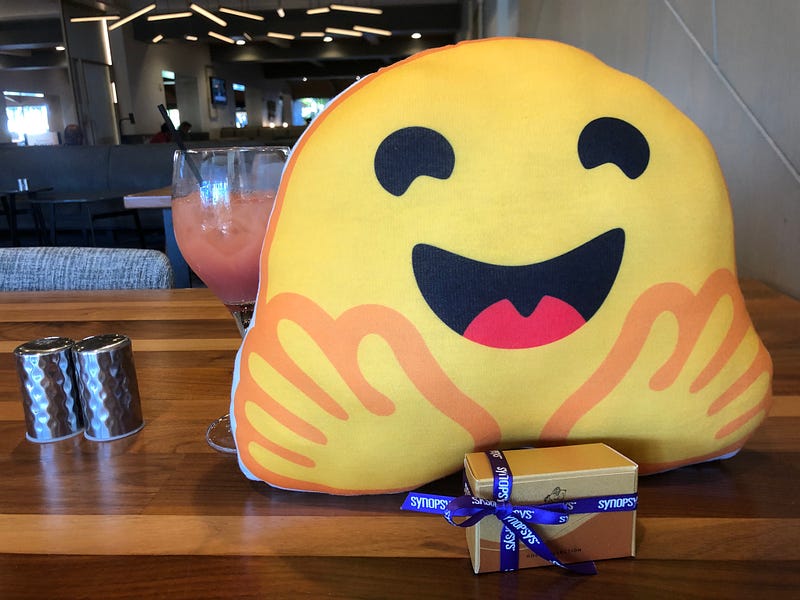
Hugging Face is an open-source and platform provider of machine learning technologies. Hugging Face was launched in 2016 and is headquartered in New York City. We visited its booth at AI Hardware Summit and Edge AI Summit 2022. It is an amazing AI community that builds, trains, and deploys state of the art models powered by referencing open source in machine learning. It transforms complicated machine learning models into simple applications.
Why is Hugging Face outstanding?
- It is a one-stop shop for many AI products.
- It executes faster than using local computing resources.
- There is no need to set up working environment.
- There is no need to create an account.
- There is no need to purchase executing tokens (use fee).
Let’s use Stable Diffusion as an example to build fancy images, fast and free. The Stable Diffusion model was released by a collaboration of Stability AI, CompVis LMU, and Runway with support from EleutherAI and Large-scale Artificial Intelligence Open Network (LAION).
Stable Diffusion is open source. It is primarily used to generate detailed images conditioned on text descriptions, though it can also be applied to other tasks such as inpainting, outpainting, and generating image-to-image translations guided by a text prompt.
Stable Diffusion (text-to-image)
Stable Diffusion is a deep learning, text-to-image model. We use the prompt, Chinese new year 2023 using ink painting, and the following images are generated:
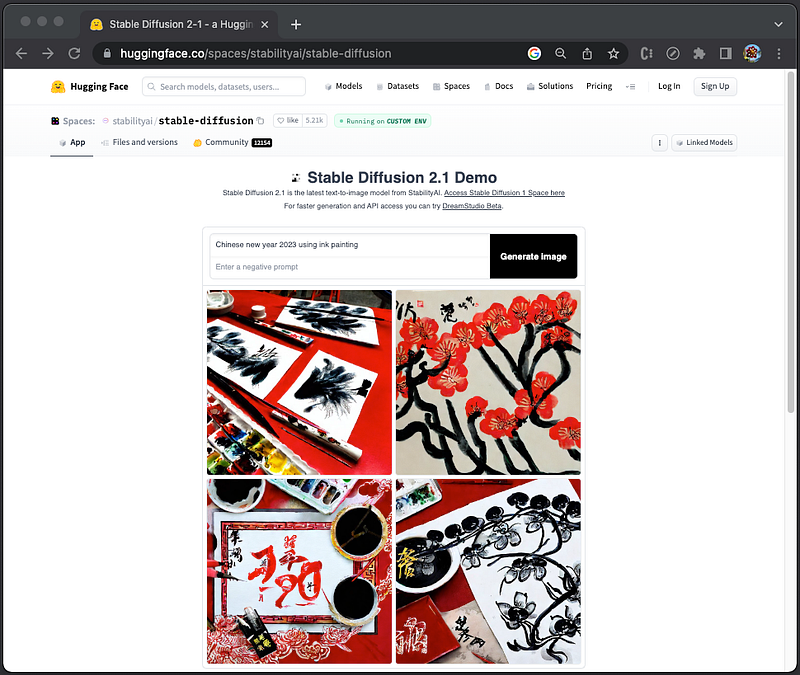
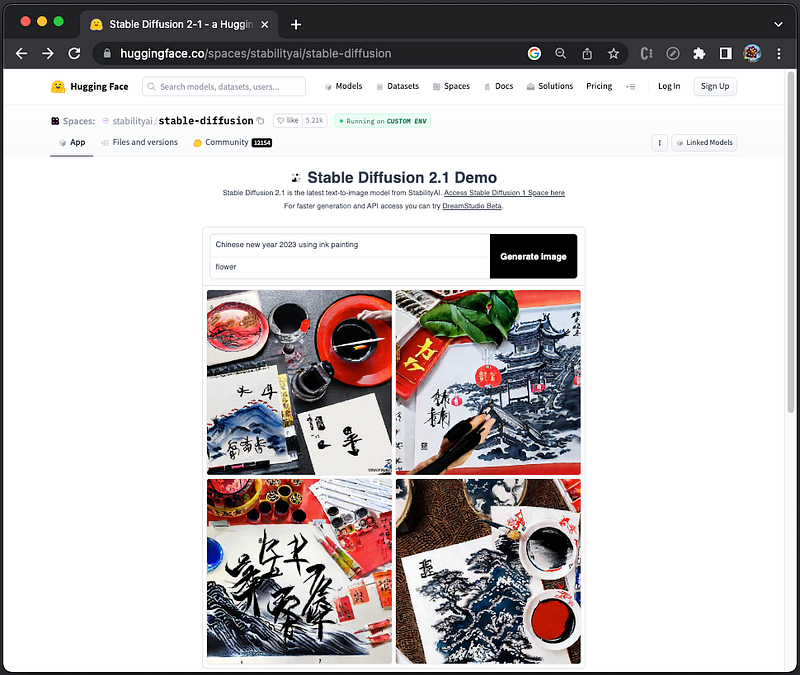
In the app, there is an optional field for negative prompt, which has the additional capability to tell the stable diffusion model what we do not want to see in generated images. This feature can be used to remove anything from the final images.
We add the negative prompt, flower, and the generated images do not have flowers:
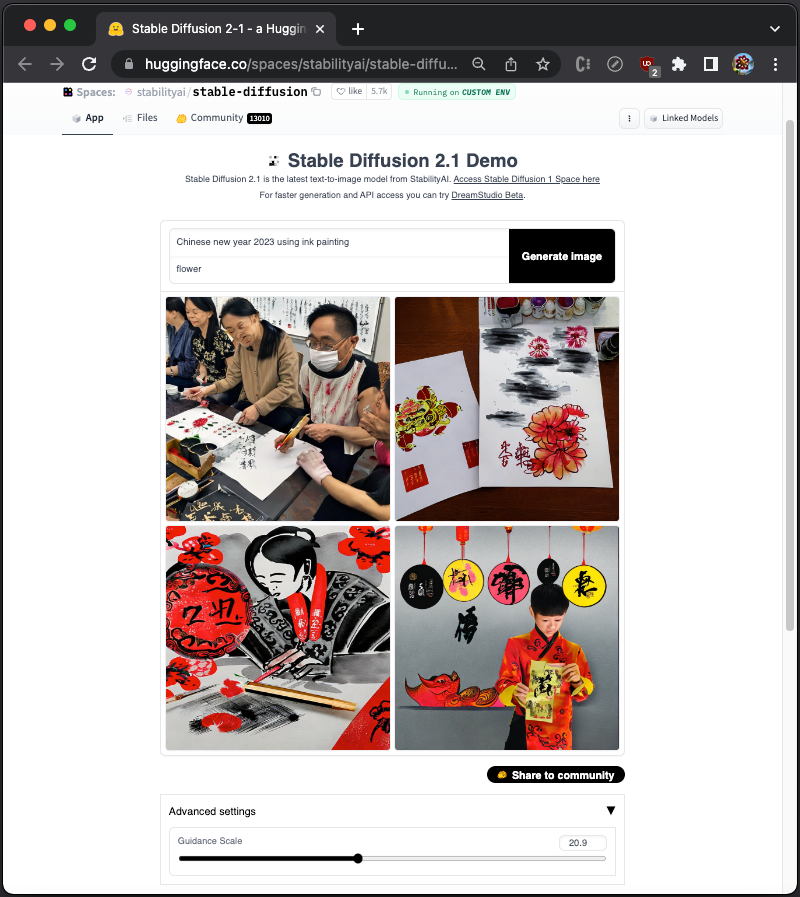
In advanced settings, there is a parameter, Guidance Scale, which controls how closely Stable Diffusion will follow the prompt when generating images. A higher value will force the AI to be more strict and follow the prompt closely, while a lower value will give the AI more creative freedom.
The default value of Guidance Scale is 9. Using extremely high values like 16–20 may result in image frying and other artifacts. On the other hand, using extremely low values like 0–4 may result in barely any adherence to the prompt.
Here is an example with Guidance Scale set to 20.9:
Stable Diffusion (image-to-image)
Stable Diffusion 2 Depth2Img is a deep learning, image-to-image model. The image generation is based on both the image and the prompt, and the final images resemble the input image in color and shapes.
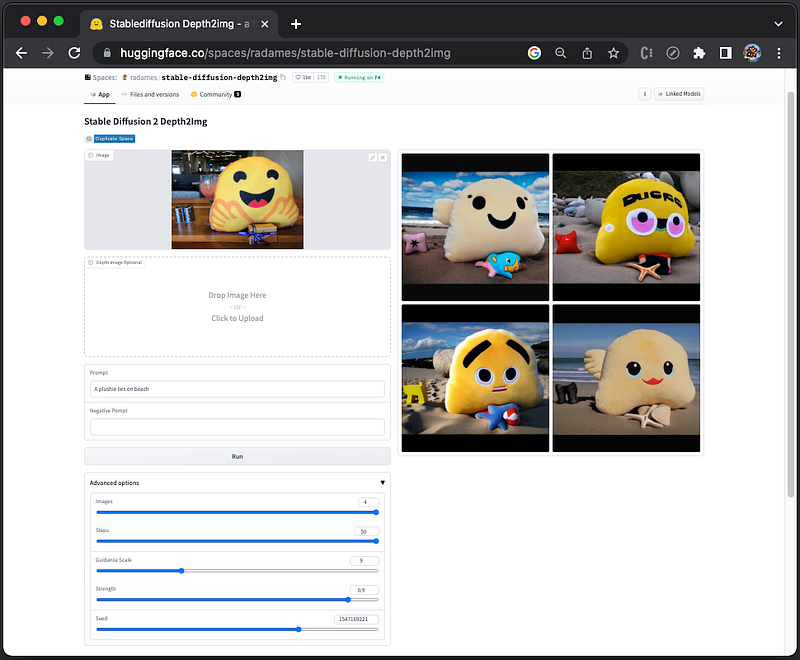
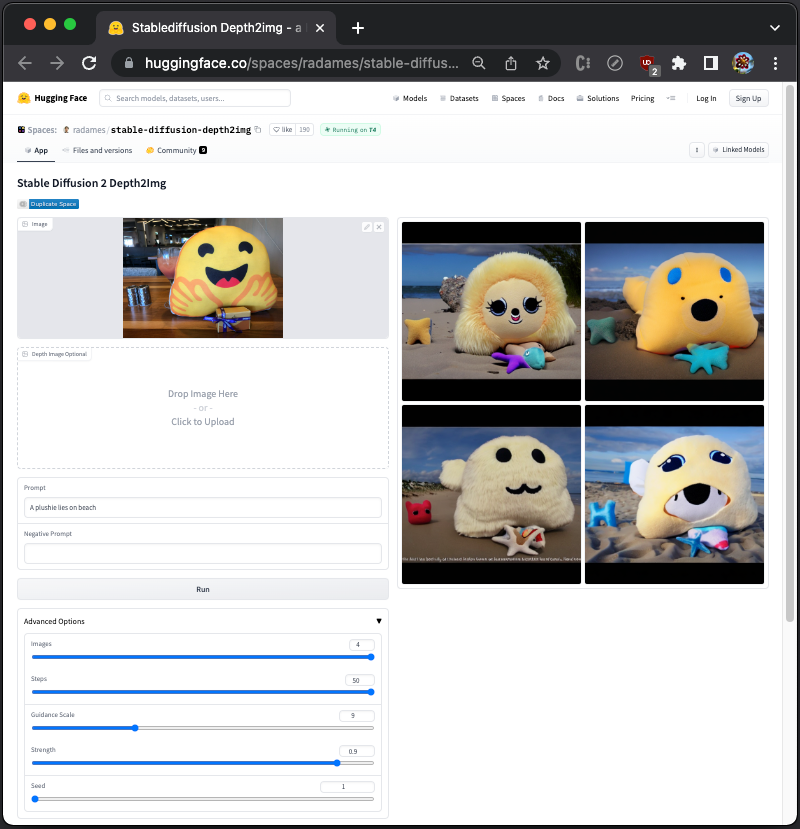
We set the advanced options to 4 images. Use an existing image and the prompt, A plushie lies on beach, to create 4 images :
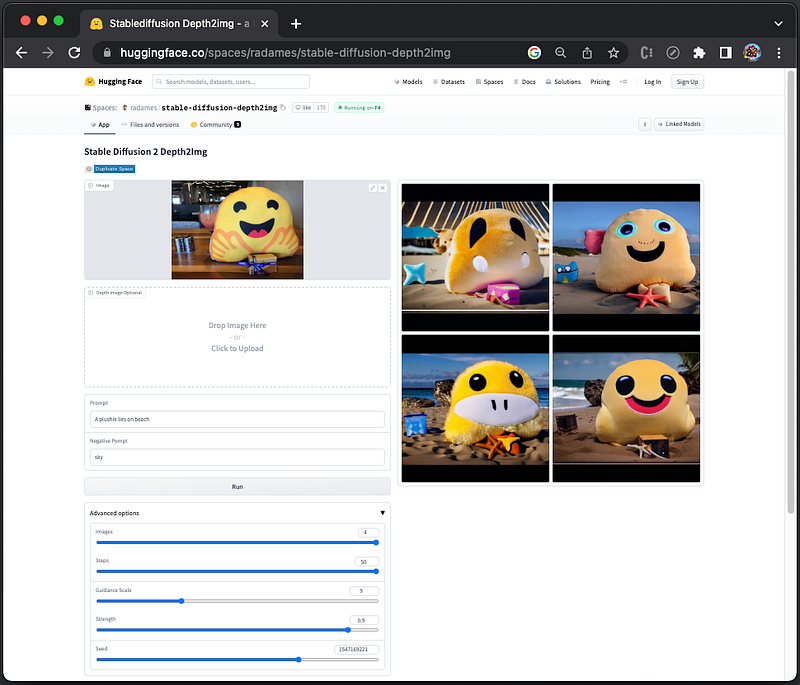
Add a negative prompt, sky, and one of the generated images do not show sky.
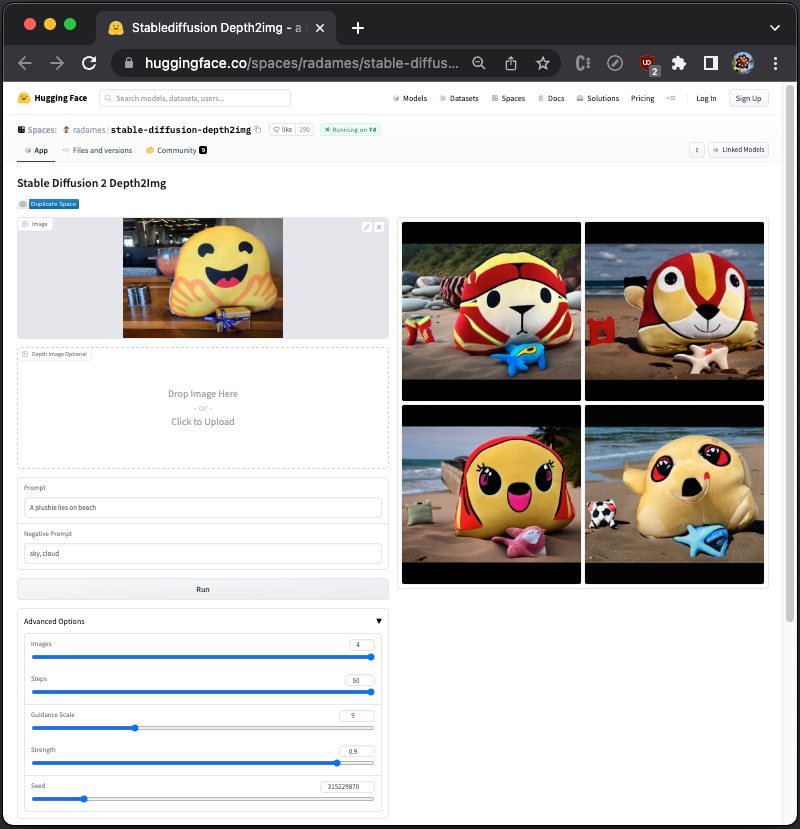
Add two negative prompts: sky, cloud, and two of the generated images do not show sky.
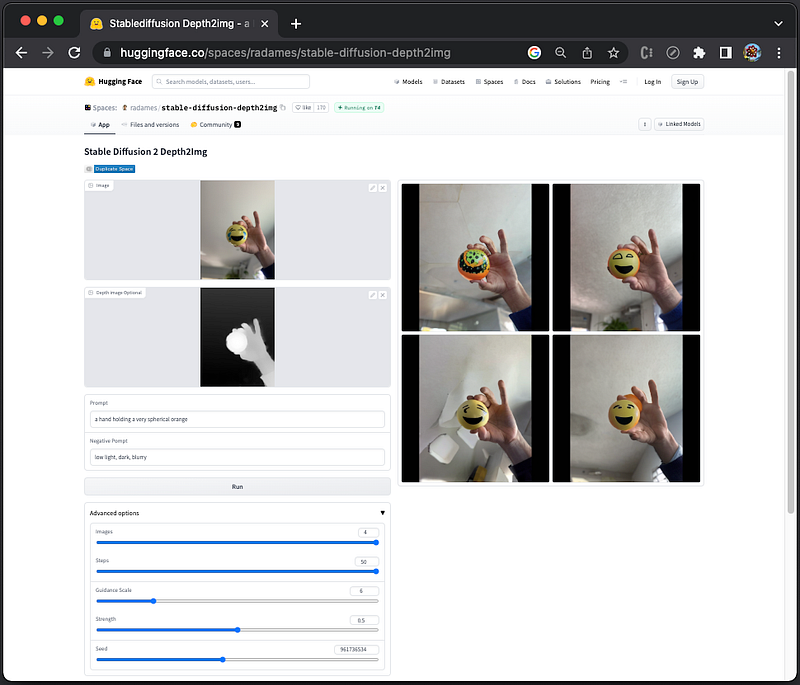
The app also has an optional depth image, which is a simple gray scale image of the same size of the original image encoding the depth information. Complete white means the object is closest to the viewer, and more black means further away.
Here is an example with the depth image provided by the app:
There are a number of advanced settings:
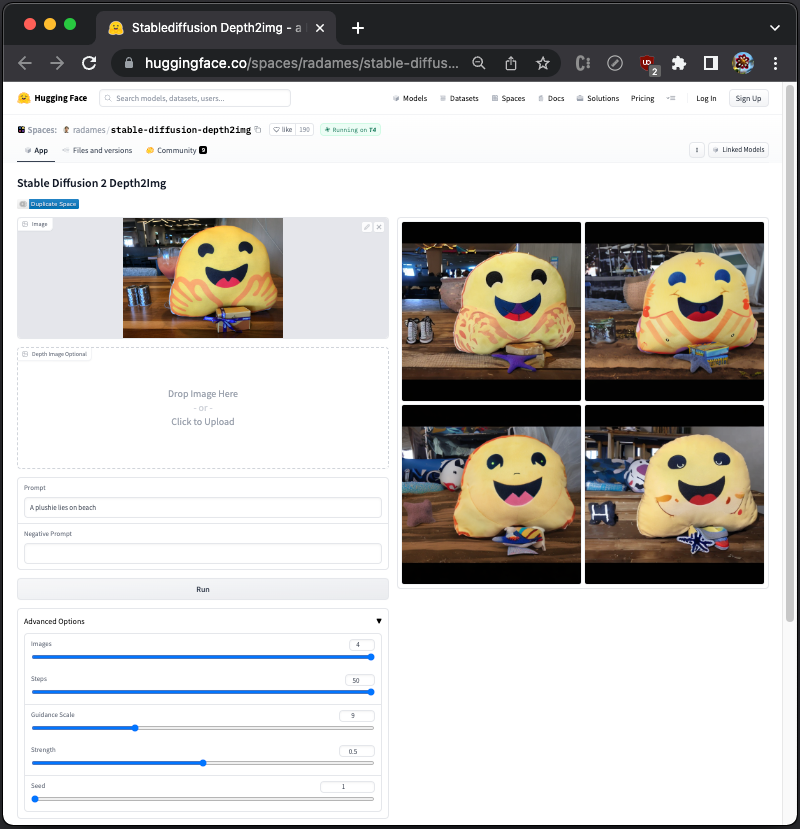
Images: The number of images to be generated. The default value is 1, and the maximum number is 4.Steps: It controls the number of iterations of noise removal that Stable Diffusion will perform. The more steps there are, the better the result will be, but only up to a certain point. In most cases, images will converge on 30 steps and will not change significantly on higher steps. The default value is 50.Guidance Scale: It controls how closely Stable Diffusion will follow the prompt when generating images. A higher value will force the AI to be more strict and follow the prompt closely, while a lower value will give the AI more creative freedom. The default value is 9.Strength: It controls the amount of noise that is added to the input image. It is a value between 0.0 and 1.0, where values that approach 1.0 allow for lots of variations but will also produce images that are not semantically consistent with the input. The default value is 0.9.Seed: It is responsible for creating the initial noise that is used to generate the image. Different seeds will produce different images, but using the same seed will always produce the same image, even if you run the generation process multiple times.
From our original image, it generates various plushies each time. Set the seed to 1, and the generated images remain same for every run.
Change strength to 0.5, we can see the generated images more resemble the original image.
Conclusion
We have explored Stable Diffusion using Hugging Face. It is a simple way to build fancy images, fast and free. Stable Diffusion is open source, and it has the capabilities of text-to-image and image-to-image.
While DALL·E and Midjourney have the similar capabilities, they are not free. Stable Diffusion on Hugging Face can be executed immediately, without being logged in.
Thanks for reading.
Want to Connect?

If you are interested, check out my directory of web development articles.
More content at PlainEnglish.io.
Sign up for our free weekly newsletter. Follow us on Twitter, LinkedIn, YouTube, and Discord.
Build awareness and adoption for your tech startup with Circuit.


