
Best Q&A WordPress Forum Plugins In 2022
Best WordPress Discussion Forum Plugins for Online Community Creators

Wondering if there are good reasons to build a Q&A forum or FAQ feature on your website? If you use WordPress, this is pretty simple to accomplish. The content management system offers a number of plugins that can be used to add Q&A functions to your website with ease. But what are the best Q&A WordPress forum plugins? Before diving in, let’s talk a little about Q&A platforms and why they are important.
Why Q&A?
Consumers are constantly looking to get their burning questions answered. One only has to look at the more than 5.6 billion Google searches conducted daily to realize this fact. Of course, search engines aren’t necessarily question and answer websites, but many of the searches carried out lead to actual Q&A platforms such as Quora, StackExchange, Ehow, Yahoo Answers, and others.
The popularity of Q&A sites is due to how they add value to the consumer experience and bring ideas together. They also help businesses create helpful knowledge bases and strong online communities that boost engagement. More than 70% of people online participate in digital communities (which include forums, Q&A sites, and social networks), so it makes sense to include some form of Q&A feature on your website.
Main purposes of Q&A websites
Whether in the form of FAQs, discussion threads, or educational forums, Q&A websites are high value internet resources for the following reasons:
- They help people find solutions to common and rare problems
- They are a great way to organize helpful information that can be used by website visitors
- They help with the production of user-generated content, which is also good for SEO
- They assist with other SEO efforts such as building backlinks and conducting keyword research
- They help brands figure out what is on the mind of consumers and ways to help them
- They facilitate connection between regular users and industry experts
- They can help businesses better understand their competition and how to differentiate their offerings
What do you need to start a Q&A platform?
Early creators of online communities, including Q&A websites, had to go the traditional route of writing code or paying those with the relevant skills to do it. Of course, hardly anyone does that these days.
One of the ways creators, freelancers, and online retailers engage with their target audiences is by signing up with one of the top Q&A networks. Many tech entrepreneurs and business leaders, for example, have pages on Reddit, Stack Overflow, or Quora that allow them to engage directly with followers and respond to queries. This is a great reputation building strategy that can help users establish themselves as experts in their fields. In addition, Q&A platforms can be leveraged to lure people back to users’ blogs or retail websites.
However, using third party platforms may not be as impactful as setting up your own Q&A facility. For starters, your access to critical user data is often severely limited. On top of that, there are usually plenty of other experts in your field competing for the attention of visitors to these platforms.
Q&A WordPress forum plugins to consider
It is still recommended to join relevant Q&A platforms that allow you to get closer to your target audience. But it is also a good idea to build your own, especially since it is easy to get done using a suitable WordPress plugin. The only problem is, how do you choose the right one? We have selected seven of the best Q&A WordPress forum plugins in 2022 that you might want to consider:
- PeerBoard
- WP-Answers
- Sabai Discuss
- bbPress
- Heroic WordPress FAQs
- Simple:Press
- WooDiscuz
Before going through the list, it is important to understand what is important when searching for the right plugin to build your Q&A forum.
What to look for when choosing a Q&A WordPress forum plugin
- How easy it is to set up: Having to read through technical guides and troubleshooting material in order to use a plugin can be time-consuming and confusing. The plugin you choose to build your Q&A forum should be easily understood by any WordPress user and require simple setup steps. With PeerBoard, for example, most of the respective features can be easily turned on or off at the click of a mouse.
- Mobile responsiveness: Another must-have feature you want to see in a Q&A WordPress forum plugin is mobile responsiveness. Most people already access services online through their smartphones and tablets these days, and this trend is only expected to increase. Therefore, a poor mobile experience will be disastrous for your brand.
- Can it scale with your website? As more people join and use your Q&A site, you may need to revamp your platform to meet the growing needs of your business and customers. As a result, you want to choose a plugin that will remain useful, regardless of how your business changes or grows.
- Customization extent: Whether your Q&A platform is built into your website or a standalone solution, it should reflect the overall look and feel of your brand. It should also have options to configure the platform in accordance to how people will use it. This is only possible if the WordPress plugin you are using is highly customizable.
- Compatibility: Some WordPress plugins are unable to work with certain themes or are incompatible with other plugins you may have already installed. Be sure the Q&A forum plugin you are using does not have any compatibility issues.
- Cost: Some plugins are free, others have to be purchased. Whatever the case, you should look at the long-term cost before choosing one. What does that mean? Some “free” Q&A WordPress forum plugins require you to buy other plugins in order to add certain functionalities. Also, some features in many plugins are often reserved for the premium version or highest subscription tier. You should spend time researching the value you are getting to determine which plugin is actually worth it.
Now that you have an idea about what to look for in a Q&A WordPress forum plugin, it is time to look closer at the top choices in 2022.
1. PeerBoard

PeerBoard is among the latest community software to be made available to the public. Since launch, it has quickly risen up the ranks to become a favorite among small business owners, creators, and big companies alike. It can be used to embed all types of digital communities into your website. The recent introduction of the forum plugin, means users of WordPress can easily avail of the platform’s attractive features.
The PeerBoard WordPress plugin is described as a plug and play forum solution. This means, it is ready to be used, once installed, and does not require any specialized knowledge to set it up. It is lightweight, yet packed with all the tools and resources needed to build Q&A forums and other types of online communities. Furthermore, PeerBoard is compatible with all WordPress themes and fully mobile responsive.
Top features that make PeerBoard one of the best WordPress forum plugins in 2022:
- Highly customizable to meet the unique needs of customers
- Full white label solution that allows you to add your own colors, logo, categories, etc., to match your brand image
- Extensive permission and access controls, as well as privacy and user group settings
- Easily integrates with existing website + WordPress plugin is compatible with all themes
- Cloud-hosted solution prevents burdening your website’s resources or affecting performance
- Can be used for both public and private forums
- Offers rich user profiles, real-time threads, multi-level commenting, members’ area, gamification, live notifications, etc.
- Comprehensive CRM and collaboration tools already built-in
- Various integrations
- Lightweight and minimal interface that is also mobile friendly
- Easy to understand news feed
- Supports customer self service
- Supports 15 languages
Pricing
The free version of the Peerboard WordPress plugin gives access to most of its relevant features. There are also paid plans which provide some additional benefits — $29/month and $79/month — as well as custom plans.
2. WP-Answers

WP-Answers is among the first Q&A builders to be launched on the WordPress platform. There are a number of directions you can go with this solution. You can use the WP-Answers WordPress theme to build a website and then add the Q&A forum plugin, you can add the plugin to an existing website built with another WordPress theme, or you can use it to create an independently hosted Q&A community.
The versatility of WP-Answers extends to how it can be configured. It comes with a variety of tools and resources to encourage user participation, manage engagement, and promote social sharing.
Main features:
- Spam and and moderation tools already built in
- Mobile responsive plugin allows viewing on any device
- Stack Exchange API allows you to kick-start Q&A discussions right from the start
- Clean, easily customized interface
- Facebook and Twitter integration which allows users to sign up with their profiles and share Q&A content to their followers
- Gamification features
Pricing
WP-Answers is a premium plugin that must be purchased for $34 to access its features.
3. Sabai Discuss
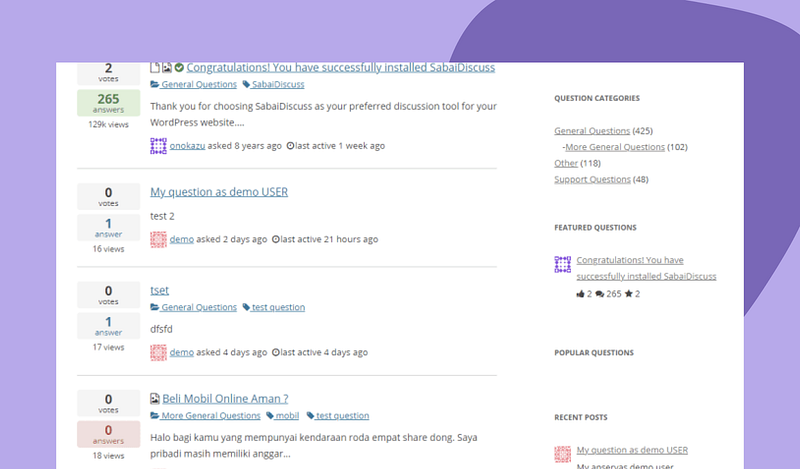
If you are looking to build a Q&A platform that is similar in nature to Yahoo Answers or Stack Overflow, Sabai Discuss is worth looking at. The Q&A WordPress forum plugin can be used in several ways, such as to create discussion forums, helpdesk, or company knowledge base.
Sabai Discuss is compatible with any WordPress theme and offers a raft of features to help users get set up without much problems.
Main features:
- Offers a user reputation system
- Supports multiple right to left languages
- Mobile responsive
- 10 built-in email notification templates
- Ability to display featured questions and answers
- Commenting and voting functionalities
- Comes with automatic spam filtering
- Allows keyword search to find relevant questions and answers
- Auto-suggest function
- Supports file attachment (for both questions and answers)
Pricing
Sabai Discuss does not have a free tier. It starts at $24 for a regular license.
4. bbPress
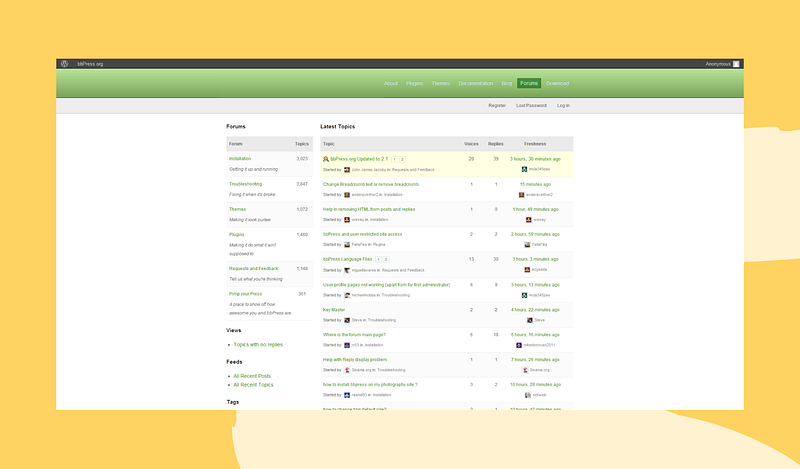
bbPress is a product of Automattic, the same team that built WordPress. As a result, it has become one of the most commonly used community plugins on the platform. It has been extensively developed and updated and can work on all kinds of WordPress websites. You can use it to create forums and discussion boards, as well as your own Q&A solution.
bbPress is also among the most versatile and lightweight WordPress forum plugins around, and it can scale with your Q&A community as your user base grows.
Main features:
- Fully open source allowing those with the requisite skills to modify the code
- Responsive design allows it to work on all kinds of devices
- Visual software editor that allows all kinds of customization
- Integrates well with a number of other community plugins making it possible to further customize your forum or Q&A site
- Forum import feature allows you to pull content from other forums to generate discussion on your site
- Spam protection via Akismet integration
- Access and permission controls
- Can be configured to allow users to edit, delete, and flag posts
Pricing
bbPress is totally free to use. However, you may need to purchase additional plugins if there are features you want that are not included.
5. Heroic WordPress FAQs
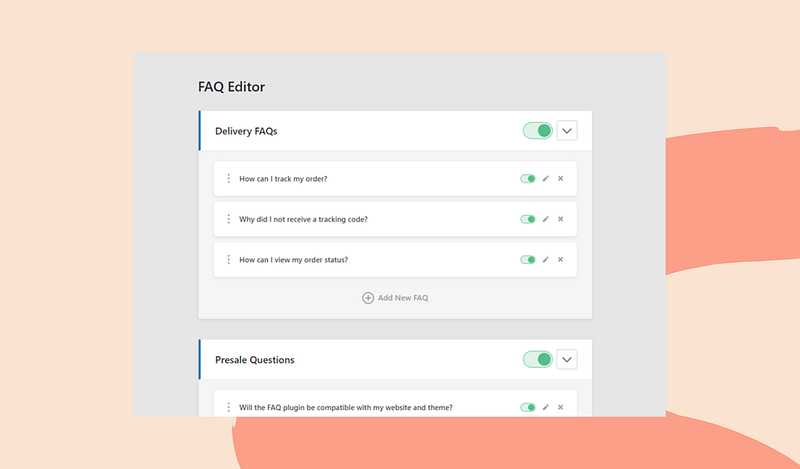
Heroic WordPress FAQs has simplified the task of creating frequently asked questions (FAQs), which are simple but highly important Q&A knowledge base systems. For starters, Heroic is compatible with most WordPress themes and can be added anywhere on your website using its short-code feature. In addition, the plugin offers five predefined layouts, all of which are deeply customizable to match your brand’s look and feel.
Other popular features:
- Easy to use drag and drop interface
- Rich content editor makes it possible to add images, videos and other media into your FAQs
- Allows you to customize the order and layout of your FAQs
- Supports multiple languages
- Helps eliminate repetitive questions
- Responsive design for use on any device
- Built-in SEO
Pricing
Heroic WordPress FAQs is available in three tiers — Basic for $49, Pro for $69, and Business for $149.
6. Simple:Press
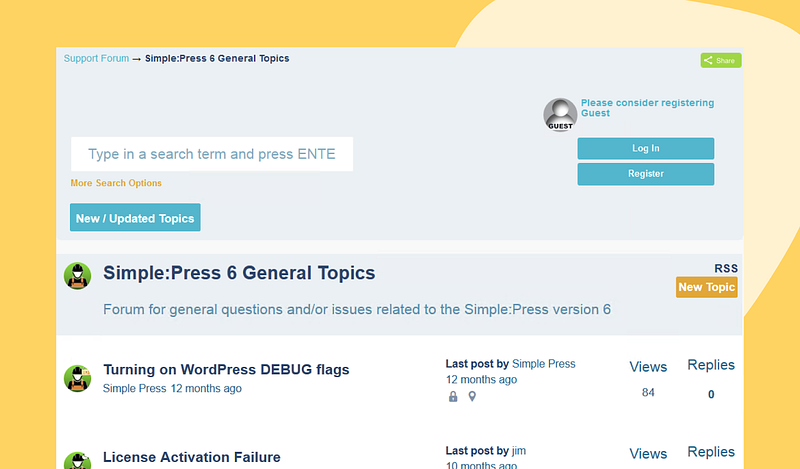
Described as an enterprise-class forum builder, the Simple:Press plugin is one that has numerous applications. It is useful for creating all kinds of discussion forums and membership sites. As a Q&A WordPress forum plugin, it offers a range of features that allow you to get the job done without much of a hassle. What’s more, its wide array of tools means it’s unlikely that you will need to install other plugins in order to get additional customization.
Top features:
- Compatible with most WordPress themes
- Has the ability to inherit the font settings of current theme
- Customizable to match brand colors and font sizes
- In-depth user and group permission system (restrict forum admin from WordPress admin, for instance)
- Ability to use avatars and gravatars for users
- Allows the posting of questions and answers in guest mode
- Private messaging capabilities
- Can be used to add SEO features (works with most SEO plugins on WordPress)
- Ranking and gamification features
- Scalable platform that accommodates unlimited forums and grows with community
Pricing
Simple:Press is available for free use. However, some of its best features are only available with a paid plan. There is a hosted/SaaS plan for $29/month, a single site plan for $199/year, five site plan for $358/year, and unlimited sites plan for $644/year.
7. WooDiscuz
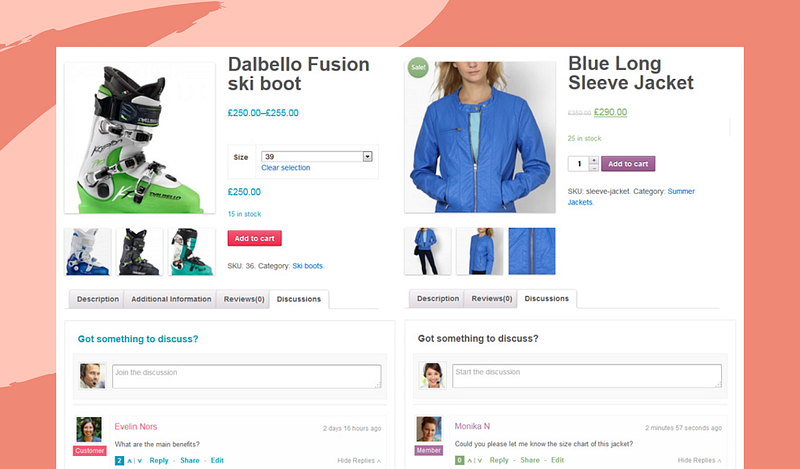
As the name suggests, this plugin is geared towards WooCommerce users. It allows you to boost product knowledge and customer support through user Q&As. Sets up easily by adding a discussion tab that enables visitors to your WooCommerce store to post product-related questions and answers.
The plugin offers social networking capabilities, making it possible for visitors to share your products online, and there is also a built-in voting system. WooDiscuz works with any WooCommerce theme. It also allows for other community features to be added through integration with popular plugins such as BuddyPress.
Notable features:
- Social media integration with Facebook and Twitter
- Smart thread and commenting functions
- Allows new comments and replies notifications
- Spam filtering system
- Comprehensive permission system for admin, customers, and guests
- Widget for recent comments
- Ability to change font colors and background color
Pricing
WooDiscuz is totally free to use. However, you may need to buy other plugins if you want features that are not included.
What Q&A WordPress forum plugin should you get?
PeerBoard is currently a top favorite for those in need of a stable, feature-rich, and easy to use solution. In addition, the free version is good enough for many use cases, while you can access additional benefits with one of its competitive monthly plans. Of course, we recommend checking out all of the solutions on this list, and any other you might be interested in, to ensure you pick the one that is right for you.
Looking to learn everything there is to know about creating, growing, and monetizing an online community? Join our free newsletter, Online Community Builders:


