
PeerBoard Review
What is PeerBoard and how can the popular platform help you build an online community?
Looking to learn everything there is to know about creating, growing, and monetizing an online community? Join our free newsletter, Online Community Builders:
Over the past year, I’ve worked hard to transform a series of valuable, yet disconnected posts, guides, comments, discussions, and newsletter issues into a true online community.
While I had figured out my CMS (WordPress), my main content marketing platform (Medium), and my newsletter delivery tool (Substack), I had not successfully incorporated a private forum or chat.
Sure, I run a large group of Medium writers, built on Facebook. But not everyone uses Facebook, and it is very hard to follow the various conversations as a group gets larger.
I tried creating a more private chat group for my premium Blogging Guide subscribers, by utilizing Slack, but ultimately, this just resulted in a lot of people sending me direct messages (as opposed to truly discussing issues bloggers and writers face, in a group setting).
So I’ve been experimenting with a few different ideas for building my own true private online community, for Blogging Guide subscribers.
This was partly inspired by a post from Alexander Boswell, which I found really insightful:
The main requirements in my search for a community building platform were:
- The community must not be part of or reliant upon a major social media platform for distribution of content;
- It must have the ability for users to write posts, share media, and display profile bio information, which is then displayed in an organized manner;
- It must be software that can easily integrate with my existing website (BloggingGuide.com). Ideally, it would be a WordPress plugin, since I didn’t want an overly technical or complex addition to my website;
- Although I am using it as a private community, I wanted the ability to create public facing content which can be easily partitioned from the premium content at some point in the future;
- The software must be user friendly and minimalist in design, so that community members don’t feel overwhelmed and actually use the forum/discussion features.
These requirements led me down a rabbit hole investigating the latest online community management systems. There are many options that meet some of these requirements, but there was only one platform that truly checked all of the boxes — PeerBoard.
What is PeerBoard?
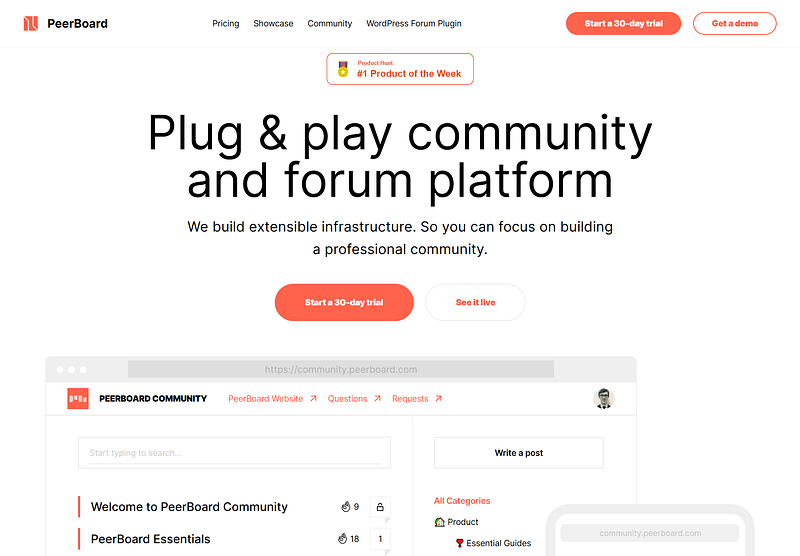
PeerBoard is software that allows you to build a branded, feature-rich community forum on your website, without requiring coding.
I first heard about it nearly a year ago, and have seen it pop up on passion economy platforms like Indie Hackers and Product Hunt (where it was the #1 product of the week in July 2020).
With PeerBoard, you can create a subreddit-like space right on your own website, so your community doesn’t have to leave your site to connect.
Instead of the traditional forum layout, which can be tough to navigate, PeerBoard offers a single categorized news feed that operates like a Facebook feed (but is much easier to navigate than a chaotic Facebook group).
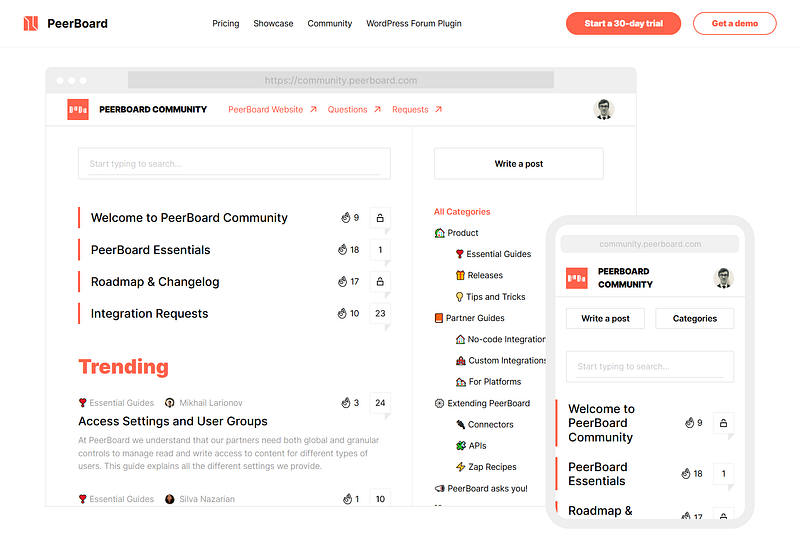
The PeerBoard algorithm puts the high-value posts at the top of the feed based on engagement and recency, so community members never miss a community update or the best posts.
Some of the features that I really enjoy include:
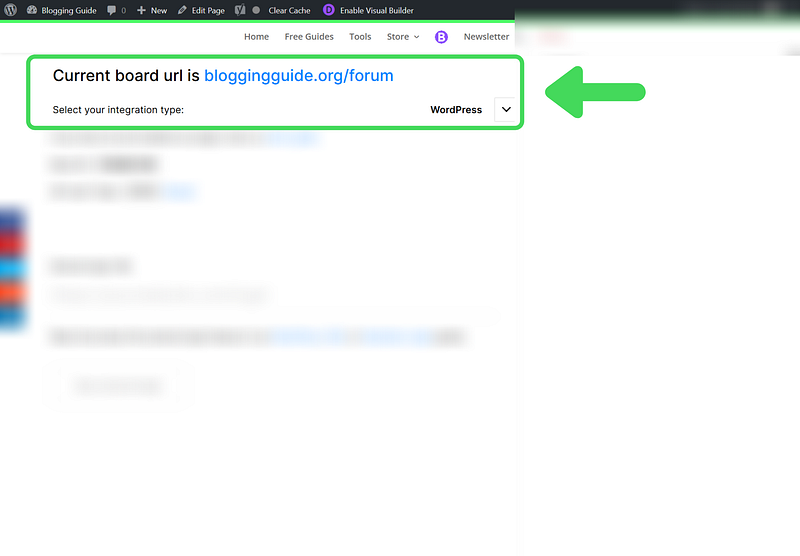
- PeerBoard’s WordPress forum plugin — Embed PeerBoard as a fully customizable page in your WordPress configuration in under 20 minutes. I was genuinely surprised how quickly I was able to set PeerBoard up with my WordPress site. While it takes longer to fine tune all the group and category settings, the initial setup was a breeze. If you have experience connecting software to your website via WordPress plugin, you will easily be able to set up your own site):
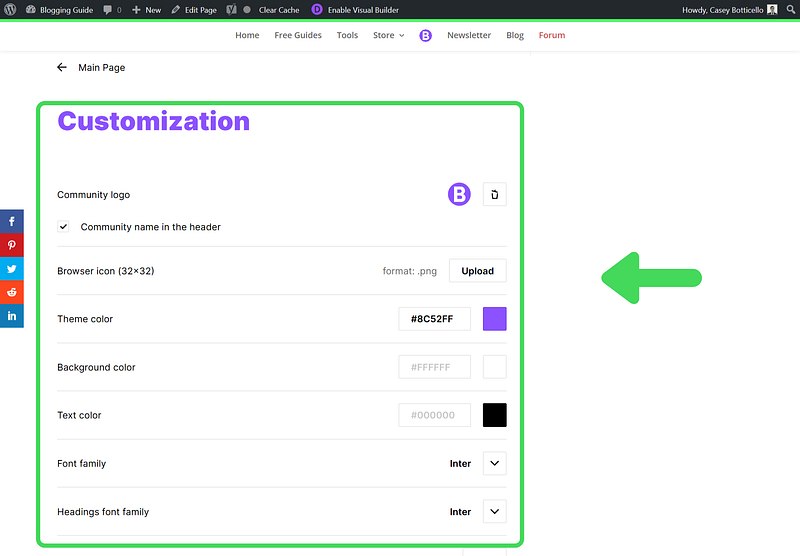
A complete white label solution— Use your custom theme color, add a logo, customize categories and topics for a fully branded experience. For example, I was able to use my official brand elements (specific hex color purple, logo, and icon):
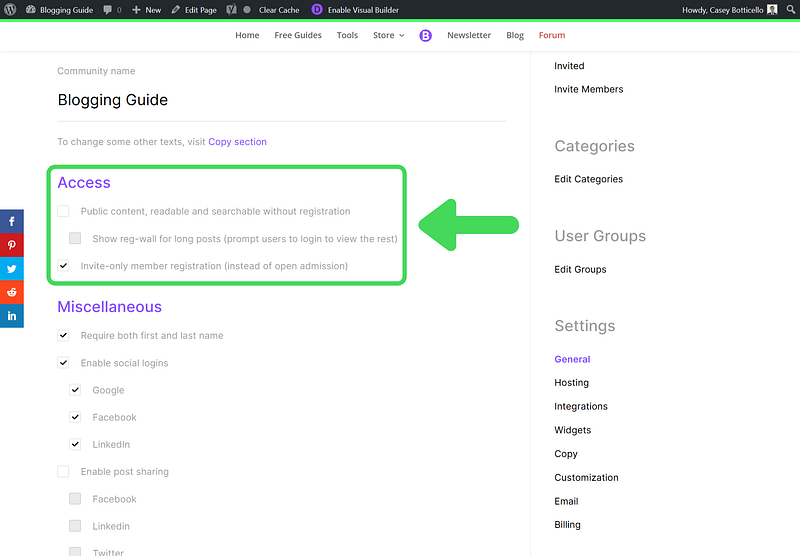
- Visibility and access controls — Global and group-level controls for content visibility and access rights:
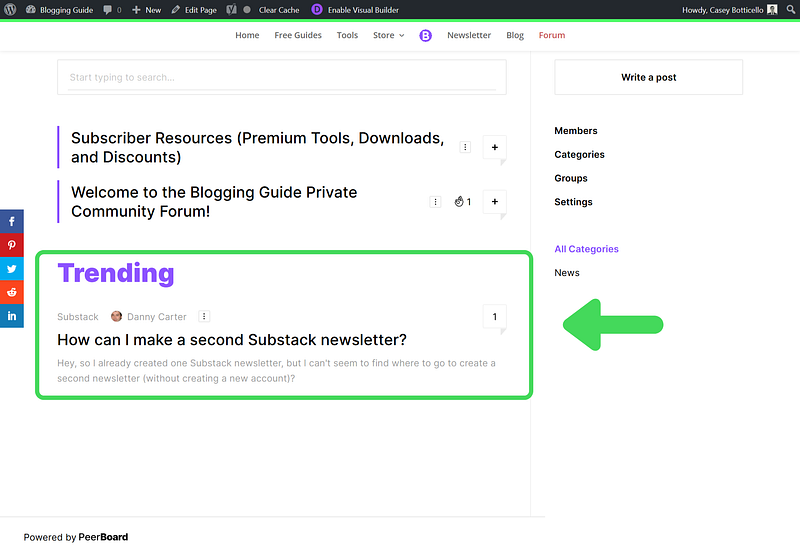
- Real time threads — Facilitate valuable in-depth conversations with multi-level real-time discussions:
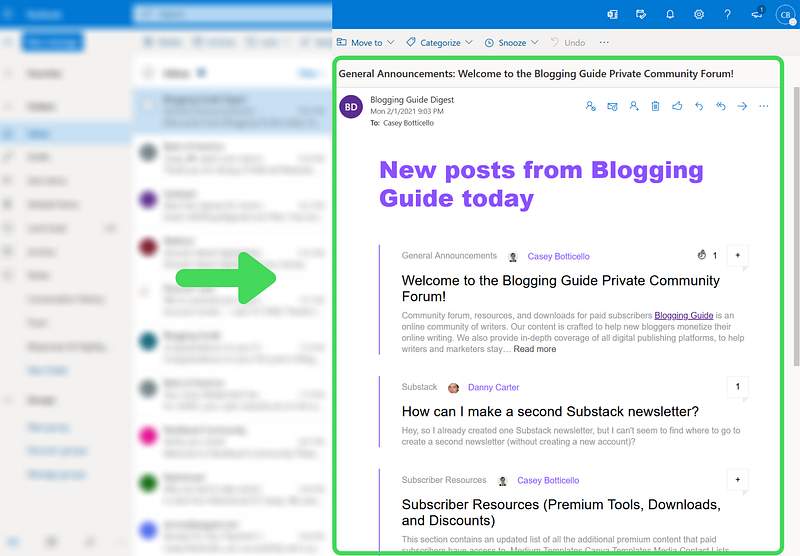
- Email integrations — Allow members to receive periodic updates with forum highlights, recent posts, or other high level forum details, at a glance.
PeerBoard Drawbacks
- Relatively new platform. The platform is still in its first few years of existence (some legacy community tools have operated longer).
- Platform features are being updated on a regular basis (which is good for users overall but does result in some short-term bugs or feature changes).
- Free option is somewhat limited compared to the paid plans. The free plan definitely works well enough to experiment with creating an online community. But if you want to host your community on your own site, add paywalled/private content, and/or customize your community’s branding, you will need to upgrade to a paid plan:
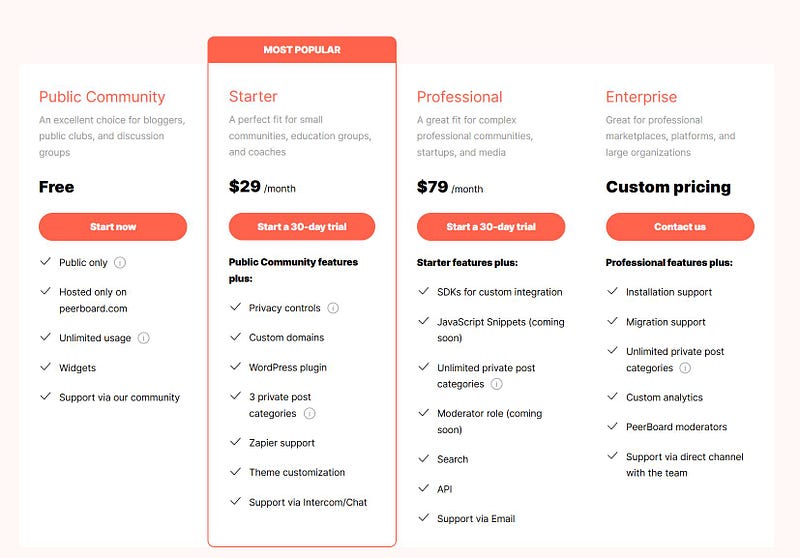
Even then, it’s nice that PeerBoard’s starter plan will provide you with pretty much all of the features that the typical small online community builder would want.
There is also a free 30 day trial, so you can test the paid plans risk free.
Building and maintaining an online community is challenging. You need to identify your target audience, create a space where they feel comfortable interacting, moderate that space, and constantly promote your community to drive new members in.
However, successful online communities are one of the most sought after digital commodities for a reason — online communities provide tremendous value to community members, while also offering the hosts the opportunity to play a major role in industry specific discussions and become a subject matter expert.
In an ever-crowded internet, private online communities are increasingly the best way to access the people, information, and content that you are searching for.
PeerBoard makes this process incredibly simple, and is definitely an option worth considering if you want to create an online community.
Looking to learn everything there is to know about creating, growing, and monetizing an online community? Join our free newsletter, Online Community Builders:


