
Exploring New Features in npm 9
Changes in config, timing, loglevel, login, addUser, query, pack, access, and install, along with removals

Introduction
npm is the package manager for the node.js JavaScript platform. It puts modules in place (node_modules) so that the node can find them. It also manages dependency conflicts intelligently.
npm is configurable to support a variety of use cases to publish, discover, install, and develop node programs. It has a list of powerful commands.
npm 9 was released on October 19, 2022. The goal for this major release was to standardize appropriate defaults and clean up legacy configurations where possible.
Here is the command to install npm 9:
% npm install -g npm@9After the installation, npm is at version 9.0.1.
% npm --version
9.0.1
This is the help manual:
npm 9 upgrade can be performed for any supported node version, ^14.17.0 || ^16.13.0 || >=18.0.0.
nvm is a simple way to manage versions for node and npm. We explore npm 9 features in the node.js 19 working environment.
These are the new features in npm 9:
Changes in npm config
Changes in timing and loglevelChanges in npm login and npm addUserChanges in npm queryChanges in npm packChanges in npm accessChanges in npm installRemovals of npm birthday, npm set-script, and npm binChanges in npm config
npm config manages the npm configuration files. It supports the following usages:
npm config fix is a new command which validates configuration and fixes issues.
Here is the source code:
We encountered an error using npm 9:
Executing npm config fix resolved the issue:
For the build error, npm outputs some JSON errors on stdout. Previously, npm would output all JSON formatted errors on stderr, making it difficult to parse while the stderr stream usually has logs already written to it. npm 9 improved it.
In addition, npm config set no longer accepts deprecated or invalid configuration options. npm 9 config has removed node-version and npm-version, and made install-links default to true.
Changes in timing and loglevel
All npm commands can have an option flag, --timing. When the flag is set, npm writes timing data to a file alongside the debug log data. The log location is set by the logs-dir option and falls back to <CACHE>/_logs/.
Here’s how to execute npm --timing:
After each run of a timing command, a new timing file is generated in <CACHE>/_logs/, such as, 2022–11–01T02_31_07_194Z-timing.json.
The timing file is named as <ID>-timing.json, where <ID> is a time stamp. This naming method is similar to the debug logs.
Here is the JSON data in 2022–11–01T02_31_07_194Z-timing.json:
The JSON data has three top-level keys, metadata (line 4), timers (line 14), and unfinishedTimers (line 40).
From npm 9, timing has been removed as a value for --loglevel. --timing will show timing information regardless of --loglevel, except when it is --silent.
Here is the timing command with --loglevel info:
- The timing file is listed on line 59.
- The debug file is listed on line 61.
Here is the timing command with --loglevel silent:
Regardless of the setting of --loglevel, the timing file and log file are generated in <CACHE>/_logs/.
Changes in npm login and npm addUser
Before npm 9, there was one command npm addUser, which had two aliases, login and add-user.
In npm 9, npm login is a separate command, which verifies a user in the specified registry, and saves the credentials to the .npmrc file. If no registry is specified, the default registry will be used.
Here’s how to execute npm login:
Press ENTER, and a login window opens in the browser:
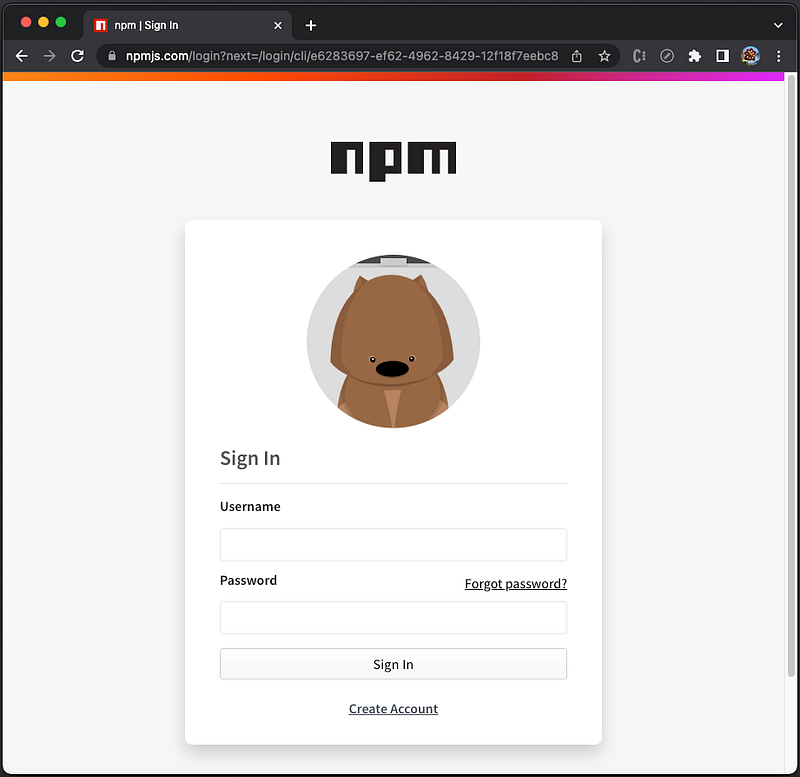
In npm 9, npm addUser has one alias, add-user. It creates a new user in the specified registry and saves the credentials to the .npmrc file. If no registry is specified, the default registry will be used.
Here’s how to execute npm addUser:
Press ENTER, and a login window opens in the browser:
For both npm login and npm addUser, only two auth-type values are supported:
web: It is the default value.legacy: When usinglegacy, the username and password are read in from prompts.
These auth-type values have been removed in npm 9: sso, saml, oauth, and webauthn.
web and legacy only try their respective methods, i.e., npm no longer tries them all and waits to see which one does not fail.
For npm login and npm addUser, login windows in the browser look the same. However, they have some differences depending on auth-type:
web: The POST request to/-/v1/logincontains a{ create: true }value in its payload foradduser.legacy: ThePUTrequest to/-/user/org.couchdb.user:${username}contains anemailvalue in its payload foradduser.
Changes in npm query
npm query retrieves a filtered list of packages. It uses CSS selectors to perform filtering, although there are no tag selectors, such as div, h1, and a. The query target is the dependency objects.
These are supported selectors:
*universal selector#<name>dependency selector (equivalent to[name="..."])#<name>@<version>(equivalent to[name=<name>]:semver(<version>)),selector list delimiter.dependency type selector:pseudo selector
We set up the Create React App, which includes package.json.
% npx create-react-app my-app
% cd my-app
Query the package, react:
The query result shows the details of the react package. At line 68, queryContext is {}, a new property in npm 9.
The queryContext property can include versions, outdated.outOfRange, and outdated.outOfRange. Let’s see three examples.
Example 1: The queryContext property includes versions, an array of every available version of the given node.
:outdated(<type>) is a pseudo selector to show outdated dependencies. :outdated > #react shows the outdated React packages. From lines 69–111 in the code below, it shows a long list of outdated React packages.
Example 2: The queryContext property includes outdated.inRange, an array of objects, each with a from and versions.
from is the on-disk location of the node that depends on the current node, and versions is an array of all available versions that satisfy that dependency.
.prod:outdated(in-range) returns production dependencies with a new release that satisfies at least one of its edges in range.
Execute npm query ".prod:outdated(in-range)", and we can see the outdated property in a queryContext, with a from (line 4) and versions (lines 5–9).
Example 3: The queryContext property includes outdated.outOfRange, an array of objects, each with a from and versions.
from is the on-disk location of the node that depends on the current node and versions is an array of every available version that does not satisfy the dependency.
.prod:outdated(out-of-range) returns production dependencies that do not satisfy the dependency.
Execute npm query ".prod:outdated(out-of-range)", and we can see the outOfRange property in a queryContext, with a from (line 4) and versions (lines 5–10).
Changes in npm pack
npm pack creates a tarball from a package. Inside the Create React App working environment, excute npm pack. It generates the tarball, my-app-0.1.0.tgz, in the directory.
Starting from npm 9, npm pack follows a strict order of operations when applying ignore rules. If a files array is present in the package.json, rules in .gitignore and .npmignore files from the root will be ignored.
Changes in npm access
npm access sets access level on published packages. Here is the command usage in npm 8:
For all of the subcommands, npm access will perform actions on the packages in the current working directory if no package name is passed to the subcommand.
public/restricted(deprecated): Set a package to be either publicly accessible or restricted.grant/revoke(deprecated): Add or remove the ability of users and teams to have read-only or read-write access to a package.2fa-required/2fa-not-required(deprecated): Configure whether a package requires that anyone publishing it have two-factor authentication enabled on their account.ls-packages(deprecated): Show all of the packages a user or a team can access, along with the access level, except for read-only public packages. It will not print the whole registry listing.ls-collaborators(deprecated): Show all of the access privileges for a package. Will only show permissions for packages to which you have at least read access. If<user>is passed in, the list is filtered only to teams that the user belongs to.edit(not implemented)
npm access subcommands have been renamed. Here is the command usage in npm 9:
Although npm 9 renamed subcommands, the functionality remains the same.
Changes in npm install
npm install command installs a package and any packages that it depends on. install-strategy is a new flag that has the following types:
hoisted: It installs nonduplicated in the top level and duplicates as necessary within the directory structure. It is the default value.
npm install —-install-strategy=hoisted is the same as npm install.nested: It installs in place. No hoisting.
npm install --install-strategy=nested is the same as npm install --legacy-bundling. legacy-bundling has been deprecated in favor of —-install-strategy=nested.shallow: It only installs direct dependencies at the top level.
npm install --install-strategy=shallow is the same as npm install --global-style. global-style has been deprecated in favor of --install-strategy=shallow.Many configuration params have some effect on installation, and install-links is one of the options. When it is set to true, protocol dependencies will be packed and installed as regular dependencies instead of creating a symlink. The default value was false in npm 8 and has been changed to true in npm 9.
Removals of npm birthday, npm set-script, and npm bin
npm birthday is an easter egg. It either tells how many milliseconds until npmcli’s birthday or prints a bunch of balloon emojis and the commit hash of the very first commit to this repository. It was removed and separated into its own package some time ago.
npm set-script creates a task in the scripts section of the package.json.
npm bin prints the folder where npm will install executables.
These are valid commands in npm 8:
However, these commands are removed in npm 9:
Conclusion
npm 9 has been released. It supports node versions ^14.17.0 || ^16.13.0 || >=18.0.0.
npm 9 changed config, timing, loglevel, login, addUser, query, pack, access, and install. It also removed npm birthday, npm set-script, and npm bin.
If you want to check out features of other releases, take a look at the following articles:
- 5 Features in npm 10
- A Quick Glance at npm 8 Features and Predictions for npm 9 — A Close Look at ES Modules (ESM)
- The Step-by-Step Guide to Understanding and Adopting npm 7
Here is a list of Node.js:
- 7 Major Features of Node.js 21
- 6 Major Features of Node.js 20
- 6 Major Features of Node.js 19
- 5 Major Features of Node.js 18
- 3 Major Features of Node.js 17
- A Quick Look at the Node.js 16 Features
- What’s New in Node.js 15
Thanks for reading.
Want to Connect?If you are interested, check out my directory of web development articles.


