
A Comprehensive Guide on Fresh — JavaScript’s New Web Framework by Deno
A full guide on Fresh web framework that is written for Deno

What is Fresh?
Fresh is a full-stack modern web framework for JavaScript and TypeScript developers. It is designed to create high-quality, performant, and personalized web applications. Fresh 1.0 was release on June 28, 2022.
Fresh is a new style web framework that is written for Deno, a runtime for JavaScript, TypeScript, and WebAssembly that is based on the V8 JavaScript engine and the Rust programming language.
Fresh is based upon the island's architecture, which encourages small, focused chunks of interactivity within server-rendered web pages. It ships pure HTML to the client by default and injects placeholders for the interactive widgets. Each page has little islands of interactivity, in a sea of otherwise static content. It reduces the page load times to a minimum and minimizes the work performed on the client. It also gracefully degrades when errors occur.
Fresh uses Preact, which is an alternative React that implements the fast virtual DOM with a small library. Preact and JSX are used for rendering and templating on both the server and the client.
In this article, we provide a full guide on how the Fresh web framework facilitates the development for fast server-side rendering, convenient routing, and easy deployment.
Create a Fresh Project and Working Environment
After installing the Deno CLI, we scaffold a Fresh project by the following command:
- At line 1,
deno runexecutes an init script that is located athttps://fresh.deno.dev.-Aallows all permissions, and-rreloads everything. - At lines 2–21, the command downloads all dependencies from the init script.
- Line 22, it shows a choice of whether to use
twind, a small, fast, and feature-completetailwind-in-jssolution. We bypasstwind, so that it reduces code size and loses some formatting. - On line 23, it shows a choice of whether to use VS Code, a source code editor developed by Microsoft for Windows, Linux, and macOS.
- In lines 27–28, it instructs how to start the development server.
We choose to use VS Code and download the Deno extension to enable the Deno working environment.
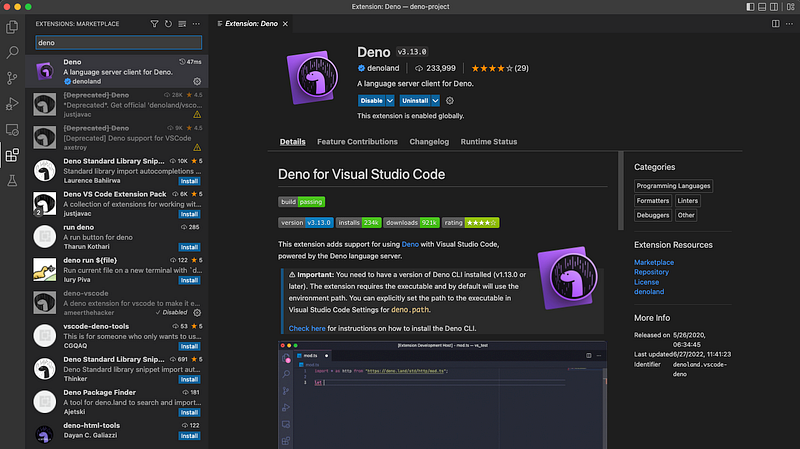
Inside the folder, my-project, we execute deno task start.
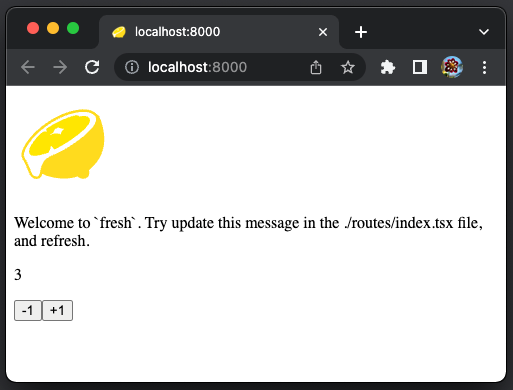
On the browser, the Welcome page runs. It has a logo, some welcome text, and an interactive component that can increase or decrease the number.
Top-Level Files and Directories
After installing the projects, there are a number of files and directories generated at the project directory.
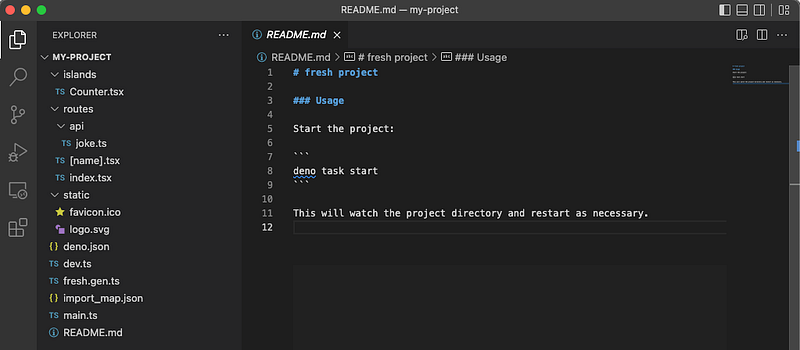
The top-level files are deno.json, dev.ts, main.ts, fresh.gen.ts, import_map.json, and README.md.
The top-level directories are routes, islands, and static.
deno.json
deno.json is Deno’s configuration file, which configures a start task and an import map for dependencies.
- At lines 2–4,
deno task startis configured to rundev.ts.-Aallows all permissions, and—-watchwatches for file changes and automatically restarting the process. - At line 5, it specifies the location of
importMap.
Here is the watch option from deno run --help:
Module graph is defined as a simple graph that is built to cover all the dependencies from the root module. Here the root module is dev.ts. Since its module graph does not include the static and routes directories, we need to add them into the watch files explicitly.
dev.ts
dev.ts is the development entry point for the project.
- At line 1, the shebang command (
#!) runs the script,env, to determine the executable (deno) location. The option-Ssplits the string,deno run -A --watch=static/,routes/, into multiple arguments, and therefore it executes thedenocommand with proper options. Executingdev.tswith line 1 only prints out the following information:
Warning deno task is unstable and may drastically change in the future
Task start deno run -A --watch=static/,routes/ dev.ts
Watcher Process started.
Watcher Process finished. Restarting on file change...- At line 3, the
devfunction is imported from the freshmod.ts, and it is invoked at line 5. Thedevfunction takes two parameters, the base URL and the entry point. The function creates a manifest file,fresh.gen.ts, based on the contents of theroutesandislandsdirectories.
main.ts
main.ts is the production entry point of the project.
- At lines 1–5, triple-slash directives are defined to be used as compiler directives. The
/// <reference path="..." />directive instructs the compiler to include additional files in the compilation process. - At line 9, it starts the app with the generated manifest file. If needed, the port number can be specified, for example,
await start(manifest, { port: 3000 });
fresh.gen.ts
fresh.gen.ts is the automatically generated manifest file. The result is based on the contents of the routes and islands directories. Here is the content of the out of box environment:
- At lines 5–8, it imports from all files in the
routesandislandsdirectories. - At lines 10–20, it defines the
manifestobject that is composed ofroutes,islands, andbaseUrl. - At line 22,
manifestis exported asdefault.
import_map.json
import_map.json manages dependencies for the project.
- At line 3, Fresh framework is imported.
- At lines 4–6, Preact packages are imported.
The routes directory
The routes directory contains all of the routes in the project. The names of each file in this folder correspond to the path where that page will be accessed. Code inside this folder is never directly shipped to the client.
The islands directory
The islands directory contains all of the interactive islands in the project. The name of each file corresponds to the name of the island defined in that file. Code inside this folder can be run from both client and server.
The static directory
The static directory contains static files that are automatically served as is. Currently, there are two files:
favicon.ico: A Fresh favicon (short for favorite icon) for the browser tab and bookmark.logo.svg: A Fresh logo for the app.
Routes
Routing is the mechanism that determines which route a given incoming request is handled by. Fresh route request is based on its URL path. The routes directory contains all of the routes in the project. The name of each file corresponds to the URL path where that page will be accessed. Here are the rules to map file names to route patterns:
- File extensions are ignored.
- Literals in the file path are treated as string literals to match.
- Files named
<path>/index.<ext>behave identically to a file named<path>.<ext>. - Path segments can be made dynamic by surrounding an identifier with
[and]. - Paths where the last path segment follows the structure
[...<ident>]are treated as having a wildcard suffix.
Here is an example table:
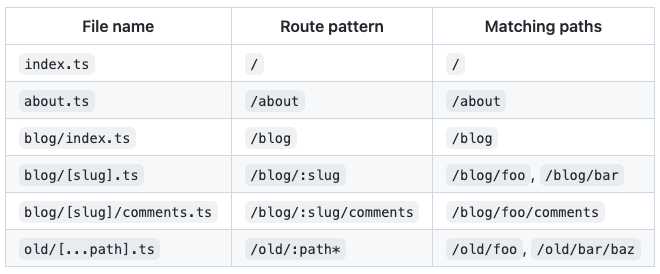
These rules are much simpler than React Router.
Let’s see how rules are applied with out of box examples, index.tsx, [name].tsx, and api/joke.ts.
index.tsx
index.tsx is a page component that specifies the static route for the path /. It is the index page that is accessed by http://localhost:8000.
- Lines 1–2 are Preact specific syntaxes. Line 1 tells babel to use
hforJSX, which can also be configured globally in babel. Theh()function turns JSX into Virtual DOM elements. - At Lines 5–20, it defines the
Homecomponent, which is a typical React code that has the Fresh logo (lines 8–12) , the Welcome text (lines 13–16), and theCountercomponent (line 17).
Here is the displayed page for http://localhost:8000:
[name].tsx
[name].tsx is a page component that specifies the dynamic route for the path /:name. It is the page that is accessed by http://localhost:8000/:name.
- Lines 1–2 are Preact specific syntaxes.
- At lines 5–8, it defines the
Greetcomponent, which reads the route parameter to retrieveprops.params.name, and displays a dynamic Hello message. Line 6 is added to showprops.
The PageProps type is defined to have url, route, params, and data.
On the browser, type the URL path, http://localhost:8000/john. console.log displays the page props on the execution console:
{
  params: { name: "john" },
  url: URL {
    href: "http://localhost:8000/john",
    origin: "http://localhost:8000",
    protocol: "http:",
    username: "",
    password: "",
    host: "localhost:8000",
    hostname: "localhost",
    port: "8000",
    pathname: "/john",
    hash: "",
    search: ""
  },
  route: "/:name",
  data: undefined
}
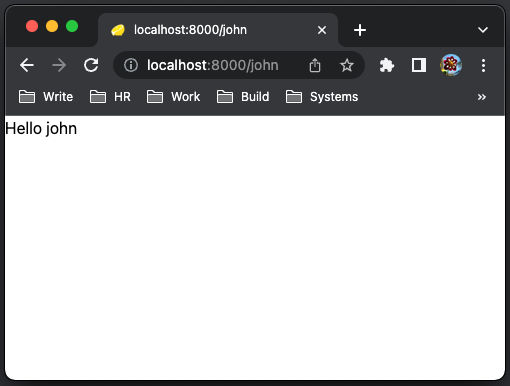
Here is the displayed page for http://localhost:8000/john:
api/joke.ts
Routes actually consist of two parts: handlers and the page component. Handlers are functions in the form of Request => Response or Request => Promise<Response> that are called when a request is made to a particular route.
The routes with page components are regular routes, such as index.tsx and [name].tsx. The routes with handlers only are API routes, such as routes/api/joke.ts. The API routes are located in routes/api.
routes/api/joke.ts defines the following handler:
- At lines 3–15, an array of 10 jokes is created.
- At line 17–21, a handler is defined as a random line of
JOKES.
A handler must be exported. It has access to the Request (_req) object that backs the request to the route and must return a Response object. The response object can either be created manually, such as the joke string, or it can be created by rendering the page component by _ctx, the HandlerContext.
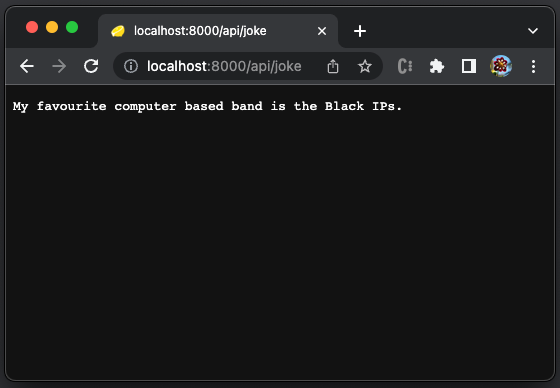
Here is the displayed page for http://localhost:8000/api/joke:
[name].tsx with a handler
[name].tsx, which is accessed by http://localhost:8000/john, does not define a custom handler. It uses the default handler that just renders the page component.
We can expand it with a custom handler to call api/joke.
- At lines 5–15, a handler is defined for the
GETmethod. It calls the API route,http://localhost:8000/api/joke. - At line 8,
respis displayed on the execution console:
Response {
  body: ReadableStream { locked: false },
  bodyUsed: false,
  headers: Headers {
  "content-type": "text/plain;charset=UTF-8",
  date: "Sat, 23 Jul 2022 18:29:48 GMT",
  vary: "Accept-Encoding"
},
  ok: true,
  redirected: false,
  status: 200,
  statusText: "OK",
  url: "http://localhost:8000/api/joke"
}- At line 12, the response body is retrieved, and rendered as
databy_ctx.render(result)at line 13. - At lines 17–25, it defines the
Greetcomponent. - At line 18,
console.logdisplays the page props on the execution console:
{
  params: { name: "john" },
  url: URL {
    href: "http://localhost:8000/john",
    origin: "http://localhost:8000",
    protocol: "http:",
    username: "",
    password: "",
    host: "localhost:8000",
    hostname: "localhost",
    port: "8000",
    pathname: "/john",
    hash: "",
    search: ""
  },
  route: "/:name",
  data: "Why are assembly programmers often wet? They work below C level."
}
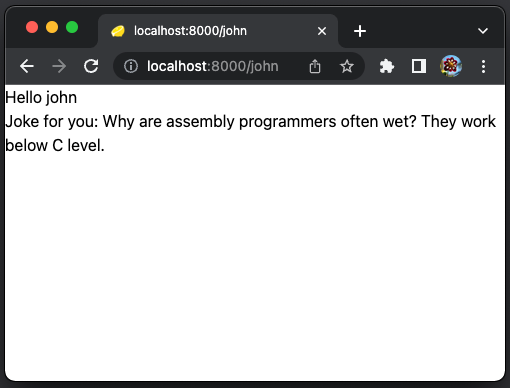
Here is the displayed page for http://localhost:8000/john:
Here are tips for fetching data — Rendering is synchronous, and fetching data is asynchronous. All asynchronous operation should be loaded in a route’s handler function and then passed to the page component via the first argument to _ctx.render(). The data that is passed to _ctx.render() can then be accessed via the props.data field on the page component.
Islands
In Fresh, islands enable client side interactivity. They are isolated Preact components that are rendered on the client. This is different from all other components, which are usually rendered on the server.
The islands directory contains all of the islands in the project. The name of each file corresponds to the pascal case name of the island component. Here is islands/Counter.tsx:
Does it look like a normal Preact code?
It is simply used as <Counter start={3} />.
Deploy to Production
We have written a guide for creating a production-ready React app, and it is obviously not simple. However, Deno Deploy makes it easy to deploy the production app to be globally accessible.
In order to deploy to Deno Deploy, the app needs to have a GitHub repo. The repository, my-deno-fresh-project, is created for this purpose.
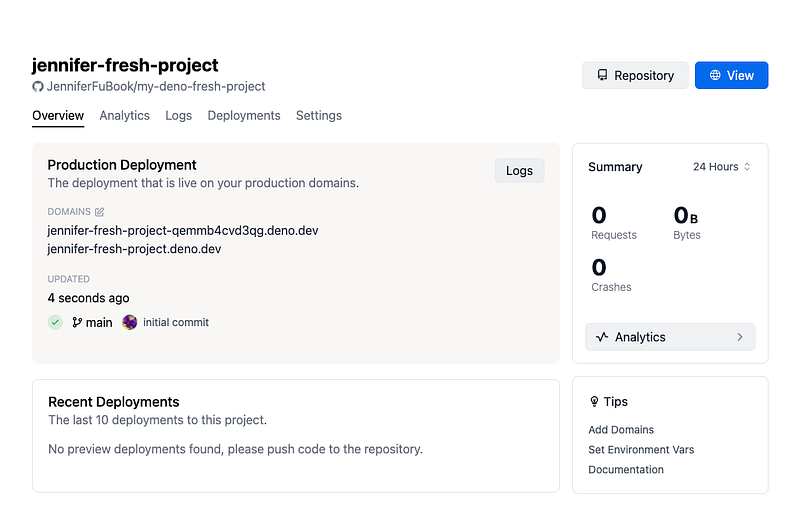
Go to the Deno Deploy dashboard and create a new project.
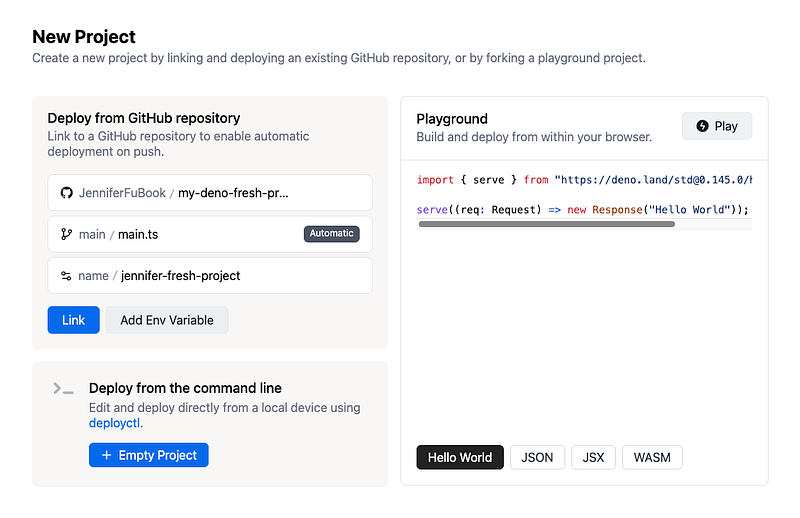
The newly created project is available at https://jennifer-fresh-project.deno.dev/.
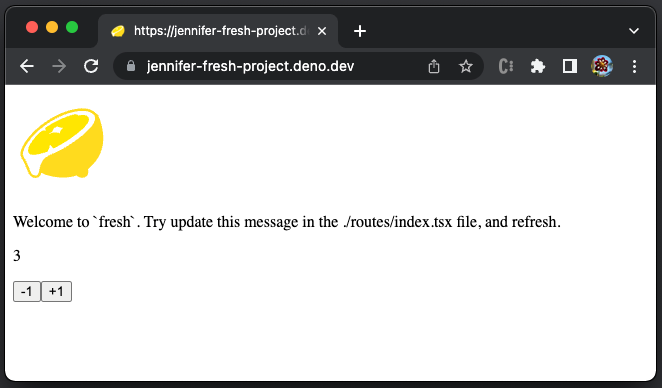
Go to https://jennifer-fresh-project.deno.dev/, and the index page works well.
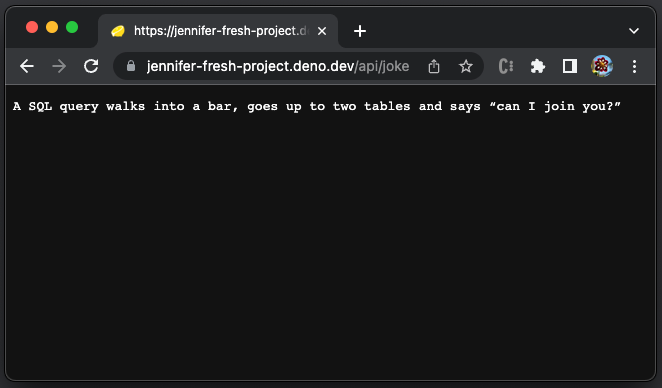
Go to https://jennifer-fresh-project.deno.dev/api/joke, and the API route works well.
Go to https://jennifer-fresh-project.deno.dev/john, and it shows an error.
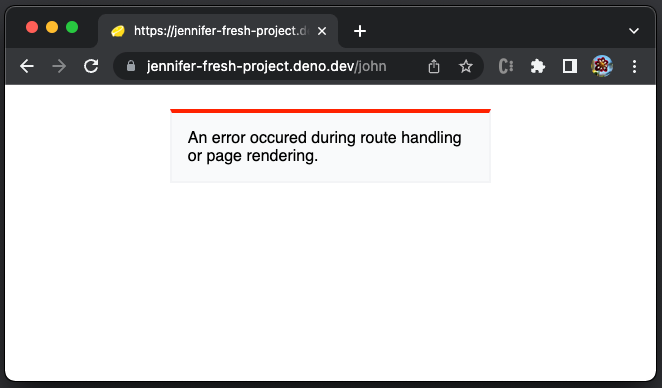
What happened?
Go to https://dash.deno.com/projects/jennifer-fresh-project/logs, it displays the error detail:
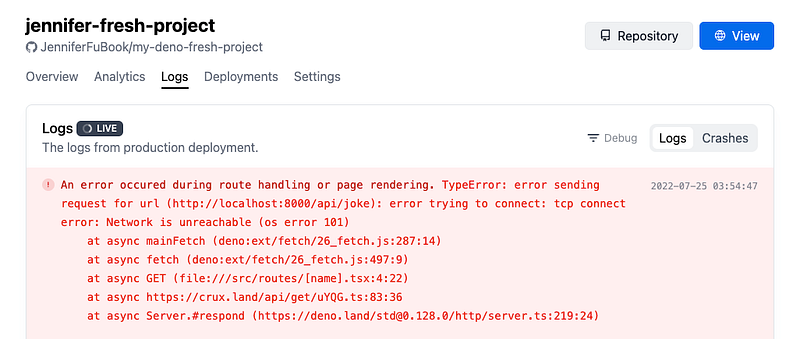
It is obvious that http://localhost:8000/api/joke does not serve the API. Change the hardcoded API path in the following code at line 9:
It works at local development environment.
Commit the changes and push the code to the Github.
It still does not work, with 508 error:
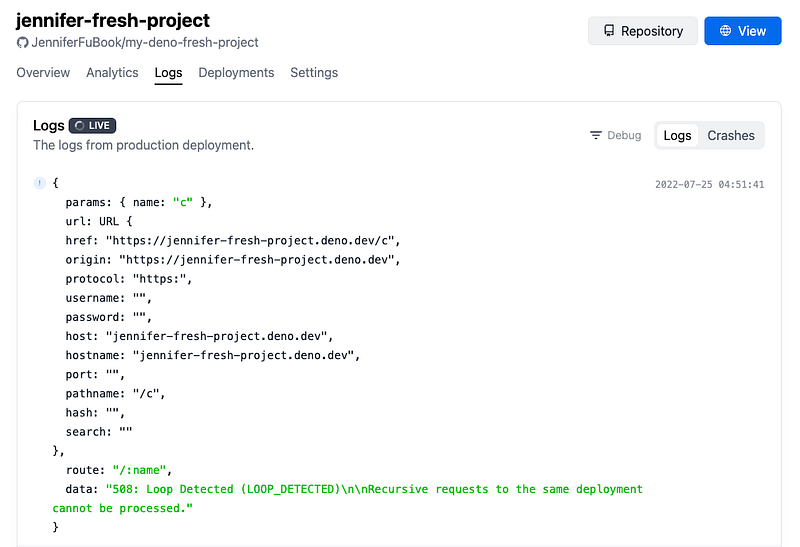
It is an exiting issue, and here is the working code adapted from Wyatt Degenhart’s solution:
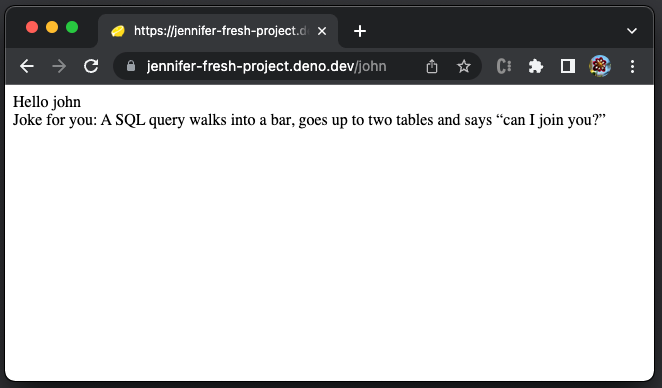
It works:
Here is the happy log:
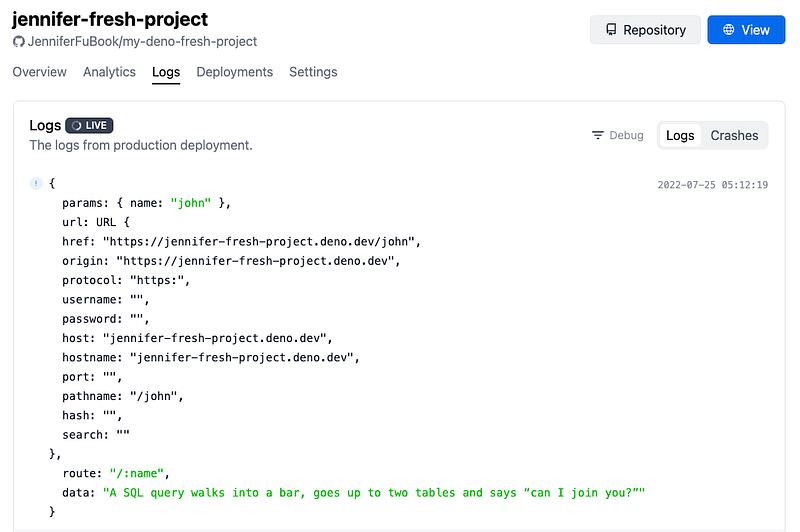
The issue is fixed. However, Fresh should be able to take the relative path for API routes. The newly available framework still needs some improvements.
Looking at the big picture, every push to Github triggers an automatic redeployment. This capability is quite convenient. The logs/crash content on the project dashboard is helpful for debugging deployment issues.
Conclusion
Fresh is designed to create high-quality, performant, and personalized web applications. It is a new style of a web framework that is written for Deno. Fresh is based upon the islands architecture and uses Preact which implements the fast virtual DOM with a small library. Preact and JSX are used for rendering and templating on both the server and the client.
Fresh 1.0 is less than one month old, but it shows many promising features to facilitate the development of fast server-side rendering, convenient routing, and easy deployment.
There is another web framework, Astro, that you may want to check out. It also uses the islands architecture.
Thanks for reading.
Want to Connect?If you are interested, check out my directory of web development articles.


