
Authenticate Rest API in GO with Firebase Authentication
In this article, we will build a GO server from scratch with firebase authentication. However, explanation of creating a REST API and endpoints in GO will be brief and the following points will be much more focused on:
- Configure Firebase Admin SDK and Firebase Auth in GO.
- Use Firebase Auth to validate your REST API requests.
GO not installed? Please refer to the installation instructions provided in the official GO docs.
New to GO? Please refer to the five-part article series on “Getting Started with GOlang”.
Create REST API server in GO
Firstly, create your project directory gofirebase and initialize go mod inside your project directory.
mkdir gofirebase
cd ./gofirebase
go mod init gofirebase
We will need the following packages right away: 1. gin-gonic/gin: web framework 2. jinzhu/gorm: ORM library
Install these with the following command:
go get github.com/gin-gonic/gin
go get github.com/jinzhu/gorm
Now, create a main.go file in the root project directory, and add the following:
package mainimport (
"gofirebase/api"
"gofirebase/config""github.com/gin-gonic/gin"
)func main() {// initialize new gin engine (for server)
r := gin.Default()// create/configure database instance
db := config.CreateDatabase()// set db to gin context with a middleware to all incoming request
r.Use(func(c *gin.Context) {
c.Set("db", db)
})// routes definition for finding and creating artists
r.GET("/artist", api.FindArtists)
r.POST("/artist", api.CreateArtist)// start the server
r.Run(":5000")}
What we did here, is created a gin instance with gin.Default(). Created a database instance with the function config.CreateDatabase() which we will create in a bit. This function returns a db instance of gorm. Set the database instance to gin context for all incoming requests using middleware in gin; r.Use(). Then, defined routes for finding and creating artists with r.GET() and r.POST() respectively. Finally, started the server at port 5000.
Now, In the project root directory, create two subdirectories; api and config.
Inside config, create a file database.go, and add the following:
// config/database.gopackage configimport (
"gofirebase/api""github.com/jinzhu/gorm"
_ "github.com/jinzhu/gorm/dialects/sqlite"
)func CreateDatabase() *gorm.DB {// Create db instance with gorm
db, err := gorm.Open("sqlite3", "test.db")
if err != nil {
panic("Failed to connect to database!")
}// migrate our model for artist
db.AutoMigrate(&api.Artist{})return db}
What we did here is, create a gorm database instance for sqlite3. Used AutoMigrate to migrate our model Artist.
Inside api, create a file artist.go, and add the following:
// api/artist.gopackage apiimport (
"net/http""github.com/gin-gonic/gin"
"github.com/jinzhu/gorm"
)// Artist : Model for artist
type Artist struct {
ID uint `json:"id" gorm:"primary_key"`
Name string `json:"name"`
Email string `json:"email" gorm:"unique;not null"`
}your project directory.// CreateArtistInput : struct for create art post request
type CreateArtistInput struct {
Name string `json:"name" binding:"required"`
Email string `json:"email" binding:"required"`
}// FindArtists : Controller for getting all artists
func FindArtists(c *gin.Context) {
db := c.MustGet("db").(*gorm.DB)var artists []Artistdb.Find(&artists)c.JSON(http.StatusOK, gin.H{"data": artists})
}// CreateArtist : controller for creating new artists
func CreateArtist(c *gin.Context) {
db := c.MustGet("db").(*gorm.DB)// Validate input
var input CreateArtistInput
if err := c.ShouldBindJSON(&input); err != nil {
c.JSON(http.StatusBadRequest, gin.H{"error": err.Error()})
return
}// Create artist
artist := Artist{Name: input.Name, Email: input.Email}
db.Create(&artist)c.JSON(http.StatusOK, gin.H{"data": artist})
}What we did here is, Create a struct Artist which is the model for our database table artist. CreateArtistInput is the struct for input request mapping. Inside the function FindArtists, we first extracted db from gin context, then used it to find all the artists, and then provide a response. Inside the function CreateArtist, after extracting db, we mapped input request to our CreateArtistInput struct, and then created a new artist with db and returned artist as a response.
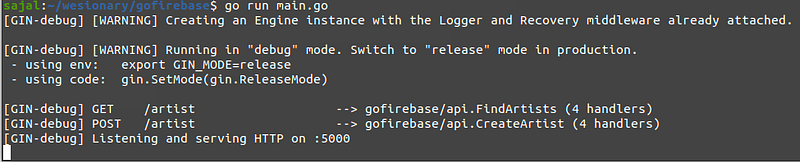
Now, open up your terminal, go to the project directory and run the project with:
go run main.goIf everything worked correctly you should see something like:
Create a Firebase Project
Before, configuring firebase SDK inside your GO server. We need a firebase project. Open up firebase console, and create a project (click on Add project).
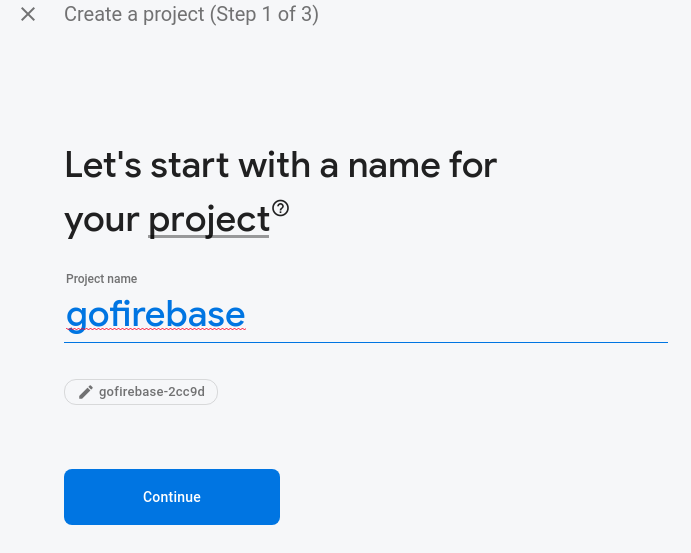
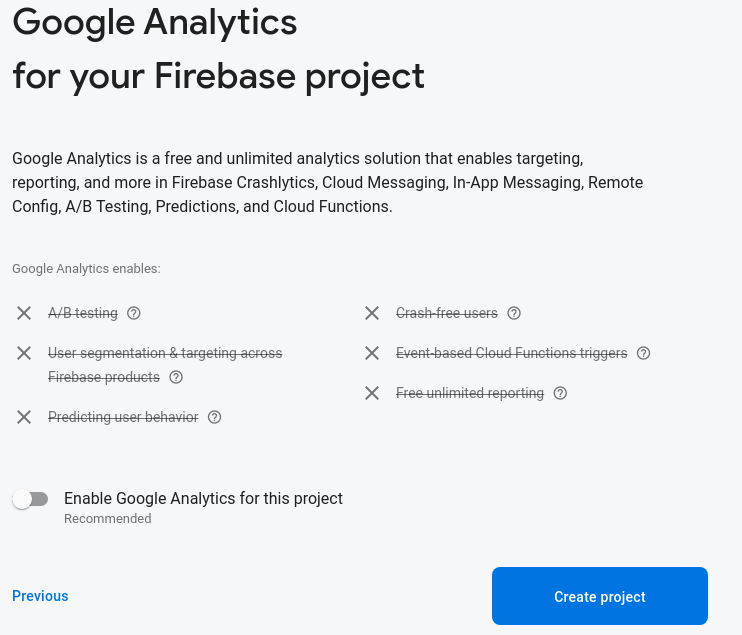
We will use minimal features.
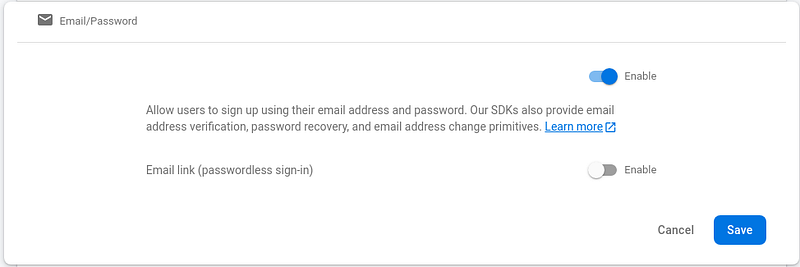
Now, that we have a firebase project, navigate to your project: Authentication > Sign-in method > Email/Password Then, enable and save it.
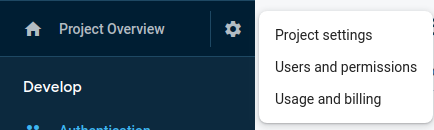
While we are at the firebase project console. Head over to Project settings.
Then, click on the Service accounts tab, and then generate a new service account key by clicking on the Generate new private key button.
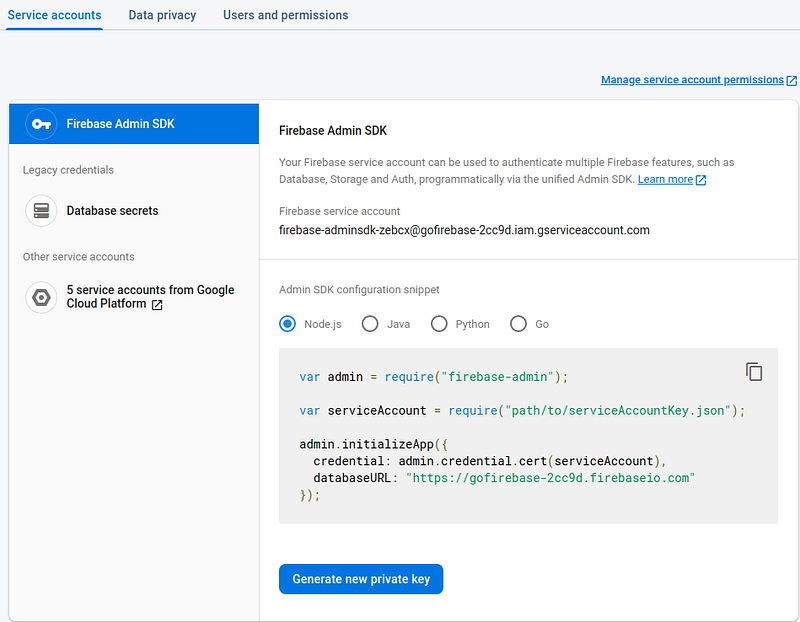
Once you download the key, rename it as serviceAccountKey.json and copy it to your project root directory. (not necessary to rename but to keep consistency with the code)
This is all we need from firebase project console.
Configure and Initialize Firebase SDK
Now, to use the firebase admin SDK and firebase auth inside our GO server, we need to add the following packages.
go get firebase.google.com/go/v4go get firebase.google.com/goNow, inside the config directory create a new file firebase.go and add the following.
// config/firebase.gopackage configimport (
"context"
"path/filepath"firebase "firebase.google.com/go"
"firebase.google.com/go/auth"
"google.golang.org/api/option"
)func SetupFirebase() *auth.Client {serviceAccountKeyFilePath, err := filepath.Abs("./serviceAccountKey.json")
if err != nil {
panic("Unable to load serviceAccountKeys.json file")
}opt := option.WithCredentialsFile(serviceAccountKeyFilePath)//Firebase admin SDK initialization
app, err := firebase.NewApp(context.Background(), nil, opt)
if err != nil {
panic("Firebase load error")
}//Firebase Auth
auth, err := app.Auth(context.Background())
if err != nil {
panic("Firebase load error")
}
return auth
}Here, first we use absolute filepath to get the path to the serviceAccountKey.json from our current file. Then, we create a clientOption with option.WithCredentialsFile() method. We pass this credential clientOption to firebase.NewApp() along with other params, which creates the firebase app. With the firebase app, we can then extract the firebase auth with, app.Auth() method. We return the firebase auth from this function.
Now, head over to main.go and add the following code after the database initialization:
// configure firebase
firebaseAuth := config.SetupFirebase()Then, update the middleware following right after this to:
// set db & firebase auth to gin context with a middleware to all incoming request
r.Use(func(c *gin.Context) {
c.Set("db", db)
c.Set("firebaseAuth", firebaseAuth)
})What happened here is, the auth that was returned from the function config.SetupFirebase() is also set to gin context for future use across our controllers and middlewares.
Now, just like how we extracted the db from gin context, we can also extract firebaseAuth from gin context as:
firebaseAuth := c.MustGet("firebaseAuth").(*auth.Client)NOTE: It is not at all necessary to use firebaseAuth or db with the gin context. You could simply export them from the config itself and import anywhere you want to and use it as per your need.
Validate API requests with Firebase Auth
Before validating the API requests, let's see how we make an API request with firebase authentication token.
The API request header needs to have:
Authorization: Bearer {{user_firebase_token}}There are multiple ways you could get user_firebase_token.
- Use a firebase package in your front end. Login the user with the package and user email/password. Then you will be provided with the token, which then you set to your API request header.
- Create a login API in your go server, validate the user, and then create tokens with the firebase auth. To generate tokens with firebase auth you can:
token, err := firebaseAuth.CustomToken(context.Background(), "firebase_UID")Now, that we have the token set to the API request header. Let’s create a middleware to authenticate the validity of the tokens.
In your root project directory create a new folder middleware. Inside it, create a new file auth.go and add the following:
// middleware/auth.gopackage middlewareimport (
"context"
"net/http"
"strings""firebase.google.com/go/auth"
"github.com/gin-gonic/gin"
)// AuthMiddleware : to verify all authorized operations
func AuthMiddleware(c *gin.Context) {
firebaseAuth := c.MustGet("firebaseAuth").(*auth.Client)authorizationToken := c.GetHeader("Authorization")
idToken := strings.TrimSpace(strings.Replace(authorizationToken, "Bearer", "", 1))if idToken == "" {
c.JSON(http.StatusBadRequest, gin.H{"error": "Id token not available"})
c.Abort()
return
}//verify token
token, err := firebaseAuth.VerifyIDToken(context.Background(), idToken)
if err != nil {
c.JSON(http.StatusBadRequest, gin.H{"error": "invalid token"})
c.Abort()
return
}c.Set("UUID", token.UID)
c.Next()
}What happens here is, We extract the Authorization header and then split the Authorization header value to get just the token. We then, validate the token with firebaseAuth.verifyIDToken() method. If the token is not valid we abort any further actions.
This is one of the implementations for authenticating API requests with firebase auth, but you get the gist. If you have initialized and configured firebase admin SDK and then firebase auth, feel free to use any implementation to verify your API requests.
Feel free to check the GitHub repo for this article for cross-reference: https://github.com/WesionaryTEAM/gofirebaseauth
Hope this was helpful. Happy Coding :)


