
Atomic Design and Its Modular Application in UX/UI Design
How to grasp the concept quickly
UX Design Essentials: Atomic design and modular thinking
The concept of atomic design is every visual designer’s dream tool box. It is a simple, modular design system for the digital screen. It uses single elements (atoms) to build entire landscapes (interactive screens).
The system is borrowed from chemistry.
In chemistry, an atom is the smallest unit* which combines with other atoms to form molecules, which then combine to form organisms.
(*Atoms break down into smaller units, but for the purpose of Atomic Design, we will not delve deeper into the structure of an atom here.)
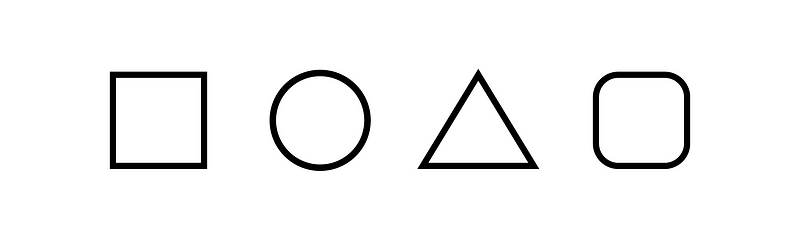
Each atom has a specific shape formed by its properties

In UI design, we take one atom at a time and assign it a unique property, such as button, label, text field, and others.
One atom = one UI element = one building block

The use of single elements to create an interface from scratch allows us to validate the details early on in the design process. The combined elements or atomic structures can be kept simple.
In chemistry, atoms combine to form molecules
To form a molecule, atoms must unite for a greater purpose. This is equally true for the screen elements. Thus, elements combine to form a clear UI unit function.
In a modular design process, elements combine to form a unique unit with a clear function.
UI elements combine to form a clear function

A molecule in the form of a modular UI unit

On the left, we can sense that these three atoms could be arranged in many different ways. However, the UI unit on the right show us that this arrangement is the best functional design for the user to understand what the interaction implies.
From molecules to organisms
Atoms (single elements) combine to form molecules (UI units) which then evolve into organisms (interface patterns)
Organisms are formed by combining UI units and single elements/atoms that take up particular parts of the screen.
The combination of UI units formulate the user’s interaction, or intent of interaction on the screen.
Remember, UI units are built of elements (atoms), thus, an organism can contain many individual elements, either in a repeat pattern, or in a unique single formulation.
Organisms in a repeat pattern
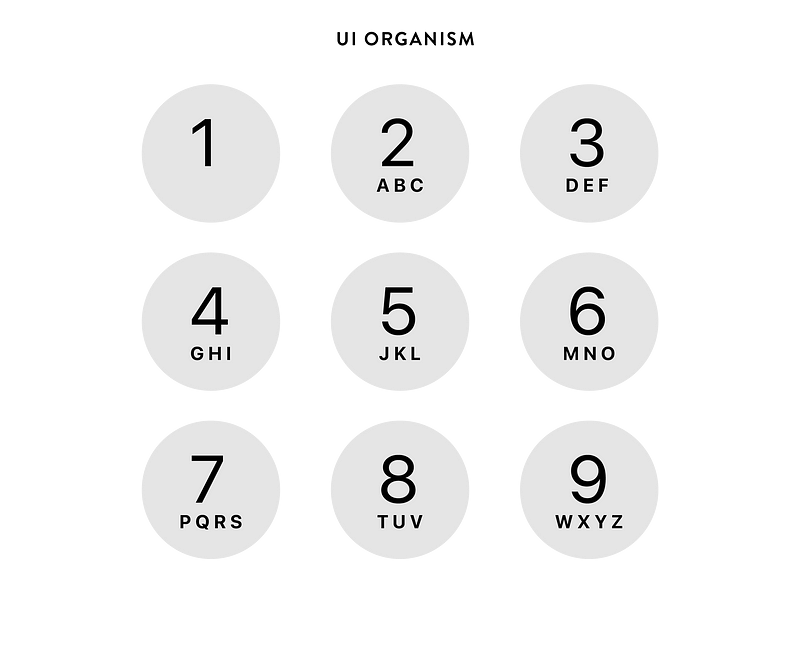
This organism is composed as a repeat pattern, consisting of 9 UI units. For the user, the interface function is easy to understand (touch the numbers).
From pattern to template
Now that an organism with its particular molecular structure has been established, the template design follows
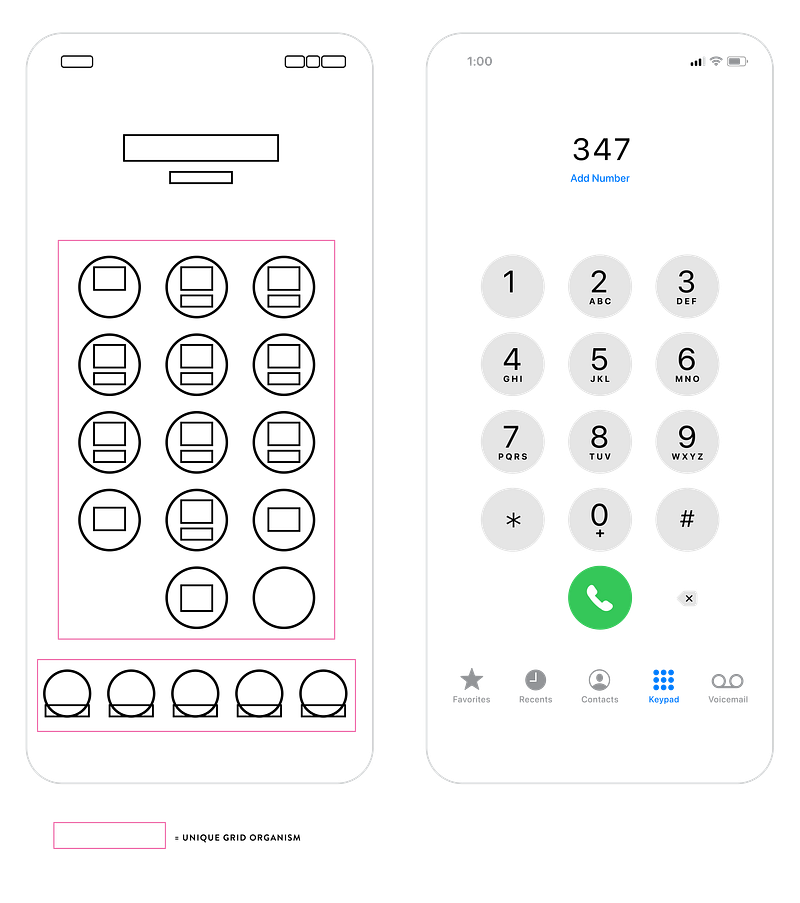
Distinct compositional organisms form the template for this screen interface. It remains consistent throughout the user’s path, until certain criteria are met, such as the display of a ten-digit number.
Thus, we created an interactive screen with a clear organism structure based on UI units and elements.
Creating clean interactive prototypes by utilizing UI units and elements with modular template design
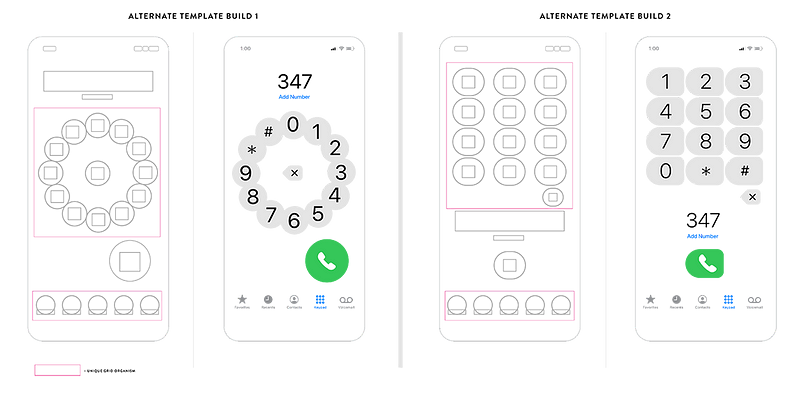
Here we can see a different pattern approach with the equal number of UI units. Each design has its own distinct interface approach, although the user’s end point remains the same, ie, to tap a ten-digit number that allows the green phone button to engage.
Note: In these options, the green dial up button has a prominent position on the page, an interesting UX aspect
Through user testing, the best design option will be implemented. However, the number of atoms, or single elements, the set up of the molecules, ie, UI units, and the shape of the organisms which build the template pattern is determined by the function of the user’s interaction.
In this design sample, we want the user to tap a ten-digit phone number with the least number of steps. Even though this is a simple user interaction, once the elements (atoms) are established, there are many design variations that can achieve this task.
To remember
Multiple atoms combine to form molecules
Molecules are UI units with a specific functional purpose
Multiple molecules/UI units combine to form organisms
These organisms combine together screen templates, sometimes with the addition of single atoms and/or molecules.
Break it down and rebuild
When we interact with individual screens, we can easily break a screen design into molecules and atoms. The challenge lies in editing out unwanted elements and add-ons that create data clutter. As UX designers, we want the user to have the fullest experience with the least interactive resistance.
For that, we need to understand the principle behind atomic design.
We are designing digital UX systems, not individual book pages
In summary
Atomic design serves a greater purpose… to build fluid interactive screens from the ground up.
In understanding the concept of elements, which combine into UI units and their functions, we are able to create digital environments that fit the user’s end goal… to finish the digital task with least resistance.
Thus, we can build clean interfaces that can serve as great experiences.
Try it!
Read up on more UX design tools here:
Thank you!


