
Apple Should Buy This App
Gling is a game-changer
Once in a while, I experience something in technology that stops me in my tracks.
Such occurrences are rare — extremely rare, but I remember them distinctly. The first time I used the Internet and realised how much information was already packed into it. The first time I experienced sampling on a Korg Triton. The first time I took my first-ever iPhone out during a family meal and realised the power I had in my pocket.
These moments of technological wonder are inspiring, exciting, and slightly overwhelming. And they all have something in common: every single technological breakthrough that has stopped me in my tracks has done so because it has opened up an entirely new world of creativity.
A couple of weeks ago, this happened again, and I’m still trying to get my head around the impact it’s going to have on my business.
What is Gling?
“Fellas — one word,” exclaimed Alex on our YouTuber Telegram chat group. “GLING. AI video editor. I am in shock.”
I stopped what I was doing, immediately, and headed over to gling.ai to find out what Alex was talking about.
Creator, get your time back, read the headline on the app’s homepage. It went on to suggest that its AI technology would “cut silences and bad takes for you so you can focus on your YouTube videos”.
A short and entirely unspectacularly produced introductory video from the app’s creator follows, along with an option to receive a download link via email.
That’s it. No free trial, no pricing page, and very little fanfare beyond links to a few review videos for gling.ai (all of which appear to suggest that your mind is about to be blown).
Gling’s raison d’etre is about as simple as its landing page. Thanks to some AI trickery, the app can ‘watch’ your raw a-roll shoot (the bit you do to the camera) and cut out all of the silences, errors, and terrible takes, leaving you with a practically finished edit.
It’s stupidly simple to use. You just drop one or several raw video files into an upload box, confirm whether you want it to remove silences or bad takes, or both, and click a button. Processing ensues and, after a few minutes, you’re presented with a full transcript of your video and confirmation of exactly what has been removed.
You can reinstate cuts made by Gling and add your own cuts, all from the transcribed text. Once you’re happy, there’s the option to export to Final Cut Pro (standard and multicam), Adobe Premiere Pro, and DaVinci Resolve.
Gling is, to not put a too finer point on it, absolutely mind-boggling.
What Gling (and AI) means for YouTubers
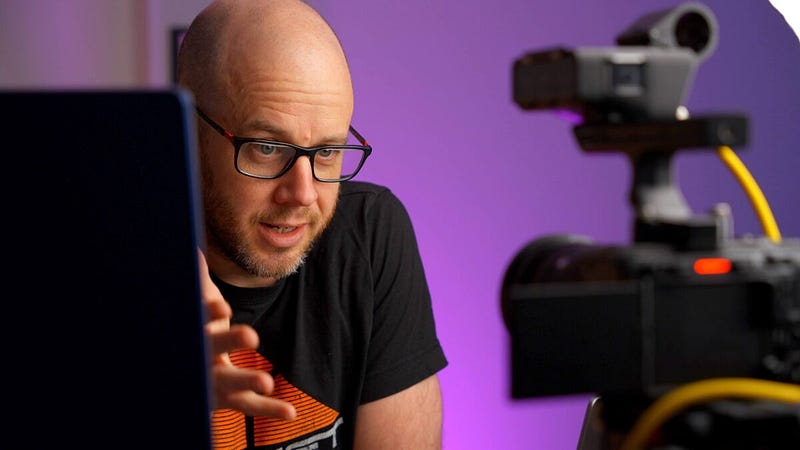
A-roll shoots are damn hard. I’ve enjoyed them less and less the more I’ve done them. That isn’t to say I hate shooting videos of myself talking to a camera, but I dislike how much it brings on feelings of imposter syndrome. Multiple takes, long pauses, and constant stop-starts are something I’ve reluctantly become used to.
The result is at least forty minutes of footage that needs cutting down to a YouTube-friendly eight to ten minutes. This is a laborious task which involves watching the video from start to finish and chopping out the crap as you go.
This is where the story is told, therefore I’ll admit that I do quite enjoy watching what I thought was an absolute train wreck slowly turn into something resembling a narrative. Despite this, I’m a businessman at heart, and if there’s a way to reduce the time spent on a-roll edits, I’ll jump on it.
Gling provides the solution in the most draw-dropping way. Although it doesn’t quite nail the entire transcript, and despite there being a few bad takes left over, it does a frighteningly good job of removing yours truly from the a-roll editing process.
Once I’ve tweaked a couple of the cuts it has made, I simply export the finished edit to a multicam XML file, open it in Final Cut Pro and create my j-cuts. This saves me, on average, around an hour per a-roll edit.
I typically publish at least three YouTube videos each week. That’s three hours a week saved and over a day in total saved each month.
That’s why Gling is such a big deal for YouTube creators. It gives us back the one thing that is always in such short supply: time.
Why Apple needs Gling
When you finish a session in Gling and export the file to your chosen video editor, you’re politely asked if you’d like to say “thank you” to the developer by way of a $5 donation. Given how much time this thing is saving, it’s a bit of a no-brainer to respond with “of course!’.
You don’t have to, though, which ostensibly renders Gling a free product. The only thing you have to give away in exchange for the download link is an email address.
I don’t know the developer of Gling, and I have nothing to base this on beyond my intuition (which is, regularly, entirely wrong) but I’d guess that this is a play for acquisition.
Giving away an amazing app and building a database of users strikes me as a rather smart way to divert wealthy eyes in the direction of your hard work. Gling isn’t the only tool like this out there, but its ease of use and fast filtration through YouTuber land should serve it well if the intention is for it to be picked up by one of the big boys.
I hope that happens. Or, at the very least, I hope that Apple, Adobe, and Blackmagic Design are working on their versions of automated a-roll editing. The only bottleneck remaining is the need to export from Gling and import into Final Cut Pro (a process which isn’t without its weird error messages). Imagine having a button in Final Cut Pro that did this for you in the app itself.
It’s going to happen, isn’t it?
Final thought: the dark side of AI
There’s one huge, inescapable elephant in the room, isn’t there? For as many hours as tools like Gling regain for YouTubers, they remove just as many reasons to hire an external editor.
I still undertake these edits myself, therefore it hasn’t wiped out anyone’s job at Mark Ellis Reviews HQ yet, but I know plenty of YouTubers who outsource their editing.
The FlipBook Case: A Must-Have iPad Pro Accessory?
Some accessories take you by surprise…
medium.com
However, as with anything AI-related, Gling should be viewed as a creative opportunity. It’s important to remember that it doesn’t leave you with a finished YouTube video; the cut it creates needs to be checked, polished, and, in most cases, b-roll and second angles added. If you have any pride in the work you publish on YouTube, those jobs still need to be undertaken by a human. For now.
I cannot overstate the importance of Gling. It’s the first version of a tool that will only get better and more capable. As is so often said about AI, this is the worst version of the app we’ll ever see and it’s already utterly mind-blowing.
So, over to you, Apple!
Before you go
Join my Substack newsletter for tips on becoming a profitable, happy online creator!
If you enjoy my writing, it’s only a snippet of what’s on Medium. I’m a paying member myself and highly recommend joining. Click here to join (a portion of your membership fee will be sent my way and therefore directly support my work!).
Originally published at https://markellisreviews.com on May 4, 2023.


