
Apple Notes Updates in iOS17
Links, Formatting and more
There are tons of note-taking apps, but if you are ensconced in the Apple eco-system, the stock Notes app is front and centre (and completely free).
If you’ve been sitting on the fence with regards to Apple Notes, then there have been functionality bumps that takes it forward, in iOS17 and this is why it could be the note-taking app for you.
It’s always been possible to add links to external websites and apps, but with iOS17 (and iPadOS17 and MacOS Sonoma) the Notes app now has the ability to link from one note to another.
I should caveat, this is a one-way link. The note that has been linked to does not have the return link. Maybe this will come in a future update.
However, this is a significant step forward to making the Notes app even more useable.
How to add Note Links
It’s quite simple to do this:
- Start a note (or select a note you’ve already created)
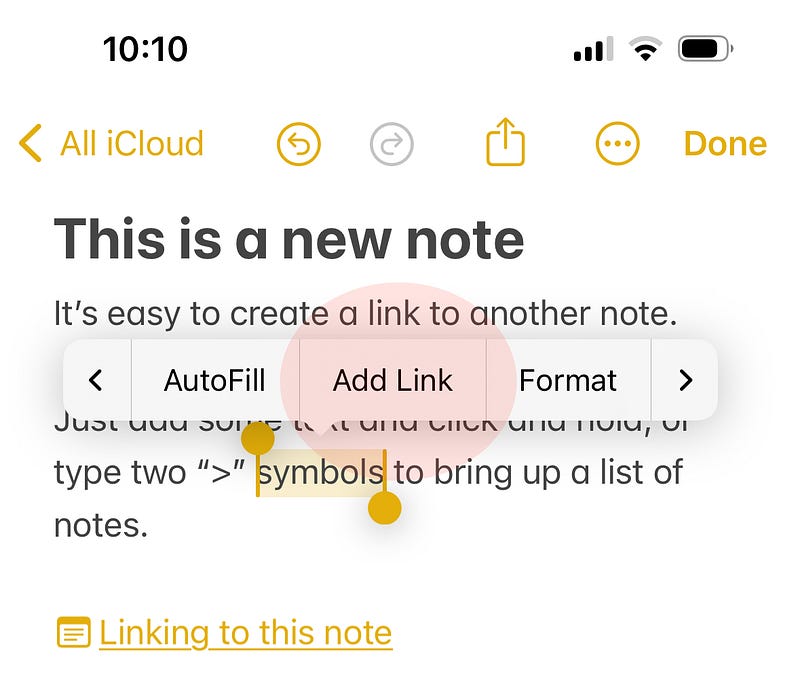
- At the point you want to insert the link, either select a word and then ‘Add Link’
- Start typing the name of a note, or part of a name
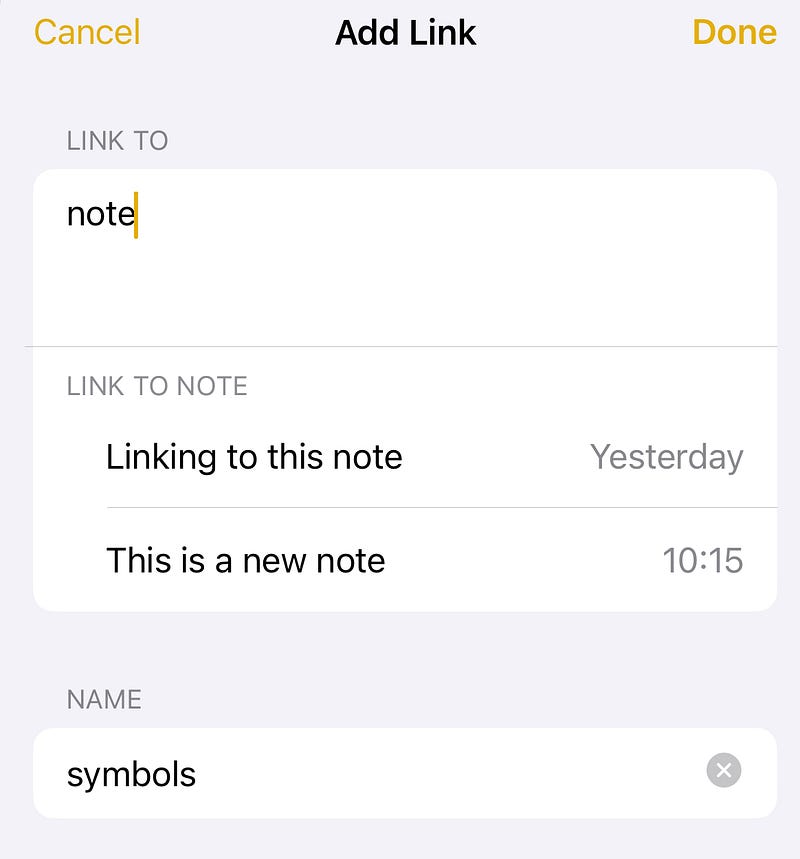
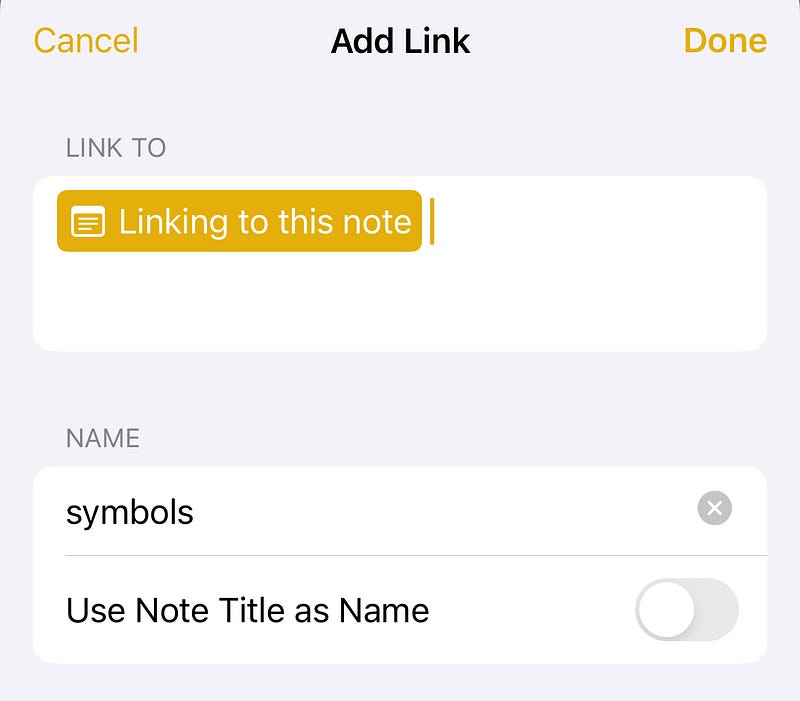
- When selected, you can then choose to use the link with the selected word (which is what I will do in this example), or you can choose to use the note title as the link name.
- This won’t make much sense here, but is useful (keep reading).
- When you click ‘Done’ the selected word becomes highlighted as a link.
- Clicking this will take you directly to the note.
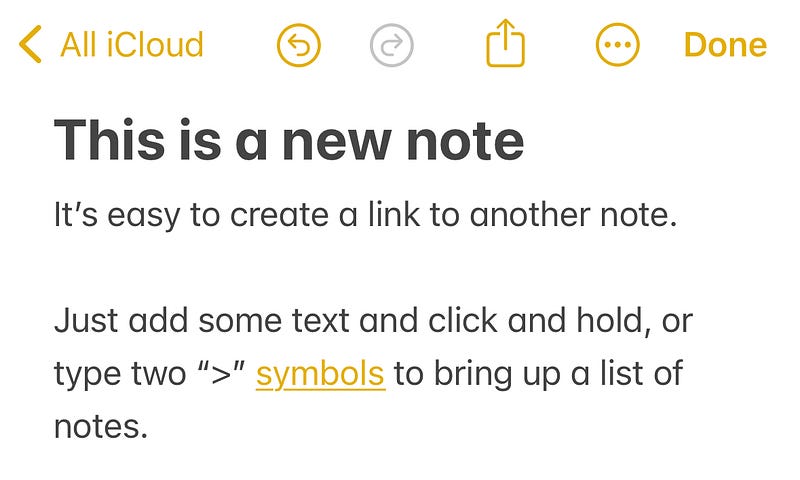
Alternatively, you can use “>>” to bring up a list of notes
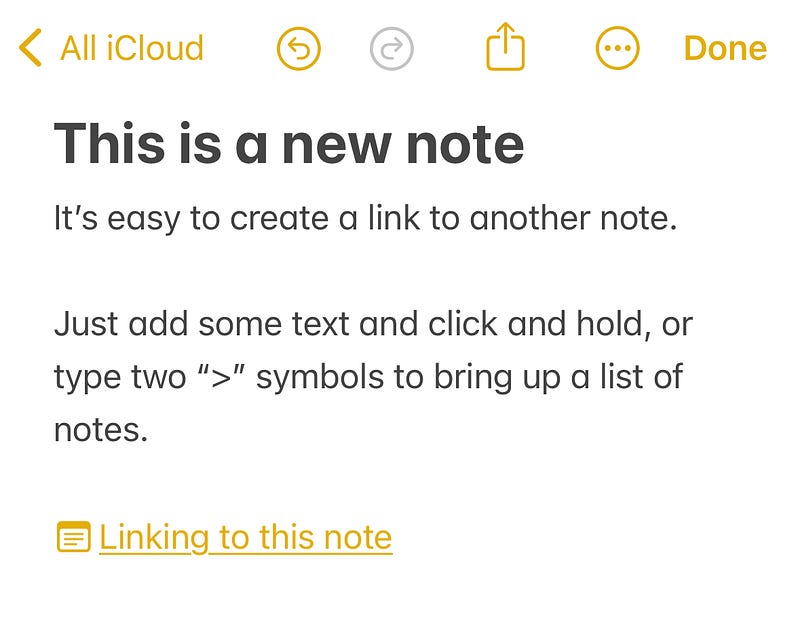
You’ll notice that this link is not inline, but a separate text entry in the note.
This is great if you want to create a table of contents, or a directory of notes.
Other Updates
Apple Notes has also seen other changes in iOS17.
Monospaced has become Monostyle and is accessible via the Formatting menu icon.
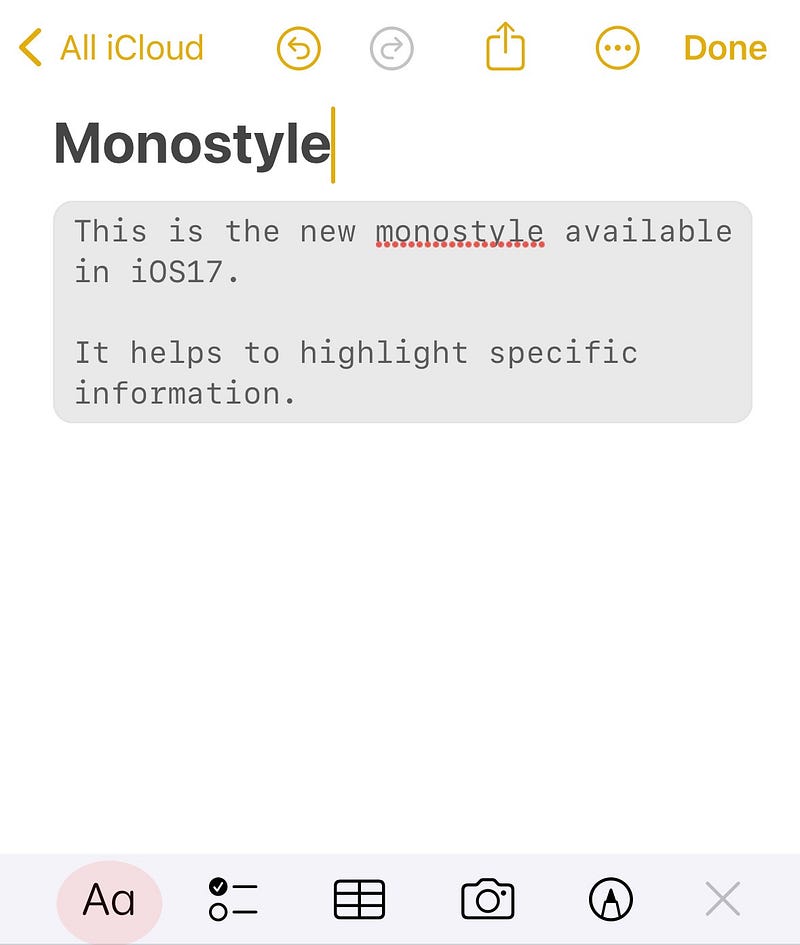
At the top of the screenshot, you’ll also notice you can Undo and Redo any changes; removing the need to shake your device!
Autofill
Tap on the screen to bring up the Contextual menu and you’ll see ‘Autofill’
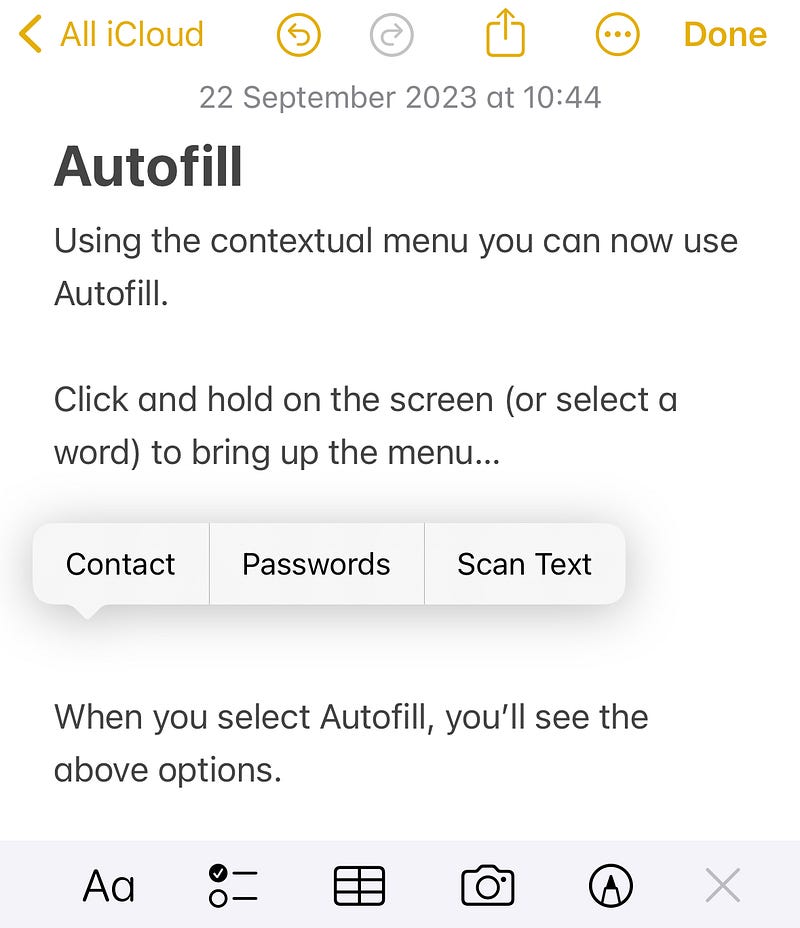
You can choose to add information about a contact, select a password from your Keychain, or scan text using your device.
I think these changes really bring Apple Notes up-to-date and whilst it might not satisfy hardcore users, I actually think this is becoming a key player in the note taking app world.
Thank you for reading
👉🏻 Click here if you’d like to receive my articles directly into your inbox
👉🏻 If you’d prefer, please buy me a coffee to show your appreciation. 20% of payments received will be donated to Cancer Research UK.


