<iframe class="gist-iframe" src="/gist/IndhumathyChelliah/a668b57a88eaf0d8f64031dafa25d601.js" allowfullscreen="" frameborder="0" height="undefined" width="undefined">
</div>
</div>
</figure></iframe></div></div></figure><ul><li><b>Accessing tuple elements:</b></li></ul><ol><li>We can access tuple elements by using index numbers inside square brackets. The first element starts at index 0.</li></ol>
<figure id="c48d">
<div>
<div>
<iframe class="gist-iframe" src="/gist/IndhumathyChelliah/e0119df6da55810267b3904140482cca.js" allowfullscreen="" frameborder="0" height="undefined" width="undefined">
</div>
</div>
</figure></iframe></div></div></figure><p id="e644">2. <b>Negative Indexing.</b></p><p id="9a4a">We can access using a negative index also. Negative indexing starts from the end. -1 refers to last element.</p>
<figure id="b460">
<div>
<div>
<iframe class="gist-iframe" src="/gist/IndhumathyChelliah/ad86d747f176956c03c354f1e7e01aae.js" allowfullscreen="" frameborder="0" height="undefined" width="undefined">
</div>
</div>
</figure></iframe></div></div></figure><ul><li><b>Slicing (Range Of Indexes):</b></li></ul><p id="2f59">We can specify a range of indexes. Returns new tuple containing specified elements.</p><p id="0113"><code>s[i:j:k] — slice of <i>s</i> from <i>i</i> to <i>j</i> with step <i>k</i></code></p><p id="865d">t[1:3] - Returns a tuple containing element at first and second index.
t[1:] - Returns a tuple containing an element from the first index till the end of the tuple
t[:] - Returns a tuple containing all elements
t[:4] - Returns tuple containing elements from starting till the third index.</p>
<figure id="e5ab">
<div>
<div>
<iframe class="gist-iframe" src="/gist/IndhumathyChelliah/1d2ca666db53f6d9ae82e395521ecfc3.js" allowfullscreen="" frameborder="0" height="undefined" width="undefined">
</div>
</div>
</figure></iframe></div></div></figure><p id="1e7d"><b>Slicing using step argument:</b></p>
<figure id="f438">
<div>
<div>
<iframe class="gist-iframe" src="/gist/IndhumathyChelliah/155310517ab0d323b8911c5fb93fc258.js" allowfullscreen="" frameborder="0" height="undefined" width="undefined">
</div>
</div>
</figure></iframe></div></div></figure><ul><li><b>Modifying tuple:</b></li></ul><p id="2682">A tuple is immutable. So we can’t add or remove elements from the tuple. We can only delete tuple.</p><p id="38b3">But we can add items by converting tuple to list and then add items and convert back to a tuple.</p>
<figure id="feed">
<div>
<div>
<iframe class="gist-iframe" src="/gist/IndhumathyChelliah/8bec2924f7e1e161c06a196cc84cde65.js" allowfullscreen="" frameborder="0" height="undefined" width="undefined">
</div>
</div>
</figure></iframe></div></div></figure><p id="5993">If a tuple contains mutable data types like list, we can modify that list.</p>
<figure id="1969">
<div>
<div>
<iframe class="gist-iframe" src="/gist/IndhumathyChelliah/f4b55561ee6e729e32e5951504a1931c.js" allowfullscreen="" frameborder="0" height="undefined" width="undefined">
</div>
</div>
</figure></iframe></div></div></figure><ul><li><b>Deleting tuple:</b></li></ul><p id="6e60">we can delete tuple by using <code>del</code> keyword.</p>
<figure id="3757">
<div>
<div>
<iframe class="gist-iframe" src="/gist/IndhumathyChelliah/001227725988e8f2213b2306fdd5c61d.js" allowfullscreen="" frameborder="0" height="undefined" width="undefined">
</div>
</div>
</figure></iframe></div></div></figure><ul><li><b>Joining tuples:</b></li></ul><p id="53aa">We can combine two tuples using <code>+</code> operator.</p>
<figure id="7f7d">
<div>
<div>
<iframe class="gist-iframe" src="/gist/IndhumathyChelliah/8708dbb930eb093a141b22344b9785f3.js" allowfullscreen="" frameborder="0" height="undefined" width="undefined">
</div>
</div>
</figure></iframe></div></div></figure><p id="6f15">We can repeat the elements in tuple using <code>* </code>operator</p>
<figure id="9f72">
<div>
<div>
<iframe class="gist-iframe" src="/gist/IndhumathyChelliah/de703274aeb16aac5bf2be1d257181de.js" allowfullscreen="" frameborder="0" height="undefined" width="undefined">
</div>
</div>
</figure></iframe></div></div></figure><ul><li><b>Tuple Built-in Methods:</b></li></ul><ol><li>index()</li><li>count()</li></ol><p id="a788"><b>index():</b></p><p id="95d7">Returns the index of the specified element in the tuple. If the element is not in tuple means, it will raise a ValueError. If the specified value occurs more than one-time means, it will return the index of the first occurrence.</p><p id="e4b8"><code>t.index(x,start,end)</code></p><p id="5201">x-element to be searched
start,end-The optional arguments <i>start</i> and <i>end</i> are interpreted as in the slice notation and are used to limit the search to a particular subsequence of the tuple.</p>
<figure id="2c83">
<div>
<div>
<iframe class="gist-iframe" src="/gist/IndhumathyChelliah/9a033bb80fd1c3e6d60464f5c2b2d57c.js" allowfullscreen="" frameborder="0" height="undefined" width="undefined">
</div>
</div>
</figure></iframe></div></div></figure><p id="56a7"><b>count(): </b>Returns the count of the specified value in the tuple.</p>
<figure id="4580">
<div>
<div>
<iframe class="gist-iframe" src="/gist/IndhumathyChelliah/f3254195db6743cb06a67f6a8646c691.js" allowfullscreen="" frameborder="0" height="undefined" width="undefined">
</div>
</div>
</figure></iframe></div></div></figure><ul><li><b>Membership Test:</b></li></ul><p id="4e71">We can check whether an item is present in the tuple or not by using <code>in</code> keyword.</p>
<figure id="fe22">
<div>
<div>
<iframe class="gist-iframe" src="/gist/IndhumathyChelliah/bc600fc15cf6ed0a31112df540a8ce6a.js" allowfullscreen="" frameborder="0" height="undefined" width="undefined">
</div>
</div>
</figure></iframe></div></div></figure><ul><li><b>Comparison Operations:</b></li></ul><p id="88a4">Tuples compare lexicographically using a comparison of corresponding elements.</p><p id="b9ba"><b
Options
1.Equality operation on tuples:</b></p><p id="8a10">For two tuples to compare equal, they must be of the same type, have the same length, and each pair of corresponding elements must compare equal (for example, [1,2] == (1,2) is false because the type is not the same).</p>
<figure id="2d66">
<div>
<div>
<iframe class="gist-iframe" src="/gist/IndhumathyChelliah/1957e8900aeb8812da645301bc33a724.js" allowfullscreen="" frameborder="0" height="undefined" width="undefined">
</div>
</div>
</figure></iframe></div></div></figure><p id="ba0d"><b>2. Order Comparison</b></p><p id="1b15">Order comparisons between tuples check for the first unequal element in the set. (for example, <code>[1,2,x] <= [1,2,y]</code> has the same value as <code>x <= y</code>). If a corresponding element does not exist, the shorter collection is ordered first (for example, <code>[1,2] < [1,2,3]</code> is true).</p>
<figure id="32fe">
<div>
<div>
<iframe class="gist-iframe" src="/gist/IndhumathyChelliah/0f120cd20054aa05055cd4f095b0ee75.js" allowfullscreen="" frameborder="0" height="undefined" width="undefined">
</div>
</div>
</figure></iframe></div></div></figure><p id="3183">Order comparisons (<,>,≤,≥) between tuple and other collections raise TypeError.</p>
<figure id="fa67">
<div>
<div>
<iframe class="gist-iframe" src="/gist/IndhumathyChelliah/4680035880237f3060ce28b3851bd686.js" allowfullscreen="" frameborder="0" height="undefined" width="undefined">
</div>
</div>
</figure></iframe></div></div></figure><ul><li><b>Sorting tuple:</b></li></ul><p id="311d"><b>sorted()
</b>sorted() function will sort tuple and return a new sorted list. It won’t modify the original tuple. By default, it will sort in ascending order.</p><p id="9c36"><code><b>sorted(iterable,key=None,reverse=False)</b></code></p><p id="05b2"><b>Return Type:</b> List</p>
<figure id="f63b">
<div>
<div>
<iframe class="gist-iframe" src="/gist/IndhumathyChelliah/c320d5597803439113a999880c74887d.js" allowfullscreen="" frameborder="0" height="undefined" width="undefined">
</div>
</div>
</figure></iframe></div></div></figure><p id="4764"><b>Sorting tuple in descending order</b></p><p id="728d">If the reverse is set to True, it will sort the tuple in descending order.</p>
<figure id="7fff">
<div>
<div>
<iframe class="gist-iframe" src="/gist/IndhumathyChelliah/743db2d06c6c431304fefd5328694dcf.js" allowfullscreen="" frameborder="0" height="undefined" width="undefined">
</div>
</div>
</figure></iframe></div></div></figure><p id="3134"><b>Sorting tuple using the key parameters.</b></p><p id="758b">We can also sort tuple based on the function specified in the key parameter. By default, the sorted function will sort a list of tuples based on the first element. Here we mentioned a user-defined function to take the second element. So, now sorted function sort the list of tuples based on the second element</p>
<figure id="6c35">
<div>
<div>
<iframe class="gist-iframe" src="/gist/IndhumathyChelliah/6cbee4066ac2b1e620c3fce9b0eefc19.js" allowfullscreen="" frameborder="0" height="undefined" width="undefined">
</div>
</div>
</figure></iframe></div></div></figure><p id="5c8f"><b>Tuple Built-in Functions:</b></p><ol><li>len()</li></ol><p id="86a8">2. min()</p><p id="79f6">3. max()</p><p id="10b5">4. sum()</p><p id="ea27"><b>len(): </b>Returns the number of elements in the tuple.</p>
<figure id="3b1f">
<div>
<div>
<iframe class="gist-iframe" src="/gist/IndhumathyChelliah/22a9434990c37d95a4a0b090a3774e5f.js" allowfullscreen="" frameborder="0" height="undefined" width="undefined">
</div>
</div>
</figure></iframe></div></div></figure><p id="c597"><b>min():</b> Returns the smallest element in the tuple.</p><p id="2f24"><b>max():</b> Returns the largest element in the tuple.</p><p id="d831"><b>sum(): </b>Returns the sum of all elements in the tuple.</p>
<figure id="49aa">
<div>
<div>
<iframe class="gist-iframe" src="/gist/IndhumathyChelliah/8e073538920e37de0fcaec5501636119.js" allowfullscreen="" frameborder="0" height="undefined" width="undefined">
</div>
</div>
</figure></iframe></div></div></figure><ul><li><b>hash():
</b>hash() is supported in immutable sequence types- tuples.
This support allows immutable sequences, such as tuple instances, to be used as dict keys and stored in set and frozenset instances.
Attempting to hash an immutable sequence that contains unhashable values will result in <code>TypeError.</code></li></ul>
<figure id="3951">
<div>
<div>
<iframe class="gist-iframe" src="/gist/IndhumathyChelliah/160aa7128685fcb00c80b19c8e3ab65c.js" allowfullscreen="" frameborder="0" height="undefined" width="undefined">
</div>
</div>
</figure></iframe></div></div></figure><ul><li><b>Iterating through tuple:</b></li></ul><p id="85df">We can use <code>for</code> loop to iterate through tuple.</p>
<figure id="dc5f">
<div>
<div>
<iframe class="gist-iframe" src="/gist/IndhumathyChelliah/cd9abf7ceaba8e4cb73abd2147ea56f4.js" allowfullscreen="" frameborder="0" height="undefined" width="undefined">
</div>
</div>
</figure></iframe></div></div></figure><h2 id="cfb8">My other blogs on Python data structures</h2><p id="8ab9"><a href="https://readmedium.com/python-list-79ef2e183d60">An Introduction to Python List</a></p><p id="37ca"><a href="https://readmedium.com/python-sets-8e38a8bfb98c">An Introduction to Python Set</a></p><p id="b632"><a href="https://readmedium.com/an-introduction-to-python-dictionary-520302924ef8">An Introduction to Python Dictionary</a></p><h2 id="dba4">Resources:</h2><ul><li><a href="https://docs.python.org/3/library/stdtypes.html#tuples">Tuples</a></li><li><a href="https://docs.python.org/3/library/stdtypes.html#sequence-types-list-tuple-range">Sequence type operations</a></li><li><a href="https://docs.python.org/3/reference/expressions.html#comparisons">Comparison Operation</a></li><li><a href="https://docs.python.org/3/library/functions.html#hash">hash()</a></li><li><a href="https://docs.python.org/3/library/stdtypes.html#immutable-sequence-types">Immutable sequence types</a></li><li><a href="https://docs.python.org/3/howto/sorting.html">Sorting</a></li><li><a href="https://docs.python.org/3/tutorial/datastructures.html#tuples-and-sequences">Tuples and sequences</a></li></ul></article></body>
Tuple is a Python data structure which are ordered and immutable.Python tuples are written within parentheses. Tuples are immutable, and usually contain a heterogeneous sequence of elements that are accessed via unpacking or indexing.
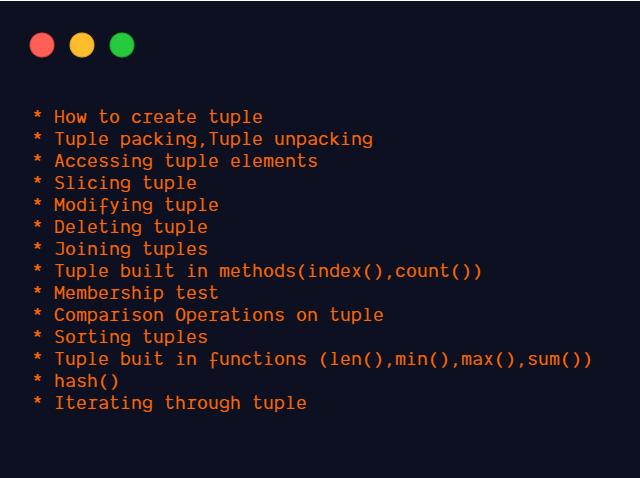
Image by Author
Creating a tuple:
To create a tuple with a single item, we have to add a trailing comma. a, or (a,)
Singleton tuple can be created with trailing comma, with or without parentheses.
2. Using tuple constructor:
tuple()
tuple(iterable)
iterable can be a sequence, a container that supports iteration, or an iterator object.
iterable can be sequence like list, string.
iterable can be containers that support iteration like a set,dict
iterable can contain an iterator object also.
3. Tuple can contain different data types also. It is written within parentheses.
4. Creating an empty tuple.
5.Separating items with commas: a, b, c or (a, b, c)
We can create tuple without parentheses also. Actually, the comma makes a tuple. Parentheses are optional except in empty tuple or when they are needed to avoid syntactic ambiguity.
Example:
f(a,b,c) — functioncallwith three arguments
f((a,b,c))-functioncallwith one argument as 3-tuple. 3-tuple means tuple having 3 elements.
6. Creating a nested tuple
Tuples are immutable
Tuples do not support item assignment. It will raise TypeError.
Tuple packing, Tuple unpacking:
Tuple packing:
t=1,2,3,’hello’
The values 1,2,3,’hello’ are packed together in a tuple. This is called tuple packing.
Tuple unpacking:
Tuple unpacking is assigning elements in the tuple to variable in a single assignment statement.Tuple unpacking requires that there are as many variables on the left side of the equals sign as there are elements in the tuple.
Otherwise, it will raise ValueError.
Accessing tuple elements:
We can access tuple elements by using index numbers inside square brackets. The first element starts at index 0.
2. Negative Indexing.
We can access using a negative index also. Negative indexing starts from the end. -1 refers to last element.
Slicing (Range Of Indexes):
We can specify a range of indexes. Returns new tuple containing specified elements.
s[i:j:k] — slice of s from i to j with step k
t[1:3] - Returns a tuple containing element at first and second index.
t[1:] - Returns a tuple containing an element from the first index till the end of the tuple
t[:] - Returns a tuple containing all elements
t[:4] - Returns tuple containing elements from starting till the third index.
Slicing using step argument:
Modifying tuple:
A tuple is immutable. So we can’t add or remove elements from the tuple. We can only delete tuple.
But we can add items by converting tuple to list and then add items and convert back to a tuple.
If a tuple contains mutable data types like list, we can modify that list.
Deleting tuple:
we can delete tuple by using del keyword.
Joining tuples:
We can combine two tuples using + operator.
We can repeat the elements in tuple using * operator
Tuple Built-in Methods:
index()
count()
index():
Returns the index of the specified element in the tuple. If the element is not in tuple means, it will raise a ValueError. If the specified value occurs more than one-time means, it will return the index of the first occurrence.
t.index(x,start,end)
x-element to be searched
start,end-The optional arguments start and end are interpreted as in the slice notation and are used to limit the search to a particular subsequence of the tuple.
count(): Returns the count of the specified value in the tuple.
Membership Test:
We can check whether an item is present in the tuple or not by using in keyword.
Comparison Operations:
Tuples compare lexicographically using a comparison of corresponding elements.
1.Equality operation on tuples:
For two tuples to compare equal, they must be of the same type, have the same length, and each pair of corresponding elements must compare equal (for example, [1,2] == (1,2) is false because the type is not the same).
2. Order Comparison
Order comparisons between tuples check for the first unequal element in the set. (for example, [1,2,x] <= [1,2,y] has the same value as x <= y). If a corresponding element does not exist, the shorter collection is ordered first (for example, [1,2] < [1,2,3] is true).
Order comparisons (<,>,≤,≥) between tuple and other collections raise TypeError.
Sorting tuple:
sorted()
sorted() function will sort tuple and return a new sorted list. It won’t modify the original tuple. By default, it will sort in ascending order.
sorted(iterable,key=None,reverse=False)
Return Type: List
Sorting tuple in descending order
If the reverse is set to True, it will sort the tuple in descending order.
Sorting tuple using the key parameters.
We can also sort tuple based on the function specified in the key parameter. By default, the sorted function will sort a list of tuples based on the first element. Here we mentioned a user-defined function to take the second element. So, now sorted function sort the list of tuples based on the second element
Tuple Built-in Functions:
len()
2. min()
3. max()
4. sum()
len(): Returns the number of elements in the tuple.
min(): Returns the smallest element in the tuple.
max(): Returns the largest element in the tuple.
sum(): Returns the sum of all elements in the tuple.
hash():
hash() is supported in immutable sequence types- tuples.
This support allows immutable sequences, such as tuple instances, to be used as dict keys and stored in set and frozenset instances.
Attempting to hash an immutable sequence that contains unhashable values will result in TypeError.