
Access mechanism for OCI Object Storage
The Oracle Cloud Infrastructure (OCI) Object Storage (OS) service is an internet-scale, high-performance storage platform that offers reliable and cost-efficient data durability. One can store an unlimited amount of unstructured data in object storage. You can safely and securely store or retrieve data directly from the internet or from within the OCI platform in object storage.
Here are the basic components of the OCI Object Storage service.
- Namespace: It serves as the top-level container for all buckets and objects. Each tenancy is assigned one unique system-generated and immutable namespace name.
- Bucket: It is a logical container for storing objects.
- Object: It is any type of data (regardless of content type) and it is stored in a bucket as an object. An object is composed of the object itself and metadata about the object.
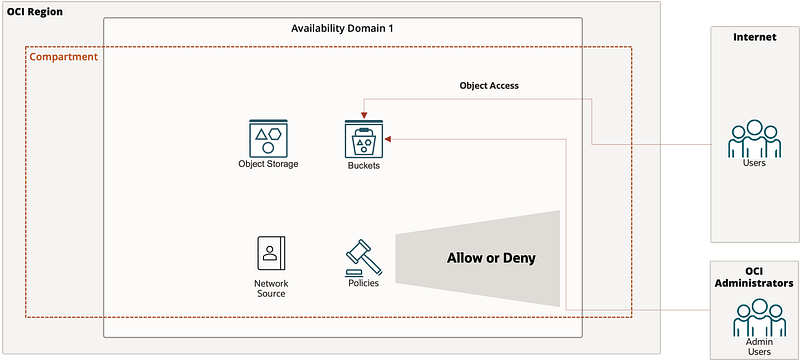
When you create a bucket in OCI Object storage service, by default the bucket is created with Private Visibility meaning objects residing within the bucket are not accessible over the public internet.
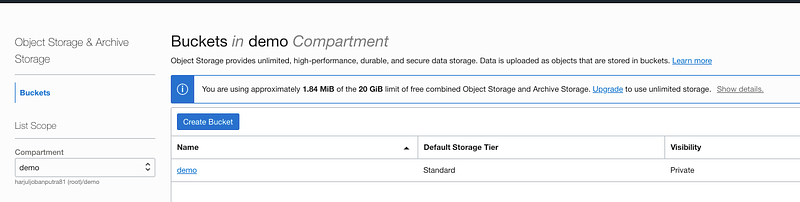
All the objects stored in the bucket will NOT be accessible over the internet as the bucket is Private.
This blog describes various ways to access the bucket and objects residing in the bucket.
We will start looking into the permission required to access the bucket as Oracle Cloud Infrastructure User.
Permission to Group of Users to Manage the Bucket
To demonstrate this, I have created a demogroup that consists of demouser who should be authorized to manage the bucket. To achieve this, I am creating a demo policy with the following policy statements.
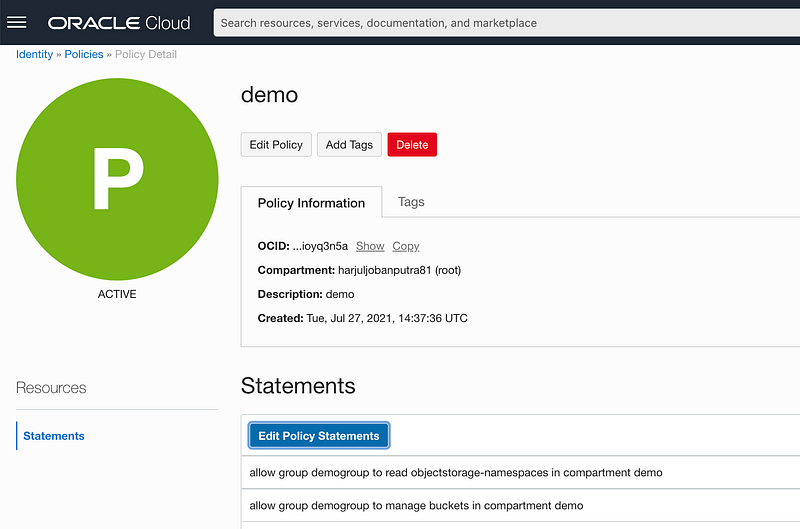
Permission to Group of Users to Manage the Object
To demonstrate this, I have created a demogroup that consists of demouser who should be authorized to manage the objects residing in the bucket. To achieve this, I am creating a demo policy with the following policy statements.
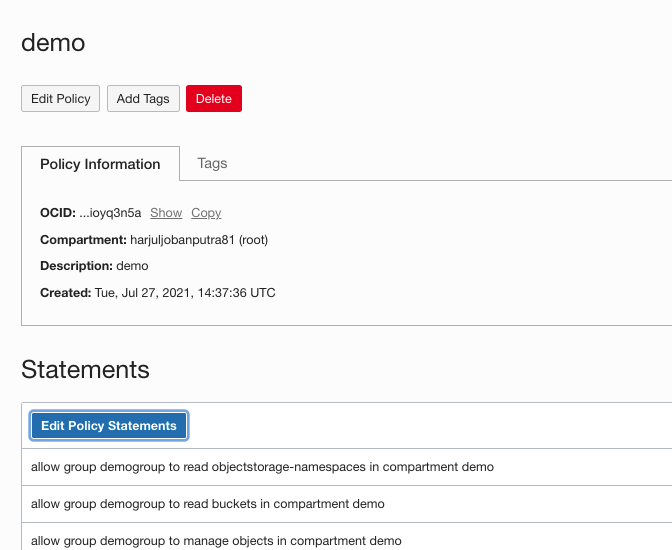
Permission to Specific Users (IP based) to Manage the Bucket
To achieve this, I have considered a scenario wherein the set of users’ IP addresses is considered as a criterion to allow them to access the OCI Console. To achieve this, I created Network Source and added the IP address of these users. By doing so, only users with the IP address will be allowed to access the Oracle Cloud Infrastructure Console and then added the above-stated policy (Section — Permission to Group of Users to Manage the Bucket) statements to restrict their access to a specific bucket.
Please refer to the below blog to configure the network source.
Permission to Specific Users (IP based) to Manage the Object
To achieve this, I have considered a scenario wherein the set of users’ IP addresses is considered as a criterion to allow them to access the OCI Console. To achieve this, I created Network Source and added the IP address of these users. By doing so, only users with the IP address will be allowed to access the Oracle Cloud Infrastructure Console and then added the above-stated policy (Section — Permission to Group of Users to Manage the Object) statements to restrict their access to a specific bucket.
Please refer to the below blog to configure the network source.
Above all are various permissions set up to access at the bucket and object level for a set of OCI users.
By default, when you create a bucket in the OCI object storage, the bucket visibility is Private. So, you cannot access the object within the bucket over the internet.
Below are the ways to access the object within a bucket over the public internet.
Public Access
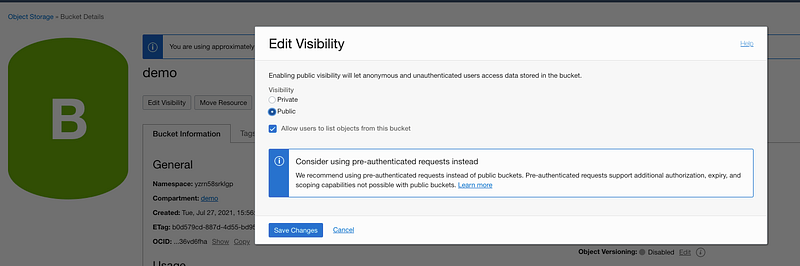
To access the object publically, that resided in the bucket, one option is to convert the bucket visibility from Private (by default) to Public. To convert the bucket visibility to Public, edit the bucket visibility.
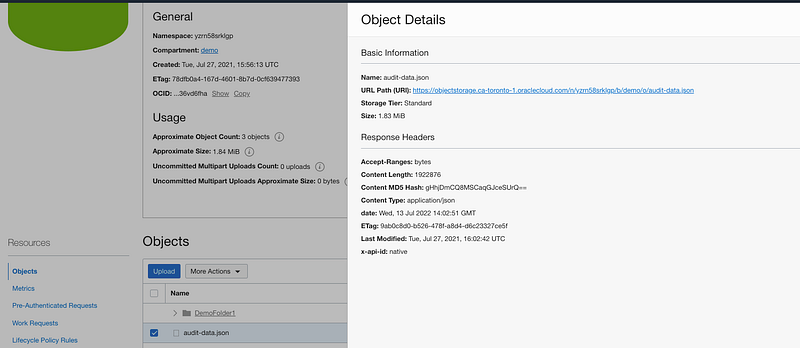
In order to access the object, you can view the URL path of the object in Object details.
Private Access
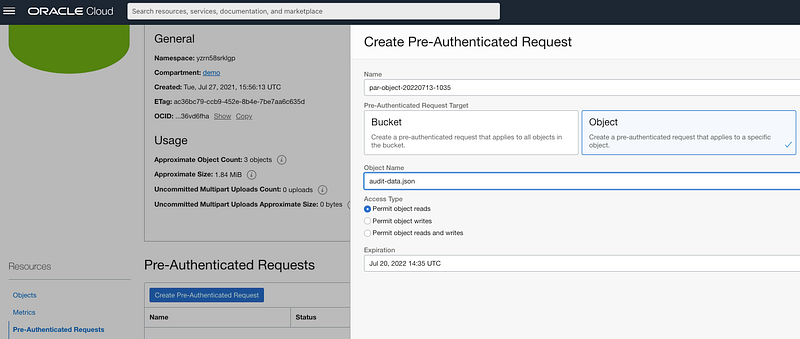
To access the object publically, that resided in the Private bucket, another option is to create a Pre-authenticated Request (PAR) on the object or the entire bucket.
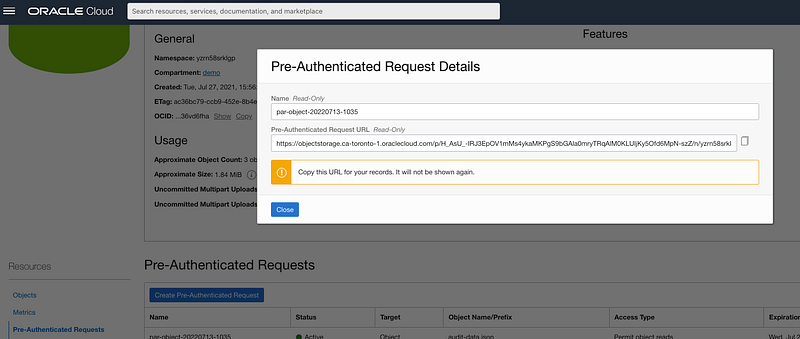
The PAR request generates a URL which can be used to read the object.
That’s it. Easy… Hope you found this article useful.
Please Subscribe or Follow me (https://medium.com/@harjulthakkar) on my medium account to receive notifications for upcoming articles.
Disclaimer: The views expressed on this document are my own and do not necessarily reflect the views of Oracle.


