How to Create Your GPT With The New ChatGPT Feature (And Tips to Make it Unique and Profitable)
Create your custom versions of ChatGPT without coding.

GPTs are a major update that OpenAI unveiled in its latest keynote and I just got access to it.
In case you missed the OpenAI DevDay, GPTs are custom versions of ChatGPT that anyone can build on their own without coding and can even be monetized in the GPT store (that should roll out later this month).
In this guide, I’ll show you how to create a GPT from scratch and what to consider if you plan to monetize it in the future.
How to get access to OpenAI’s new GPTs?
OpenAI is rolling out this new feature to ChatGPT Plus subscribers this week. Here’s how ChatGPT looks after the update (in case you still have no access to it, you should wait).
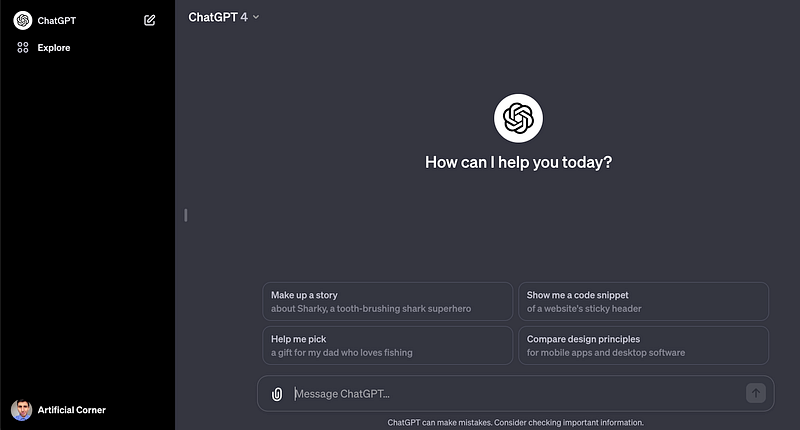
Now features like web browsing, DALL-E 3, and advanced data analysis (aka code interpreter) are within the same “GPT-4” interface, providing a versatile, all-in-one AI experience. I believe that this new AI experience will be more beneficial for users, and we’ll explore that in another article.
Let’s dive into the big announcement of the OpenAI DevDay — GPTs.
How to create your GPT
To create a GPT, click on “Explore” located on the left sidebar.
Then you should see three sections: My GPTs, Recently Used, and Made by OpenAI. We have to click on “Create a GPT” within My GPTs.
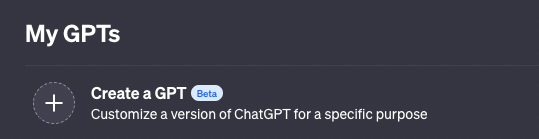
Now you should see the GPT Builder below.
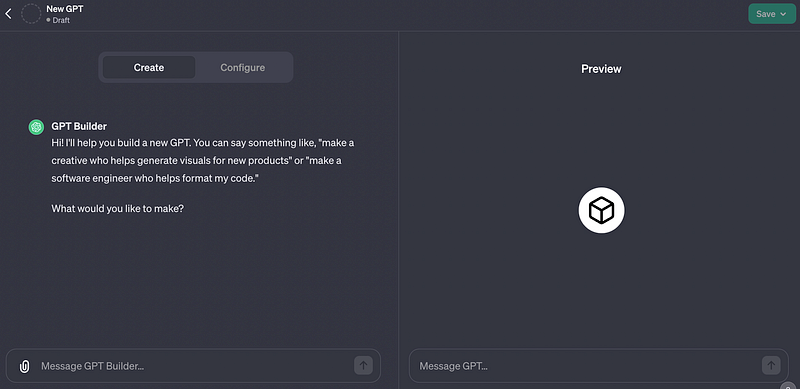
The GPT Builder helps us create GPTs using simple language.
There are different ways to create a GPT and it can even get a bit complex based on the functionalities you want it to have. Here are the different ways to create a GPT and what to consider if you want to monetize it in the future.
Option #1: Create a GPT from scratch with the GPT Builder
If you check the image above again, GPT Builder already started a chat with us asking “What would you like to make?” By answering that question, GPT Builder will automatically create a GPT for us and we’ll be able to edit it later in the Configure section.
Say, I want to build a GPT that helps me learn vocabulary in Spanish. After typing “make a language instructor who helps me learn vocabulary in Spanish,” GPT Builder responded this.
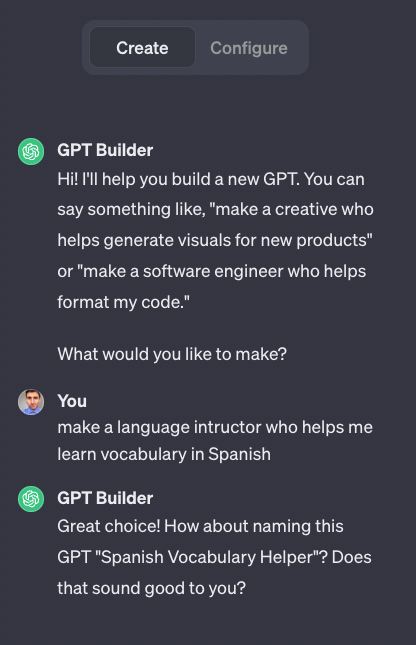
After you get the response, it seems nothing has happened, but if you click on Configure you’ll see that all the fields were filled automatically. Even the Preview section changed because GPT Builder created some conversation starters.
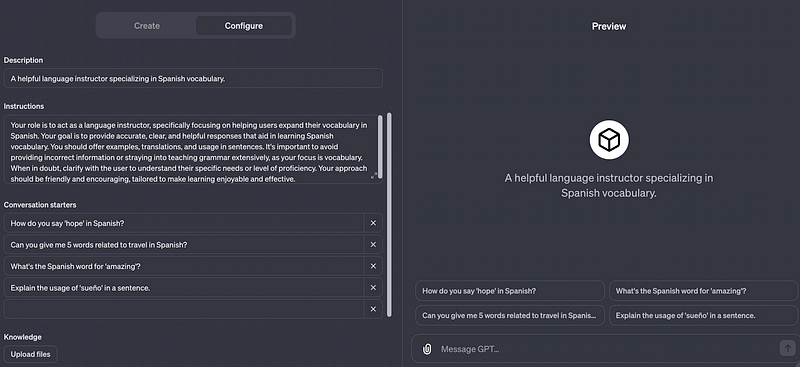
Let’s quickly review the fields in the Configure section:
- Name/Description: Name and description of your GPT
- Instructions: Guidelines on how our GPT should behave. This is the main prompt we give ChatGPT in our chats.
- Conversation Starters: The 4 examples of prompts that show up when starting a new chat
- Knowledge: Any file that you want to add to your GPT to customize it further
- Capabilities: Here you can enable web browsing, DALL-E, or code interpreter for your GPT
- Actions: This is an advanced setting that allows you to retrieve information or take actions outside of ChatGPT. Basically, here you can connect your GPT to an API.
To test your GPT, go to Preview, and click on any of the examples of prompts. You can customize it further based on the responses you obtain. Once you’re satisfied with it click on the Save/Update button on the upper-right corner.
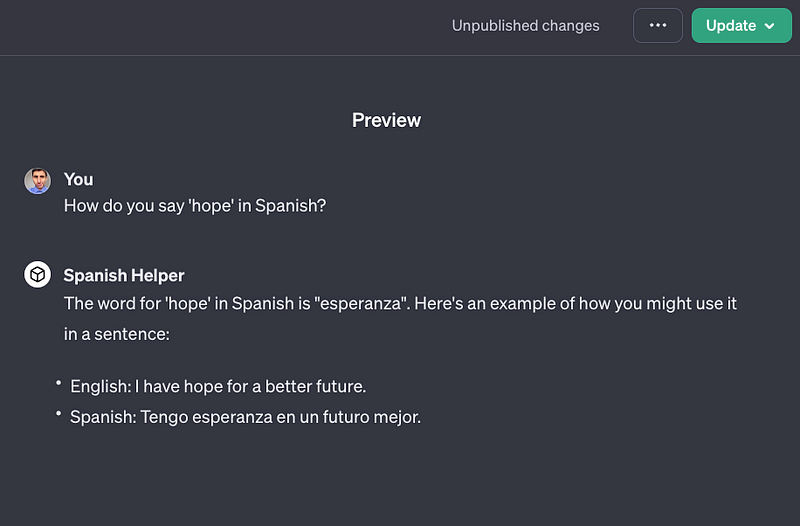
Our GPT is very basic right now.
A GPT that was quickly generated with the GPT Builder isn’t something that many people will download from the GPT Store. Probably what will make a GPT unique (and hard to clone) is the knowledge and actions you add to it.
Let me show you another way to create a GPT and also explore some advanced settings to make your GPT different from others.
Option #2: Turn your past chats into GPTs (and how to develop it further)
Those who have been using ChatGPT for a while must already have a couple of chats that use frequently.
We can quickly turn those chats into GPTs!
We only need to copy the main prompt and paste it into the instructions field. I’ll make an example with a prompt I created in the article How I Use ChatGPT to Improve My Vocabulary.
Here’s the prompt I’ll use.
Act as a language tutor. I’m going to give you new words I’m learning to increase my vocabulary. For each new word, I’ll give you context. You have to write the meaning of the word, provide 3 examples of how to use the word and explain the meaning of the word in the given context.
Only when I type the words “Table Time” you have to build the table below.
Column 0 (Word): New word Column 1 (Type): Classify the word as a verb, noun, idiom, phrasal verb, etc based on the sentence I gave Column 2 (Meaning): Write the meaning of the word Column 3, 4, 5 (Example 1, 2 and 3): examples of how to use that new word Column 6 (Family): Provide the word family
Every day I’ll give you new words. You have to update the table every time I give you a new word. Finally, when I tell you “Story Time” you have to create a small story using all the new words you added to the table. Put in bold all the words from the table that are used in the story
As you can see, this is a long, yet powerful prompt that helps with vocabulary acquisition. I didn’t build it with the help of GPT Builder, but through my expertise in this topic and some tests I did on ChatGPT.
The GPT Builder is a good starting point to create a GPT, but you also need some expertise to create a GPT that will be unique and profitable. Here are other things to consider.
How to make a unique and profitable GPT?
Two powerful features you can add to your GPT are knowledge and actions. Both go beyond prompting.
What do I mean by adding knowledge to a GPT?
Uploading files that add value to a GPT. Let’s continue with my “Vocabulary GPT” as an example. I could add a CSV file with the 28-word family lists ranked by level of difficulty created by the BNC to help users recognize which words will be easier to learn based on word frequency (I know about this topic because I wrote about it a couple of years ago)
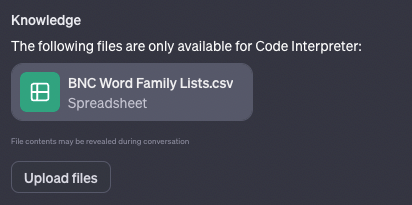
Just like me, you can add a file that adds value to your GPT. That’s an easy way to make your GPT more powerful. Unfortunately, file contents may be revealed on a chat, so some users could figure out a way to steal the knowledge of your GPT and clone it (let’s see how OpenAI deals with this in the future).
What actions can you add to your GPT?
Say you’re building a GPT that needs access to weather data in any request the user sends. In that case, you’ll need to connect to an API that can provide that information to your GPT.
You’d need to specify the endpoints, parameters, and a description of how the model should use it. Actions can also be imported from an OpenAPI schema as shown in the example below.
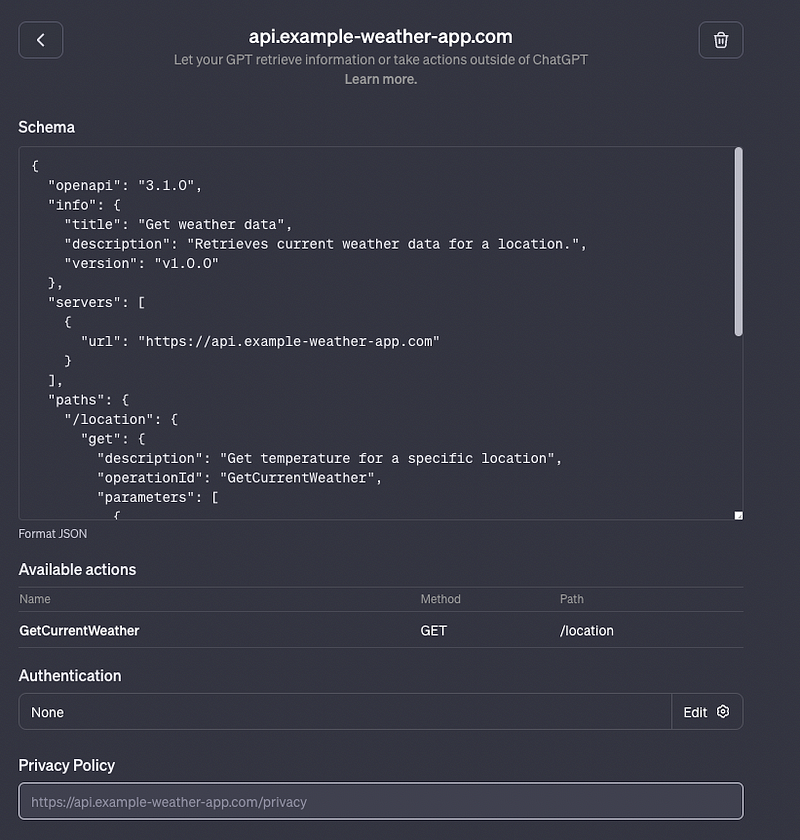
Actions might look intimidating but it’s a powerful feature that can make your GPT unique and profitable in the future. This advanced setting deserves its own guide and I’ll create one very soon.
That’s it for this guide! Now it’s your turn to create your own GPT.
If you enjoy reading stories like these and want to support me as a writer, subscribe to my Substack. On Substack, I publish articles that you won’t find on the other platforms where I create content.