
Is Deno Ready for Primetime?
Evaluation of Deno modules

We have introduced Deno, a runtime for JavaScript, TypeScript, and WebAssembly that is based on the V8 JavaScript engine and the Rust programming language.
Here is an interesting timeline, comparing Node.js and Deno (DEstroy NOde), along with npm (Node Package Manager), the world’s largest software registry that is deeply coupled with node:
- npm was born on September 21, 2009.
- node 0.1.14 was released on August 2, 2011.
- node 0.6.3 bundled npm on November 24, 2011.
- node 14 was released on April 21, 2020.
- Deno 1.0 was released on May 13, 2020.
- node 16 was released on April 20, 2021.
- node 18 was released on April 19, 2022.
- Deno 1.24.1 was released on July 28, 2022.
As a later comer, Deno has been built upon the 10-year experience of Node.js, with the latest internet technologies and web standards.
Is Deno ready for primetime?
Regardless of promising features arising from a solid architecture, Deno is still young, not as stable, and not as fit for many environments. It is at the dawn of primetime. It needs a large community to endorse the approach and to contribute to the open source project.
In this article, we are going to try out and evaluate Deno modules.
Deno Modules
According to Wikipedia, there are over 1.3 million packages available in the main npm registry. It is powerful and capable, but also a monstrous number to maintain.
Deno only supports ES Modules. For local files, Deno expects a full module name, including the extension. When dealing with remote imports, it expects the web server to resolve modules by the URL path, and to provide back the media type of the code. Deno’s remote HTTP imports do not utilize package.json. Deno has a standard library, third-party modules, and CDNs (Content Delivery Networks).
Standard library
Deno has a standard library, https://deno.land/std, which includes modules of high-quality code that all Deno projects can use fearlessly. For example, the module, https://deno.land/manual/node/std_node, polyfills the builtin modules of Node. Deno modules do not have external dependencies, and they are reviewed by the Deno core team. Two weeks ago, it was at version [email protected], and now it is at version [email protected].
Third-party modules
Deno has a hosting service, https://deno.land/x, for third-party modules. It caches releases of open source modules stored on GitHub, and serves them in one easy-to-remember domain.
Two weeks ago, it has 4,895 third-party modules, and now it has 4,961 third-party modules.
CDNs
Some Deno-friendly CDNs host packages from npm, and provide them as Deno-consumable ES Modules. esm.sh, https://esm.sh/, is such a CDN.
Set Up Deno and Fresh Working Environment
We choose Fresh as work environment, which is a full-stack modern web framework for JavaScript and TypeScript developers. The previous two articles have described in detail how the following two steps work:
Step 1: On macOS, use brew to install Deno.
% brew install denoStep 2: Use Deno CLI to scaffold a Fresh project.
% deno run -A -r https://fresh.deno.dev my-projectThis project can also be downloaded from the repository, my-deno-fresh-project.
Here is VS Code display of files and directories generated at the project directory.
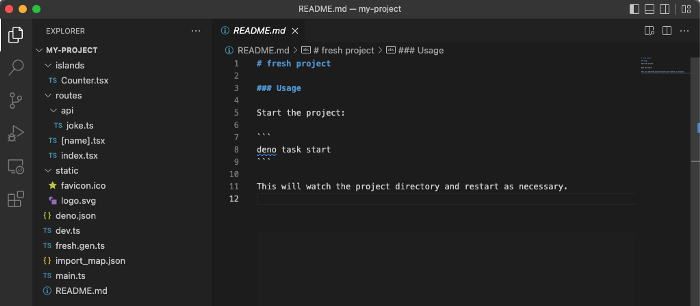
The top-level files are deno.json, dev.ts, main.ts, fresh.gen.ts, import_map.json, and README.md.
The top-level directories are routes, islands, and static.
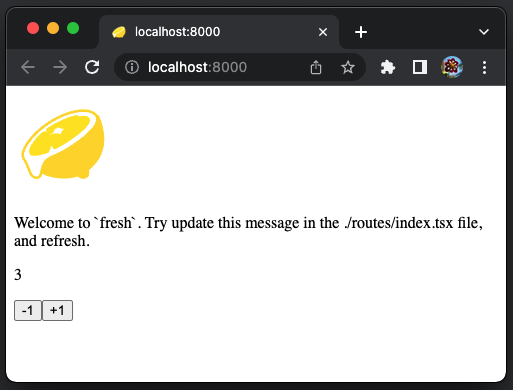
Run deno task start to start the app. The page, http://localhost:8000, displays the following app:
The Example Routes
Routing is the mechanism that determines which route a given incoming request is handled by. Fresh route request is based on its URL path. The routes directory contains all of the routes in the project. The name of each file corresponds to the URL path where that page will be accessed.
We create some example routes to try out Deno modules.
The ramda route
Ramda is a functional programming library. It aims to add functional programming to JavaScript without changing its nature and feel.
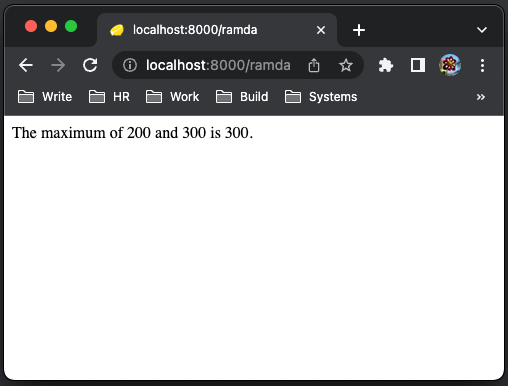
R.max is a function that returns the larger of its two arguments. For example, R.max(200, 300) returns 300.
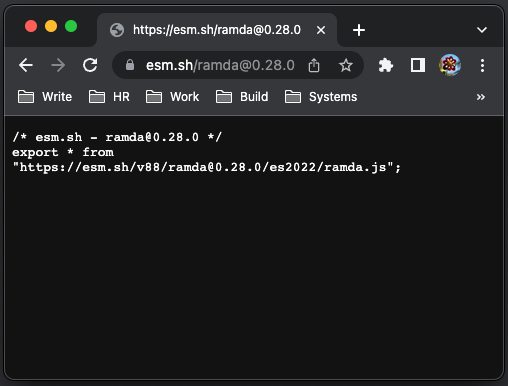
We can get the ramda module at https://esm.sh/. At the browser address bar, type https://esm.sh/ramda and enter. It will redirect to the latest version of ramda, which can be imported to use.
Create a new route, routes/ramda.tsx, as follows:
- At line 3, we import the latest version of
ramda. It also works with a specific version of ramda, such ashttps://esm.sh/v88/[email protected]/es2022/ramda.js. - At line 6, the
ramdafunction is called, and returns300.
Go to the page, http://localhost:8000/ramda, and it works.
Alternatively, we can try Deno’s hosting service, https://deno.land/x. At the page of https://deno.land/x, type the query string, ramda, in the following red box. Upon pressing enter, the page will be redirected to https://deno.land/x?query=ramda.
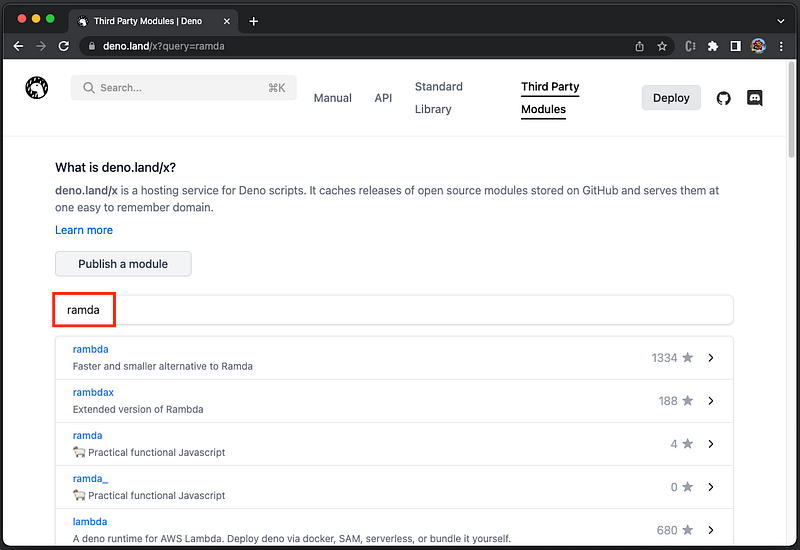
The first choice, rambda, has 1334 stars. Let’s click on it and enter the following page:
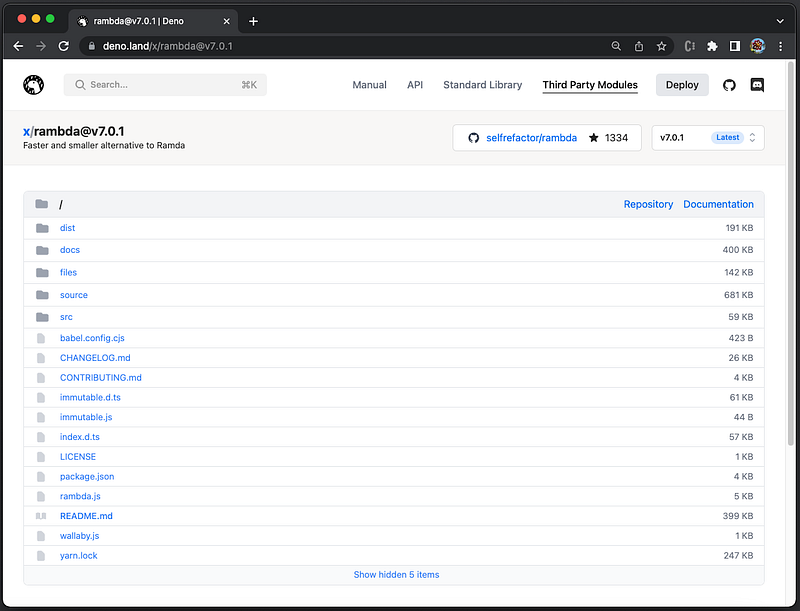
There is no usage on the page. Anyway, try the following import:
import * as R from "https://deno.land/x/rambda";It prints an error that module cannot be found.
The 1334 stars are inherited from the Github, but it does not mean it works for Deno.
The json route
JSON (JavaScript Object Notation) is a lightweight data-interchange format. JSON.stringify(value) returns a JSON string corresponding to the specified value. This API is useful to view an object value in the string format.
Add the route, routes/json.tsx.
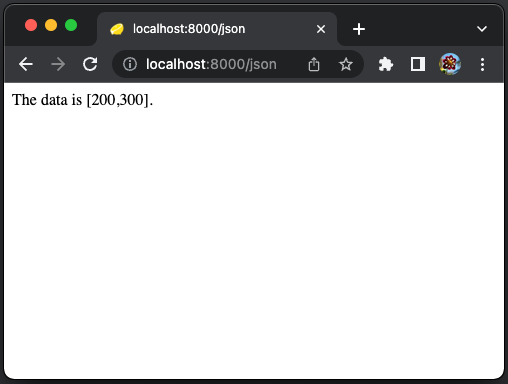
Go to the page, http://localhost:8000/json, and it works.
JSON5 is a superset of JSON that aims to alleviate some of the limitations of JSON by expanding its syntax. At https://deno.land/x, we find the json5 page, https://deno.land/x/json5@v1.0.0, with a usage example.
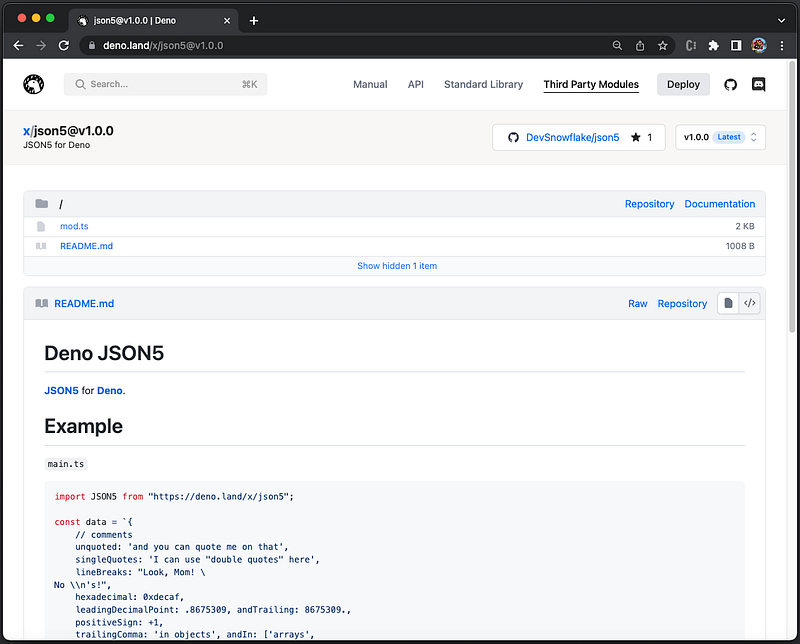
Modify the route, routes/json.tsx, to use json5.
It shows an error:
It must have worked with the provided example, but we cannot find the module at this moment.
Let’s try https://esm.sh/.
Go to the page, http://localhost:8000/json, and it works.
The mysql route
We have used MySQL in Create React App environment and Remix. Let’s use it as a benchmark for Deno.
https://deno.land/x/[email protected]0.2 is a well-defined page, with detailed documentation.
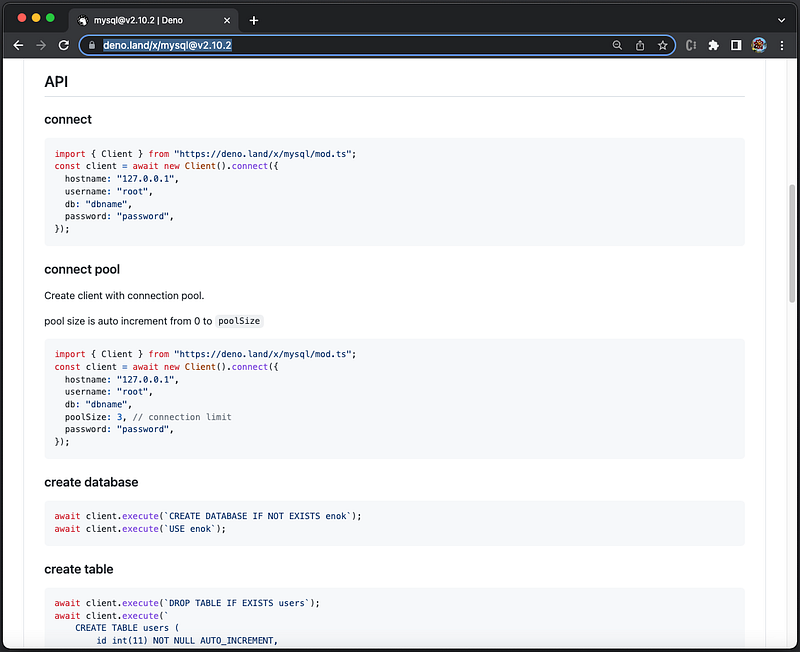
Follow the document to create the mysql route, routes/mysql.tsx:
- At lines 7–12, it creates a connection to MySQL.
- At lines 14–19, the page handler queries the
studentstable that has been defined in the database. - At lines 21–23, the page content is rendered based on MySQL query result.
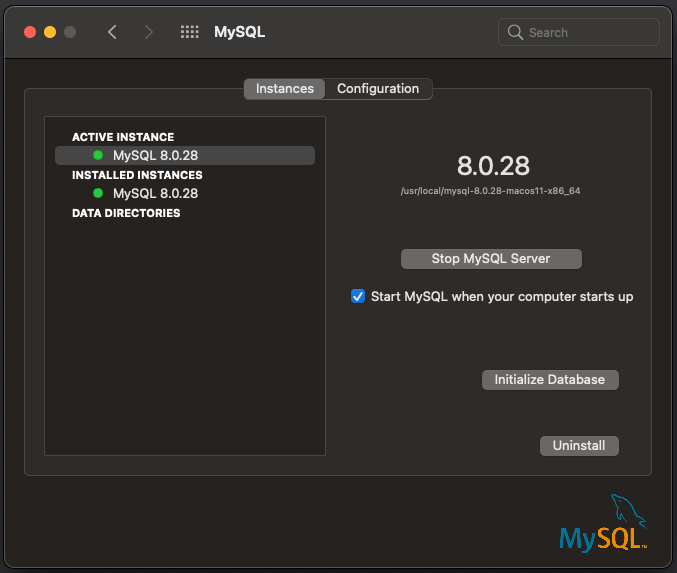
We have MySQL 8.0.28 running with the configured myDB.
Execute deno task start, and it shows an error:
What happened?
This issue shows that the default authentication plugin for MySQL 8.0 has not been implemented. Deno does not support caching_sha2_password, and hence, only MySQL databases less than 8.0 are supported.
It has been more than two years since the issue was opened, and there is no progress yet.
The mongodb route
The MySQL module does not work. How about other databases? Especially newer types of database?
SQL databases, using tables with fixed rows and columns, have been developing since 1970s. The initial version of MySQL was release on May 23, 1995.
NoSQL databases have been developing since the late 2000s. MongoDB uses JSON-like documents with optional schemas, and version 1.0 was release on August 27, 2009.
We believe that there should be more Deno adopters among MongoDB developers. Let’s give it a try.
Install the latest community version of MongoDB on macOS:
There are a number of ways to run MongoDB:
- To run MongoDB as a macOS service:
- To run Mongo DB as a background process:
- To run Mongo DB at the command line:
The MongoDB Shell, mongosh, is a fully functional JavaScript and Node.js environment for interacting with MongoDB deployments. It shows the URL path of the mongoDB instance (line 4).
https://deno.land/x/[email protected]1.0 is a well-defined page, with detailed documentation.
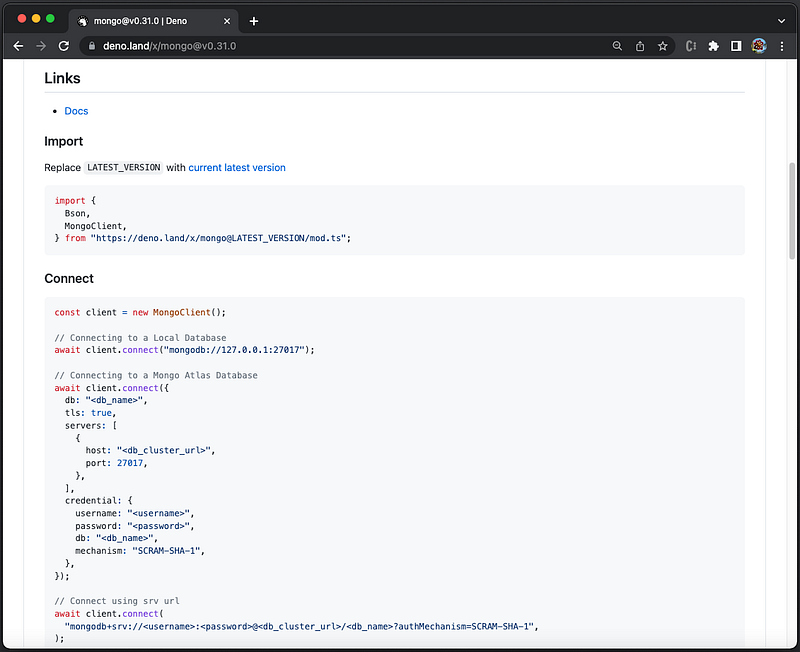
Create the mongodb route, routes/mongodb.tsx:
- At line 7, it creates a
MongoClient. - At line 8, it connects to MongoDB with the address displayed in
mongosh. - At line 9, it sets to the
testdatabase instance. - At line 10, it accesses the
userscollection. - At lines 12–22, the page handler queries the
userscount (line 14) and inserts a new one (lines 15–18). Then it retrieves all users (line 19), and passes the result to_ctx.render(). - At lines 24–27, the page content is rendered with all users, where line 25 logs the
propscontent.
Start mongoDB by the command, mongod —-config /usr/local/etc/mongod.conf, and go to the page, http://localhost:8000/mongodb. It shows four existing users.
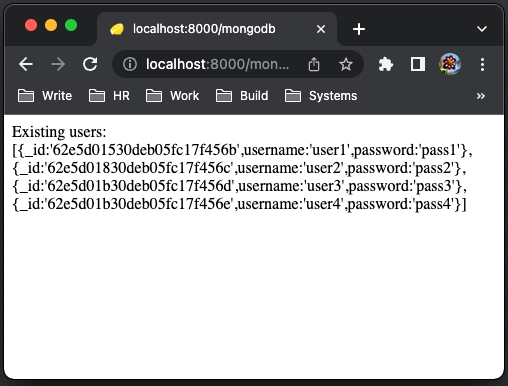
Here is the console message:
Conclusion
Deno is a large-scale project. The architecture design is clean with the latest internet technologies and web standards. It is relatively young, and it is challenging to build and maintain distributed modules. As React is backed by Meta, and Angular is backed by Google, Deno takes a village to push it to the next stage.
It is at the dawn of primetime. Join the community to endorse Deno, and contribute to the open source project. Through trial and error, we can be the force to move the needle.
We look forward to Deno 2.0, and some predictable release dates.
Thanks for reading.
If you are interested, check out my directory of web development articles.


