
The Comprehensive Guide to Deno — An Alternative to Node
A modern runtime for JavaScript and TypeScript

What is Deno?
Deno (pronounced as dee-no) is a runtime for JavaScript, TypeScript, and WebAssembly that is based on the V8 JavaScript engine and the Rust programming language. It has secure defaults and a great developer experience. The name is an anagram of node, and it is also an acronym of DEstroy NOde.
Deno was created by Ryan Dahl, original creator of Node.js, and is focused on productivity. It was announced by Ryan Dahl in 2018 during his talk, 10 Things I Regret About Node.js, at JSConf EU.
According to https://stackshare.io/deno, there are 14 companies using Deno in their tech stacks, including cloudless, Appwrite, The Lonero Foundation, Development, and Huel.
Here is the list of Deno features:
- Deno is a single executable.
- Support TypeScript out of the box.
- Secure by default.
- No centralized official package manager.
- Provide builtin development tooling.
- Support modern web platform standards and functionality.
- Host third party modules.
Deno Is a Single Executable
Deno works on macOS, Linux, and Windows. Deno is a single binary executable that has no external dependencies. It is also called Deno CLI.
On macOS, we can use brew to install Deno.
% brew install denoUnlike node supporting commands, node, npm, and npx, Deno only has a single executable, deno.
Here is the Deno version that we have installed:
The following command upgrades the existing Deno to the latest version.
% deno upgradeOr, we can upgrade it to a specific version, such as 1.0.0.
% deno upgrade --version 1.0.0Here is the help manual that lists all Deno commands:
Support TypeScript Out of the Box
Deno treats TypeScript as a first-class language when running code. We can run or import TypeScript directly, without installing anything other than the Deno executable. It makes the user experience easy and straightforward.
Create a TypeScript of Hello World:
We can execute the TypeScript out of the box — without setting up tsconfig.json.
deno info shows info about cache or info related to source files.
Deno caches in the directory, $DENO_DIR, which contains the following files and directories:
$DENO_DIR/gen: It is the cache for files compiled to JavaScript.$DENO_DIR/deps: It is the cache for remote URL imported files.$DENO_DIR/registries: It is the cache for the language server, which provides the language-specific smarts and communicates with development tools over a protocol that enables inter-process communication, such as autocomplete, go to definition, or documentation on hover.$DENO_DIR/location_data: It is the cache for the local storage.
Behind the scene, Deno converts TypeScript (including TSX and JSX) into JavaScript by the combination of the TypeScript compiler and a Rust library called swc. After the code has been type checked and transformed, it is stored in the cache. The cached code is ready for the next run without converting it again unless the code is modified or run with the --reload flag.
deno info hello-world.ts shows the local file, hello-world.ts, and emitted the file information.
Executing hello-world.ts generates three files under $DENO_DIR/gen/file/Users/jenniferfu/denoStuff:
hello-world.ts.js: It is the generated JavaScript file with the source map.
hello-world.ts.meta: It contains metadata about the file, which contains a hash of the source module to manage cache invalidation.
hello-world.ts.buildinfo: It is a TypeScript compiler incremental build information file, which helps to speed up type checking. The following is an example:
Deno’s built-in TypeScript configuration is reasonably good, but it can be customized for compiler, formatter, and linter. Typically, it is in JSON format, named deno.json or deno.jsonc.
The configuration file can be placed in the current working directory or one of the parent directories. It can also be manually specified with a flag, --config path/to/file.json.
Here is an example of deno.json:
Secure by default
Deno is a secure runtime for JavaScript and TypeScript. Code runs in a sandbox for environment access, network access, file system read and write accesses, high-resolution time measurement, loading dynamic libraries, and running subprocesses. It requires a user to specify the allowed access explicitly or allow all.
deno run —-help lists all allow options:
Let’s try hello-world2.ts — an application server for the Hello World webpage:
Execute the Deno command, and the network access can be granted in three ways:
- Interactively allowed by typing
y:
- The execution flag of
--allow-net:
- The execution flag of
--allow-all:
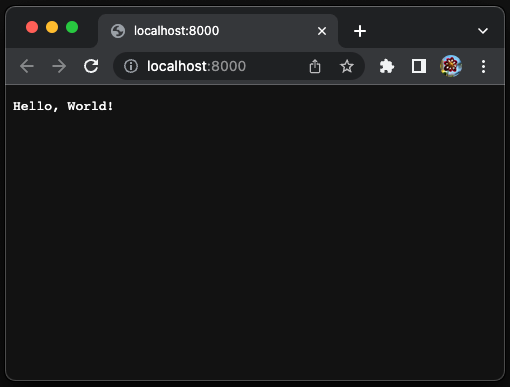
The Hello World webpage is up and running:
No Centralized Official Package Manager
Deno can grab the scripts from multiple sources, a filename, an URL, and - to read the file from stdin. The latter is useful for integration with other applications.
Run the official example of welcome.ts with an URL:
It indicates that the latest version of https://deno.land/std/examples/welcome.ts is version 0.148.0, which is downloaded. The command is executed and outputs Welcome to Deno.
Here is deno info on the URL, https://deno.land/std/examples/welcome.ts.
After the file is downloaded, it will not be downloaded again until the latest version is increased or run with the --reload flag. The cached file is executed and outputs the message.
What is this welcome.ts file? We can call curl to download the file and view it using this command:
What is [email protected]?
Deno has a standard library, which includes modules of high-quality code that all Deno projects can use fearlessly. Each module does not have external dependencies, and they are reviewed by the Deno core team.
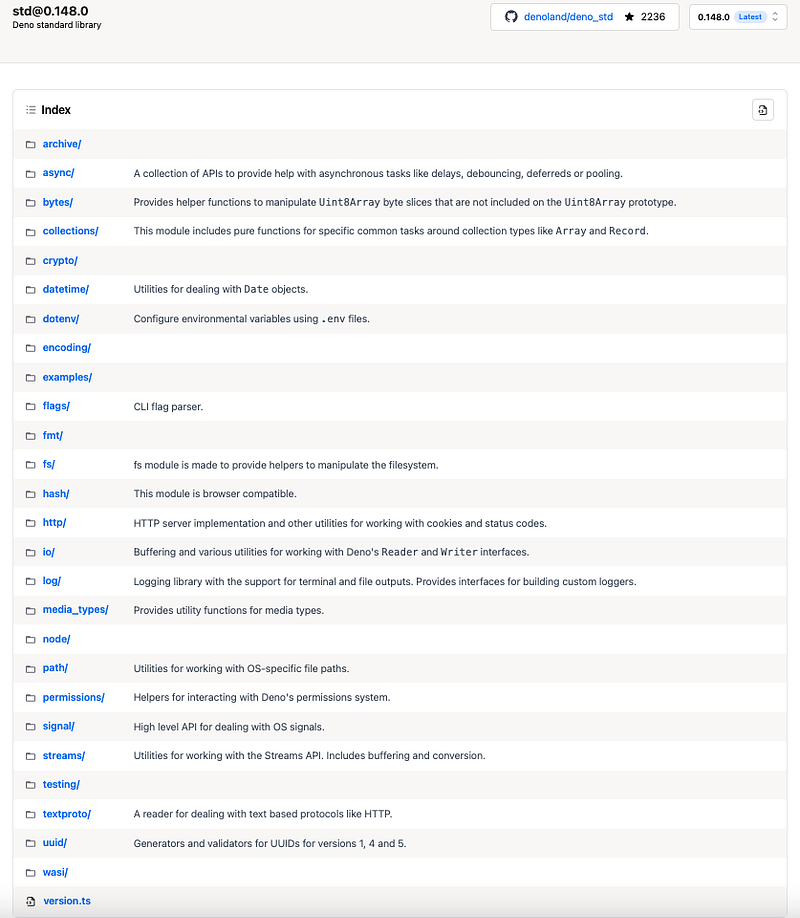
The standard library is currently tagged independently of Deno version. This will change once the library is stabilized. [email protected] refers to the standard library of version 0.148.0. Here is the list of all versions.
https://deno.land/[email protected]8.0 lists all modules in [email protected]:
Provide Built-in Development Tooling
Deno provides a set of development tooling. It integrates with Visual Studio Code and JetBrains IDEs. It also has a set of commands to install, format, compile, bundle, lint, document, and test. Let’s look at them with examples.
Install
deno install installs script as an executable.
- At line 1, the remote
welcome.tsis installed. - At lines 4–5, it shows how to add Deno executables into
$PATH, if needed. - At line 7, the executable is invoked.
Format
deno fmt formats source files.
- At lines 1–2, it shows an ill-formatted file.
- At line 4,
deno fmtis executed to formatformatExample.ts. - At lines 8–9, it shows a well-formatted file.
Compile
deno compile compiles a script into an executable.
- At line 1,
hello-world.tsis compiled to an executable,hello-world(line 4). - At line 6,
hello-worldis executed.
Bundle
In the following example, we create multiple files, where file3.ts imports from file1.ts and file2.ts. deno run execute file3.ts to output an equation.
- At lines 1–2, it shows
file1.ts. - At lines 4–5, it shows
file2.ts. - At lines 7–10, it shows
file3.ts, which uses imported variables fromfile1.tsandfile2.ts. - At line 12,
file3.tsis executed.
deno bundle can bundle module and dependencies into a single file.
- At line 1,
files3.tsis bundled tofile.bundle.js(line 4). - At lines 6–11, it shows the bundled file, where the imported variables are replaced with the actual values (line 11).
- At lines 13–14, executing the bundled file is equivalent to executing the original file.
Lint
deno lint lints source files.
- At lines 1–4, it shows
lintExample.ts. - At line 6, run
deno lintonlintExample.ts. - At lines 7–12, it shows the
no-varviolation. - At lines 14–20, it shows the
no-explicit-anyviolation.
Document
deno doc shows documentation.
- At lines 1–10, it shows
documentExample.ts. - At lines 12–21, it shows
deno doccontent. - At lines 23–87, it shows
deno doccontent in—-jsonformat.
Test
deno test runs tests.
- At lines 1–10, it shows
testExample.ts, which includes two tests:Equation Test 1andEquation Test 2. - At line 12, run
deno testontestExample.ts. - At line 14, it shows
Equation Test 1is ok. - At line 15, it shows
Equation Test 2failed. - At lines 17–26, it displays why
Equation Test 2failed.
Support Modern Web Platform Standards and Functionality
When Node.js was built, it lacked some of the modern web platform standards and functionalities, such as promises and async/await, ES modules, and TypeScript. Deno is an improvement because it supports all modern web platform standards and functionalities.
Here is the source of echo_server.ts:
- At line 3, it uses
importin ES module, instead ofrequire. - At line 11, the promise uses
await. - The code itself is TypeScript.
Run deno info on the echo_server. It inspects ES module and all of its dependencies.
At lines 2–9, it downloads seven dependencies.
At lines 14–21, it shows the dependency hierarchy.
We use a byobu split window to execute the code.
On the top window, we execute deno run — allow-net https://deno.land/[email protected]/examples/echo_server.ts.
On the bottom window, we execute nc localhost 8080 to run netcat (Linux/MacOS only), a computer networking utility for reading from and writing to network. Whenever typing enter, the current message is echoed on the next line.
Host Third-Party Modules
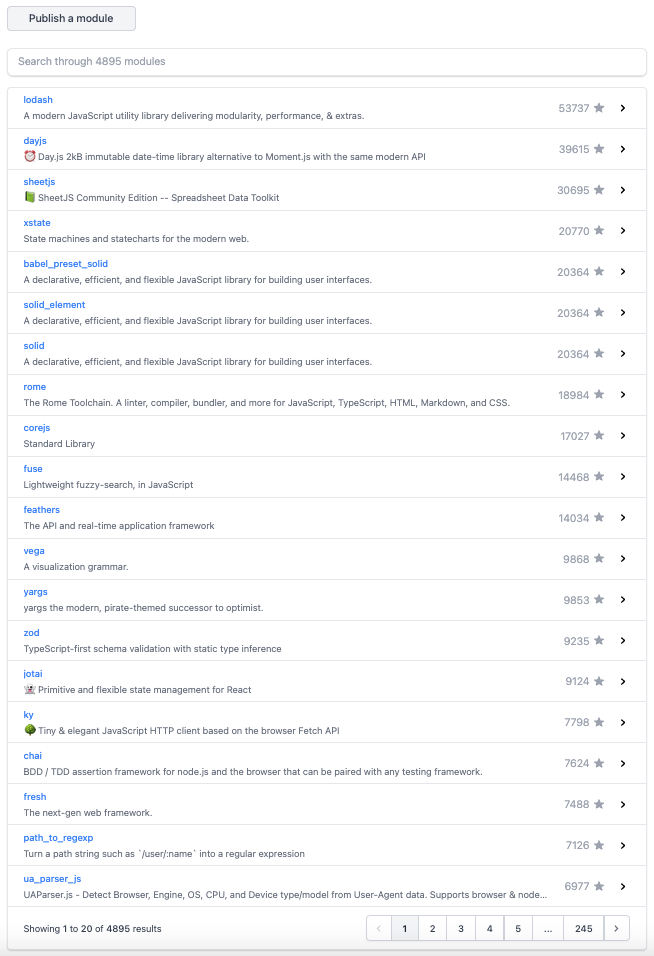
Deno provides a hosting service, https://deno.land/x, for Deno scripts. It caches releases of open source modules stored on GitHub and serves them in one easy-to-remember domain.
At this point, there are 4,895 third-party modules.
Conclusion
Deno is fairly new, and the current release version is 1.23.3. Deno is a single executable, and it supports TypeScript out of the box. Deno provides built-in development tooling and supports modern web platform standards and functionality. It has no centralized official package manager while hosting many third-party modules.
Deno is a single executable, and it supports TypeScript out of the box. Deno provides built-in development tooling and supports modern web platform standards and functionality. It has no centralized official package manager while hosting many third-party modules.
Some frameworks are built on top of Deno, including Fresh, which is a next-generation web framework built for speed, reliability, and simplicity.
We are going to dive into Fresh, a Web framework by Deno, in the next article. Deno Deploy makes it easy to deploy the production app to be globally accessible.
Thanks for reading. If you are interested, check out my other Medium articles.


