
A Useful Way To Chase The Phish
The best way to quickly save yourself from a dangerous text.

I don’t know about you, but I’m pretty frustrated with all the phishing emails finding their way into my inbox. Lately, there’s been an increase of junk texts.
This article looks at ways to report the scammers and minimize phishing attempts to steal from you. In this article, I provide instructions pertinent to an iPhone or iPad. Since those are the tools I use, I can intelligently provide guidance.
CAPTURE THE SENDER’S NUMBER
When preparing to report a phishing text, be sure to capture the phone number that sent it.
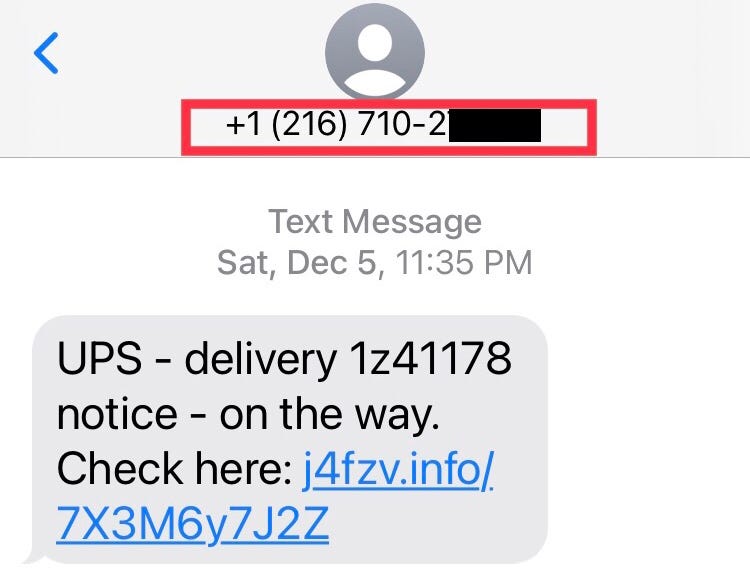
For this article, I’m using an actual spoofed text pretending to come from UPS. This text includes an unknown link that might help implant malware or a key logger, compromising your personal information, private contacts, or passwords.
Never click on an unknown link if you don’t know where it goes.
A delivery service like UPS will always display your package tracking info on a secure website.
FORWARDING THE TEXT
The first thing you’ll want to do is forward the phishing text to the Anti-Phishing Working Group. Here are the steps to do that:
- Hold your finger on the text until the “MORE… “ options window opens.
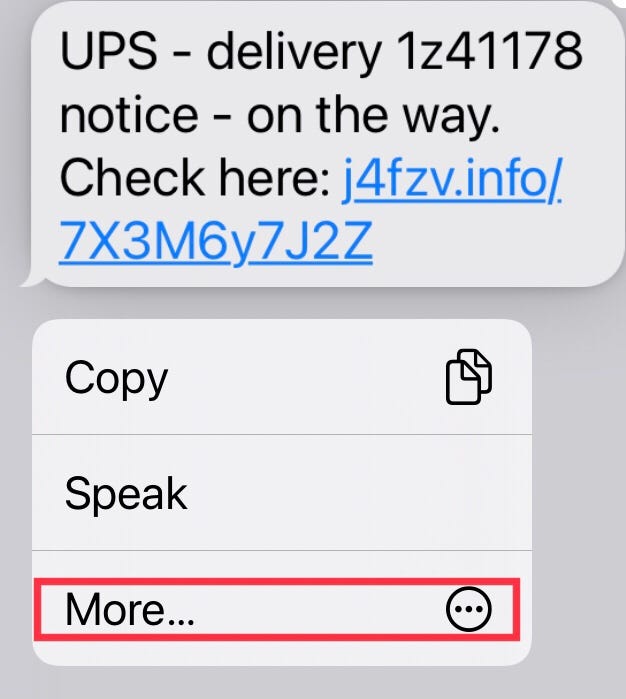
2. Press the MORE… option. The FORWARD ARROW will appear in the bottom right-hand part of the window.

3. Press the Forward arrow and type in 7726 at the top. This is the text number of the Anti-Phishing Working Group.
4. Press SEND (Shown in the green box in the graphic)
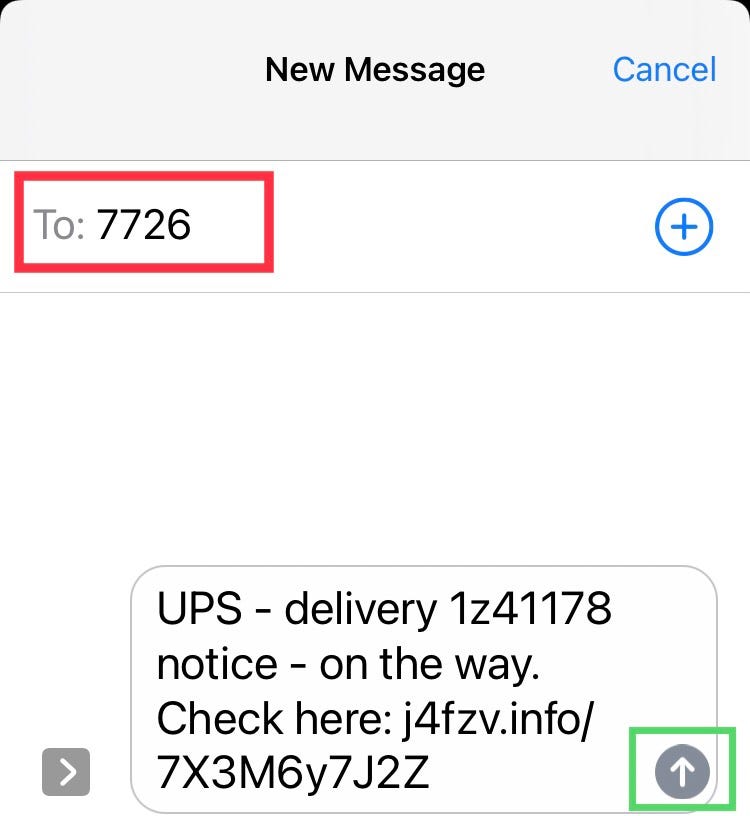
5. The Anti-Phishing Working Group will send you an immediate text reply asking for the number that sent the text.
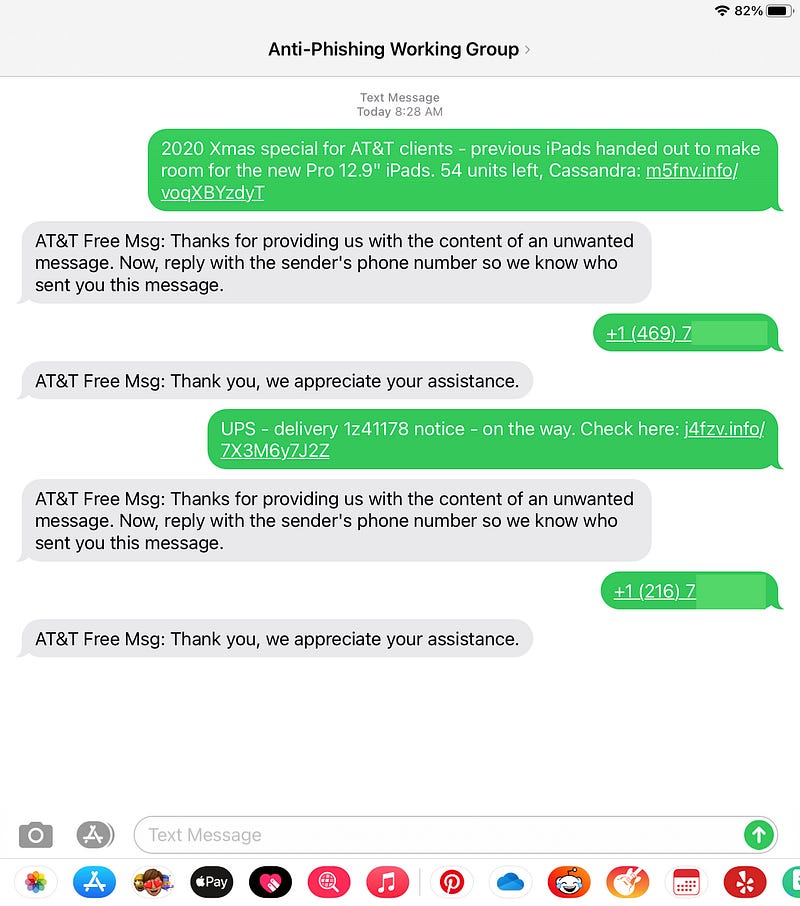
DON’T enter your phone number. Enter the number you captured in the beginning to show the sender of the phishing text.
The photo below shows the back-and-forth communication for two phishing text reports. On the bottom is the UPS example; the top is another text I received. Notice that one also used an unknown link.
BLOCK THE NUMBER
Now that you’ve made a report about the scammer, it’s time to block the number. Will more phishing texts arrive? Probably. Scammers use multiple numbers. Although, I’ve seen them use repeat numbers and the following steps should block them.
- At top of the screen, next to the sender’s phone number, press the “>“. This will show the INFO option.
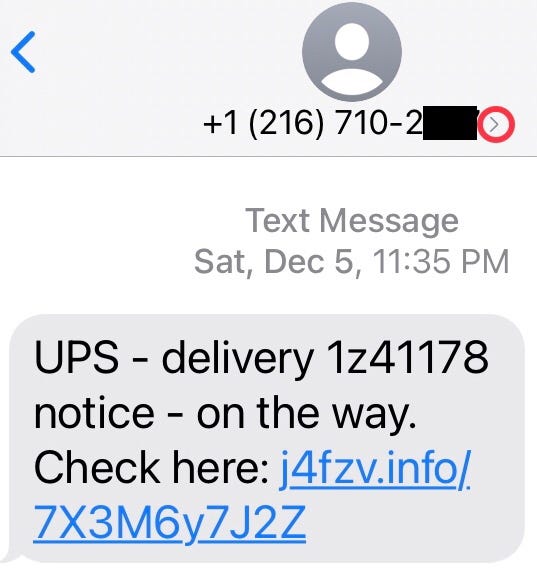
2. Press INFO.
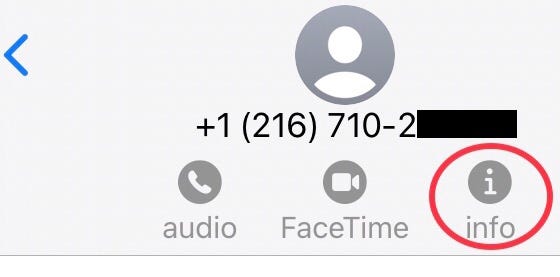
3. This will open a screen with a large view of the sender’s phone number. Press INFO again.
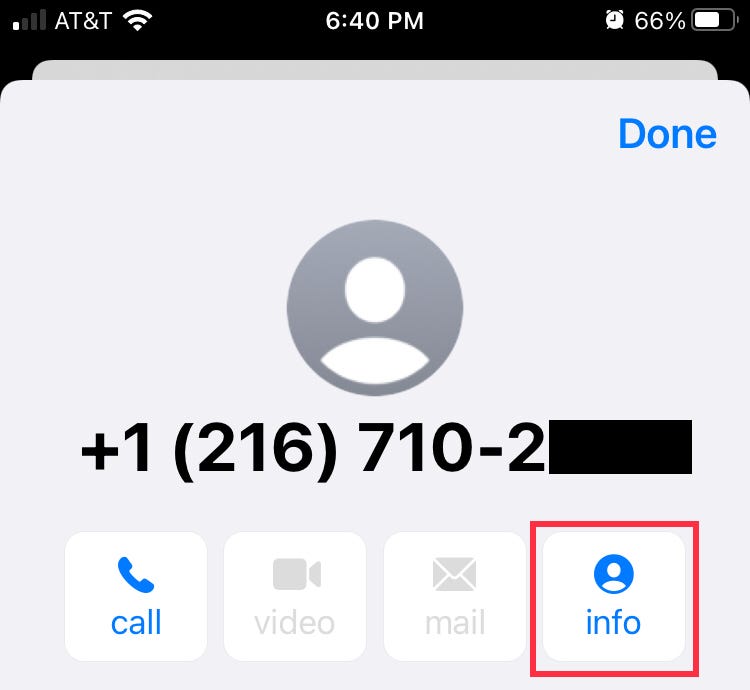
4. The screen (shown below) will appear. Scroll down and press Block this Caller.
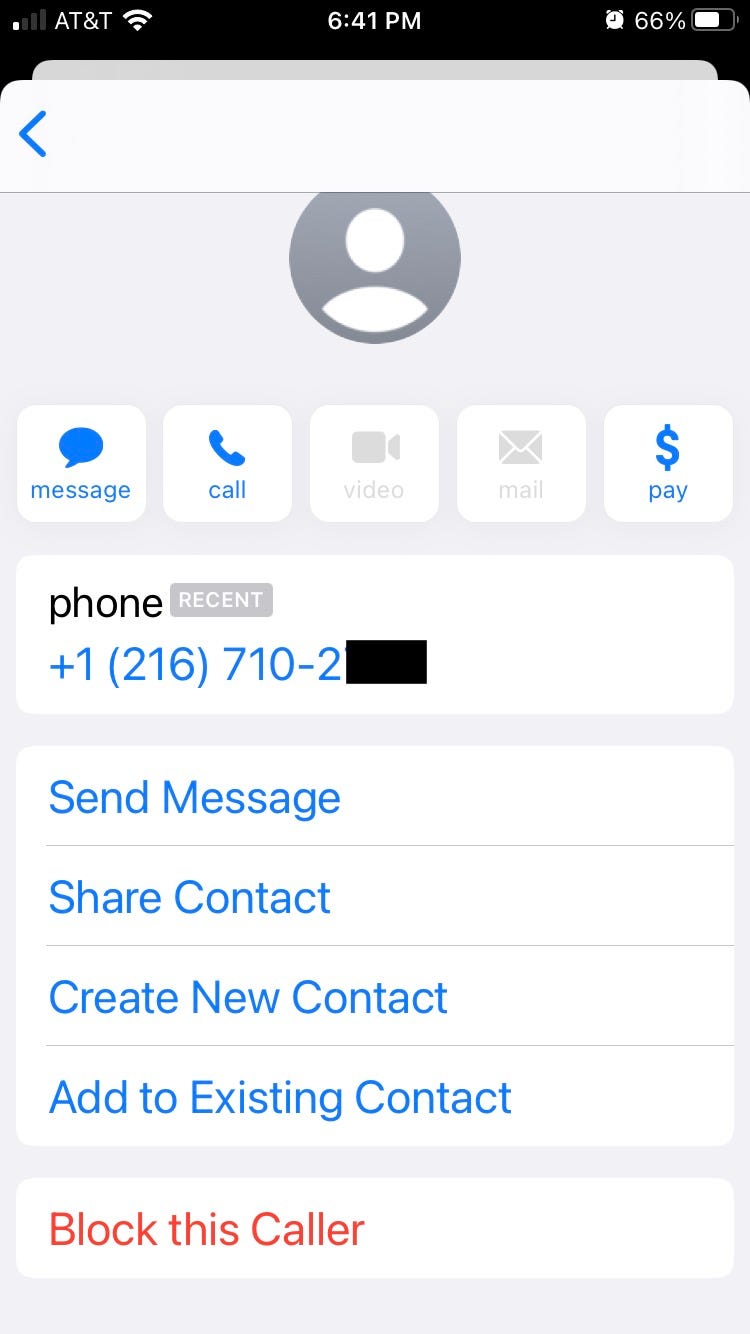
You blocked the number.
Will this fully protect you from scammers that seek to steal from you? Likely not. Your greatest protection is your self-awareness. Remember that every email and text is a digital intrusion into your life. If it is not an invited contact, then you don’t need to share personal information. Reporting and blocking these intrusions are a step to protect yourself.
More Popular Articles by Anthony M. Davis
⭐️ About Anthony M. Davis
Anthony M. Davis is a Leadership, Success & Stress Coach, Board Certified Therapist, Top-100 International Travel Photographer. As a Coach, he helps people just like you overcome obstacles & reach their goals. His free book, “Keys to Your Success” is available now.


