

A Guide to CSS Animation — Part 3
Let’s do some cool stuff 😎
If you’ve made it this far, you now know pretty much all you need to know about CSS animations. Pat yourself on the back 🙌
This final part won’t be long but I didn’t want to cram it in with the other stuff. In this part we take a look at a couple of bonus topics 👍 It’s a bit of a mix but some things to consider and be knowledgeable of.
As with Part 1 and Part 2, all code is available in the following collection. This gives you a way to play around with the code 🎾
CSS Variables
CSS variables are awesome. But you can’t animate them just yet. So what can we do with them? We can use their values to create dynamic animations.
Consider an example where we have three squares. We want to animate them all growing to different scales. Do we need three different animations for this? We could use animation-fill-mode backwards and scale them all from the same start size? But do we know their start size? With CSS variables we can make the animation dynamic.
How about the following code
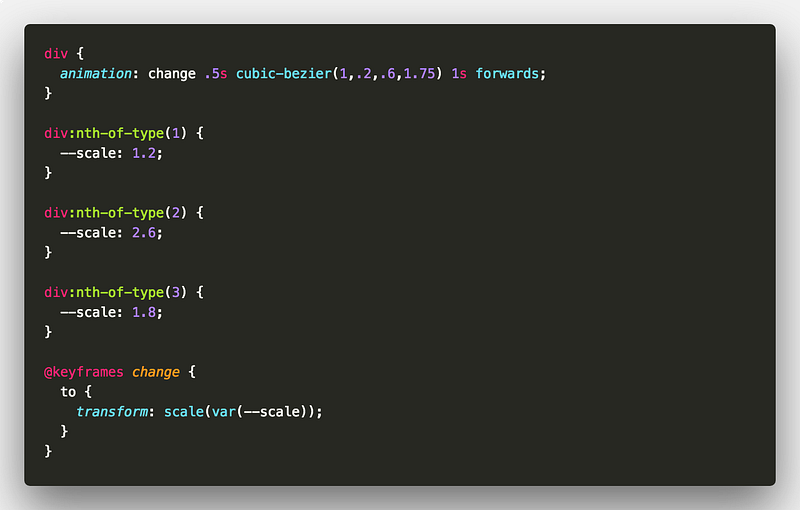
Unfortunately, I’ve not seen a way for the animation to take any notice of CSS variables changing value at run time 👎 😭 Maybe in the future.
But not all is lost, we can just flip the animation on it’s head 🤕 Consider this example where we update an elements scale to effect the animation.
UPDATE 💡 It seems that you can actually update variables for animations on the fly now 💪 Consider this example I recently put together:
Curved animation path
So we can animate an element from point to point but how do we add curve to our animation path?
Let’s start with a simple example where we want an element to travel from one point to another but get some air time.
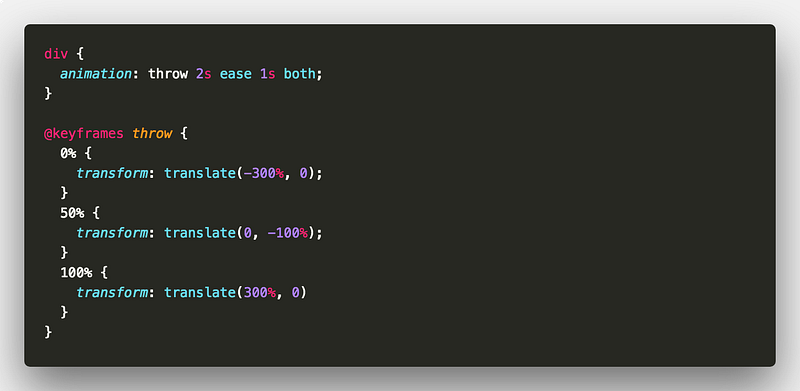
Looks good. But won’t work. We will get something like this
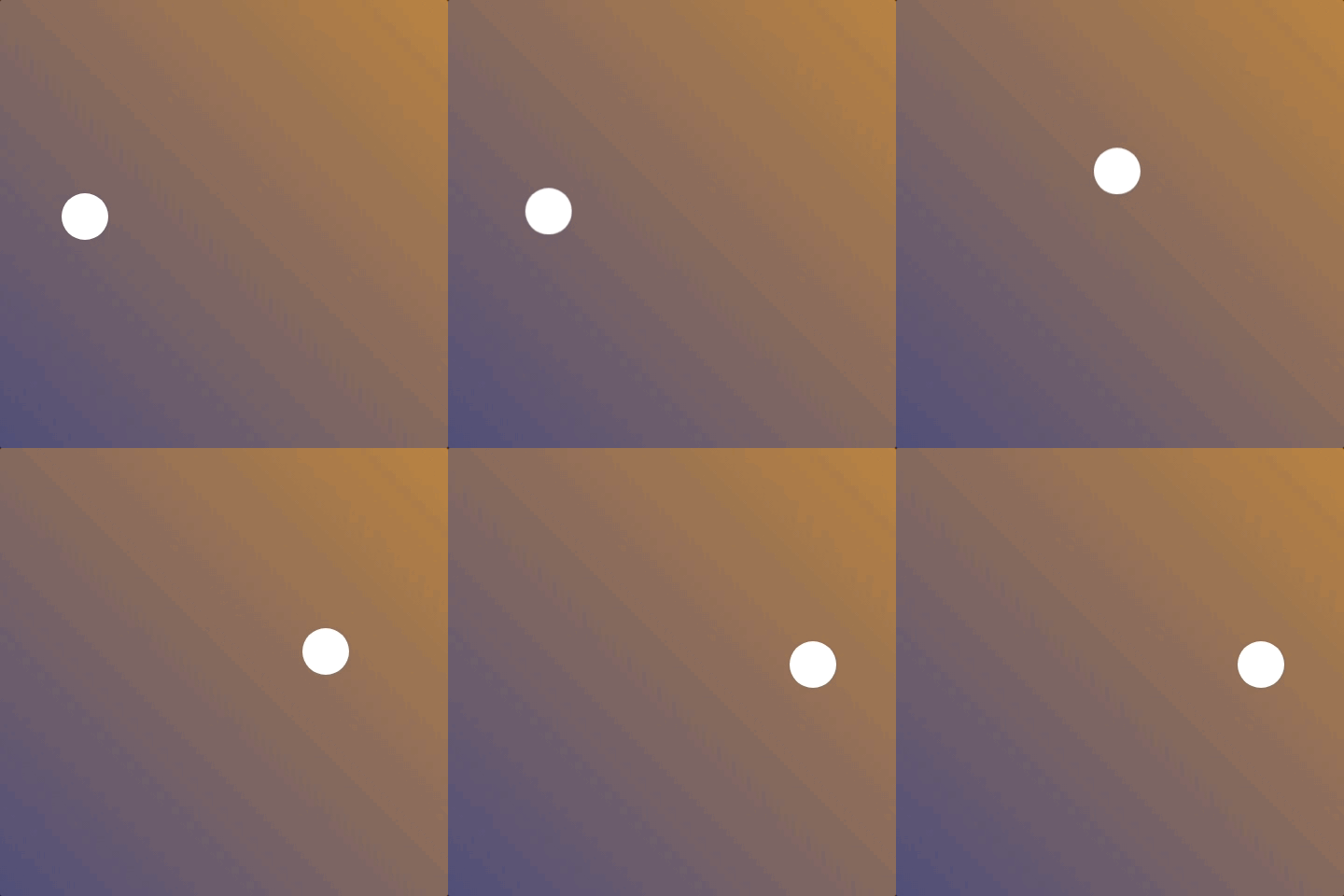
So how do we combat that? We need two animations and two elements. The wrapper element will handle the X axis. The actual element will handle the Y axis.
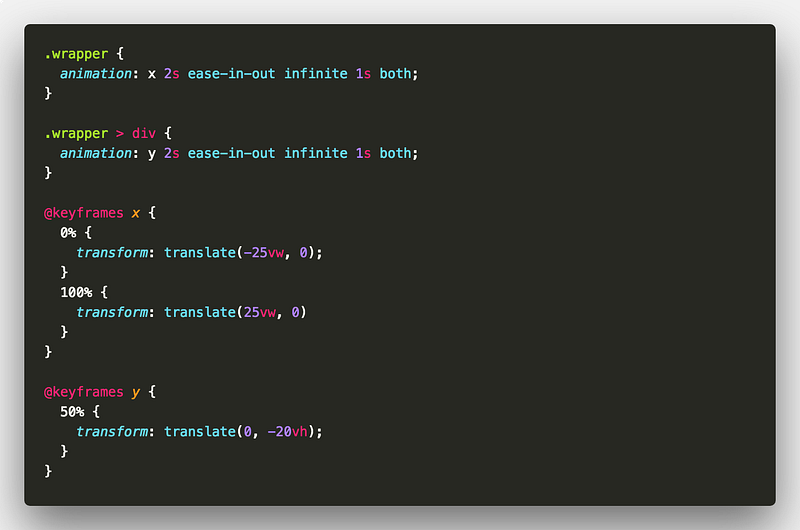
Sweet 🍭
And here’s a little loader you could put together with this technique 🐛
JavaScript hooks
So what if we need to know when an animation has ended in our scripts? Don’t worry. There are some events for you to hook into.
animationiteration- triggered after each animation iterationanimationend- triggered after an animation completesanimationstart- triggered at the start of an animation
These hooks are pretty powerful and allow us to do some pretty cool things. Consider an infinitely spinning element. Using animationiteration we can keep a track of how many times the element has span for example.
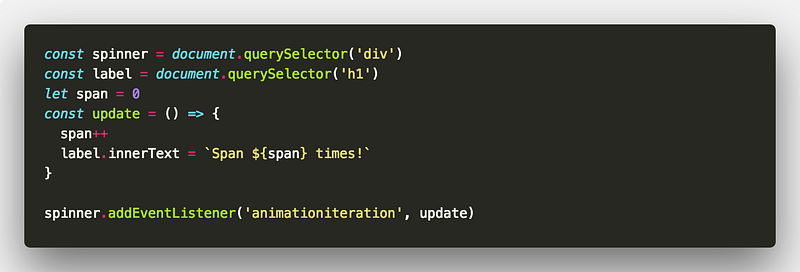
There are many possibilities when you start hooking into the animation events. You could also make an animation infinite but with random delays.
Do you even need CSS animation?
If you’ve got this far, you pretty much know everything there is to know about CSS animation 🙌
It might seem like an odd topic to end on but do you even need CSS animation? 😕
Hear me out. CSS animation is great. But once your animations start becoming complex, things get harder to maintain. Especially if you’re not using a CSS preprocessor like SASS.
You can make use of the JavaScript hooks to manage things a little better. But if you start developing complex timelines, don’t start reinventing the wheel. There are great tools out there to aid with animation. I can’t vouch for GSAP enough. It’s brilliant for gaining complete control over your animations from the JavaScript side.
So why learn CSS animation at all?! CSS animation still has it’s place. There are plenty of things you can do with it. And you might not always be able to rely on JavaScript. Especially if a user has it disabled in their browser. Consider simpler things that you might animate such as loading spinners. These still contribute to user experience.
That’s it! 🎉
If you’ve got this far, thank you so much for sticking around!
You should be all set now to go off and get things moving 📽 If there’s something you are not quite sure about or feel could be explained better, don’t hesitate to reach out.
All of the demos are available in the following CodePen collection 👍
As always, any questions or suggestions, please feel free to leave a response or tweet me 🐦!

✉️ Subscribe to CodeBurst’s once-weekly Email Blast, 🐦 Follow CodeBurst on Twitter, view 🗺️ The 2018 Web Developer Roadmap, and 🕸️ Learn Full Stack Web Development.


