

A designer’s guide to the Figma API
Part 3 of 7 —Setting up Figma.
You can find the code for this tutorial here:
So in Part 2 we got the hardest part out the way early and set up a server but there are still a few key ingredients missing. Namely, we don’t have a Figma file to talk to.
Step 3: Setting up Figma.
Go ahead and log in to Figma, if you don’t have an account (why are you reading this?) you can sign up for free. Once that’s done, create a new file. Just make sure it’s not in any other project you might be using for something important. Copy the contents of the file below and paste it into your document. This is the file we are going to be accessing with our server.
Note: don’t try use my file for this exercise, your authentication will fail.
Next, you need to go to Account Settings in Figma. You should see a section called Personal Access Tokens:

Go ahead and add one, you can call it whatever you see fit. Figma will generate a long token that looks something like this:
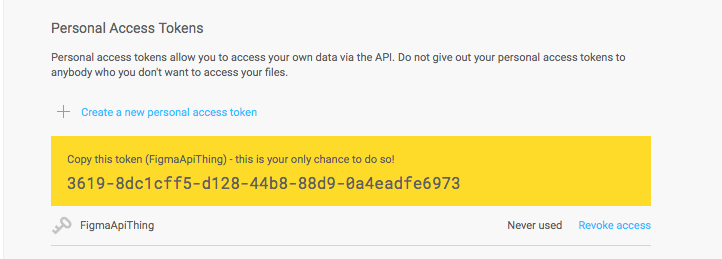
Like Figma says, we won’t get a chance to see this again so copy it and add it to our server.js file like so:
var express = require('express')const FigmaAPIKey = ‘XXXX–XXXXXXXX–XXXX–XXXX-XXXX–XXXXXXXXXXXX’So what is this and why is it important? In short, Figma uses this API Key to authenticate the requests we make against their endpoints. Anyone who has this token, can impersonate you on the Figma servers, so you need to keep it safe. Never commit this to a public repo.
The next thing we need to do is save the file key. This is a unique identifier Figma creates for our file and it’s found in the url:
https://www.figma.com/file/copy-this-part-here/:titleGo ahead and copy that out and save it in our server.js file like so:
Okay cool. That’s basically all we need to do with Figma.
In part 4 we are finally going to make some requests to the API and get our server to fetch info about this file from one of the Figma endpoints.
If you want more super long, boring content like this make sure to follow me here. If you want some short-form boring content, follow me on twitter.


