
9 Must-Have macOS Apps You’ll Wish you Knew 10 Years Earlier
Know the oh-so useful apps to pump up your Mac’s capabilities

Apps included in the article
1 — Backtrack (Recall what you forgot to record) 2 — Tape (Screen recording & collab tool) 3 — In Your Face (Never miss a meeting again) 4 — Dato (Ultimate calendar toolkit) 5 — Vivid (2X your Mac’s brightness!) 6 — VidCap (Generate captions for videos) 7 — Remote Mouse (Control Mac from your iPhone) 8 — Pareto Security (Keep your Mac secure) 9 — Xnapper (Capture stunning screenshots)
Hold on, don’t get me wrong. (Almost) all the apps below didn’t exist a decade ago.
But their simple and helpful concepts were absolutely implementable, considering the tech advancement back in 2010s.
After reading this, you’ll probably wish you’ve installed similar apps long back, as they’d’ve
- saved you hours of time,
- saved you from a mishap,
- or someway made your life a lot easier
by now. So let’s go.
#1. Backtrack
(Free. Plans start from $12/mo | Available on Setapp)
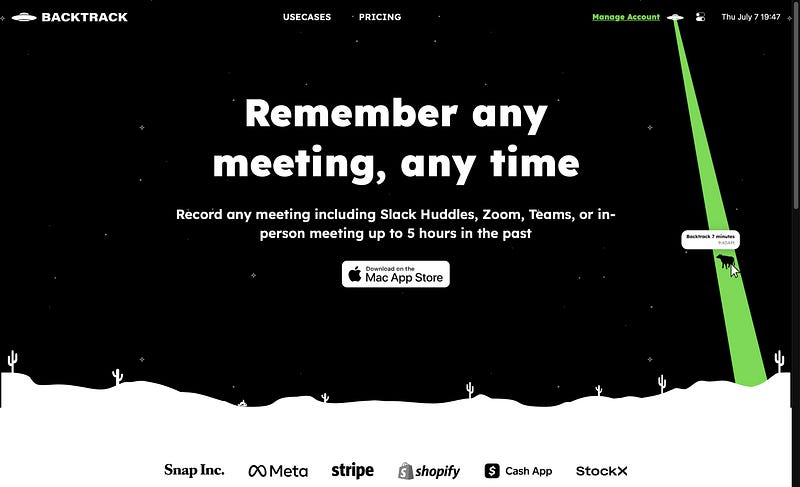
Have you ever forgot something important that happened on your Mac’s screen — like
- A ppt slide changed too quickly on Zoom,
- Something important told in a webinar,
- A coding demo shown by your senior programmer,
And wanted to jump into a time machine to see it back? (#ItHappenedToMe 🙋♂️)
If you’re saying yeah, say hi to your Time Machine. No.. not the Mac’s official backup tool. It’s an app, Backtrack.
It’s a real time machine (kinda) that records everything that happens on your screen, including mic and speaker sounds, so you can go back in time and watch it.
Simply keep Backtrack active, and do your work as you generally do. It will do its job.
To backtrack, simply drag the app’s menu bar icon down. The more you drag, the longer it backtracks.

The default recording limit is 1 hr, however you can extend it to 5 hrs at max. And the video quality can be adjusted from Low (960x540) to Ultra (4K)
Best part,
- It takes much lesser CPU than expected. Substantial CPU is used only when you backtrack to watch what happened.
- You can choose to auto-launch it on login so it keeps backtracking everything to avoid any Oops! moments.
- You can pause recording one or more of Mic, Screen, and Speakers if you don’t want them at the moment. (Saves space)
- Content of mic, screen, and speakers can be erased independently of each other. (Wow!)
- You can transcript and get summaries of meeting recordings using AI.
- Backtracks can be uploaded to cloud & stored till eternity :)
#2. Tape
($19.99 for lifetime | Available on Setapp)
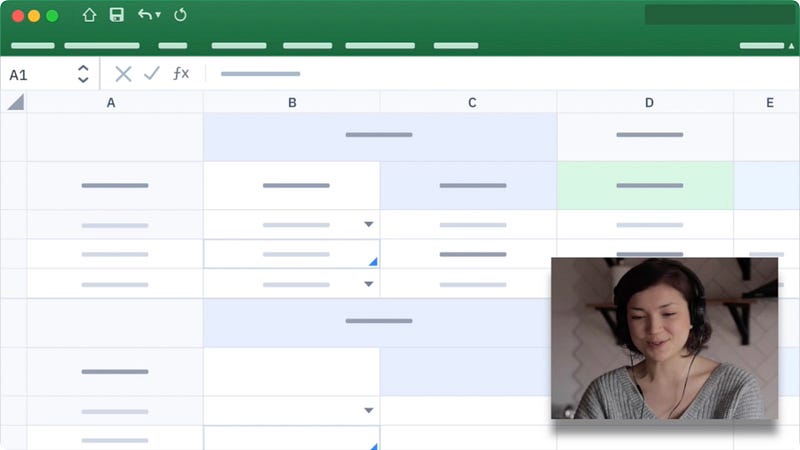
Tape’s value is best realised when your screen-share turns into a flop. Really. It’s a must-have app for regular screen-sharers.
It’s basically a screen-recording and collaboration tool (especially for teams, YouTubers, and freelancers) that lets you start recording in just 2 clicks.
Lightning-fast. ⚡️
Best part,
- You can record a single window or the entire screen — and instantly generate shareable cloud link to the video.
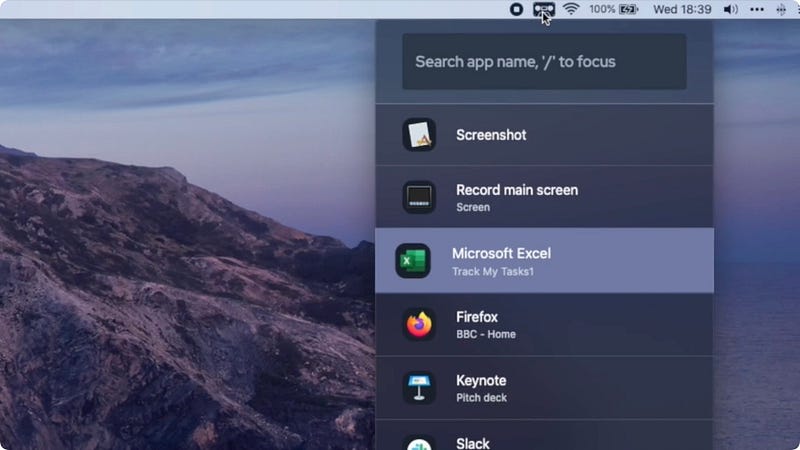
- You can overlay your webcam video (or just your audio) over the screenshare for effective communication.
- Tape highlights your mouse clicks. It also lets you annotate on the screen as you record.
Maybe it’s the best screen recording & collaboration tool in the market, I assume.
What do you think? Try it and lemme know!
#3. In Your Face
($1.99/mo | Available on Setapp)
In Your Face is a lifesaver In Your Life.
If you think you’re often late to meetings, or even skip them and say soz coz you didn’t see the notification, this is your god after Jesus.
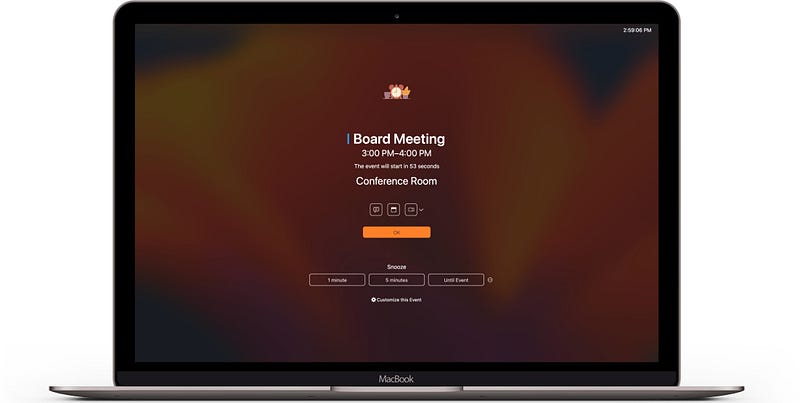
The app displays a full-screen alert when it’s time for a meeting, which can’t be hidden by Focus modes. So it’s virtually IMPOSSIBLE to miss the meeting. 🥳
Best part,
- The app syncs with your calendar to retrieve your meetings — so you don’t have to manually add them again.
- You can jump into meetings with a click on the alert. All popular video conference services are supported.
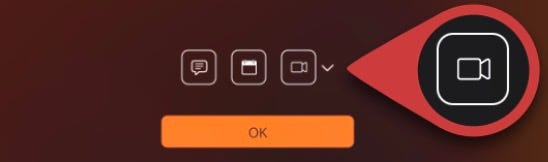
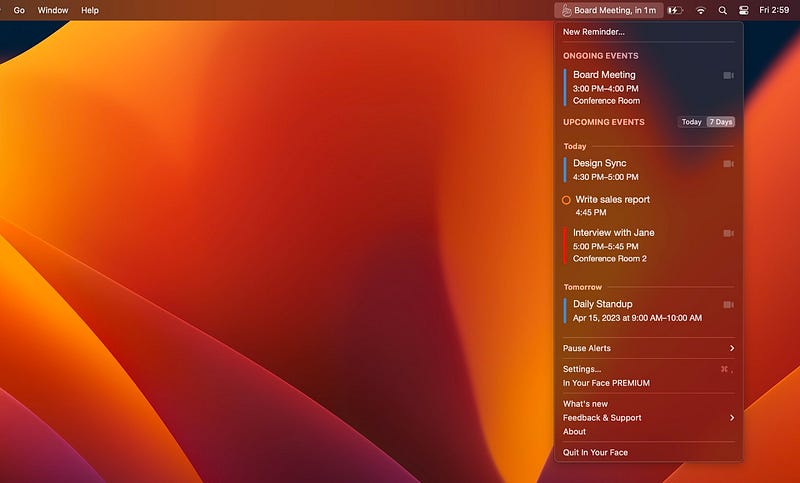
- You can quickly view upcoming and ongoing meetings by clicking the app’s menu bar icon.
- Wanna have an alert not for a meeting, but to turn off the kettle? You can do that too!
#4. Dato
($7.99 for lifetime | Available on Setapp)
Yo, it’s Dato — the most useful calendar app I’ve ever used.
Why?
Well, there’s a lot to tell about this app. So much that I can even write an ebook and sell it for $5.
Rather, lemme explain its core features →
- It brings the calendar (very customisable), all your upcoming events and even reminders up to the menu bar.
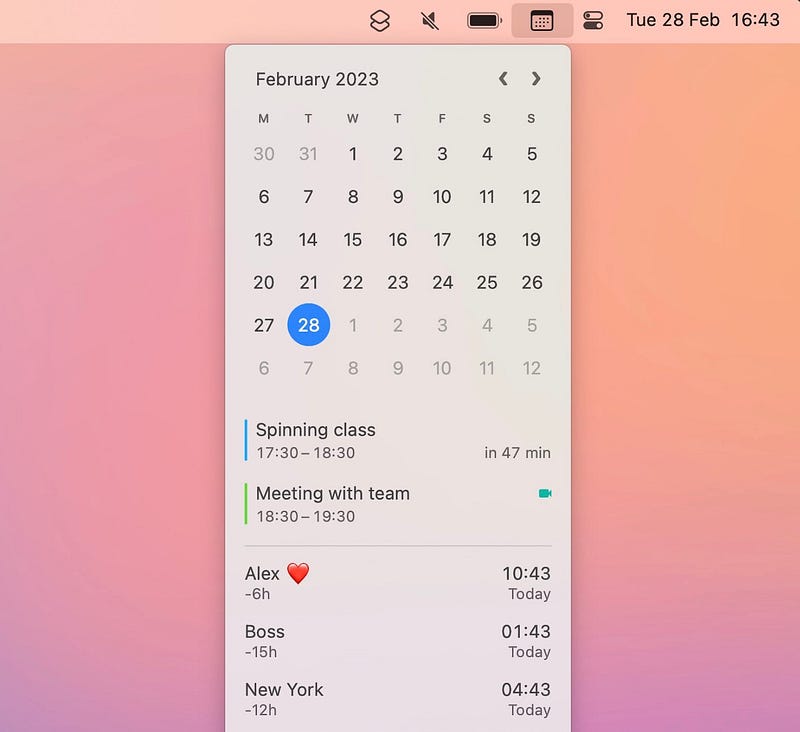
- You can set world clocks right on the menu bar. (How cool! Now ditch those sneaky online time converters that run on ads.)

- And join upcoming events with a click.
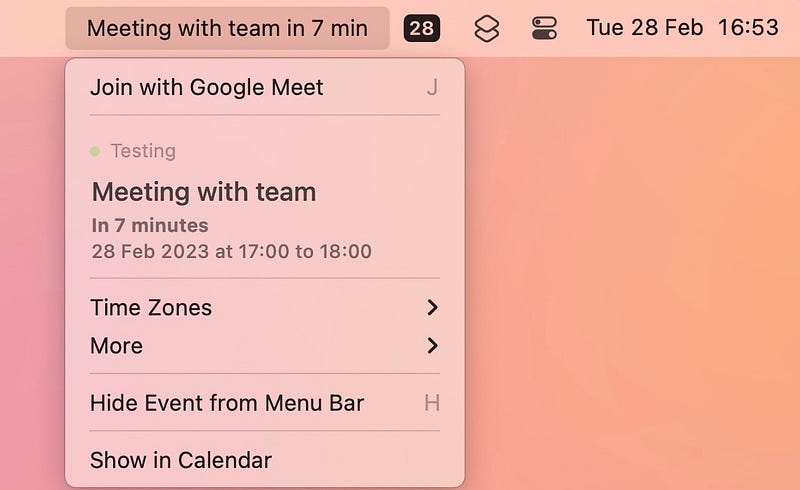
- It also displays full screen meeting alerts. (Okay, you lost the need of ‘In Your Face’)
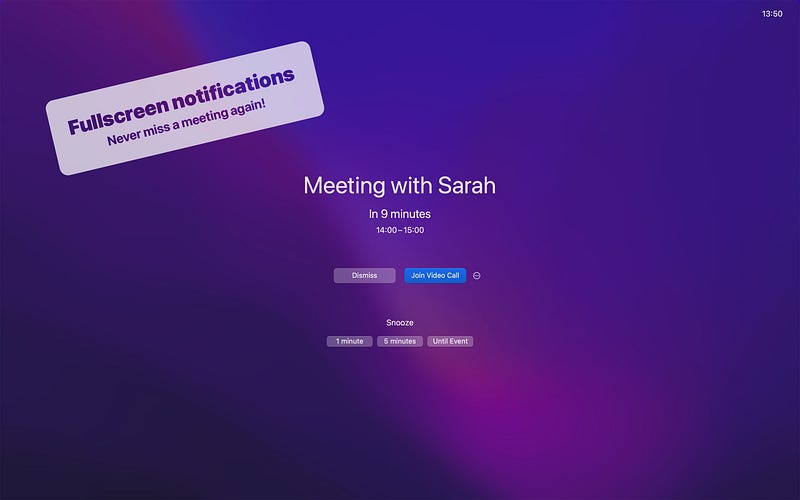
Loving it? I’ve just scraped the surface, and you’re already saying Wow!
Overall, Dato’s a highly customisable app you’d love using. I did love it, so much that I’ve even replaced my Mac’s menu bar date & time indicator with Dato’s icon.
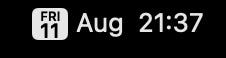
App by Sindre Sorhus.
#5. Vivid
(€10 for lifetime | Available on Setapp)
This app could do one of the most unbelievable things you thought couldn’t happen.
It could break thru Apple’s restrictions and can DOUBLE (YEP 2X!) your Mac’s brightness. Know what Vivid said to me last night?
“Double’s doable, my friend!”
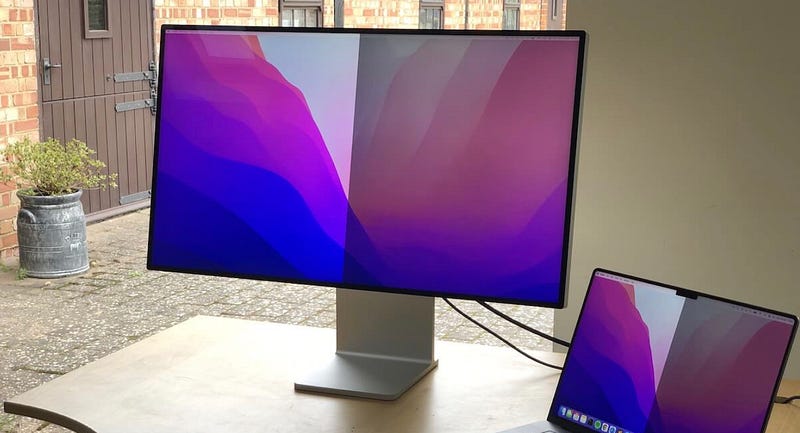
Best part, you don’t need to use a new slider to increase your Mac’s brightness beyond 100%. It’s that your existing brightness keys (F1 & F2) now go twice as bright as before.
This’d be really helpful when you’re working outdoors in the Sun.
Btw, do you know how to change Mac’s brightness fractionally?

Refer to #2 of this article to know how →
Now you might be thinking — “Nice app, but what if it breaks my display or reduces its lifespan…”
Nah.
Vivid doesn’t perform any sneaky hacks or tweak critical settings to push your display beyond its capacity. It just unlocks that extra brightness range that macOS has reserved for HDR content.
See what Apple said in this regard:
“1000 nits of brightness: Pro Display XDR can sustain 1000 nits of brightness across the full screen. This means that a pro can edit an HDR photograph or video with the entire frame at 1000 nits of brightness, indefinitely.”
Note: Vivid works (only) on MacBook Pros with M1 & M2 chips (except for M1 Pro 13") and Pro Display XDR display, plus some third-party displays.App by Jordi Bruin.
#6. VidCap
($4.99/mo | Available on Setapp)
VidCap = Video Captions (probably).
As the name allusively suggests, it’s a video caption generator that actually helps if you’re a YouTuber, TikToker, or an Instagrammer…
by auto-generating captions for your videos.
This saves you time or money coz you don’t need to type captions by yourself, or hire someone to do that.
Best part,
- You can either generate a subtitle file for your video, or directly overlay the captions over the video.
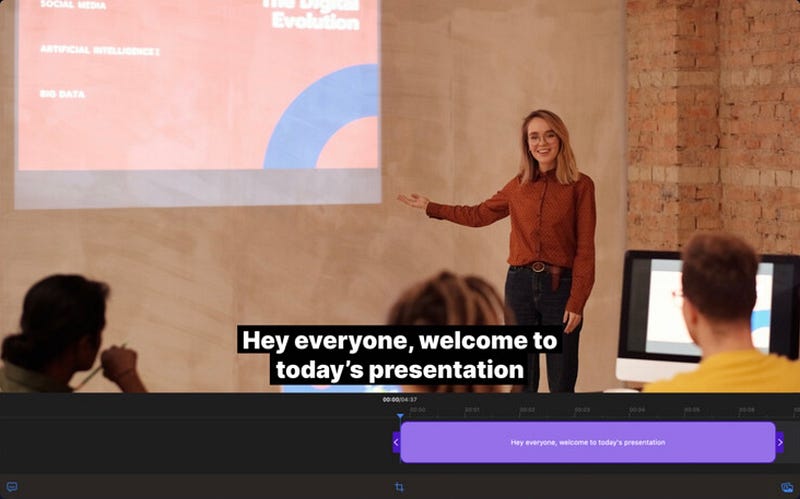
- The output video is of the original quality.
- VidCap supports 60+ languages. So it’s easy to create captions and translate them for both English or non-English videos.

- You can edit the captions’ font from a wide range of available options.
- If you think there’s a mistake in the captions, don’t worry. It’s super-easy to edit them.
#7. Remote Mouse
(Free | Available on Setapp)
As the name suggests, Remote Mouse lets you control your Mac right from your iPhone.
But why?
I can’t think of a real daily usage example, but maybe it helps when you’re screensharing your Mac to a TV for a PPT for a large-screen demonstration.
And, it’s a fun app to try at least once.
Here’s what it could do →
- You can use your iPhone as trackpad, keyboard, and playback controller.
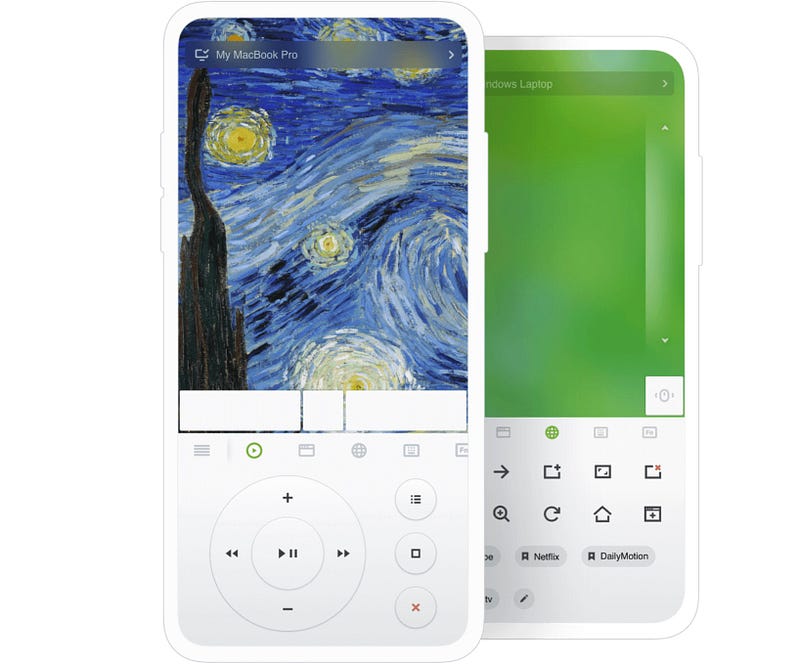
- You can also Shutdown, Sleep, Restart, and Logout your Mac — right from iPhone.
- And reg. keyboard, you can not only type on your Mac with iOS keyboard, but can also use other essential keys like PgUp, PgDn, Return, Shift,Esc etc.
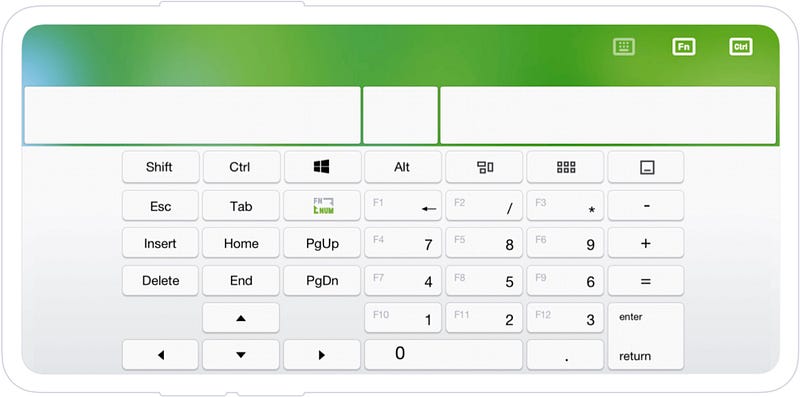
- Plus, you can also copy-paste things from your Mac to iPhone — and vice-versa. (I know, Handoff already exists, but yeah, it’s still a feature.)
And know what? I’m personally impressed by its accuracy and reliability. The app’s remote trackpad works as quick as your Mac’s native trackpad works.
Try it for yourself and tell me you aren’t impressed.
#8. Pareto Security
($17 for lifetime | Available on Setapp)
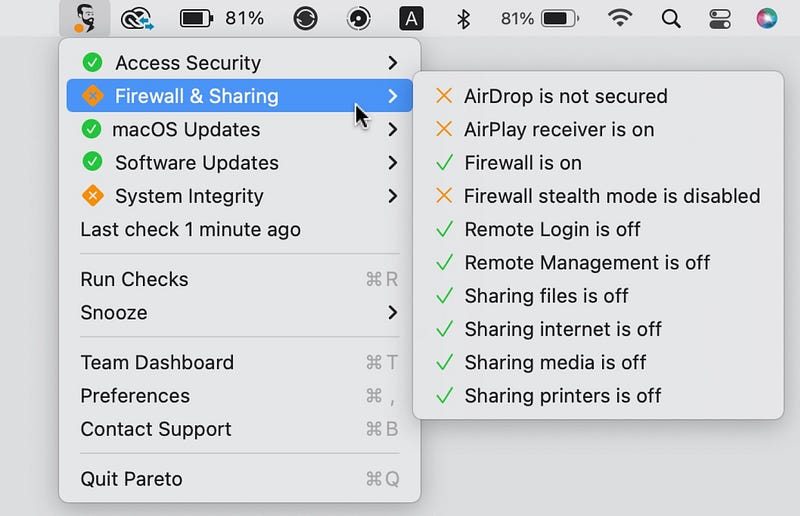
This app helps keep your Mac secure and less vulnerable to privacy & security risks by verifying a checklist of most common security mistakes.
Like if
- SSH keys use strong encryption,
- AirDrop is secured and Firewall is on,
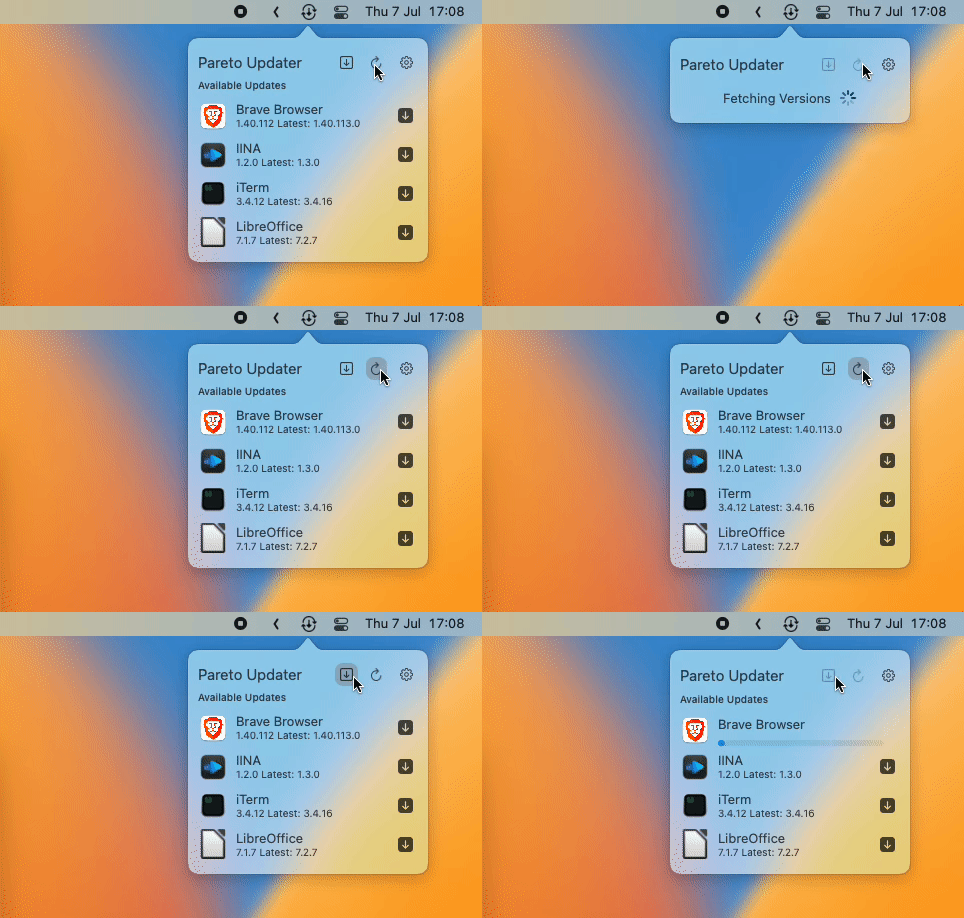
- macOS and essential apps are up-to-date,
- Wi-Fi is secure,
and a lot more.
This helps avoid your Mac being vulnerable to hacking or malware.
Though Pareto Security’s presence doesn’t show a significant impact on your personal Mac, it absolutely helps firms keep their employees’ Macs safe.
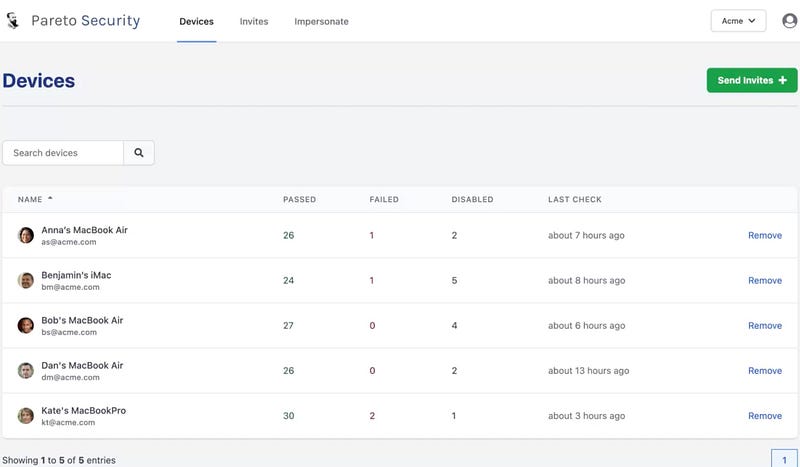
A firm owner, authorised personnel, and managers can monitor the security status of all their subordinates’ Macs and alert them if things don’t look well.
Spoiler: Here’s how their dashboard looks →
Cool, but why is it called “Pareto” Security?
Coz it works acc. to Pareto’s Principle that states:
Roughly 80% of consequences come from 20% of causes.
And roughly 80% of cyber attacks occur due to 20% of security mistakes. The app aims to prevent those 20%.
That’s with security mistakes. Know how to avoid Battery mistakes? 🪫 →
#9. Xnapper
($24.99 for lifetime | Available on Setapp)
Xnapper is such a nice screenshot and annotation tool that when you start using, everyone would ask you, “Hey, how did you snap that stunning screenshot?”
And you say, “Hey, I didn’t snap. I Xnapped.” Lol.
The best features →
You can
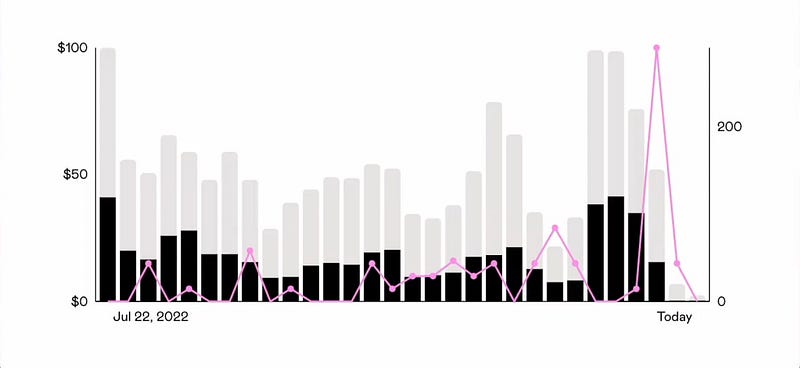
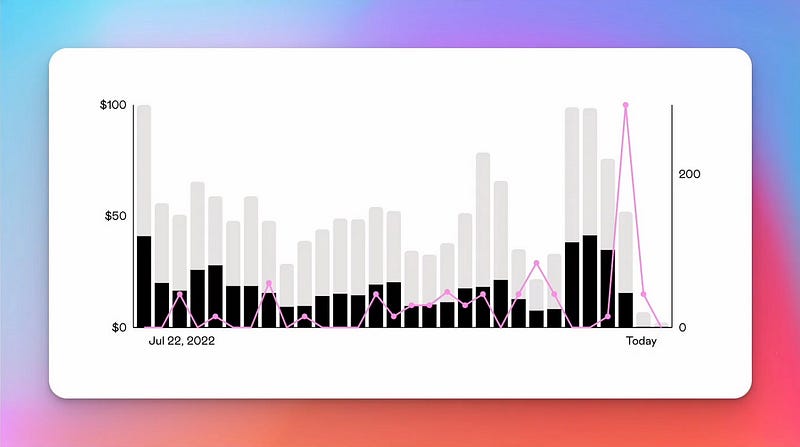
- Set backgrounds for your screenshots that make them look (really) beautiful and presentable. Example:
Before:
After:
- Make your screenshot’s edges rounded, and add shadow-effect for extra beauty.
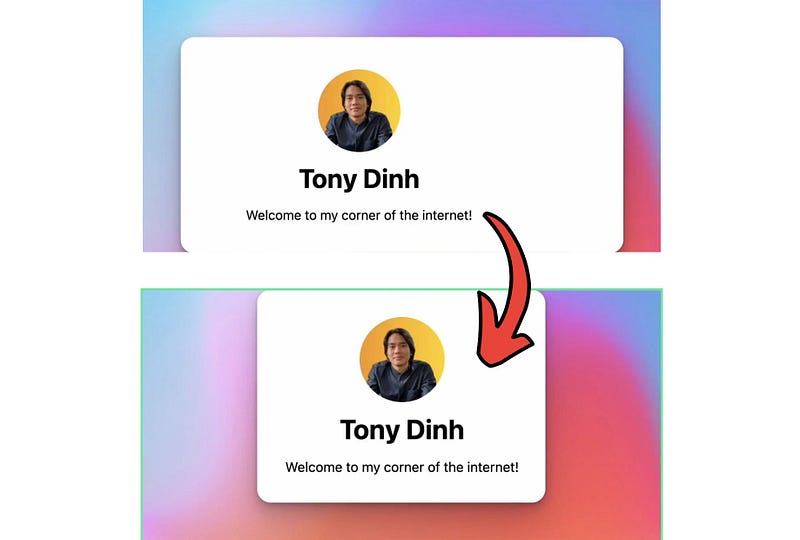
- Balance the subject of the image to the center.
- Choose the aspect ratio suitable for different social media platforms like Twitter, FaceBook, Instagram, LinkedIn, YouTube etc.
- Redact sensitive info from your screenshots.
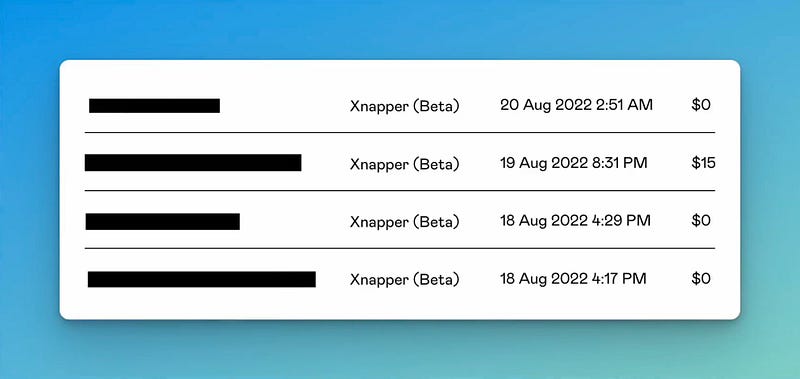
- Add custom watermark text.
How cool! I’ve just ditched the boring, native macOS screenshot way of ⌘+⇧+5. From now I’ll only Xnap.
So that’s an exhaustive list of 9 must-have macOS productivity apps.
What’s your favourite? Lemme know in the responses!
For more a’macOS’zing apps, read these
Finally,
If you love exploring new Mac apps (like me), consider subscribing for Setapp. You’ll get access to a curated collection of 240+ amazing apps for just $9.99 a month, which rather cost hundreds of dollars if purchased individually.
Use my affiliate link to start your Setapp journey! (It’s free for 30 days)
If you enjoyed this story, join 410+ others to get notified whenever I publish a new story.
This post contains affiliate links.


