
8GB vs 16GB vs 24GB M2 Mac mini: How to Choose
It’s easier than you think
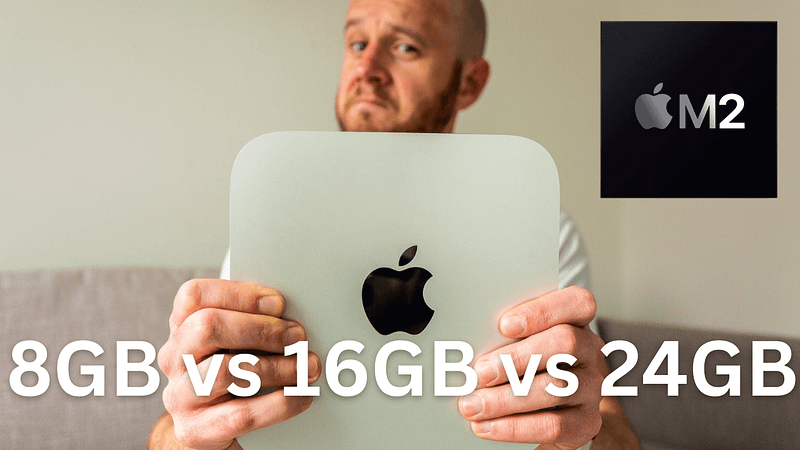
It’s still one of the hardest decisions to make when buying a new Mac.
How much memory should you get? How much do you need? More importantly, how do you ever truly know how much memory is required for the stuff you intend to do with your Mac?
The answer is, thankfully, a lot simpler than it used to be, but when Apple presents us with three unified memory configuration options — as they do with the M2 Mac mini — a few questions need to be asked before you spend your hard-earned.
Let’s work out whether you need 8GB, 16GB, or 24GB in your new Mac mini!
Choosing the right M2 Mac mini memory: the basics
You can’t upgrade modern Macs once you’ve bought them. They are, basically, appliances; each one is pretty much sealed shut and not intended to be opened on pain of death if you’re a normal person.
That’s fine, but it does mean you have to think very carefully when adding a Mac to your basket.
The chip is one such choice. Good news — I’ve already created a buying guide for the M2 vs M2 Pro Mac mini buying decision.
Storage? You’re in luck! Thanks to Apple’s biblically expensive SSD prices, I always recommend focusing your budget elsewhere. Storage is the one area you can upgrade externally in the future — I do it all the time.
However, when it comes to unified memory, you’re stuck with what you chose at the point of purchase. So, my first tip is a simple one — buy as much as you can afford. That ensures no buyer’s remorse and maximises the longevity and resale value of your new M2 Mac mini.
Who is the 8GB M2 Mac mini for?
I still maintain that an 8GB M2 Mac mini is for most users. This might sound like a big statement, but let me explain.
I started Mark Ellis Reviews in 2020. Later that year, Apple introduced the M1 chip and it completely changed my approach to buying everyday Macs. Suddenly, I didn’t have to break my budget to add as much memory as possible; 8GB would do just fine.
3 Reasons Why the M2 MacBook Air Runs My Business
Number 2 is probably the most important
medium.com
I’ve run the backend of my business (i.e. everything bar video production) on 8GB Apple silicon-based Macs ever since, and they never, ever put a foot wrong. I’ve never encountered an out-of-memory message, either.
I noted above that you should spend as much money as you can on memory, but if your budget doesn’t stretch beyond 8GB and you’ll be undertaking general admin stuff and normal ‘computery’ things, that’s no longer an issue. You can even dip into creative work without much hassle if that floats your boat occasionally, although I’d advise against the 8GB version if this is your line of work.
Will the resale value drop? A little, but it’s all relative. Will you lose a bit of longevity? Maybe, but, a case in point — my 2020 8GB M1 MacBook Air still feels as fresh as the day I bought it.
Who is the 16GB M2 Mac mini for?
No matter how much I waffle on about the merits of 8GB in this new Apple silicon era, that won’t be enough for some people.
That’s cool. It’s also why Apple offers two unified memory options above that for the M2 Mac mini.
The first step up is 16GB and it is, if you will, the sweet spot for anyone who has a budget that extends beyond the base model M2 Mac mini. I also believe that it is an absolute bargain for just £200 ($200).
This is where I return to the first piece of advice I offered at the start of this guide: spend those extra pennies on additional unified memory.
Unless you know you need 24GB (I’ll get onto that in a moment), 16GB is where you should stop. If there are pennies left over, spend them on a couple of accessories, or put them towards this month’s electricity bill.
If I were to typify a 16GB M2 Mac mini owner beyond their budget, it would be someone who wants to have a decent amount of headroom for their creative endeavours. Beyond the normal admin stuff, they’ll use their M2 Mac mini for video editing, Photoshop, photo post-processing, or maybe coding. It might even be for a full-time job or profitable side hustle.
If that’s you, you’ll be blown away by what a 16GB M2 Mac mini can do — trust me!
Who needs the 24GB M2 Mac mini?
If you spec the M2 Mac mini with 24GB of unified memory, the price increases to £1,049 ($999). That’s still a bargain in my book, but it is another £200/$200 on top of the price for a 16GB machine.
Is it worth it?
I’m not sure it is. Unless you know you need that much memory because you’ll be undertaking heavy-duty audio projects with lots of plugins, or piling loads of code into system memory, it’s probably money you can spend elsewhere.
Therefore, my advice is simple: only buy the 24GB version if you know you need it, or if you want to buy the absolute best M2 Mac mini on the market. Both reasons are absolutely fine, but my guess is that this represents a very small portion of the M2 Mac mini market.
Conclusion
If you’re reading this M2 Mac mini buying guide, you probably sit among the vast majority of M2 Mac mini users who should buy either the 8GB or 16GB version.
I hope my guide has helped you today, but please pop any additional questions you have in the comments section, below.
To summarise:
- 8GB M2 Mac mini is for: people with base model budgets and no need to use it for professional creative work.
- 16GB M2 Mac mini is for: most people with a budget that stretches beyond the base model.
- 24GB M2 Mac mini is for: people who know they need that much memory, or those who want the absolute best M2 Mac mini available (without opting for the M2 Pro).
Whichever one you buy — enjoy. The Mac mini remains one of the most impressive Macs in Apple’s lineup.
Before you go
Join my Substack newsletter for tips on becoming a profitable, happy online creator!
If you enjoy my writing, it’s only a snippet of what’s on Medium. I’m a paying member myself and highly recommend joining. Click here to join (a portion of your membership fee will be sent my way and therefore directly support my work!).
Originally published at https://markellisreviews.com on January 21, 2023.


