
The M2 Pro vs M2 Max Debate Starts HERE
Which one is right for you?
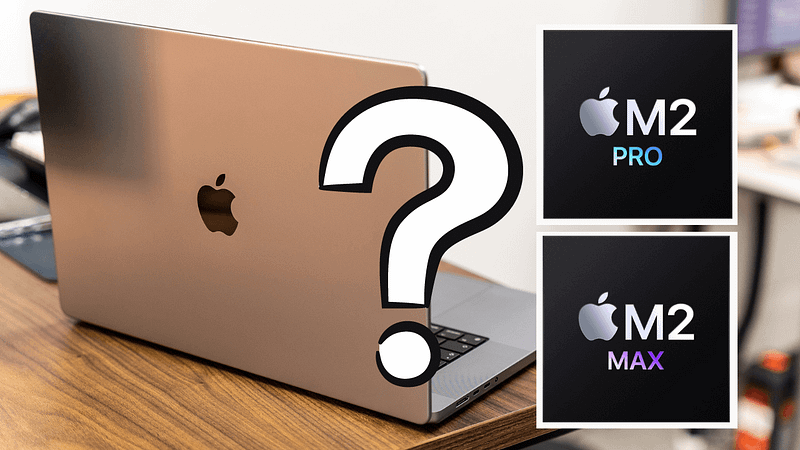
I’ll let you into a little secret.
I find buying new MacBooks just as tricky — particularly when it comes to the MacBook Pro.
You never know if you’re overspending, under-speccing, or missing something obvious. I have the added challenge of finding the right unit to review, too, which means I need to take into account not only my needs but those of my audience.
This week, Apple unleashed new MacBook Pros featuring brand-new chips. The 14- and 16-inch versions of Apple’s flagship laptop may look identical to the last version, but they’re now available with either an M2 Pro or M2 Max chip — the latest generation of Apple silicon.
This guide isn’t designed to help you choose between the 14- and 16-inch sizes — that’s a question for another day. But if you’re struggling to settle on either the M2 Pro or M2 Max, read on.
M2 Pro vs M2 Max: key differences
Just like the M1 Pro and M1 Max chips from 2021, there are some key differences between the M2 Pro and M2 Max.
Let’s break them down.
Pricing
The M2 Pro MacBook Pro starts at £2,149 ($1,999) for the 14-inch version. The most you can spend if you spec it all the way up to the top without breaking into M2 Max territory is £5,299 ($5,099).
The M2 Max MacBook Pro starts at £3,349 ($3,099) for the 14-inch version. The most you can spend if you top that one out is £6,549 ($6,299).
CPU cores
The M2 Pro comes with two options for the number of CPU cores. The base model consists of 10, whereas a minor upgrade will take you to 12. The M2 Max comes with 12 — no more, no less, no matter which configuration you opt for.
GPU
Big differences here. Whereas the M2 Pro can be configured with either 16 or 19 cores for its GPU, the M2 Max starts at 30 and can be upgraded to 38. That’s the most number of GPU cores we’ve seen on Apple silicon thus far.
The M2 Max also has a more powerful media engine than the M2 Pro and can support up to four external displays, versus the M2 Pro’s two.
Unified memory
The M2 Pro starts with 16GB of unified memory by default and has just one upgradeable option to 32GB.
The M2 Max, on the other hand, has three memory options — 32GB, 64GB, and 96GB, although it’s worth noting that the latter is only available if you spec up the chip to the 38-core GPU version.
As for memory speed, the M2 Pro clocks in at 200GB/s, and the M2 Max doubles that to 400GB/s.
Storage
Both the M2 Pro and M2 Max can be joined by up to 8TB of internal storage. The difference is that the M2 Pro starts at 512GB, whereas the M2 Max kicks things off at 1TB.
There aren’t any other differences to speak of. The only thing to keep in mind is that the base model M2 Pro chip featuring the 10-core CPU and 12-core GPU isn’t available in a 16-inch guise — that’s a 14-inch-only configuration.
Who is the M2 Pro MacBook Pro for?
Although we’ll never see the exact sales figures broken down for each model, my bet is that the M1 Pro MacBook Pro was a significantly higher seller than its M1 Max cousin.
This assumption isn’t made solely on the basis of price, either — it’s because the M1 Pro chip was perfectly capable for a much wider audience than the M1 Max. It’s the same story with the M2 generation, which makes my job today far easier, thankfully.
I’ve always said that if you know you need more memory in your next Mac, you know that’s the case — I don’t need to tell you. It’s a similar story with the M2 Pro vs M2 Max chip debate; those who need the latter either stopped reading this buying guide a while ago or never reached it in the first place.
As you can see from the pricing above, there’s a big difference between these two chips. In the UK, the jump from M2 Pro to M2 Max costs £1,200. For that, you get two more CPU cores, and 14 more GPU cores and both the unified memory and internal storage are doubled.
Is it worth it? Well, those two additional CPU cores won’t make any difference to your daily work. The additional unified memory is nice, but we’re in a different world now — 16GB of Apple silicon memory is a far cry from 16GB of old. And the storage? You can upgrade that yourself with external SSDs in the future — it’s bloody expensive when bought from Apple.
This is why the M2 Pro MacBook Pro should be the default choice for most buyers. It will be a superb machine that’ll last you many years.
The biggest difference between these two chips is the GPU and, as with the previous generation, the M2 Pro vs M2 Max debate is centred almost solely around your graphical needs.
Who is the M2 Max MacBook Pro for?
I’ve ordered an M2 Max 14-inch MacBook Pro, which will replace my M1 Max 16-inch MacBook Pro.
My reason for grabbing the Max variant again? I need as much speed as possible when it comes to video rendering and exporting. The faster I can process and get stuff out of Final Cut Pro, the faster I can move on to the next project — it’s that simple.
This sums up the M2 Max for me. The fact it can be decked out with an impressive 38-cores of graphical performance running on a platform that has twice the memory bandwidth of the M2 Pro, a more powerful media engine, and the ability to drive four external displays tells you everything you need to know.
The M2 Max is for people who work to the clock when it comes to graphics-intensive work — or for people who need the maximum amount of unified memory available. Again, you’ll know if that’s you.
Switching back to the graphical, work, this could be video editing, 3D rendering, or complex art. Put simply, if you create visual stuff with your MacBook Pro and it is directly tied to your ability to earn money, reaching for the M2 Max makes a huge amount of sense — it’s an investment in your productivity.
There is no question that my M1 Max MacBook Pro has significantly increased my ability to churn out content on time as a video creator.
Conclusion
I like it when a simple conclusion can be drawn from an Apple purchasing decision. Trust me — that isn’t always the case!
The M2 Pro MacBook Pro is for all but the most demanding of graphics-intensive users. If you’re a developer, music-maker, or someone who just wants a powerful MacBook Pro for a variety of tasks, there’s no need to spend more on the M2 Max.
The only caveat to this is if you start speccing up your M2 Pro so far that it creeps into M2 Max territory. When that happens — and if your budget is big enough — common sense must prevail.
The M2 Max MacBook Pro is for users who need those extra graphics cores or a shed load of unified memory. If the speed with which you can render and export something is directly linked to your profitability, it’s a no-brainer.
I hope this has helped. Let me know what you’re going for in the comments section, below.
Before you go
Join my Substack newsletter for tips on becoming a profitable, happy online creator!
If you enjoy my writing, it’s only a snippet of what’s on Medium. I’m a paying member myself and highly recommend joining. Click here to join (a portion of your membership fee will be sent my way and therefore directly support my work!).
Originally published at https://markellisreviews.com on January 20, 2023.