
A List of All My Main Neovim Plugins
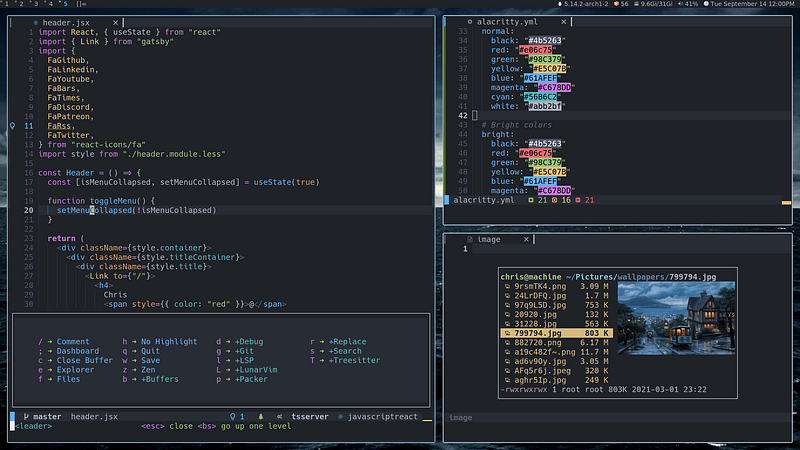
Link to my dotfiles if you are interested. I also don’t explain how to customize each plugin because each one of those is way too extensive to cover in one article. I do link the quickstart/setup pages from their Github.
Package Manager
The package manager I use is packer.nvim. Packer is easy to use and quite quick to get set up. It has many features.
Installation
Unix, Linux
git clone --depth 1 https://github.com/wbthomason/packer.nvim\
 ~/.local/share/nvim/site/pack/packer/start/packer.nvim
If you are on Arch Linux you can install it from the AUR.
Windows (Powershell)
git clone https://github.com/wbthomason/packer.nvim "$env:LOCALAPPDATA\nvim-data\site\pack\packer\start\packer.nvim"After installing the package you want to add
-- Only required if you have packer configured as `opt`
vim.cmd [[packadd packer.nvim]]

return require('packer').startup(function()
  -- Packer can manage itself
  use 'wbthomason/packer.nvim'
-- You add plugins hereend)This is the way to install packer, but if you want more information you can check out their quickstart.
nvim-lspconfig
Nvim-lspconfig is a Language Server Protocol (LSP) with Neovim supports. It allows features like:
- go-to-definition
- find-references
- hover
- completion
- rename
- format
- refactor
Nvim-lspconfig requires Neovim v0.6.1 or the nightly build of Neovim as of writing this article.
Installation
Add the following to your packer function.
use ({
    "neovim/nvim-lspconfig",
    config = [[require('config.lsp')]], -- this line may very based on your config
})
Quickstart for further information and configuration options.
nvim-cmp
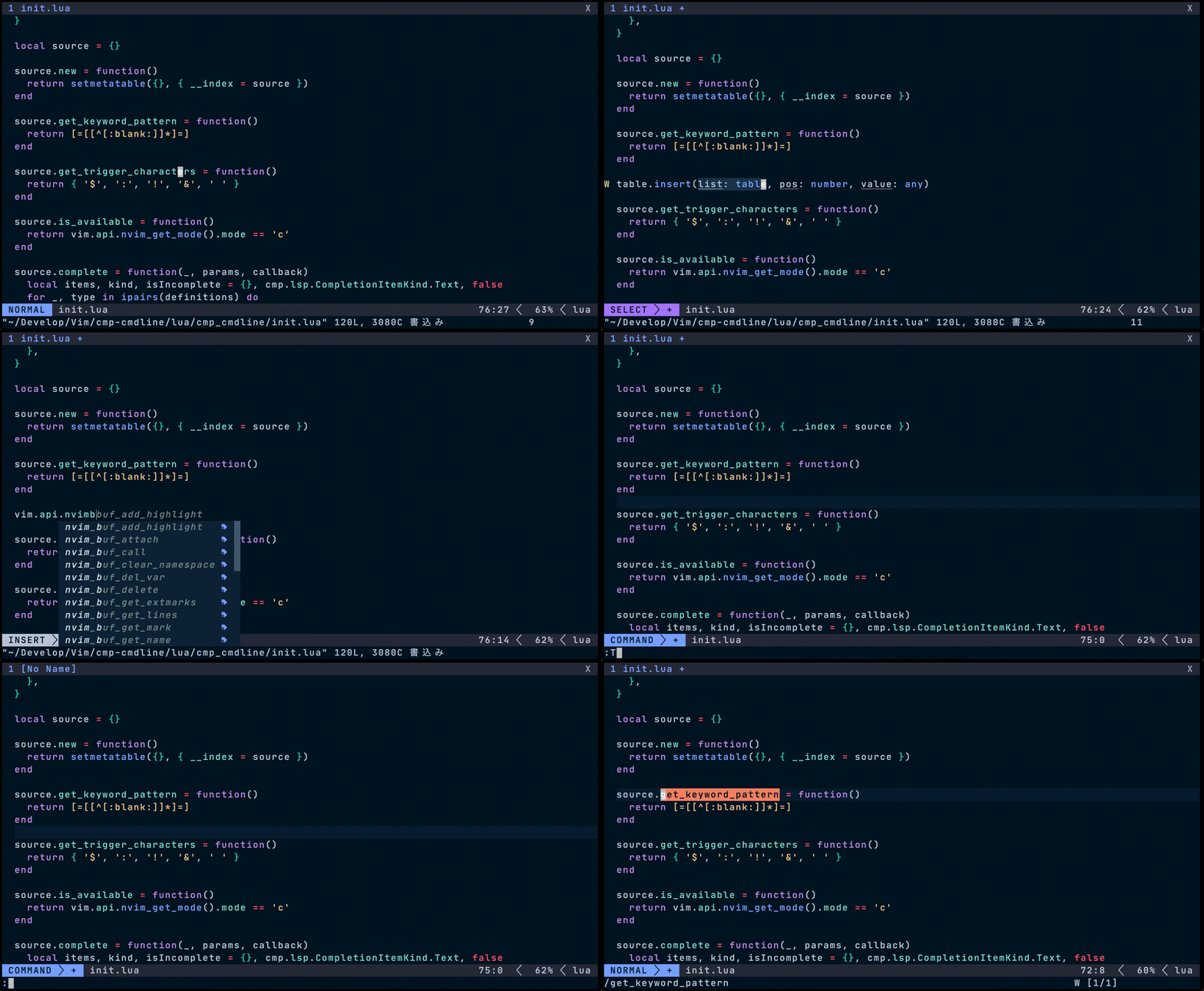
Nvim-cmp is a completion plugin for Neovim. it has many great features like full support for LSP completion, extensive customization, and smart handling of keymaps while having no flickering.
Installation
Add the following to the packer function.
use ({
  "hrsh7th/nvim-cmp",
  config = [[require('config.cmp')]], -- may very based on config
  requires = {
   "hrsh7th/cmp-buffer",
   "hrsh7th/cmp-nvim-lsp",
   "hrsh7th/cmp-path",
   "hrsh7th/cmp-nvim-lua",
   "L3MON4D3/LuaSnip", -- may very based on config
   "onsails/lspkind-nvim",
  }
 })
By adding this you basically add all the plugins required to run nvim-cmp and also some other features like snippets with LuaSnip. This is the link for further information and the setup process.
nvim-treesitter
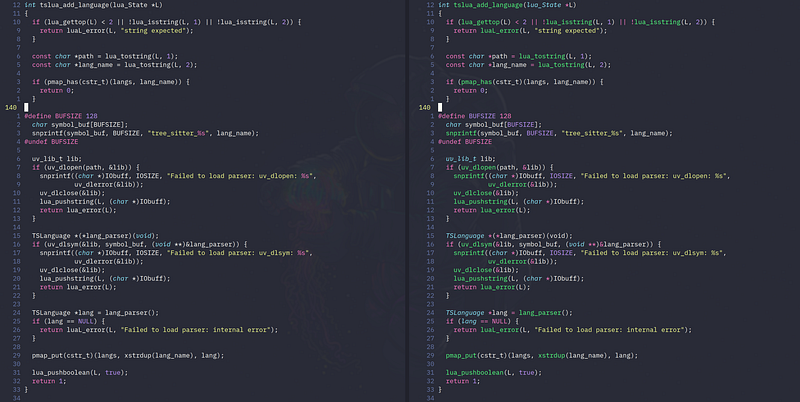
The left side is the conventional highlighting of Neovim, while the right side is with nvim-treesitter.
Nvim-treesitter is an easy and simple interface to tree-sitter with some extra functionality.
Installation
Add the following to your packer function.
use ({
  'nvim-telescope/telescope.nvim',
  config = [[require('config.telescope')]], -- may very depending on config
})
Nvim-treesitter has many supported languages to which it can apply tree-sitter. Their Github’s quickstart gives more information on installation and configuration if you are interested.
telescope.nvim
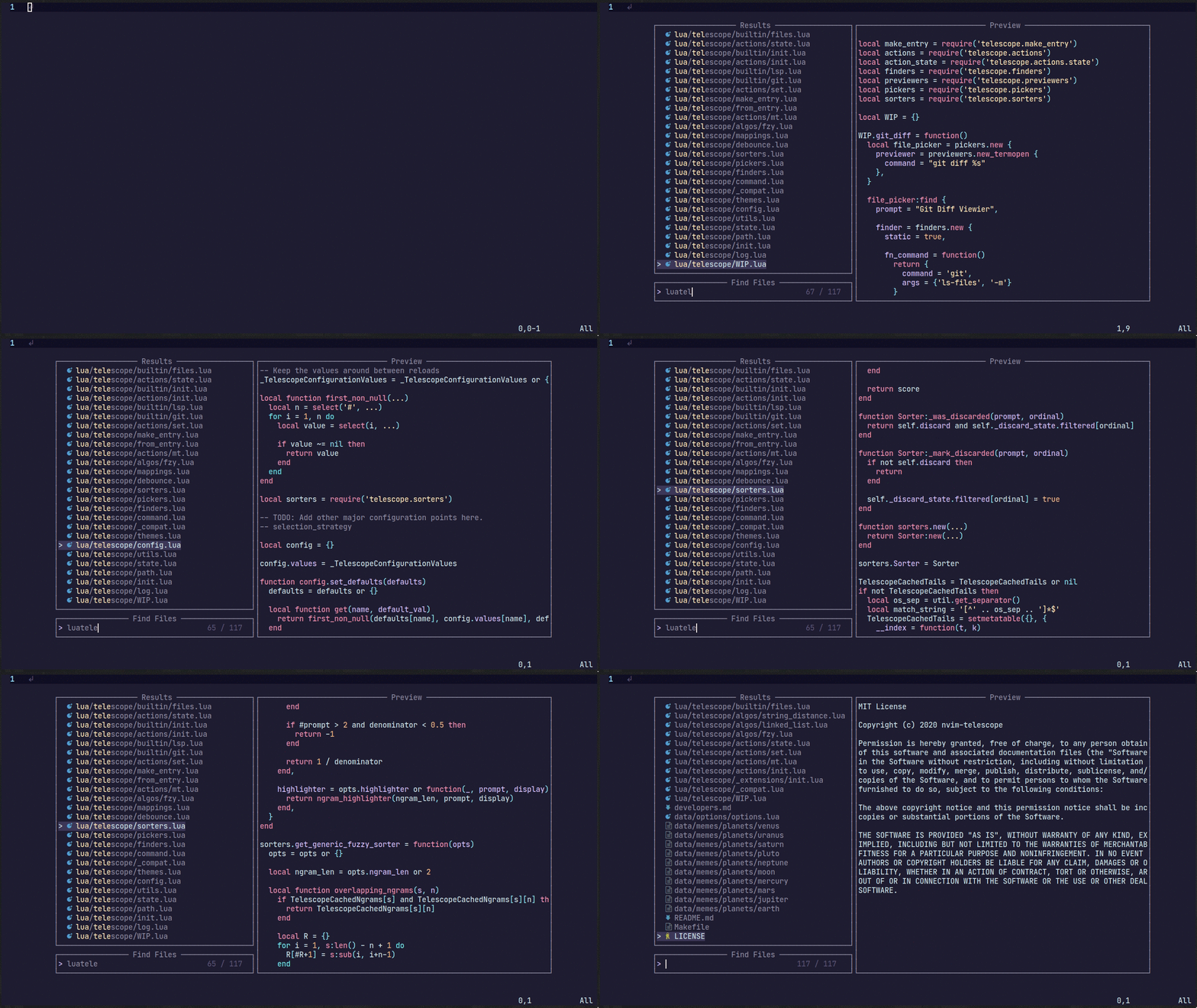
Telescope.nvim is a highly extensible fuzzy finder and features some amazing features. It gives modularity while also allowing it to be easily customized.
Installation
Like before, add the following to the packer function.
use ({ 'nvim-lua/popup.nvim' }) -- may be optional but just add it to be safe
use ({ 'nvim-lua/plenary.nvim' })
use ({
 'nvim-telescope/telescope.nvim',
 config = [[require('config.telescope')]],
})
You might also want to add:
use ({ 'nvim-telescope/telescope-fzf-native.nvim', run = 'make' })There is a table of contents on their Github which has everything you could want to know about configuration.
impatient.nvim
Impatient.nvim is a way to speed up your Neovim startup time.
Installation
If you are planning to get this plugin, I would recommend installing this from your distributions package manager because it sometimes gives errors when you are using the wrong version, aka forgetting to update.
I think you get where to add this (in the packer function).
use ({
  'lewis6991/impatient.nvim',
  config = [[require('config.impatient')]] -- may very based on config
 })
This is almost all there is to impatient.nvim. Just install it and you are done. There are commands that you need to run so that it works which can be found in the commands page on their Github.
Conclusion
These are my main Neovim plugins. They don’t include anything related to appearance, they get what I want to have in almost any text editor.
The follow-up articles:
Thanks for reading and keep vimming.


