avatarMichael Bao

Summary

The website content provides an overview of the author's preferred visual plugins for Neovim, including tokyonight.nvim, lualine.nvim, and bufferline.nvim, with instructions on installation and customization.

Abstract

The author presents a curated list of visual Neovim plugins that enhance the user interface and experience. The article details three specific plugins: tokyonight.nvim for theming, lualine.nvim for statusline customization, and bufferline.nvim for managing tabs and buffers. Each plugin is accompanied by a brief description, a visual example, and step-by-step installation instructions using the Packer plugin manager. The author also shares personal preferences and tips for configuring these plugins, emphasizing the ease of installation and the aesthetic improvements they bring to Neovim. Additionally, the article is part of a series that includes previous entries on main and functional Neovim plugins, with links provided for readers interested in exploring further.

Opinions

  • The author expresses a strong preference for the tokyonight.nvim colorscheme, using it across their Linux setup and particularly appreciating its aesthetic appeal.
  • Lualine.nvim is praised for its extensive feature set and speed, with the author considering it a top choice for a Neovim statusline.
  • Bufferline.nvim is noted for its ability to improve Neovim's appearance significantly, despite not being a necessity, and the author provides a specific tip for adjusting the tab style to accommodate different terminal settings.
  • The author encourages readers to explore the plugins mentioned, suggesting that they might discover new features to enhance their Neovim experience.
  • There is an implicit endorsement of the Packer plugin manager, as all installation instructions are given in the context of using Packer.
  • The author values the thematic consistency across their development environment, as evidenced by their choice to use the same colorscheme for Neovim and other applications like the Alacritty terminal emulator.

A List of My Visual Neovim Plugins
Screenshot from author

tokyonight.nvim

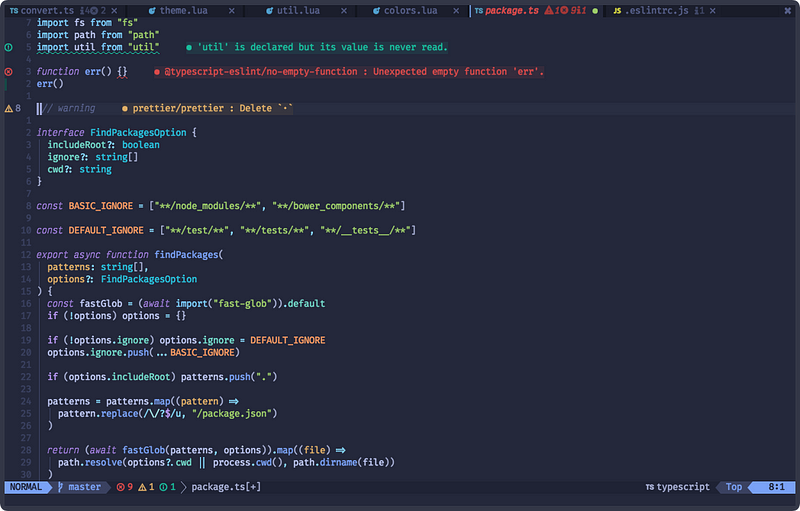
Image from tokyonight.nvim Github

Tokyonight is the colorscheme I use for my whole Linux setup. It is based on a colorscheme originally made for VSCode. I use the one from Folke Lemaitre. It is quite nice to look at and I absolutely love it. Another theme that I quite like is Kanagawa.

Installation

Add the following to your packer function:

use ({ 
   'folke/tokyonight.nvim',
})

This is it to installing tokyonight.nvim. Tokyonight.nvim also includes configs for other programs like Kitty, Alacritty, and the Fish shell, though I only use the one for Alacritty (which is the terminal I use).

lualine.nvim

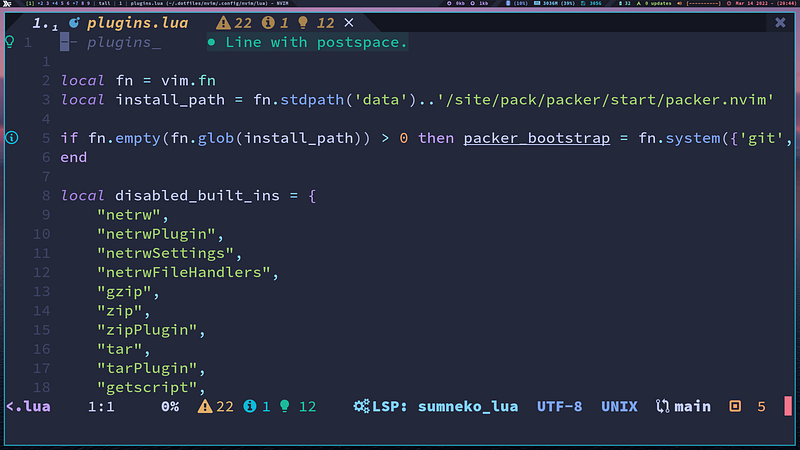
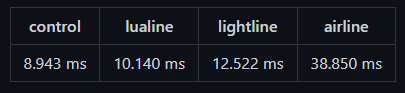
Lualine is a fantastic Neovim statusline that gives all the features anyone could want. Its killer feature is that it is blazing fast.
Screenshot from LuaLine’s Github

Installation

Add the following to your packer function:

use ({ 
  'nvim-lualine/lualine.nvim',
  config = [[require('config.lualine')]], -- may vary depending on your config  
  requires = { 'kyazdani42/nvim-web-devicons', opt = true }
})

To finish the config you will have to add some code to the location of the require function. You can view the Usage and Customization on their Github page to learn how to do this.

bufferline.nvim
Gif from bufferline.nvim Github

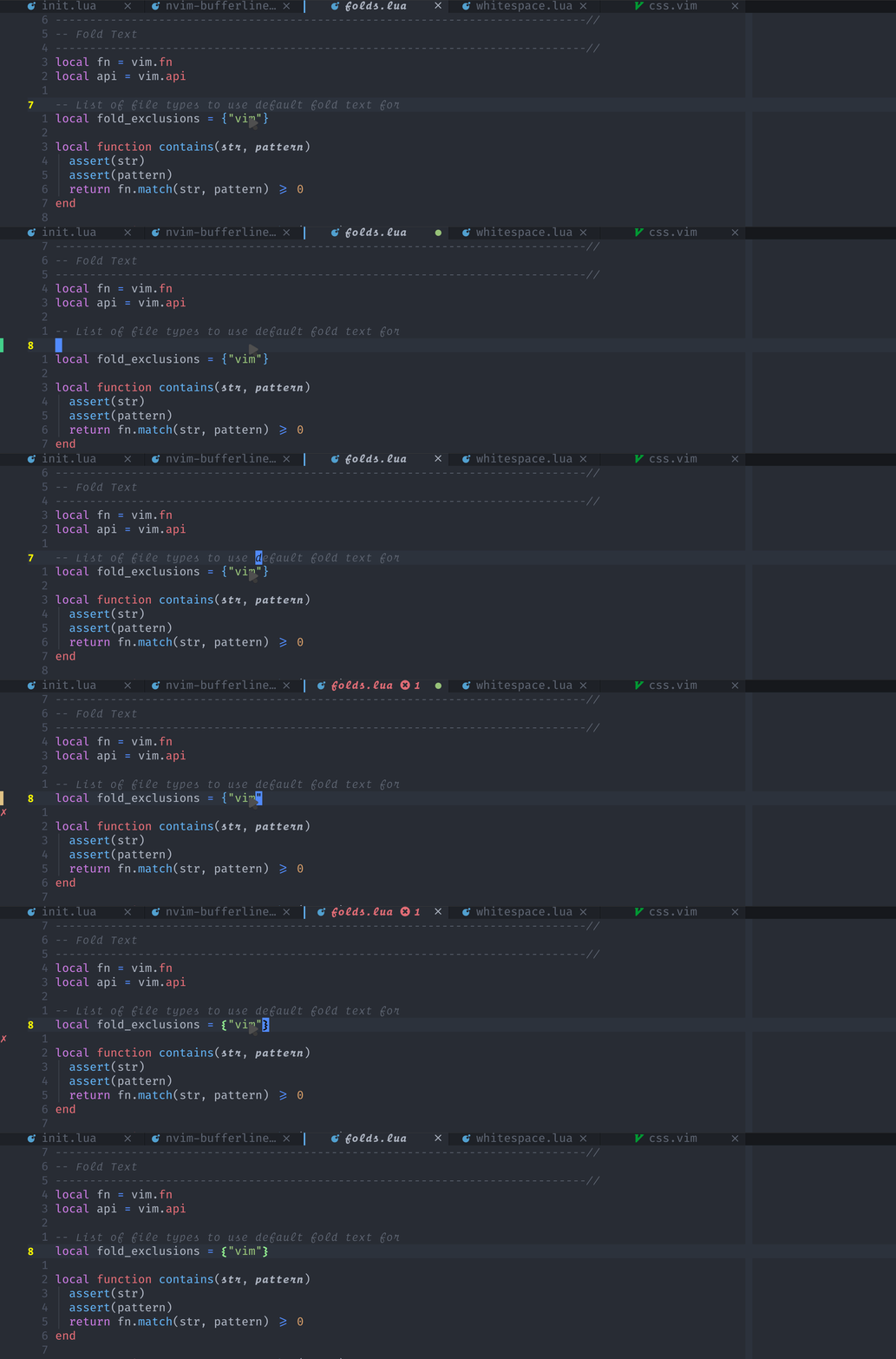
Bufferline.nvim is used to show the tab/buffer bar at the top. This plugin isn’t necessary by any means but makes Neovim look a heck of a lot better.

Installation

Add the following to your packer function:

use ({
  'akinsho/bufferline.nvim', 
  config = [[require('config.bufferline')]], -- May vary
  requires = 'kyazdani42/nvim-web-devicons',
 })

After adding this you will need to configure it to your liking. This can be done by viewing the Configuration page on their Github.

I will note that if want the slant on the tabs and you are using a terminal that makes the tabs look funny, you might want to change the following:

separator_style = "slant"

to

separator_style = "padded_slant"

Conclusion

These are what I classify in my config as visual. Though you could classify some of my other plugins as it as well. Hope you learned something new and try at least one of these plugins.

This is a follow-up from A List of All My Main Neovim Plugins.

And this is the final article.

Thanks for reading and keep getting fast with vim.

Neovim
Linux
Programming
Software Development
Vim
Recommended from ReadMedium