
Next-Level Writing for Medium
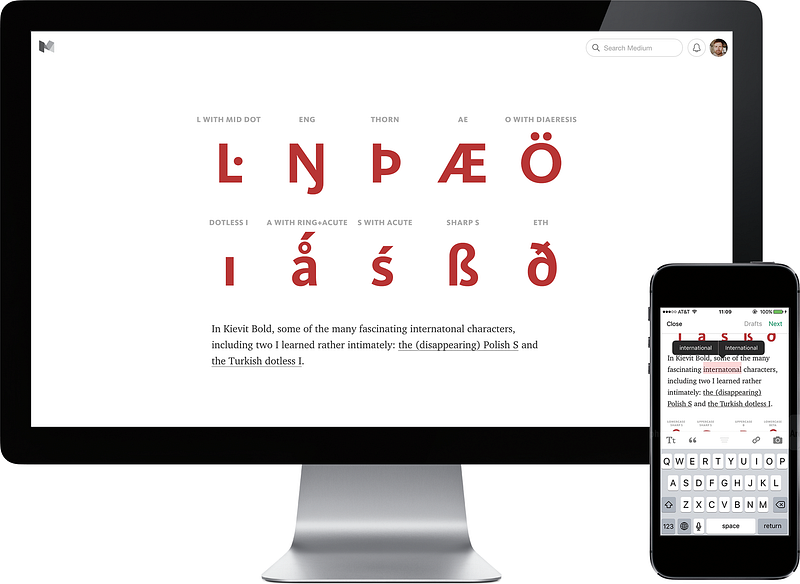
Here at Medium, we care very much about our editor. We strive for it to be a simple, minimalistic tool, but also one with a great amount of depth and delight. The austerity serves an important purpose — writers can focus on sharing ideas, thoughts, and stories rather than fighting with the UI. Depth and delight? We want writing to be fun, and everyone’s posts to have beautiful, world-class typography and layout.
Today, we’re introducing a few new features for writers on Medium:
Writing and editing anywhere With our newly updated iOS and Android apps, you can write and edit 24/7. How many times did you publish a story on your laptop, only to see a pesky typo in line at the bank, unable to change it, bothered by how people will be looking at it for hours and judging you before you get back to your desk? Now, you can use our app on your smartphone to fix it right then and there.
Or, do the exact opposite: start writing whenever inspiration strikes, and then publish immediately… or finish and decorate at home.
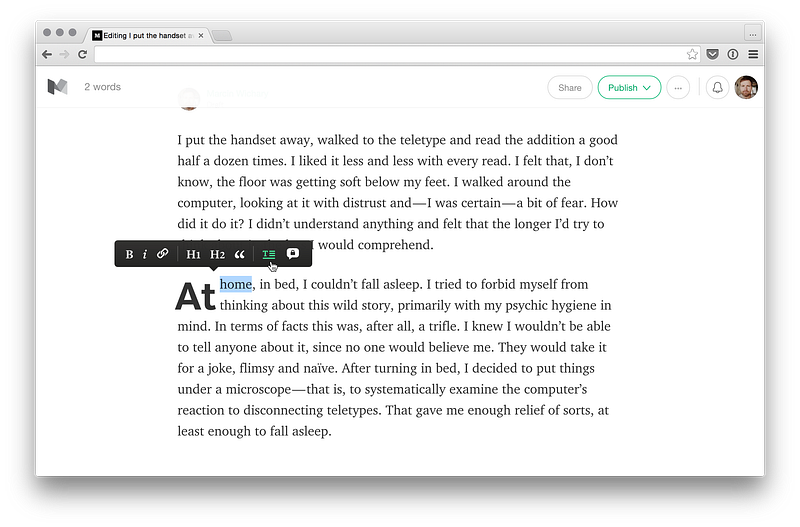
Drop caps You might have noticed another new editor feature already. It’s drop caps — those enlarged initials you can use for pacing, starting a new chapter, or just a little typographical delight. Just select a first letter in the paragraph, and you can toggle the letter to be a stylized initial. And it should behave well no matter what you throw at it — a quote, a short word, a digit, or a number.
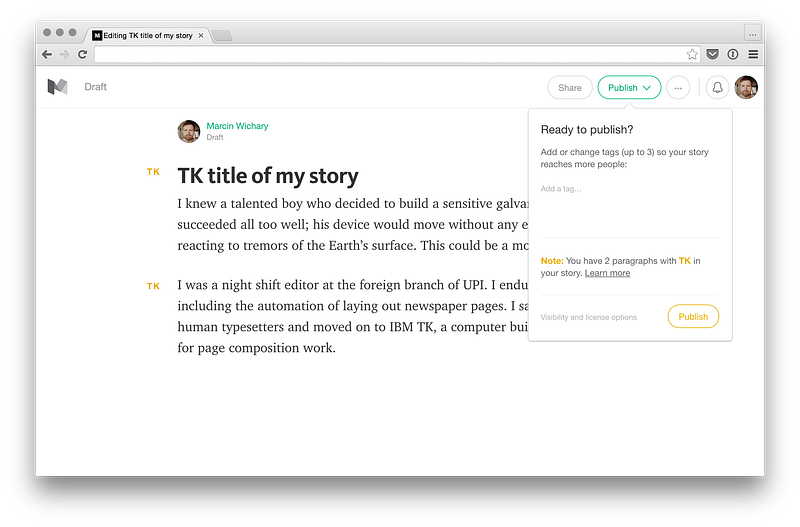
TK support We’re also launching another small feature: support for TK in our editor. TK is a publishing tradition that helps managing the messy process of writing. Put TK anywhere in your draft as a placeholder, and Medium will make it easier to spot it and take care of it before publishing.
There are more changes happening today. You can now mention other people during writing and use our API to write elsewhere. We also launched the first iteration of our new notes, which have been simplified for direct communication between readers and writers. (They aren’t perfect yet, but we’ll be improving them in the coming months.) And, on your stats page, you can now see your stories grouped by date — something that could make it easier for you to keep track of your cadence of writing, whether you want to write monthly, weekly, daily, or… whenever the inspiration strikes.
Then, there’s refreshed typography, and we also made some layout changes that will make it easier for stories to shine on small screens as much as they do on big ones: we adjusted and simplified the sizes of headlines, changed our emphasis style, and reduced the size of link cards.
Let us know what you think at [email protected]. And, if you want more, here is the updated list of tips and tricks for power Medium writers.


