
Become a Better Writer
5 Simple Ways I Use ChatGPT to Save Time
It's my little robot writing assistant.

There are many things ChatGPT is not helpful for — like its recognizably horrid headline formula or its emotionally empty articles which always seem to say a whole lot of nothin’.
Even if ChatGPT writes like the only book it has ever read is a thesaurus, it is a surprisingly helpful assistant for my writing.
I use ChatGPT daily to:
- Edit,
- Brainstorm, and
- Manage my Brand.
Use it properly and ChatGPT could also become your best-est and free-est writing assistant.
1. Grade This Article
Prompt: Pretend you are a writing professor. Grade my article on clarity, structure, organization, grammar, flow, and audience engagement. For each metric, suggest ways I can improve. At the end, provide a letter grade for my article. [Paste Article]
Here is ChatGPT’s assessment of a recent article I drafted:
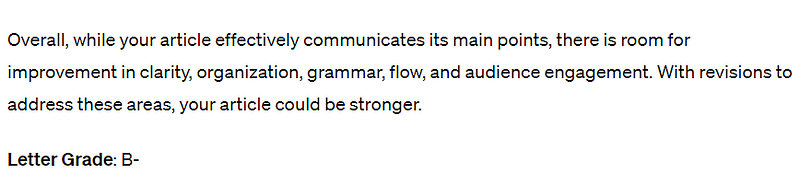
Remember: not all of ChatGPT’s suggestions will be helpful. Please review the feedback you get instead of blindly accepting all of it.
In this case, I agreed with ChatGPT’s advice to improve my flow. So, I asked for clarification.
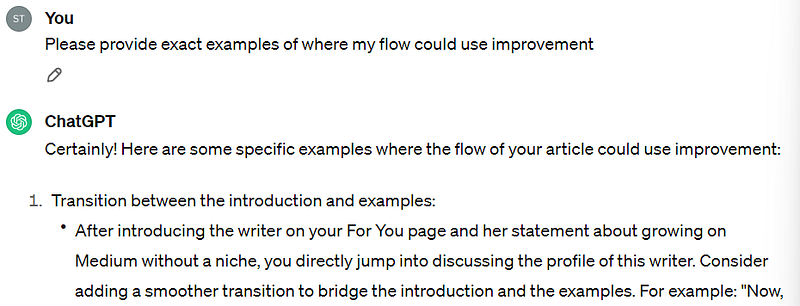
After getting examples, I can go back to the article and edit any jumpiness.
I repeat this process with all of the metrics I asked for (clarity, structure, organization, grammar, flow, and audience engagement). Periodically, I send the prompt again with the most recent version of the article.
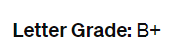
I aim to get an A from ChatGPT, but sometimes, this little robot grades harder than my college professors did. You’ll see what I mean at the end.
2. Quick Stats Calculations
As much as I love data analysis, I have never been a math wiz. Luckily, I know enough math to make ChatGPT do it for me.
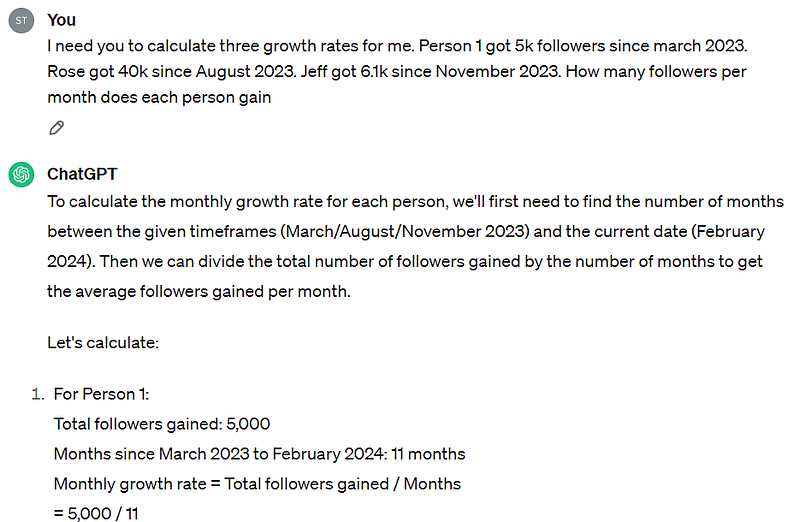
Within a minute, I have reliable and accurate stats to use for my articles. I could technically do this math by hand, but where’s the fun in that?
I also have no clue where my TI-83 calculator is these days... Probably lost in the abyss of my parent’s garage.
3. On the Fly Examples
A few days ago, I wanted to write an article about how crappy AI-generated headlines are. Instead of calling out one of the many AI writers on Medium, I went straight to the source and asked ChatGPT to generate headlines.
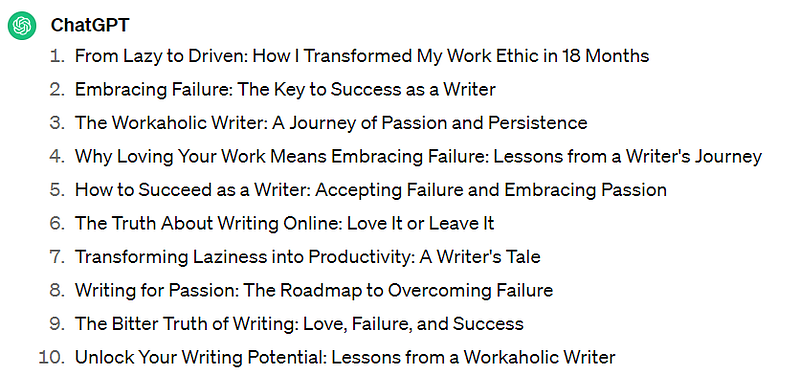
Just like that, I had 10 solid examples to prove my point.
I recently used this trick to get a snippet of super pretentious writing and a list of obscure words AI loves using (looking at you, embark).
4. Ideas for Article Outlines
ChatGPT is also useful for brainstorming ideas centered around a specific topic.
Currently, I’m working on a longer piece about the skills needed to write. I brainstormed a couple of skills I use often, but to cover all my bases, I asked ChatGPT what it thought.
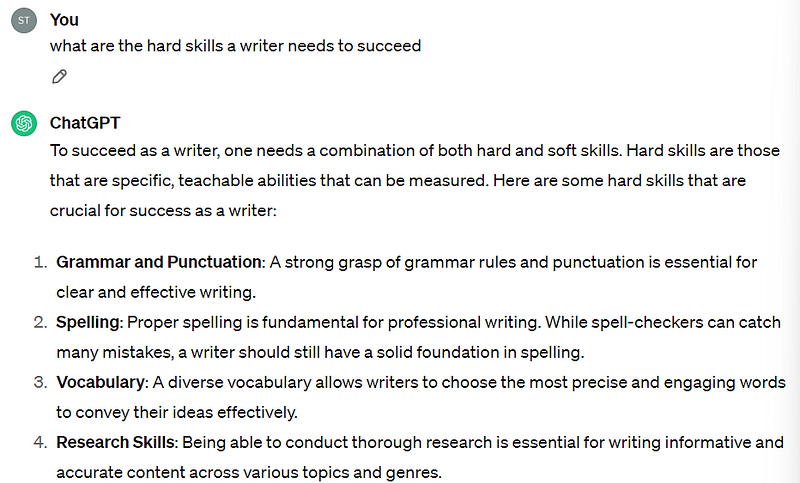
In the list it generated, I did see some skills I forgot while brainstorming.
While drafting articles on more complex topics, I always check to see if ChatGPT can think of something I’m forgetting. This helps to make sure I’m covering all my potential bases.
5. Graphic Design Aid
For this reason alone, I am glad AI exists.
I am a writer, not a graphic designer. I know little to nothing about colors, fonts, or anything of the sort. Luckily, I have a graphic designer friend (Kainos) who always helps me out.
To help Kainos help me, I have to give him something.
So, I ask ChatGPT to recommend colors and fonts for my projects. This time, I had one color in mind, but I needed more.
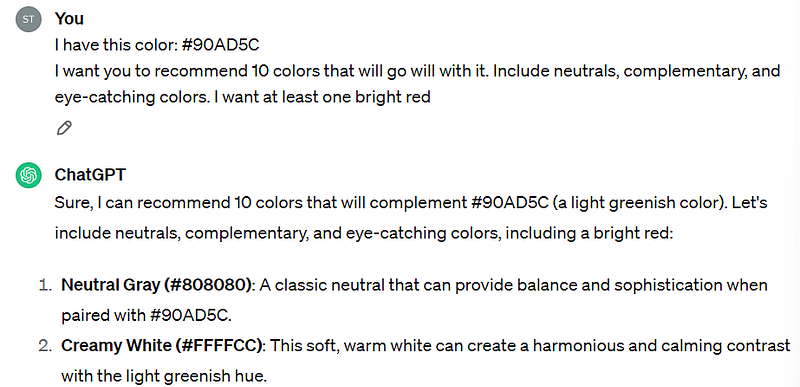
Then, I plug the color hues into Canva. Here’s the palette I ended up with this time:
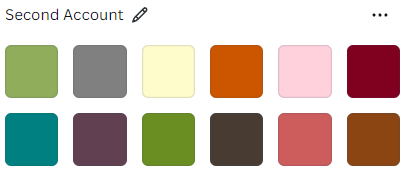
Pretty dope, right?
You can also use ChatGPT to find fonts.
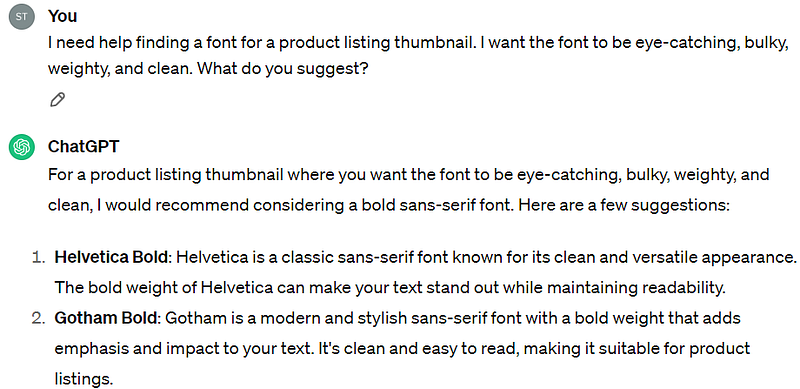
After I had my colors and fonts picked out, Kainos created a matching set of product listing thumbnails for my Gumroad profile.
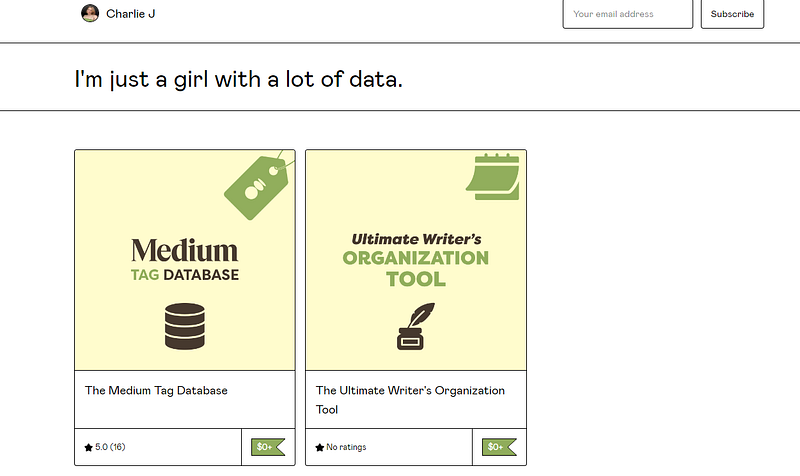
Pretty nifty, right?
ChatGPT is a horrible author but an amazing assistant. Plus, it’s free! Learning how to use this robot to help with smaller tasks can save you tons of hours over time.
How often do you use ChatGPT while writing? Have you already tried any of these above tips?
I’d love to hear your thoughts.
Thanks for reading!
If you’d like to maximize your growth as efficiently as possible, sign up for my free 5-day email course here. I’d love to help you become the best writer you can be.