avatarhejrene | Rene

Free AI web copilot to create summaries, insights and extended knowledge, download it at here

1568

Abstract

e its kid-friendly appearance, it’s suitable for all ages. The best part is that it’s completely free and served as a fantastic starting point for me.</p><figure id="5545"><img src="https://cdn-images-1.readmedium.com/v2/resize:fit:800/1*YEIzwKlFmfl5nHFts06dDw.png"><figcaption>Swift Playgrounds website. Screenshot by the author.</figcaption></figure><h2 id="af12">Udemy</h2><p id="c62f">Udemy is an online learning platform where anyone can create and sell courses. The quality of courses varies from exceptional to basic, and, at times, not so great. However, it’s relatively easy to find outstanding courses by looking for those with many students, high ratings, and course creators who regularly update their content. This is especially crucial for a dynamically evolving programming language like SwiftUI.</p><p id="5ec3">While some courses can cost up to 200, Udemy frequently offers discounts, so you can often acquire courses for about 15, in my experience.</p><figure id="9db7"><img src="https://cdn-images-1.readmedium.com/v2/resize:fit:800/1*O1gfmjM30bZeEqIkNdbeBw.png"><figcaption>Udemy website. Screenshot by the author.</figcaption></figure><h2 id="b304">YouTube</h2><p id="eb96">YouTube hosts thousands of coding and programming videos and tutorials. While many content creators aim to sell their courses these days, the fundamentals are still freely available, making it a great starting point for beginners. Simply search for SwiftUI tutorials, and the YouTube algorithm will guide you to the most helpful videos.</p><h2 id="97d5">Design + Code</h2

Options

<p id="a64a">If you possess at least a basic understanding of coding, especially in SwiftUI, the Design + Code website is an excellent resource for more advanced concepts and design skills. It covers not just SwiftUI but also various valuable design aspects. I’ve gained a lot of knowledge from this website and its courses. The website is fairly priced as well.</p><h2 id="2c35">Conclusion</h2><p id="bac7">And there you have it — these are the five resources I’ve utilized (or, in the case of YouTube, continue to use today) whenever I encounter a coding problem or seek inspiration. In the end, it doesn’t really matter where you begin, as long as you take that first step and embark on the journey to challenge yourself.</p><blockquote id="b59b"><p>Hej there! Can I ask you a favour (it will really help me out to grow this blog)?</p></blockquote><blockquote id="a119"><p>If you find this article insightful and enjoy reading it, <b>consider following me please </b>for more content about Apple, Mem, productivity, and the general landscape of AI, as they help me reach a wider audience, enabling others to benefit from my stories and personal experiences. <b>Thanks for reading and enjoy your day!</b></p></blockquote><h2 id="ef85">More to read:</h2><h2 id="a884">How to Start Coding for iOS with SwiftUI and xCode in 2023</h2><p id="219e"><a href="https://readmedium.com/how-to-start-coding-for-ios-with-swiftui-and-xcode-in-202-ed31fe3e0c67">https://readmedium.com/how-to-start-coding-for-ios-with-swiftui-and-xcode-in-202-ed31fe3e0c67</a></p></article></body>

Even in 2023 learning to code should be a top priority!

5 Resources to Learn to Code in SwiftUI

Here are five resources I’ve used and continue to use to learn coding. As I’ve mentioned previously, I want to reiterate that learning to code remains a top priority, even in 2023. You may not necessarily be building the next big app, but the process will undoubtedly challenge you and exercise your mind.
SwiftUI serves as an ideal starting point. The language is remarkably user-friendly and highly accessible, even for those new to programming. You might need some basic knowledge, but that’s a matter of only an hour or so, and afterward, you can delve deeply into SwiftUI.

Apple Developer SwiftUI Tutorials

Apple provides a solid collection of SwiftUI tutorials. The content is well-presented and valuable, but having some coding knowledge will make it easier to follow along.
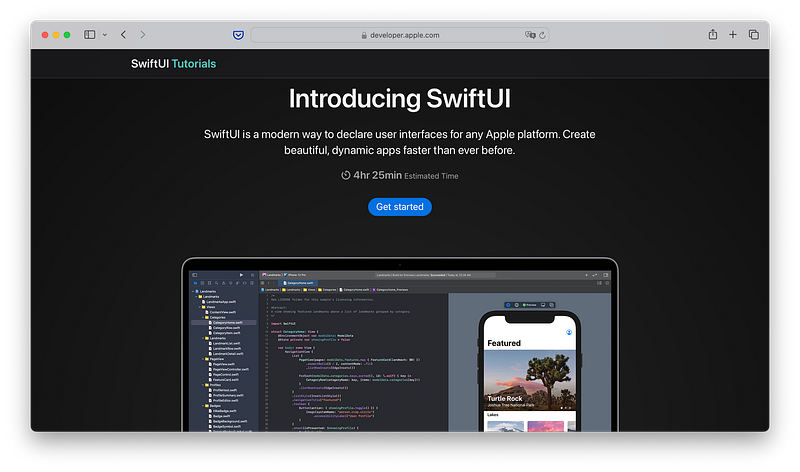
Apple SwiftUI tutorials website. Screenshot by the author.

Swift Playgrounds

Speaking of Apple, Swift Playgrounds is an excellent place to start. It’s available for both MacOS and iPadOS and offers an engaging way to learn the basics of coding. Despite its kid-friendly appearance, it’s suitable for all ages. The best part is that it’s completely free and served as a fantastic starting point for me.
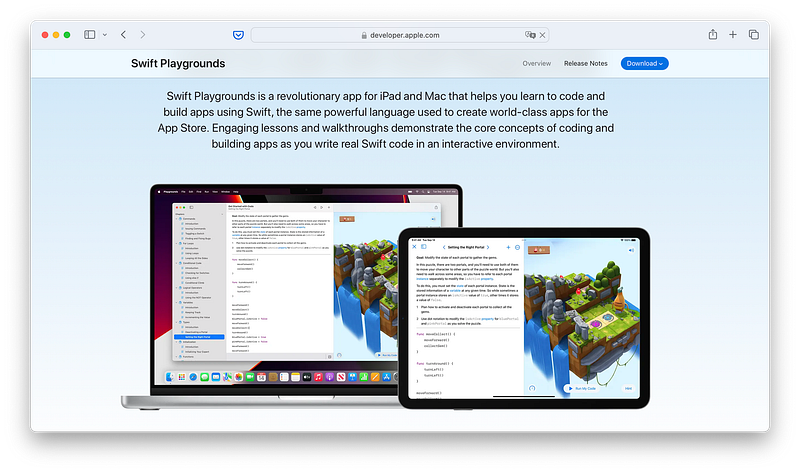
Swift Playgrounds website. Screenshot by the author.

Udemy

Udemy is an online learning platform where anyone can create and sell courses. The quality of courses varies from exceptional to basic, and, at times, not so great. However, it’s relatively easy to find outstanding courses by looking for those with many students, high ratings, and course creators who regularly update their content. This is especially crucial for a dynamically evolving programming language like SwiftUI.

While some courses can cost up to $200, Udemy frequently offers discounts, so you can often acquire courses for about $15, in my experience.
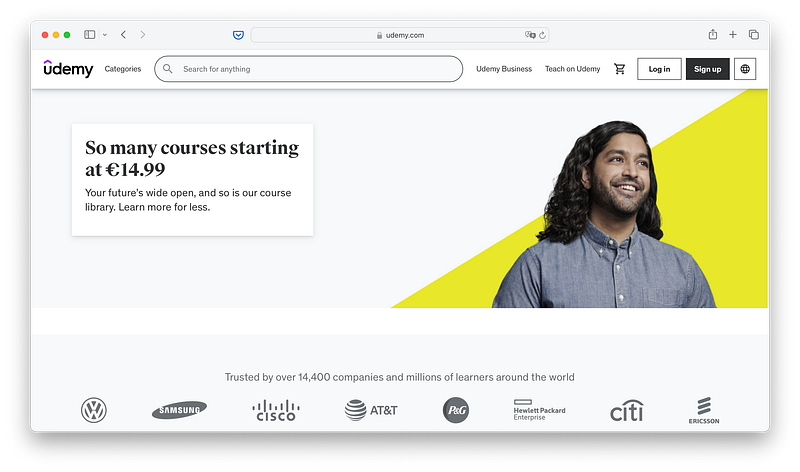
Udemy website. Screenshot by the author.

YouTube

YouTube hosts thousands of coding and programming videos and tutorials. While many content creators aim to sell their courses these days, the fundamentals are still freely available, making it a great starting point for beginners. Simply search for SwiftUI tutorials, and the YouTube algorithm will guide you to the most helpful videos.

Design + Code

If you possess at least a basic understanding of coding, especially in SwiftUI, the Design + Code website is an excellent resource for more advanced concepts and design skills. It covers not just SwiftUI but also various valuable design aspects. I’ve gained a lot of knowledge from this website and its courses. The website is fairly priced as well.

Conclusion

And there you have it — these are the five resources I’ve utilized (or, in the case of YouTube, continue to use today) whenever I encounter a coding problem or seek inspiration. In the end, it doesn’t really matter where you begin, as long as you take that first step and embark on the journey to challenge yourself.

Hej there! Can I ask you a favour (it will really help me out to grow this blog)?

If you find this article insightful and enjoy reading it, consider following me please for more content about Apple, Mem, productivity, and the general landscape of AI, as they help me reach a wider audience, enabling others to benefit from my stories and personal experiences. Thanks for reading and enjoy your day!

More to read:

How to Start Coding for iOS with SwiftUI and xCode in 2023

https://readmedium.com/how-to-start-coding-for-ios-with-swiftui-and-xcode-in-202-ed31fe3e0c67

Apple
Swiftui
iOS
Personal Development
Coding
Recommended from ReadMedium