
Digital Writing
5 Handy Chrome Extensions to Write Your Online Content
For your convenience at no cost!

Writing is a lot easier these days. As long as you’re connected to the internet, you can do pretty much everything in a browser with your Google account. What makes it even better is the availability of browser extensions to ease your writing process.
Extensions are fantastic because, in a single download, you can add new features to enhance a browser’s functionality to your liking. Also, you don’t have to switch to different tabs or applications to get the job done.
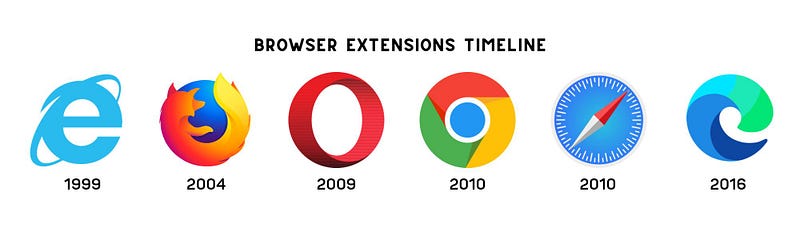
The first browser extension was known as Explorer Bars from the fourth version of Microsoft Internet Explorer back in 1999.
Then the following browser to support extensions was Mozilla Firefox in 2004, followed by Opera in 2009, and Safari and Chrome in 2010. Finally, Microsoft Edge enabled extension support in 2016.
In this post, you’ll find 5 Chrome extensions beneficial for online content writing.
1. Headline Studio by Coschedule
A headline score is vital when publishing online to attract traffic, increase search engine visibility, and boost engagements.
According to Coschedule headline score:
- 59 and below is bad.
- 60–69 is average.
- 70–79 is good.
- 80–99 is great.
- 100 is perfect.
But do not rely on the scoring alone. Though this headline analyzer is one of the best tools to write inviting headlines, the numbers aren’t always accurate.
In fact, a test was conducted to a hundred fifty headlines for fifty articles using the Coschedule Headline Studio in thirty-one days.
It resulted in only 40 percent of high score accuracy, while a lower score headline gets more clicks 60 percent of the time.
So instead of getting influenced by the numbers, you can use the detailed feedback provided by Headline Studio to improve your title.
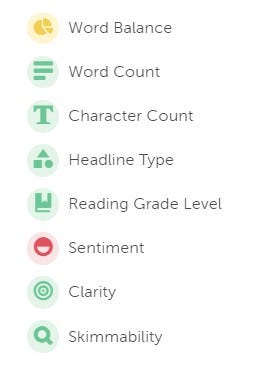
The free version only allows you to analyze up to 25 headlines a day, by the way. And word banks are limited to common and uncommon words only.
But I don’t find the premium features necessary… at least, maybe, not yet.
I mainly use this extension to get feedback on what I need to improve in my headline. Besides, I can always refer to other sources for emotional and power words.
2. Keyword Surfer
I’ve mentioned this tool in my recent post — 11 Free Online Writing Tools to Write Polished Blog Posts.
But since this is an article about browser extensions, it’s only fair to include Keyword Surfer.
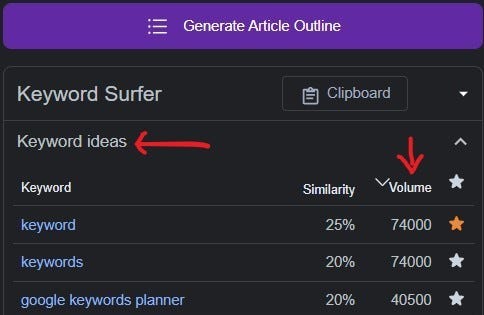
You’d be happy to know that this keyword research Chrome extension is free to use with limitless usage!
Just type the topic you’d like to write, and you’ll find a list of related keywords and monthly search volume.
3. Grammarly
I’m sure many of you are familiar with Grammarly by now. It’s a grammar and spell checker which you can use for free!
The extension makes it more convenient to check errors directly from Google Docs or Medium without copy-pasting them to the Grammarly application.
4. LINER
This extension has to be one of my new favorites. If you need to do a lot of online research, LINER will come in handy to keep track of your notes.
Like regular highlighters, you can highlight a piece of information you’d like to add to your writing from an extensive article.
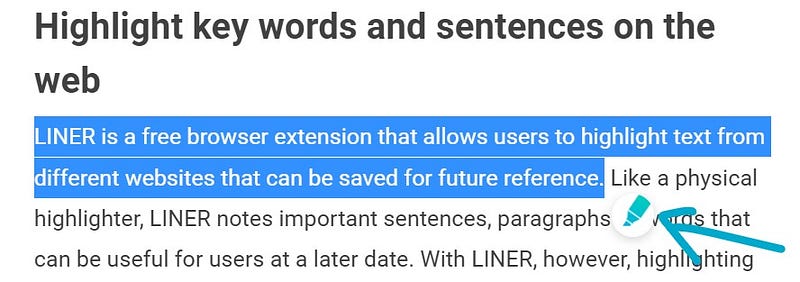
You can also choose who can see your highlights. Since I only use LINER to keep my notes organized, I keep them private.
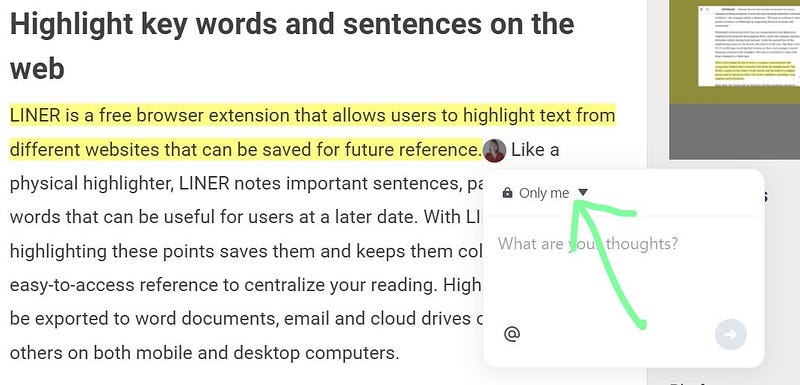
Your highlights will be saved directly to your LINER account, where you can keep track of all your research notes and revisit the articles if you need to.
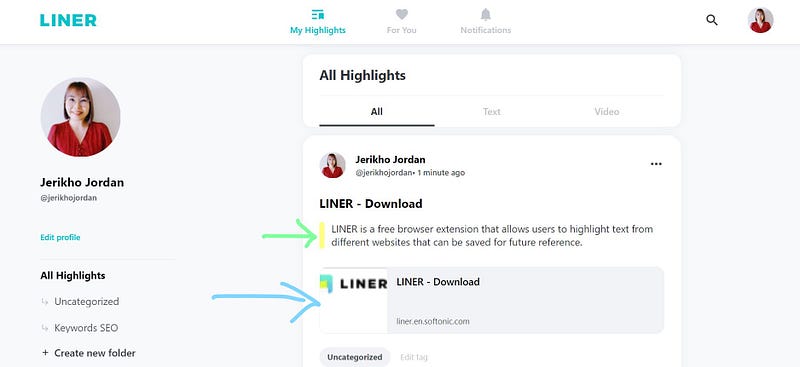
Pretty neat, don’t you think?
The default highlight color is Yellow, and you can only use other colors with a premium account. However, you can switch to different colors with the LINER mobile app.
I don’t have a premium account because I find the basic LINER extension is more than sufficient for my online research.
Other features in LINER include:
- Community sharing notes and insights.
- Take notes in your PDFs.
- Search Assistance.
- Highlighted YouTube moments.
You can check out the LINER YouTube channel to learn more about available features.
I also found out recently that there’s an article here on Medium about how LINER came to be by Sung Cho.
5. QuillBot
If you’re struggling with writer’s block (there are those days) or swamped with multiple tasks that your brain couldn’t compute, this is the perfect tool for that horrific day!
To prevent plagiarism and respect the source, you’d need to paraphrase. So, you can use this extension to rephrase the LINER highlights you want to add to your article.
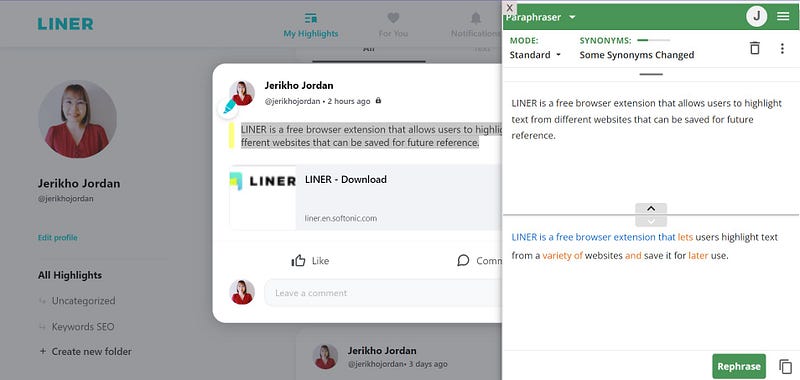
One might say — but it’s just paraphrasing. How hard can it be?
Oh, trust me.
It’s a horror when you have too much on your plate on top of having a bad day! So this extension really comes in handy.
I never use the exact paraphrased sentence suggested by QuillBot because it is an AI tool, and nothing beats a human touch in your writing. But I usually use it to keep myself brewing for ‘better-sounding’ phrases.
Also, you can use the QuillBot extension as a summarizer and grammar checker.
Last Words
Though I only write about extensions for Google Chrome, you can find most of them on popular browsers like Opera and Microsoft Edge.
What are your preferred browser extensions for writing?
Looking for an AI writing assistant? Check out my thoughts on QuillBot Premium. ⬇⬇⬇
🕖 Follow and be a writer for Time To Write The Next Article, a Medium publication founded by Don Sabado.
🖋 Time To Write The Next Article welcomes pieces about writing, travels, teaching, and making money online!
📋 You can read the updated guideline here, and start writing the next article! 😊


