
5 Apps for Book Lovers
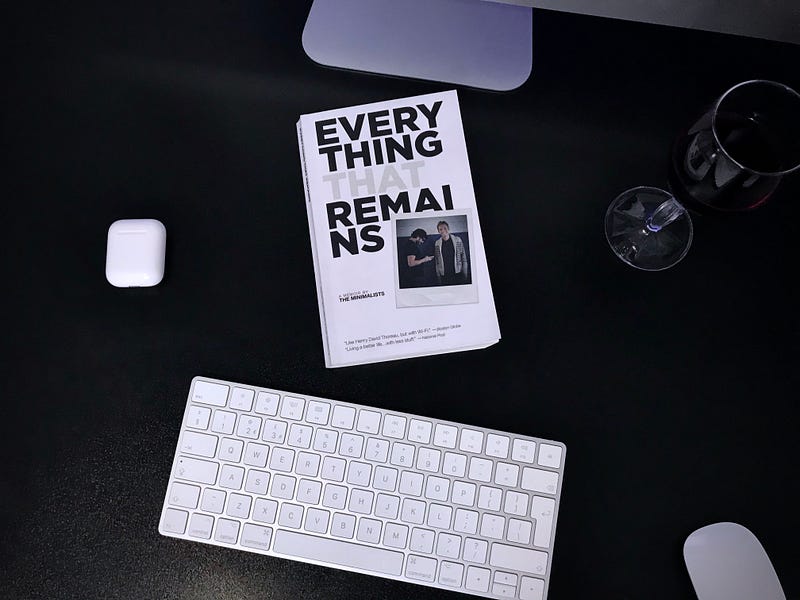
Reading is like feeding a plant — water it once a week and see it grow up in months. We want to remember every moment of its life, remember different stages of its lifetime, and not forget to feed it.
I see books as plants; the more I read, the greener my mind becomes.
This article will demonstrate five applications for the following subjects:
- Audio Books
- Logging Insights
- Helping Memory
- Digital Books
- Book Reviews
Digital vs. Physical
Technology has changed our lives. For the better or worst, we have come to enhance our lives with it.
I will be including some of the most useful and visually pleasing user interfaces from various applications.
A lot of people are old fashioned, and many bookworms like the physical touch of books. They are accustomed to behaving in specific ways that make them hesitant to try new solutions that would enhance their lives by a large margin.
I don’t blame any, it certainly frightens us to try new things, but sometimes, we have to take a leap of faith, the trust will come.
With that said, let’s introduce some fantastic applications.
1. BookPlayer by Gianni Carlo — Audio Books
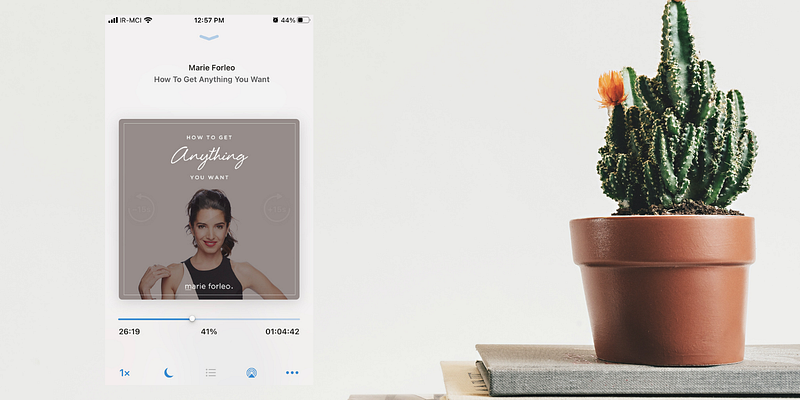
BookPlayer is a no brainer for people who don’t want to pay for subscription services and get their audiobooks from their local libraries.
As someone who enjoys commute while listening to audiobooks, I can’t recommend this enough, as the application works with iOS 14 and supports widgets. It features a sleep timer, playlists, and many great features.
On your Mac, Airdrop the audio files, select this app as the receiver on your iPhone, then create a playlist to organize your files.
You can download BookPlayer from the AppStore for free.
2. Highlighted by Damir Stuhec — Logging Insights
What is the point of reading a book and forgetting what you read after a month or so? A lot of people have mentioned note-taking as a viable solution to remember what you read.
I don’t believe taking notes is enough. You have to think about what you are reading, ask questions, and be genuinely interested. Otherwise, it will simply fade away from your memory.
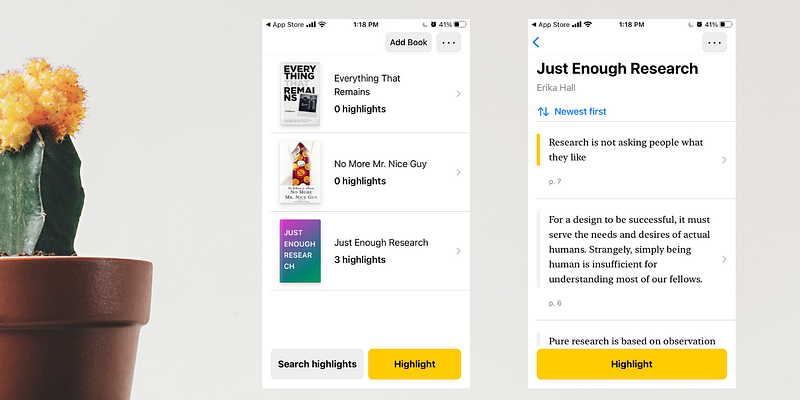
With the help of Highlighted, it is super easy (and futuristic) to remember what you read.
Add a book by scanning it, then use AR (augmented reality) to capture a text you find interesting throughout the book, and let the app organize and save the text for you.
It works like magic and has an iPad version as well.
You can download Highlighted for free from the AppStore.
3. BookTrack by Simone Montalto — Helping Memory
I have talked about this app in my article for the ten minimal mac apps, but for this time, the use case is why I included it here.
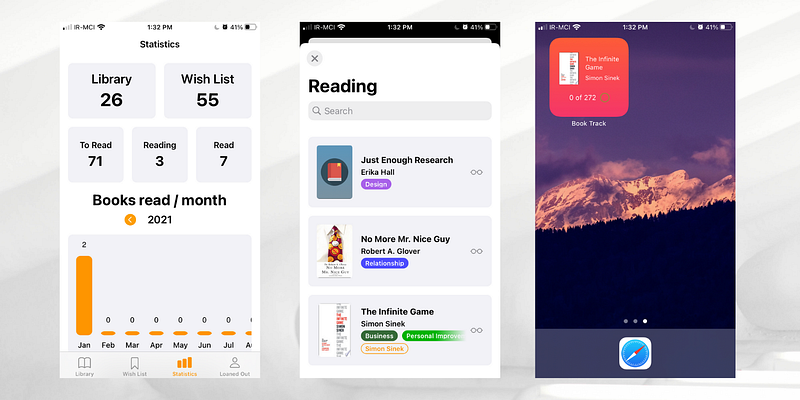
Not only will you get insights into the number of books you have read, giving you more motivation to read more, but also, you can categorize the books you wish to purchase as well as keeping track of which pages you have read.
Suppose you are reading a novel that is 600 pages long. For me, it usually takes a month to finish it, and knowing which page I have left the book on is essential as I don’t use any physical bookmarks.
This app helps a lot as it comes with widgets for iOS 14 and Mac OS Big Sur.
The app also is incredibly designed for iPad and Macs. I suggest you give it a try.
The BookTrack is available to download from the AppStore for $4.99 on iPhones and iPads, and $9.99 on Macs.
4. PDF Reader by Xodo Technologies — Digital Books
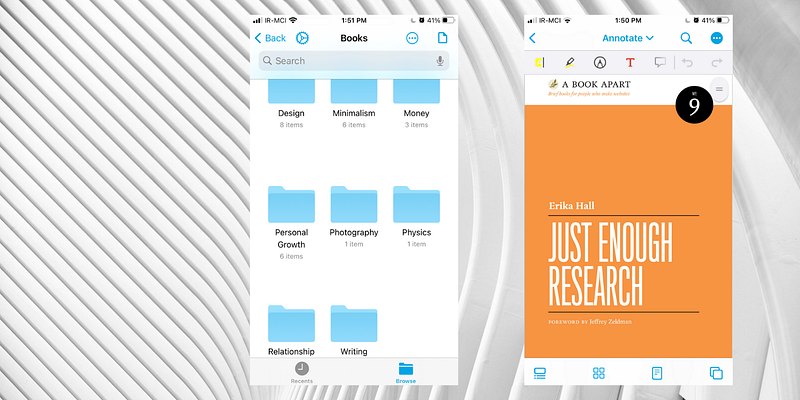
PDF Reader by XoDo give you the ability to have a set of tools to make your files feel like real books, connects to your cloud storage and uses a traditional approach to files for opening your PDF books.
Once you organize your books into folders, it is super simple to navigate and read them. The app allows you to highlight a text and append the file.
If you own an iPad and have an Apple Pencil, you are in luck since this application supports both of them and is super easy on the battery.
You can download PDF Reader by XoDo from the AppStore for Free.
5. GoodReads — Book Reviews
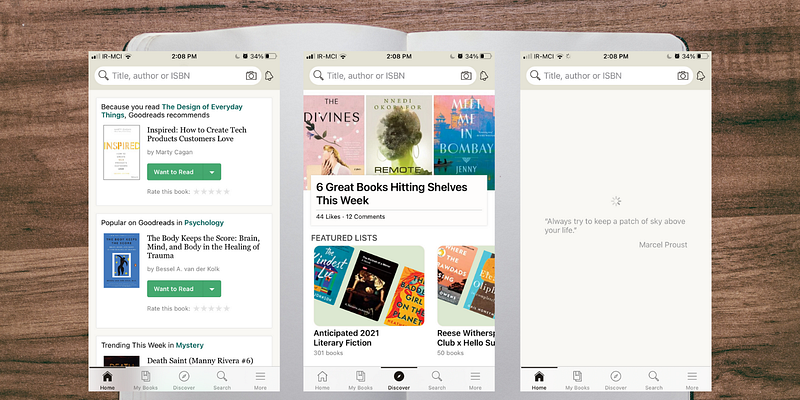
Reading and buying books might be easy, but finding the right book is a difficult task. You can go ahead and ask friends and family for some books, but the quality of their recommendation is just as good as the number of books they have read; that is why I recommend using GoodReads.
It has an intelligent algorithm that analyzes the books you have read and recommends those with similar subjects you might find interesting.
When it comes to the design, it lacks a lot; so much that it made me uninstall the iPad app and use their website from Safari as the user interface does not utilize the iPad’s large screen.
Just a reminder that when a product is free, the cost of using it is you and your data.
You can download GoodReads for Free from the AppStore.
Thanks for reading this article. I hope you have learned something. I am very interested in your recommendations, so let me know if you have any, and I will add them in my next articles.
Make sure to give this article some claps since that helps a lot, and share it with people who you’d think will benefit from these apps.