
3 Powerful Uses of Notion to Streamline Your Life
Do things only if they are great?
With today's hectic lifestyle, it's not uncommon to see people squeezing with many projects, events, opportunities, and time commitments into a single day as possible.
The Notion is a revolutionary all-in-one productivity tool that's making waves.
How do you set your life up?
I love life organization and productivity tips; planner images on Instagram are among my favorites to read through.
The usefulness of Notion is in its adaptability. A notion can adapt to any setting and enable you to gather information, whether in content production, sales, product management, or technology.
Here are three ways to simplify your life with Notion.
1. Using Notion to Manage Tasks.
People typically choose one of two strategies for handling work. Using the /To-do list blocks, you can either make a basic task list or a task database.
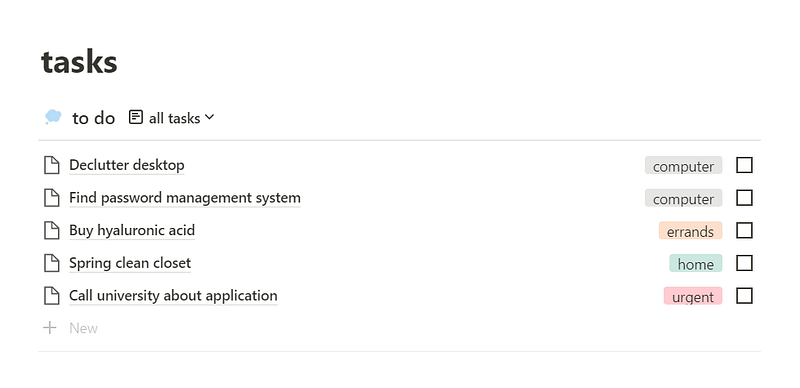
I choose the latter option for my tasks page since it enables me to add details to tasks and sort them by context, due date, and other criteria.
2. Utilizing Notion as a Daily Focus Tool.
My Today page is one of my most basic but most essential pages. I've just linked my Duties database for personal and professional tasks (using the /Create related database command).
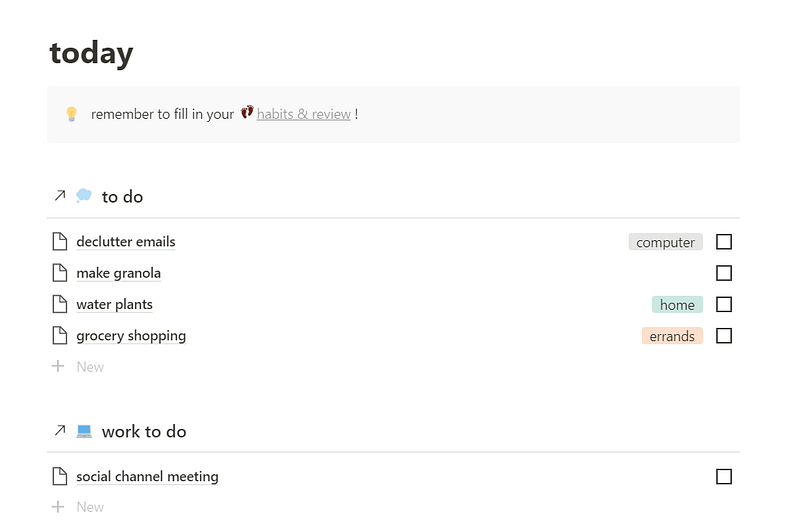
It only displays unfinished jobs scheduled on or before today because I applied a filter.
In addition, I've included a note to myself reminding me to complete my habit tracker and daily review (which we'll talk about in more detail later).
You can add a link to your journal page or anything else you want to accomplish every day.
3. Manage Finances With Notion.
The primary aim of Notion for me is managing my finances. To help me manage and organize my spending, I have sections for bills, debt, freelance earnings, and my financial diary.
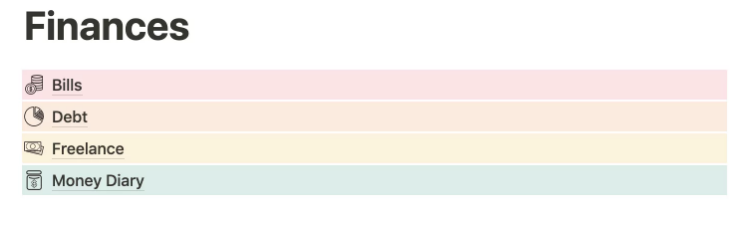
This can be used to keep track of investments, savings, recurring payments, and more.
I like to pay my bills by hand. I get anxious about automatic payments, and I prefer to be aware of the precise dates on which each one of my bills is deducted from my account.
My bills page is set up to list every bill I have to pay, the monthly payment amount, a tick to mark it as paid, and the day it was paid.
My debt page, which I update each month to see the numbers steadily decline, allows me to clearly understand how much I still owe.
The client, the payment date, and the amount are all listed on my freelance page. To track how my secondary income has changed over time, I had the table total the money I earned from each client.
Finally,
Notion, in my opinion, is a brilliant illustration of how "technology eats the universe" from a philosophical perspective.
In the past, note-taking programs like OneNote and Evernote were electronic versions of conventional systems, such as file cabinets, notebooks, and paper.
But there was a turning point, and now you can use apps like Notion to perform tasks that are not conceivable in the real world.
Although I consider myself a Notion power user, there are moments when I feel as though I’m only using a small portion of what the software is capable of.
With Notion, you may create and host websites, and the recently available API has expanded the range of potential uses even further.
However, my only question is:
Why hasn't Notion got offline mode yet?
Did you enjoy this article? Feel free to become a member for full access to my content — and the entire Medium library! In addition, I'll earn a small commission if you sign up through my link. Thank you for supporting my work!