
3 ChatGPT Extensions to Automate Your Life
ChatGPT on WhatsApp, Gmail, Google Sheets, your code editor, and more!

Unless you’ve been living under a rock, you probably know how ChatGPT is changing businesses and the way we work and communicate. You only need to go to OpenAI’s website to unlock the power of ChatGPT.
But what if we could use ChatGPT not only on its official website but on WhatsApp, Gmail, Google Sheets, and more places?
Now it’s possible! We can have ChatGPT’s functionalities on different apps through extensions. Here are 3 ChatGPT extensions that will help automate your life.
God In A Box: ChatGPT on WhatsApp
Picture this: you’re in the middle of a WhatsApp chat and suddenly you don’t know how to answer a question or run out of ideas to keep the conversation going.
That can happen to anyone, but it shouldn’t be a problem anymore.
Now we can use an extension called “God In A Box.” This extension creates a chat with ChatGPT on WhatsApp. You only need to register and then you can start using ChatGPT directly on Whatsapp.
You can use this extension in the same way you’d use ChatGPT. Here’s an example.
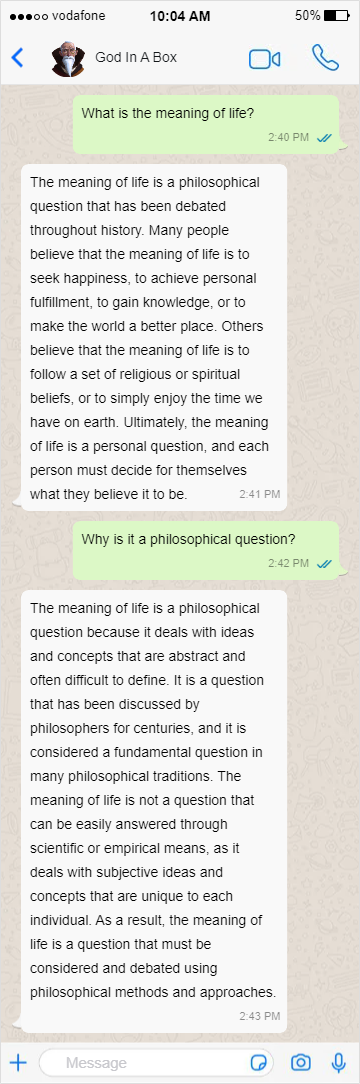
God In A Box understands context, so you can start a conversation with it as if it was one of your friends.
Note that God In A Box is free for up to 40 messages a month. In case you want unlimited messages, you have to get one of the plans (plan starts at $6/month)
Link: Get this extension here.
Merlin: ChatGPT on Google Chrome
If you want to unlock the power of ChatGPT on Google Chrome, you should download “Merlin.”
With Merlin you can have ChatGPT’s functionalities on sites such as Gmail, Google Sheets, and anywhere you search/write on the internet!
Just like ChatGPT, with Merlin you can do lots of things. To name a few:
- Summarize content on any website: Select text, press
cmd + M, and ask Merlin to generate a summary based on that text.

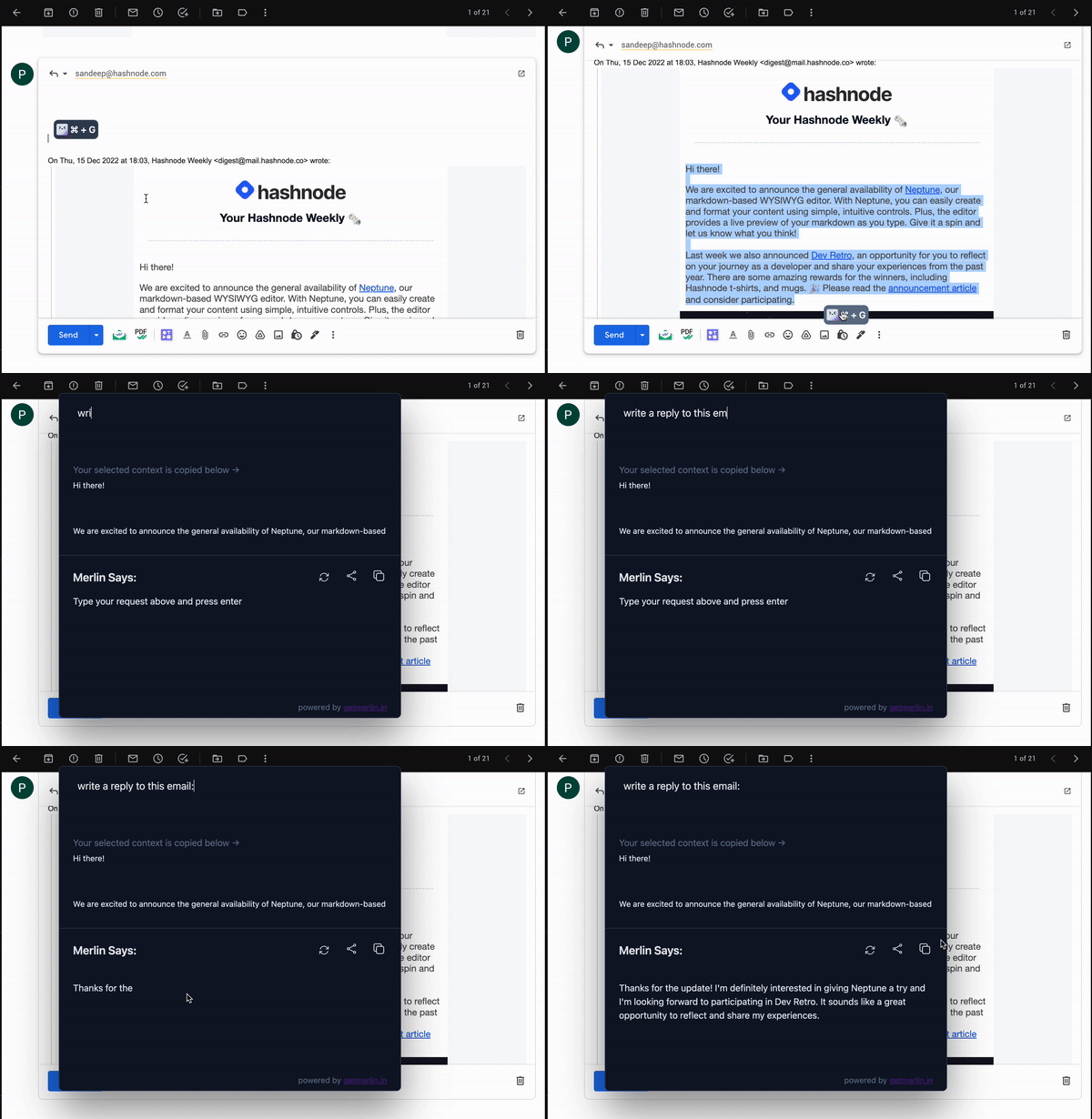
- Write professional email replies: Provide Merlin with a prompt that describes the context of an email. Then press
cmd + Mand ask it to generate text based on that prompt.
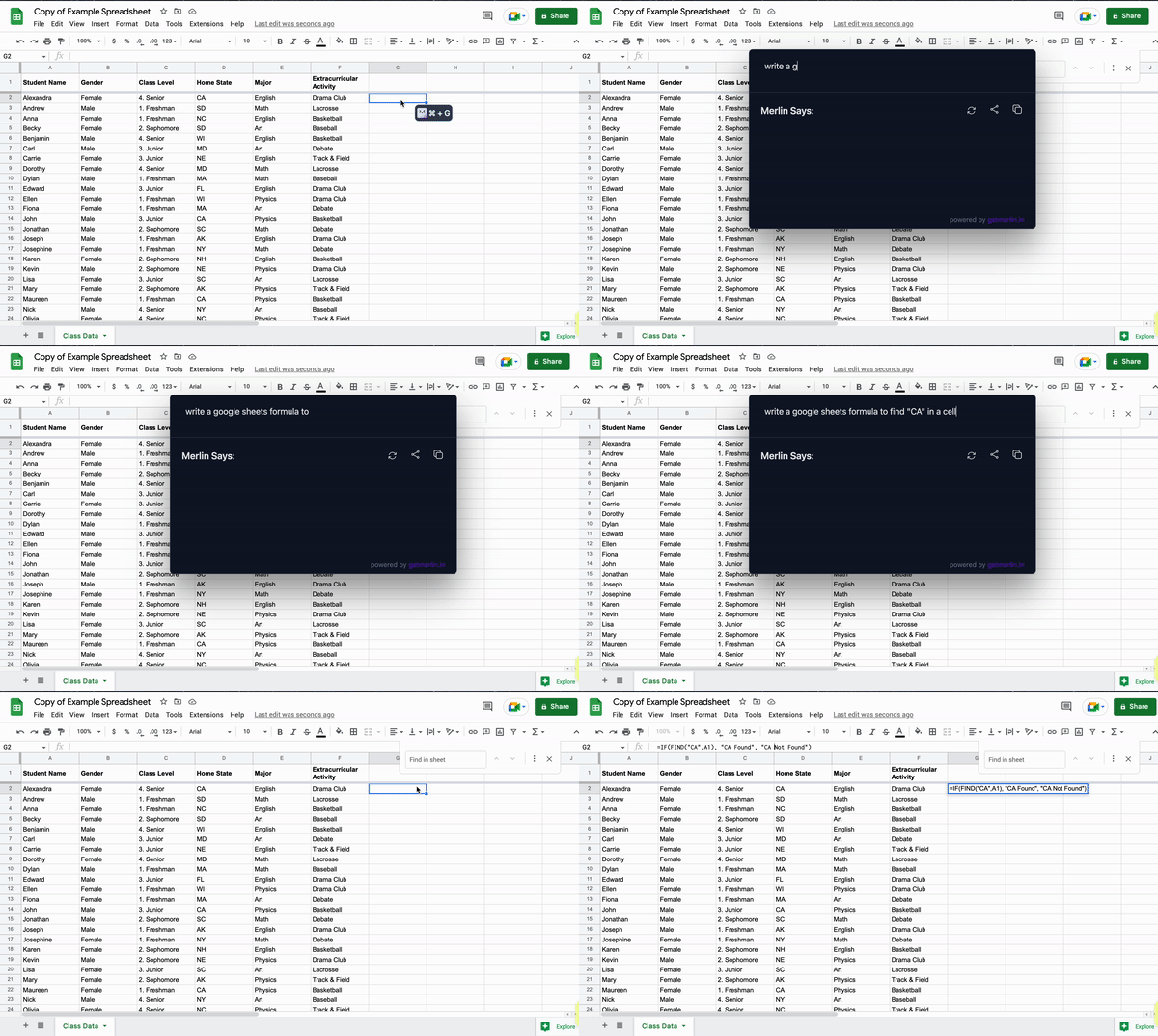
- Master complex Excel formulas: Provide Merlin with a prompt that describes a desired function and ask it to generate a formula based on that prompt.
Link: Get this extension here
Code GPT: ChatGPT on VSCode
If you want to improve your productivity as a programmer, you should download the extension “Code GPT” on VSCode.
This VSCode extension allows us to generate code, explain code, ask questions, refactor code, document code, and find problems in our code.
To generate code, we only need to type a comment and press cmd-shift-i. Then, CodeGPT will open a new window with the code.
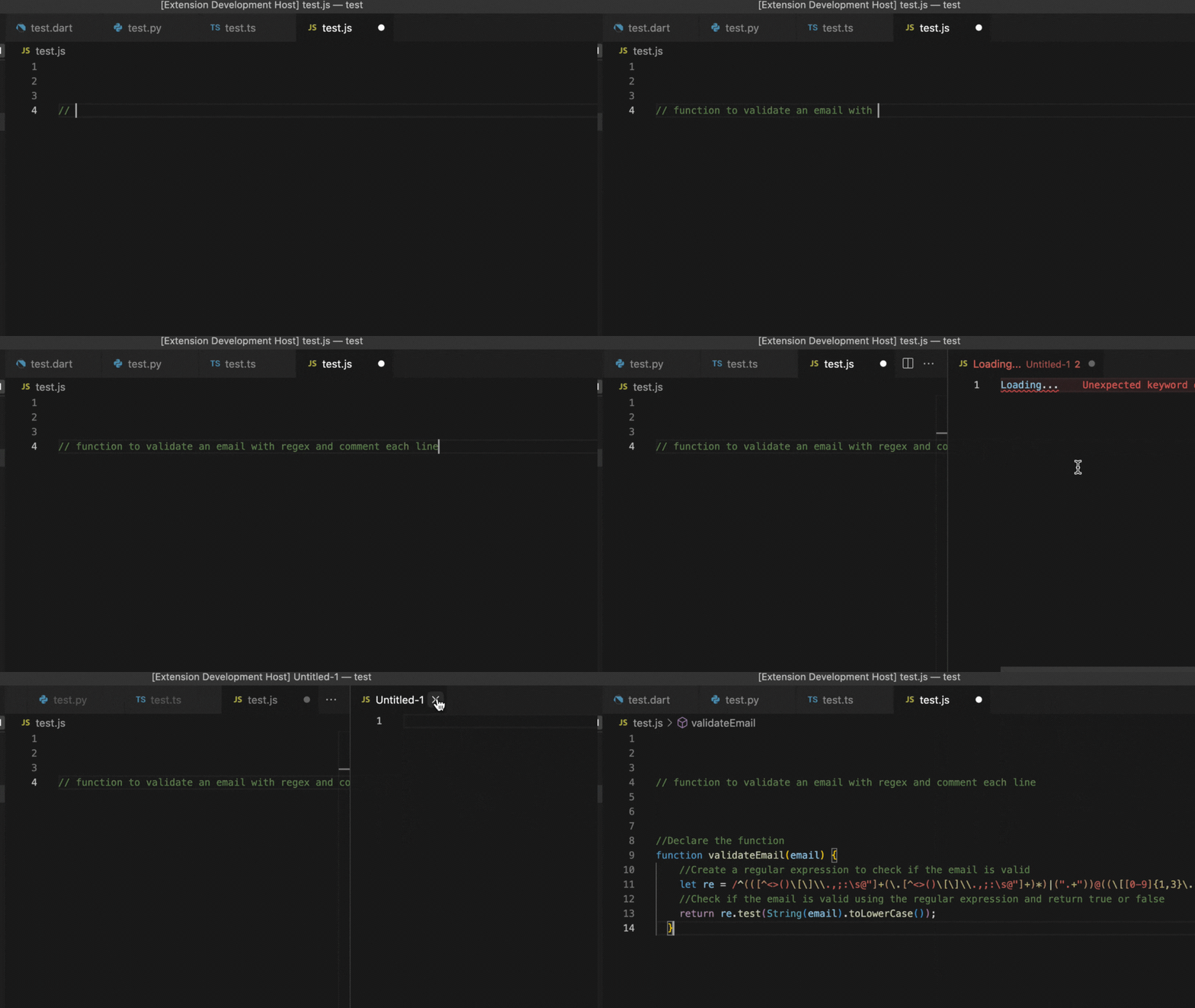
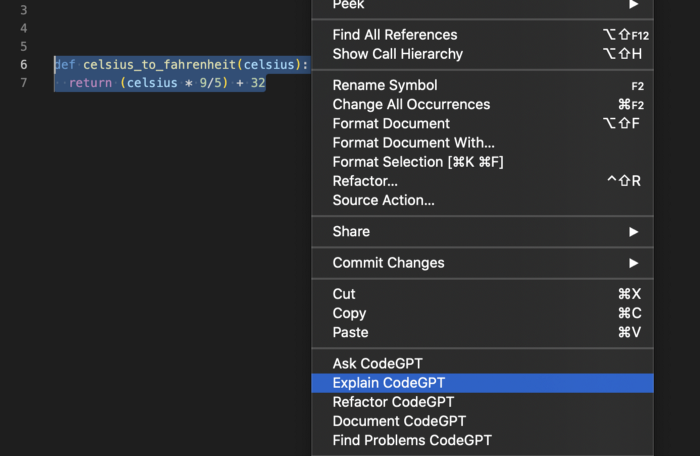
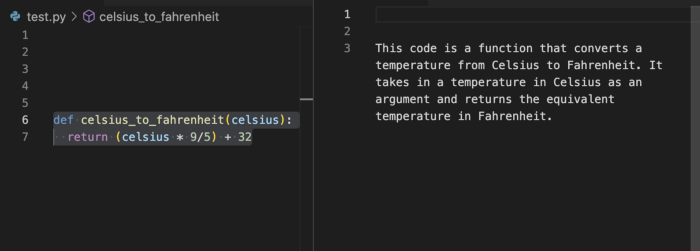
If we want to explain the code we only have to select some code, right-click on it and select the option “Explain CodeGPT.”
CodeGPT will open a new window with the output.
For more info about this extension, read this.
Link: Get this extension here.
Join my email list with 20K+ people to learn how to use AI to improve your everyday life.
If you enjoy reading stories like these and want to support me as a writer, consider signing up to become a Medium member. It’s $5 a month, giving you unlimited access to thousands of Python guides and Data science articles. If you sign up using my link, I’ll earn a small commission with no extra cost to you.