
CodeGPT: The VSCode Extension with ChatGPT-Like Functionalities
GPT-3 inside VSCode using the official OpenAI API.
I’m not a big fan of VSCode, but I have to admit that it has more useful extensions than the code editors I use on the daily basis.
One of those extensions is CodeGPT. This extension allows us to use GPT-3 inside VSCode through the official OpenAI API. This is something like having ChatGPT in our code editor!
With CodeGPT we can generate code, explain code, refactor code, and more. Let’s see how to set it up and explore all its functionalities.
Setting up CodeGPT on VSCode
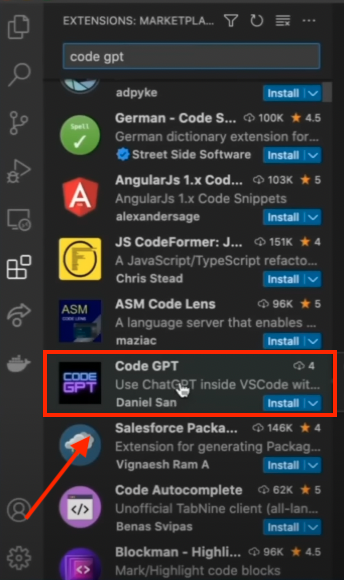
To install this extension, we have to open VSCode, go to extensions, and search “Code GPT.” Once we find it, we click on “install”.
Once Code GPT is installed, we have to go to “Settings” and go to “Code GPT” (on macOS go to the menu bar and click on Code, then select “Preferences” to find the “Settings” option).
On settings, we’ll see the following.
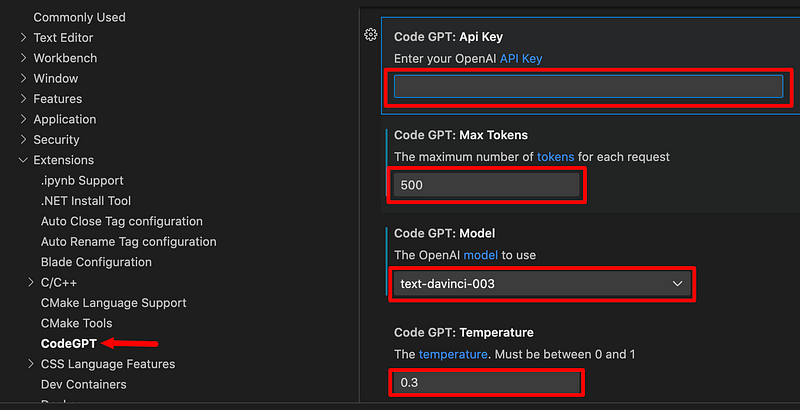
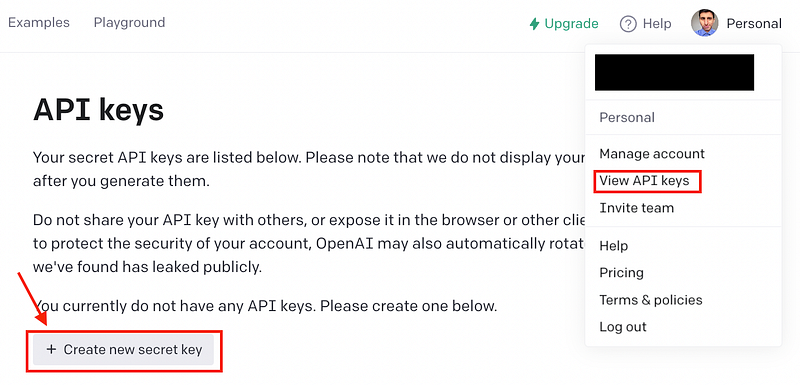
To work with this extension you need to type your OpenAI API key in the first box in the image above.
You can leave the remaining boxes as is, but in case you want to customize them, keep this in mind:
- Max tokens: Maximum number of tokens you want to get for each request to the API
- Model: Currently there are 3 models available in this extension (
text-davinci-003,code-cushman-001andcode-davinci-002). Among these optionscode-davinci-002is the most powerful when it comes to coding. - Temperature: Controls how much randomness is in the output (the lower the temperature, the more likely GPT-3 will choose words with a higher probability of occurrence)
Exploring CodeGPT
Here are the top features of CodeGPT
- Generate Code: You only need to type a comment asking for a specific code, then press
cmd-shift-iand CodeGPT will open a new window with the code.
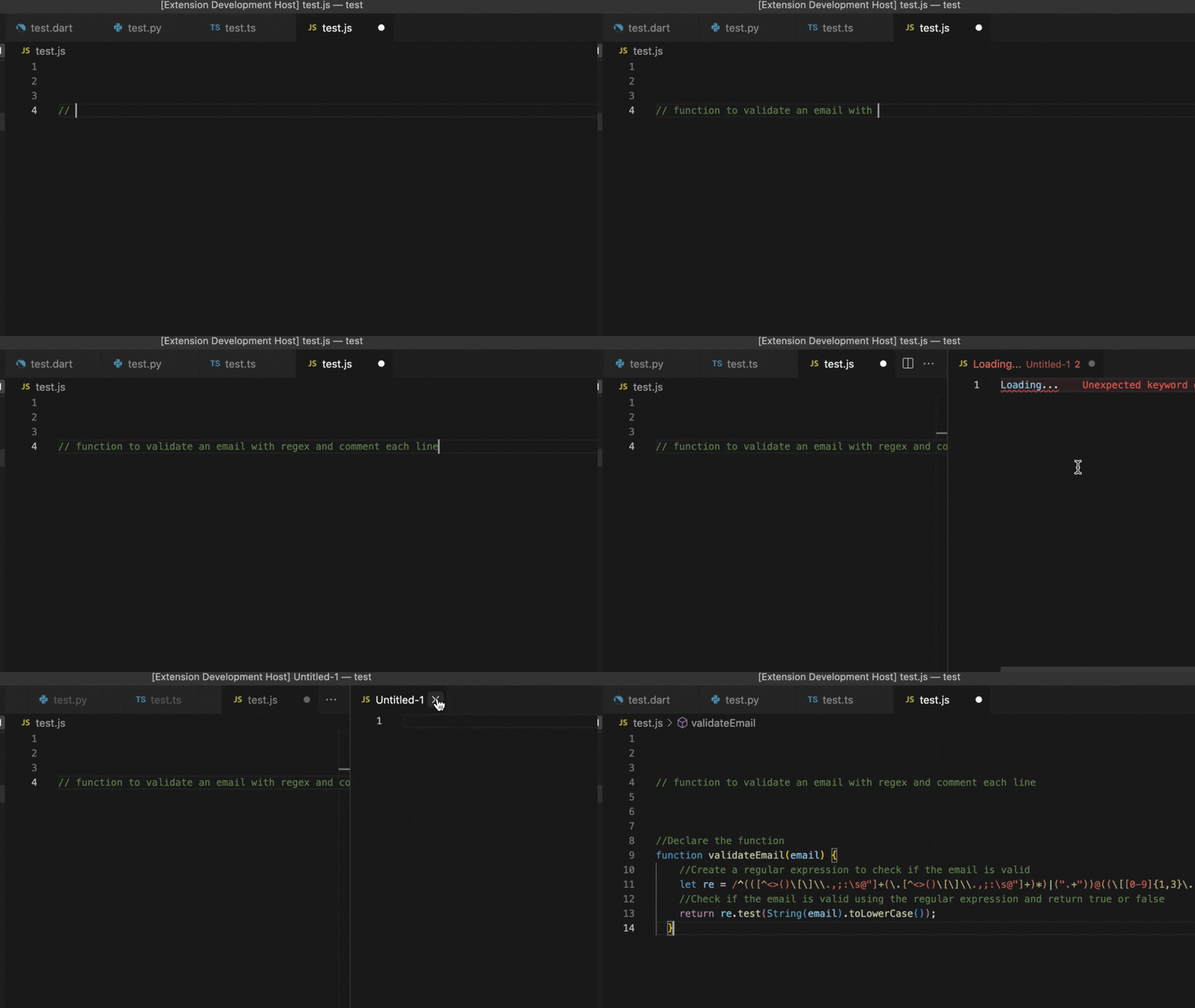
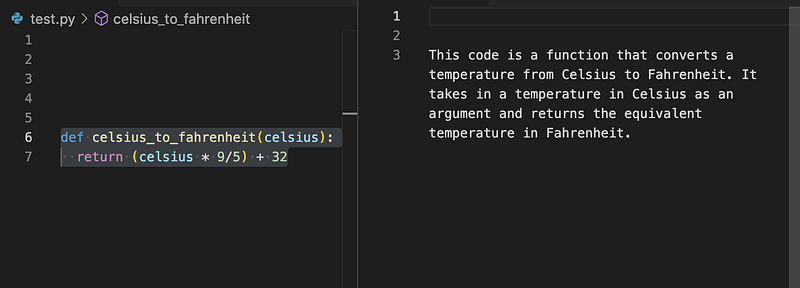
- Explain Code: Select some code, right-click on it and select the option “Explain CodeGPT.” CodeGPT will open a new window and explain the code.
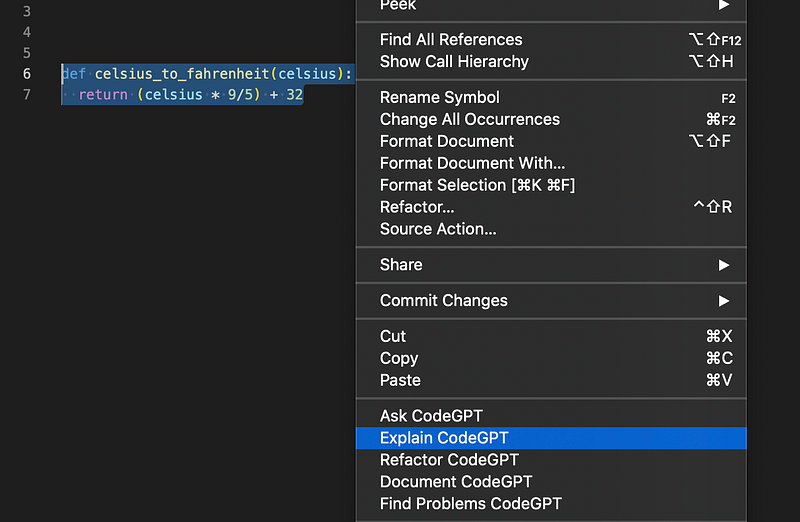
Here’s the result
But that’s not all! Here are Other things you can do with CodeGPT:
- Ask questions
- Refactor code
- Document code
- Find problems in your code
For more information about this extension, click here.
That’s it! Now is your time to explore this extension. Let me know in the comment section what you think about CodeGPT.
Automate your life with Python! Get my FREE Automation Cheat Sheet by joining my email list with 20k+ people.
If you enjoy reading stories like these and want to support me as a writer, consider signing up to become a Medium member. It’s $5 a month, giving you unlimited access to thousands of Python guides and Data science articles. If you sign up using my link, I’ll earn a small commission with no extra cost to you.