
2023 Habits Tracker in Google Sheets — with Free Template
Track up to 20 habits in one yearly overview
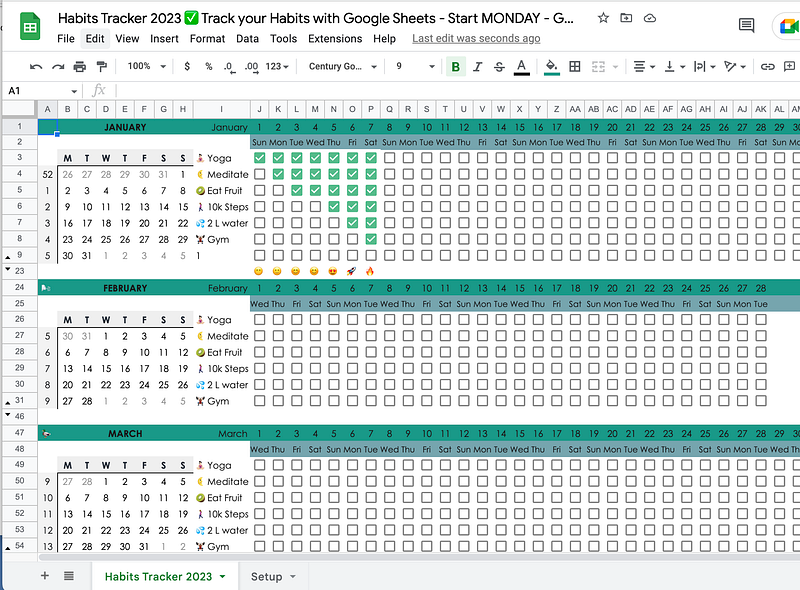
Track healthy habits, such as how often you hit the gym, your daily water intake, homework assignments, language learning activities, or any other habit you want to build.
Get your free template here
Click on either of the links below to get a copy of the template:
- 2023 Google Sheets Habits Tracker with mini calendars starting on Sunday
- 2023 Google Sheets Habits Tracker with mini calendars starting on Monday
Any edit requests will be ignored and deleted.
How to use the template
Now. Once you have your copy, you are free to edit your template, rename it, and set it up to start tracking your habits.
Start by adding some habits in the “Setup” tab.
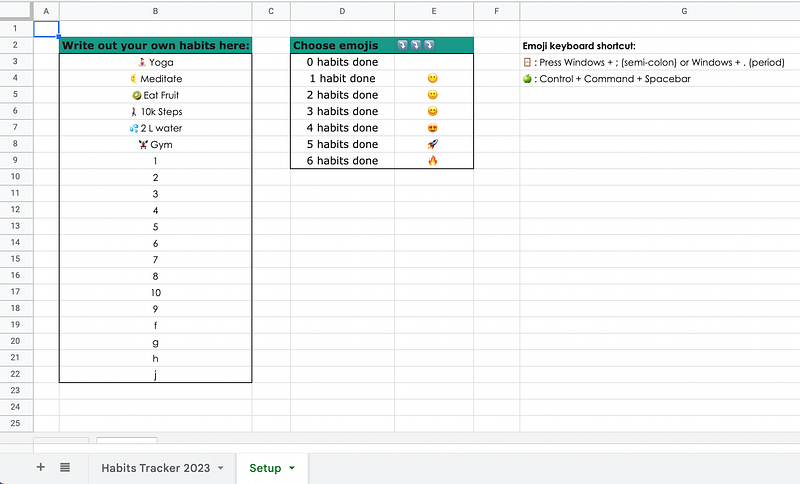
See that bordered box in column B? Write any number of habits in here. Delete the dummy or example data. In this year’s template, there is room to add up to 20 habits. These habits will automatically appear in column I in the Habits Tracker 2023 tab.
I like to keep the numbers low and track around six habits. Otherwise, it can get overwhelming real quick.
Of course, this is entirely up to you.
Don’t see all the habits you’ve added? You may need to unhide some of the rows that are not visible right now.
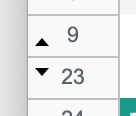
Click on either of the triangles to unhide any hidden rows. Then, select rows you won’t need > right click > hide. Just to keep your habits tracker nice and tidy.
Some quick tips
- The mini-calendars on the right, as well as the rows with dates, will color orange if the date equals today. You’ll always know what day it is.
- The far right shows your stats: totals, current streak, longest streak, goal, and progress in a percentage. All of these stats are calculated automatically. You only need to set a goal — if you want to.
- Emojis will appear, depending on the number of habits you’ve checked off.
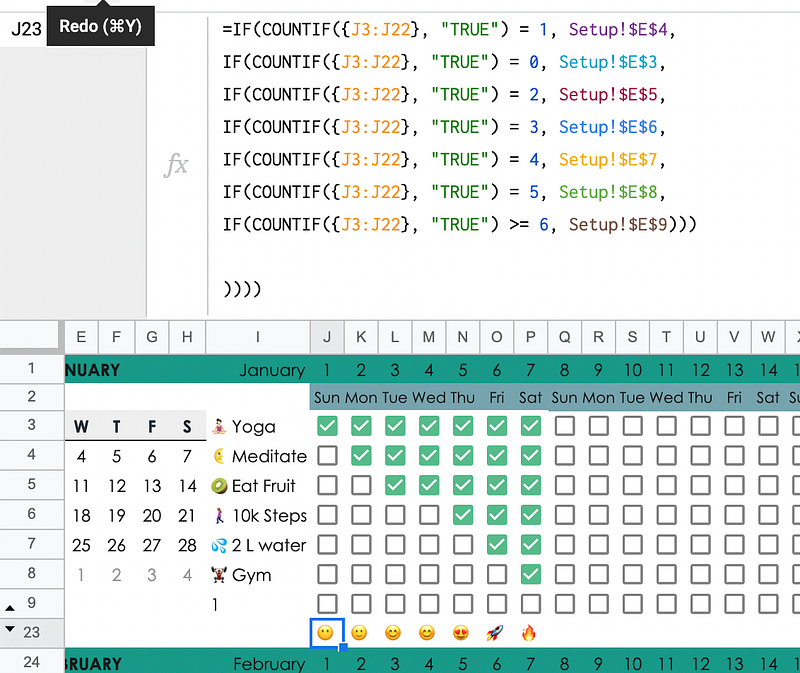
The cells in the row with emojis all have this formula. As you see, the final condition to be met is 6 or more habits checked off.
I figured 7 different emojis to be enough of a visual circus.
Final words
Want to start tracking your habits today or from December 2022 onwards? Then head over to the 2022 Google Sheets Habit Tracker.
Did you modify this or another template, or otherwise create a Google Sheets template that the public can use? We’re accepting submissions at the Google Sheets Geeks publication!
Got questions? Drop them in a comment.
Otherwise: happy habit tracking!


