avatarChristie C.

Free AI web copilot to create summaries, insights and extended knowledge, download it at here

6824

Abstract

gure><h2 id="39ac">9. Abstract Expressionism</h2><p id="8219">Artistic style characterized by spontaneous and gestural brushwork.</p><blockquote id="039d"><p>Prompt: A sticker of Doraemon, Abstract expressionism <code><i>--ar 1:1 -- niji 5 --s 180</i></code></p></blockquote><figure id="621d"><img src="https://cdn-images-1.readmedium.com/v2/resize:fit:800/1*2DeI75Y0FkG2moFyt25DRw.png"><figcaption>A sticker of Doraemon, Abstract expressionism</figcaption></figure><h2 id="9f19">10. Vintage Retro Style</h2><p id="7788">Designs inspired by antique and aged visuals, often with a nostalgic feel</p><blockquote id="839c"><p>Prompt: A sticker of a girl with chocolate, Vintage retro style <code><i>--ar 1:1 -- niji 5 --s 180</i></code></p></blockquote><figure id="cc1c"><img src="https://cdn-images-1.readmedium.com/v2/resize:fit:800/1*dVZOVX2sctdBQLfOaEaUWQ.png"><figcaption>A sticker of a girl with chocolate, Vintage Retro Anime Style</figcaption></figure><h2 id="01ac">11. Gothic Art Style</h2><p id="cbd0">The gothic aesthetic can be found in Japanese manga and anime, where it is often used to convey a sense of fantasy or horror.</p><blockquote id="4304"><p>Prompt: A sticker of a girl with cosmetics, Gothic anime style <code><i>--ar 1:1 -- niji 5 --s 180</i></code></p></blockquote><figure id="bc07"><img src="https://cdn-images-1.readmedium.com/v2/resize:fit:800/1*TyojIxiqRuLYgeOhLS7YTA.png"><figcaption>A sticker of a girl with cosmetics, Gothic anime style</figcaption></figure><h2 id="7d95">12. Chibi Character Design</h2><p id="fae4">A style originating from Japan where characters are depicted in a super-deformed manner, characterized by their small, chubby bodies, oversized heads, and simplified features.</p><blockquote id="743f"><p>Prompt: A sticker of a cute Thor holding a hammer, chibi-style anime character <code><i>--ar 1:1 -- niji 5 --s 180</i></code></p></blockquote><figure id="1aa1"><img src="https://cdn-images-1.readmedium.com/v2/resize:fit:800/1*NZQJYSiDpL0sy_lqq6goww.png"><figcaption>A sticker of a cute Thor holding a hammer, chibi-style anime character</figcaption></figure><h1 id="d0d7">Sticker Pack</h1><p id="c067">Once you have designed several die-cut stickers with different styles, it’s time to create a sticker pack. When creating a sticker pack, there is a formula you can follow.</p><blockquote id="d170"><p>[ Subject ] sticker sheet/ pack, with white border, knolling layout, [ Color — optional ] , [ Style mentioned above — optional ] <code><i>--ar 1:1 -- niji 5 --s 180</i></code></p></blockquote><h2 id="5daa">Key terms:</h2><p id="baa5">White border: Leave enough room for each individual sticker Knolling: To ensure our sticker pack is in a clean and neat arrangement Color & Style — optional</p><p id="3378">Let’s look at some examples:</p><h2 id="5b72">13. Puppy</h2><blockquote id="e128"><p>Prompt: Cute puppy sticker pack, with white border, knolling layout, harmonious colors <code><i>--ar 1:1 -- niji 5 --s 180 --style cute</i></code></p></blockquote><figure id="cb90"><img src="https://cdn-images-1.readmedium.com/v2/resize:fit:800/1*lmevAkokqJSctPRhKwpp8g.png"><figcaption>Puppy sticker pack</figcaption></figure><h2 id="2cec">14. Food and Beverages</h2><blockquote id="9db9"><p>Prompt: Fast food sticker pack, knolling layout, with white border, harmonious colors <code><i>--ar 1:1 -- niji 5 --s 180 --style cute</i></code></p></blockquote><figure id="c33e"><img src="https://cdn-images-1.readmedium.com/v2/resize:fit:800/1*TlLn2Yw_yxb_IZYah-IC8A.png"><figcaption>Fast food sticker pack</figcaption></figure><h1 id="725e">Incorporate Movie, Theme or Category</h1><p id="0410">It is always a good idea to use a theme like a movie.</p><h2 id="967d">15. Harry Potter</h2><blockquote id="e678"><p>Harry Potter sticker pack, knolling layout, with white border, harmonious colors <code><i>--ar 1:1 -- niji 5 --s 180</i></code></p></blockquote><figure id="40dc"><img src="https://cdn-images-1.readmedium.com/v2/resize:fit:800/1*CoBzkf0KVKwne2dyuzbmDQ.png"><figcaption>Harry Potter sticker pack</figcaption></figure><h2 id="c023">16. Alice in Wonderland</h2><blockquote id="bfe9"><p>Prompt: Alice in Wonderland sticker pack, knolling layout, with white border<code><i>--ar 1:1 -- niji 5 --s 180</i></code></p></blockquote><figure id="1f0c"><img src="https://cdn-images-1.readmedium.com/v2/resize:fit:800/1*PoPHlUOFKlNKqkL2yGr8gQ.png"><figcaption></figcaption></figure><h2 id="4f09">17. Marvel</h2><blockquote id="87a6"><p>Prompt: Marvel sticker pack, knolling layout, white border<code><i>--ar 1:1 -- niji 5 --s 180</i></code></p></blockquote><figure id="6609"><img src="https://cdn-images-1.readmedium.com/v2/resize:fit:800/1*3Kn_JTqI0YJVhFMuRGqTtg.png"><figcaption>Marvel sticker pack</figcaption></figure><h1 id="5c28">Seasons & Holidays</h1><h2 id="3854">18. Christmas</h2><blockquote id="312c"><p>Prompt: Christmas sticker pack, knolling layout <code><i>--ar 1:1 -- niji 5 --s 180</i></code></p></blockquote><figure id="4082"><img src="https://cdn-images-1.readmedium.com/v2/resize:fit:800/1*4O8RXnhMxV__o98-pRXYcQ.png"><figcaption></figcaption></figure><h2 id="f7bb">19. Halloween</h2><blockquote id="f1c2"><p>Halloween sticker pack, knolling layout<code><i>--ar 1:1 -- niji 5 --s 180</i></code></p></blockquote><figure id="fa0f"><img src="https://cdn-images-1.readmedium.com/v2/resize:fit:800/1*PNPiX5WdsyvS6vWyAhpeHQ.png"><figcaption></figcaption></figure><h1 id="3154">Categories</h1><h2 id="5a3e">20. Botanical</h2><blockquote id="b4bd"><p>Prompt: Botanical sticker pack, knolling layout <code><i>--ar 1:1 -- niji 5 --s 180</i></code></p></blockquote><figure id="dd44"><img src="https://cdn-images-1.readmedium.com/v2/resize:fit:800/1*9rKUDB87sOJGYU6EQLhWUA.png"><figcaption></figcaption></figure><h2 id="27d2">21. Include all items</h2><p id="08be">📌 Trick: Similar to the technique used for <a href="https://bootcamp.uxdesign.cc/20-incredible-midjourney-prompts-to-create-game-assets-2347c0455fa0">creating game assets</a>, you can outline all the items you wish to incorporate in your prompt.</p><blockquote id="1bea"><p>Prompt: Sticker pack of, peach, cute girl, desserts, accessories, knolling layout, pastel color<code><i>--ar 1:1 -- niji 5 --s 180 --style cute</i></code></p></blockquote><figure id="07b1"><img src="https://cdn-images-1.readmedium.com/v2/resize:fit:800/1*bqKtMuvqTlejNSlu6g4axQ.png"><figcaption></figcaption></figure><h1 id="8f87">Section Two: Retouch & Set up your store</h1><p id="3331">Now that you have gathered ideas and inspiration for creating captivating stickers, it’s time to retouch the images!</p><h1 id="483a">1. Retouch Your Sticker Images For Selling</h1><p id="8ddc">After picking the one you are satisfied with, we will now proceed to the next step.</p><h2 id="760e">Remove the Background & Upscale</h2><

Options

p id="7b95">You can achieve all of these with Tracejourney Bot! Learn about the features <a href="https://readmedium.com/you-can-vectorize-and-outpaint-midjourney-images-directly-in-discord-now-d540b1a427b6">here</a>.</p><figure id="8d88"><img src="https://cdn-images-1.readmedium.com/v2/resize:fit:800/1*JuWtQtLYU0mK7H1D6yfoCg.png"><figcaption></figcaption></figure><p id="87d4">You can also add Tracejourney Bot to your own server now to <a href="https://readmedium.com/enhance-your-midjourney-prompts-with-the-latest-better-command-13ebeebd8461">keep your work in private</a>.</p><div id="d5c7" class="link-block"> <a href="https://readmedium.com/you-can-vectorize-and-outpaint-midjourney-images-directly-in-discord-now-d540b1a427b6"> <div> <div> <h2>You Can Vectorize And Outpaint Midjourney Images Directly in Discord Now!</h2> <div><h3>Vectorise, outpaint and enlarge your AI images with just one click!</h3></div> <div><p>medium.com</p></div> </div> <div> <div style="background-image: url(https://miro.readmedium.com/v2/resize:fit:320/1*MaYxV0qqCISZEM60VpLZdg.png)"></div> </div> </div> </a> </div><p id="fdae">Note that Tracejourney comes with a pricing plan, if you have used up your credits, you can choose to upgrade. Alternatively, there are also some free AI tools to use outside Discord.</p><h1 id="7414">📌 Alternate Free Tools</h1><h2 id="169a">1. Remove Background</h2><p id="1014">Alternatively, there are some free tools like <a href="https://www.photoroom.com/background-remover"><b>PhotoRoom</b></a> or <a href="https://www.adobe.com/express/feature/image/remove-background"><b>Adobe Express</b></a><b> </b>to eliminate the background entirely and produce a transparent image.</p><div id="9ced" class="link-block"> <a href="https://bootcamp.uxdesign.cc/how-to-create-an-image-with-a-transparent-background-with-midjourney-cb6e5e8936ec"> <div> <div> <h2>Create an Image with Transparent Background with Midjourney</h2> <div><h3>Step-by-Step Guide to Remove Background to Make Standout Content.</h3></div> <div><p>bootcamp.uxdesign.cc</p></div> </div> <div> <div style="background-image: url(https://miro.readmedium.com/v2/resize:fit:320/1*XtMFz-ZD1x3T5SjawQr00g.png)"></div> </div> </div> </a> </div><h2 id="6804">2. Upscale</h2><p id="360d">There are two ways to upscale your sticker, you can either upscale it with image upscaling or make it into vector art which you can then scale to your desired size or make adjustments.</p><ol><li>Upscale</li><li>Vectorize</li></ol><div id="ab6e" class="link-block"> <a href="https://bootcamp.uxdesign.cc/transform-your-midjourney-images-to-vector-art-for-easy-reediting-d379dbd2f0c3"> <div> <div> <h2>A Free Tool to Vectorize Your Midjourney Images for Easy ReEditing</h2> <div><h3>Creating easily editable and resizable vector images, ideal for diverse design projects, print, and web graphics.</h3></div> <div><p>bootcamp.uxdesign.cc</p></div> </div> <div> <div style="background-image: url(https://miro.readmedium.com/v2/resize:fit:320/1*Pj3JLCZDnuVryzUF8Ff_lA.png)"></div> </div> </div> </a> </div><h1 id="745d">2. Selling Your Designs Through Print-on-Demand Services</h1><p id="afef">It’s time to establish your store!</p><h2 id="df37">Make Stickers with Printful</h2><p id="ef8c">Selling your designs online can be a challenge, especially when it comes to production. However, print-on-demand services like <a href="https://www.printful.com/a/christie">Printful</a> have made it easier than ever.</p><p id="497a">These services offer entrepreneurs and designers a simple solution to create and sell stickers without the need for costly equipment.</p><h2 id="4a77">Connect to your storefront</h2><p id="cd71">Using their integration, you can easily upload your product from Printiful to <a href="https://www.etsy.com/">Etsy</a> and start earning passive income in no time! You can also customize the printing process to ensure your design looks exactly how you want it to look.</p><p id="aba4">Remember to continuously evaluate and refine your strategies based on market trends, customer feedback, and sales performance. Good luck with your sticker business!</p><blockquote id="f8a3"><p><i>Hi👋 I am Christie — AI Creative and Educator.😊</i></p></blockquote><blockquote id="0241"><p><i>I hope you found value in this article on tapping into AI or unlimited creativity. If you’re craving more insider tips, prompts and tricks for tools like Midjourney, I’d love for you to join me on this journey.</i></p></blockquote><p id="9fb7">🎨 Hit that “Follow” button to stay in the loop for more AI wisdom 💌 <a href="https://medium.com/@inchristiely/subscribe">Stay tuned for future updates</a></p><p id="ed85">Let’s explore the limitless possibilities of AI together. The future awaits. Let’s seize it! 🚀</p><h2 id="c672">Related Article:</h2><div id="45bd" class="link-block"> <a href="https://bootcamp.uxdesign.cc/50-best-midjourney-prompts-to-create-seamless-pattern-that-sells-bdfcd8a067eb"> <div> <div> <h2>50+ Best Midjourney Prompts to Create Seamless Pattern that Sells</h2> <div><h3>Make Passive Income With Midjourney!</h3></div> <div><p>bootcamp.uxdesign.cc</p></div> </div> <div> <div style="background-image: url(https://miro.readmedium.com/v2/resize:fit:320/1*gZzpe9U5AZm1tBQvYnVaRw.png)"></div> </div> </div> </a> </div><div id="b965" class="link-block"> <a href="https://bootcamp.uxdesign.cc/l18-creative-user-cases-with-midjourney-ai-art-f2e958faab68"> <div> <div> <h2>18 Incredible Midjourney Use Cases That Will Blow Your Mind</h2> <div><h3>The possibilities of AI Art is Endless!</h3></div> <div><p>bootcamp.uxdesign.cc</p></div> </div> <div> <div style="background-image: url(https://miro.readmedium.com/v2/resize:fit:320/1*oOrDVqlpMesJvdA6bCOzoA.png)"></div> </div> </div> </a> </div><p id="03ed"><b>Affiliate Disclaimer: </b><i>Please note that the link to Printiful is an affiliate link, and I will earn a commission if you subscribe through the link.</i></p></article></body>

20+ Incredible Midjourney Sticker Prompts that Sell

Start Earning Passive Income

Are you interested in generating passive income through generative AI art? Explore the possibilities of designing unique and attractive stickers with Midjourney.

AI art tools are revolutionizing the way creators create custom designs for their businesses. With tools like Midjourney, you can quickly and easily create unique and creative sticker designs to help your business stand out.

Not only will you save time and energy, but you can also make money online with your creations.
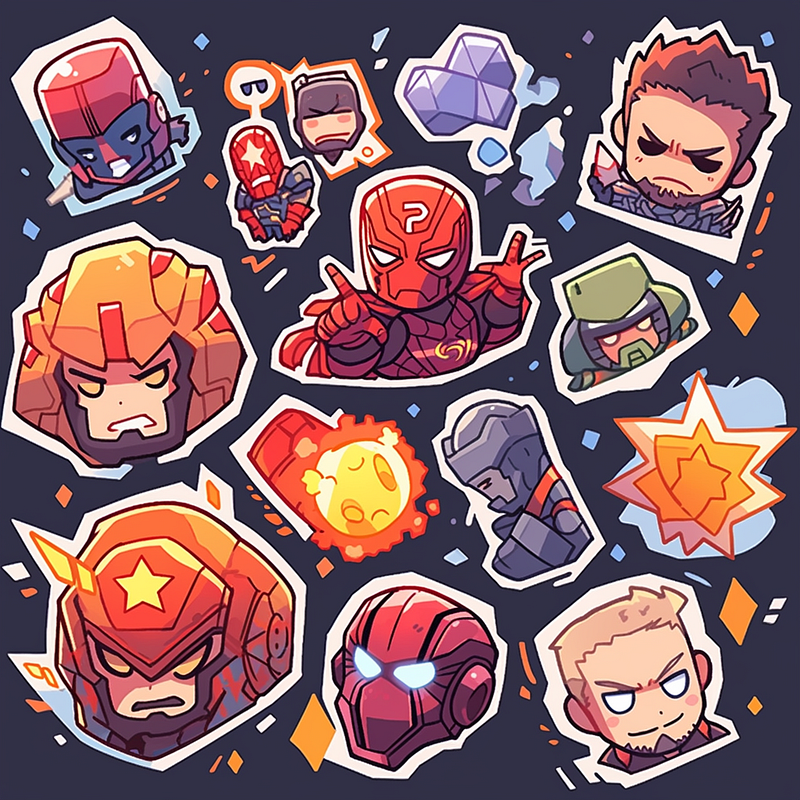
Marvel Sticker Pack

Follow this quick start and prompts if you are new to Midjourney:

Sticker Prompts

Today, I’m excited to share with you over 20 incredible MidJourney Prompts showcasing various styles with Niji Mode. This is a showcase of styles, feel free to change the subject according to needs.

The article will be divided into two sections.

Section One: Creating the sticker

  1. Basic Sticker
  2. Sticker Pack
  3. Incorporate a Theme

Section Two: Retouch and set up

  1. Retouch Your Sticker Images For Selling
  2. Set up your store

Section One: Creating the sticker

As always, let’s start with a basic one

1. Pixar Style

The Pixar style is a distinctive animation style known for its high-quality 3D rendering and lifelike yet stylized characters

Prompt: A sticker of a cute Shiba, cartoon, pixar style, die-cut sticker --ar 1:1 -- niji 5 --s 180
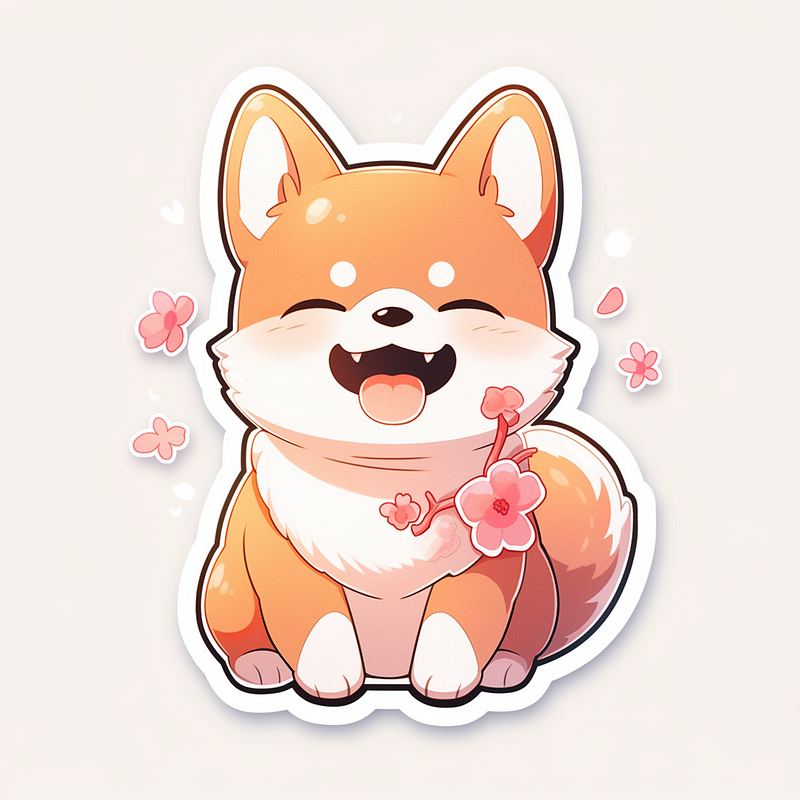
A sticker of a cute Shiba, Pixar style

2. Watercolor

Soft, translucent, and fluid designs created with watercolor paints.

Prompt: A sticker of one deer, watercolor, dreamy pastel color --ar 1:1 -- niji 5 --s 180
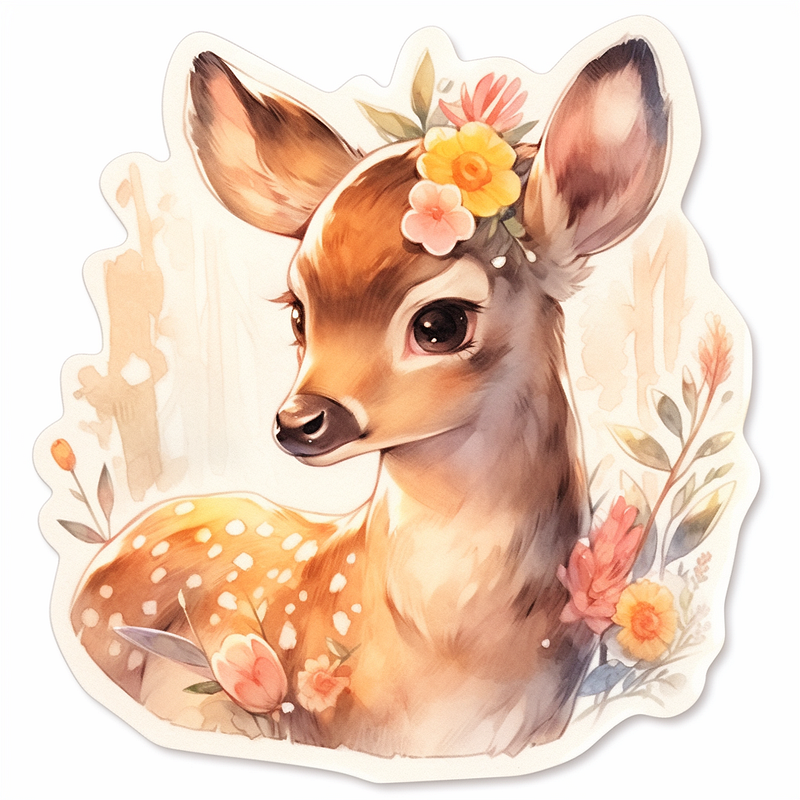
A sticker of one deer, watercolor

3. Whimsical

Playful and imaginative designs with a touch of fantasy and whimsy.

Prompt: A sticker design of a bunny, whimsical and magical --ar 1:1 -- niji 5 --s 180
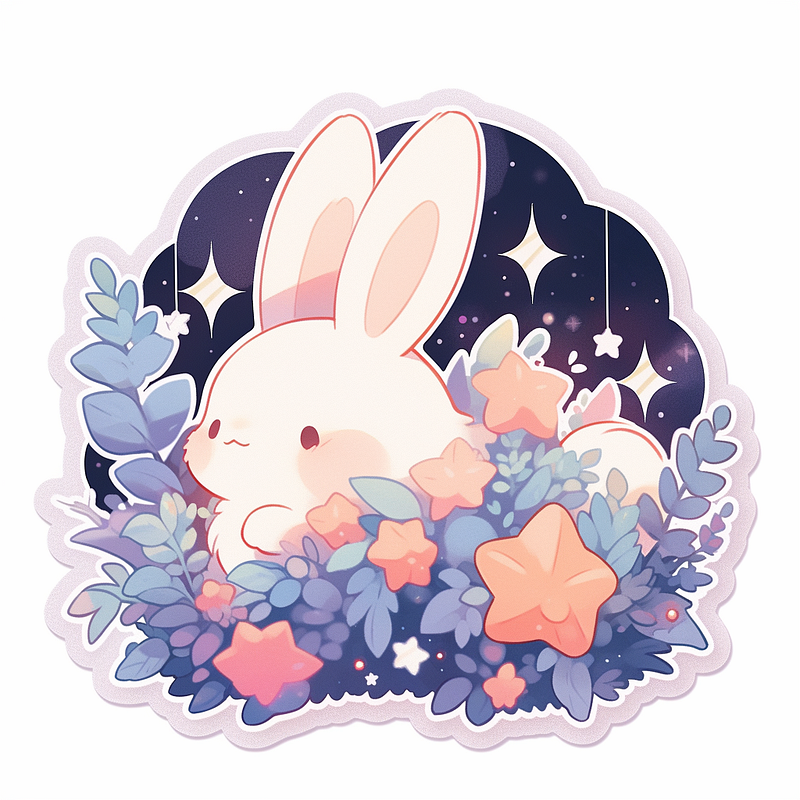
A sticker design of a bunny, whimsical and magical

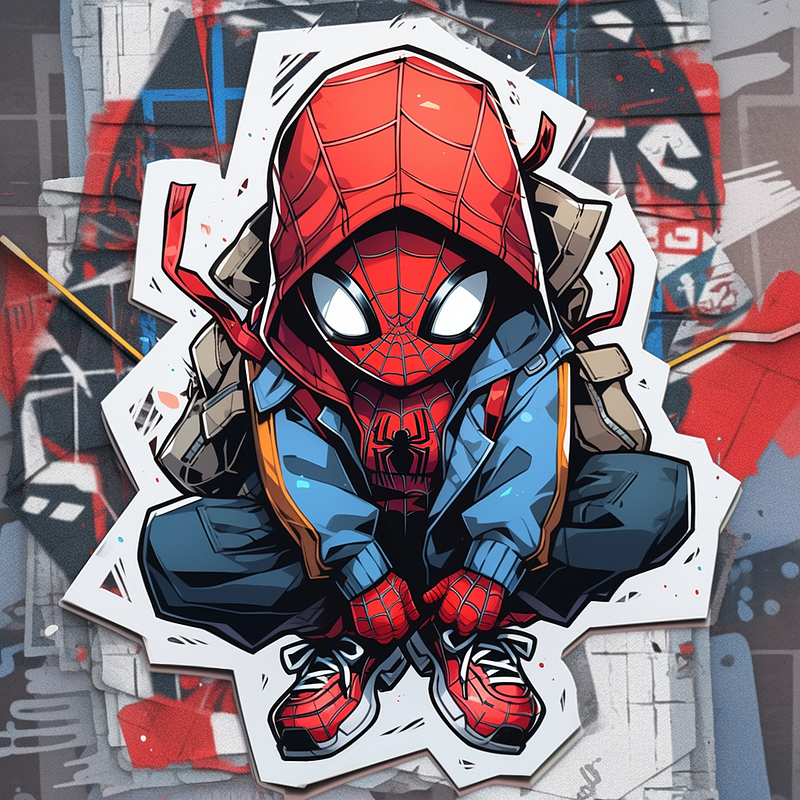
4. Graffiti

Urban-inspired art is characterized by bold, expressive lettering and images.

Prompt: A sticker of spiderman, graffiti art style--ar 1:1 -- niji 5 --s 180

A sticker of Spiderman, graffiti art style

5. Cyberpunk Trashcore Style

Cyberpunk Trashcore style is a subculture and fashion movement that combines elements of cyberpunk and grunge fashion.

Prompt: A sticker of Pikachu, cyberpunk trashcore style --ar 1:1 -- niji 5 --s 180
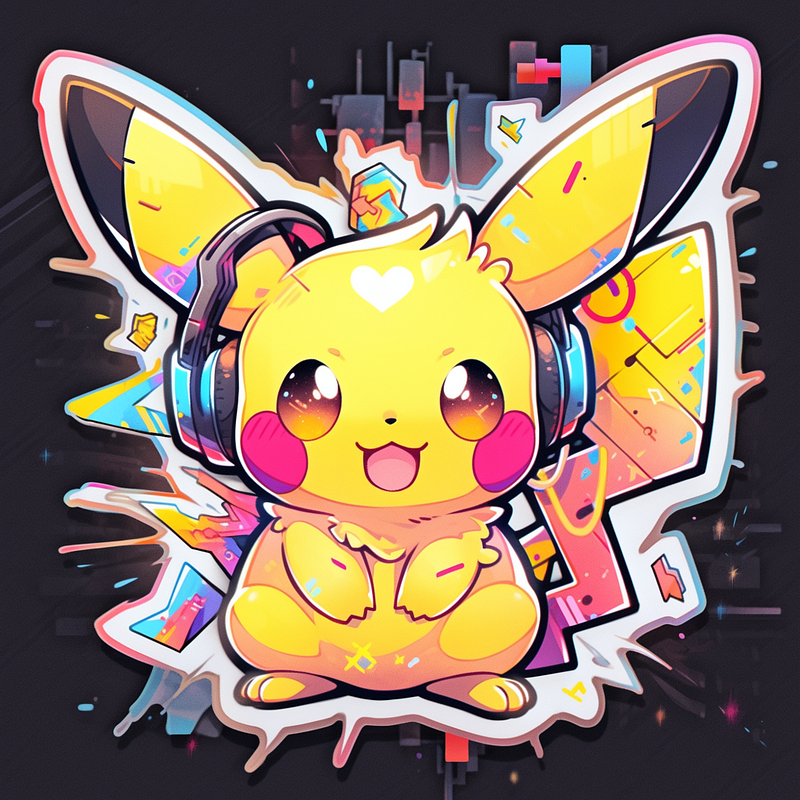
A sticker of Pikachu, cyberpunk trashcore style

6. CandyCore

Candycore is an aesthetic style characterized by vibrant and colorful visuals inspired by candy and sweets.

Prompt: A sticker of a anime girl, candycore art style --ar 1:1 -- niji 5 --s 180
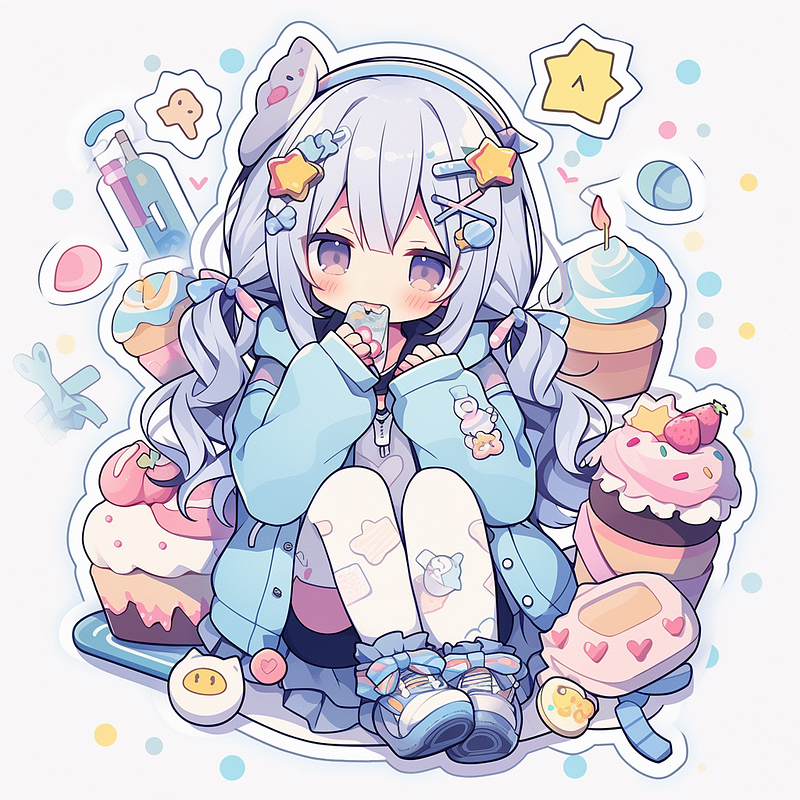
A sticker, of a cute anime girl, candy core art style

7. Iridescent illuminating style

A visual aesthetic that incorporates shimmering and radiant colors, creating a mesmerizing and ethereal effect

Prompt: A sticker of a headphone, iridescent illuminating style --ar 1:1 -- niji 5 --s 180
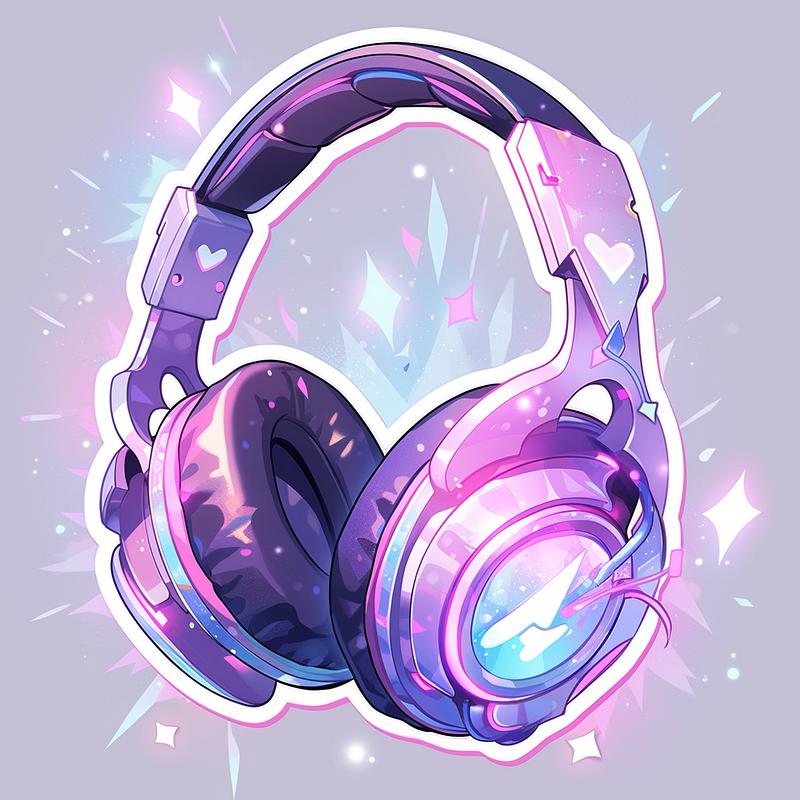
A sticker, of a headphone, iridescent illuminating style

8. Pop Art

Bold, vibrant, and graphic designs inspired by popular culture.

Prompt: A sticker of an anime girl, pop art style --ar 1:1 -- niji 5 --s 180
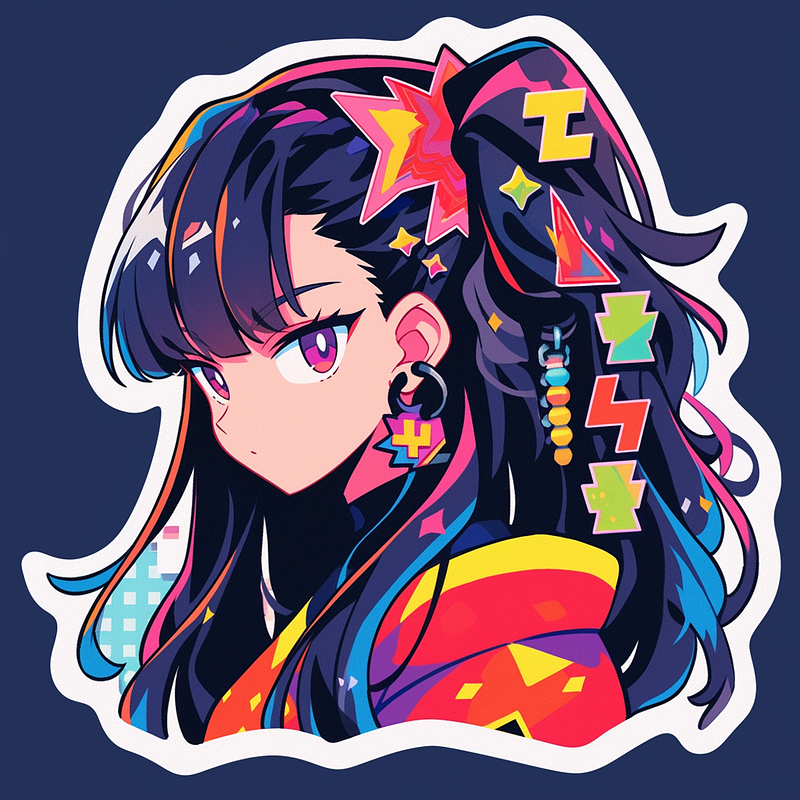
9. Abstract Expressionism

Artistic style characterized by spontaneous and gestural brushwork.

Prompt: A sticker of Doraemon, Abstract expressionism --ar 1:1 -- niji 5 --s 180
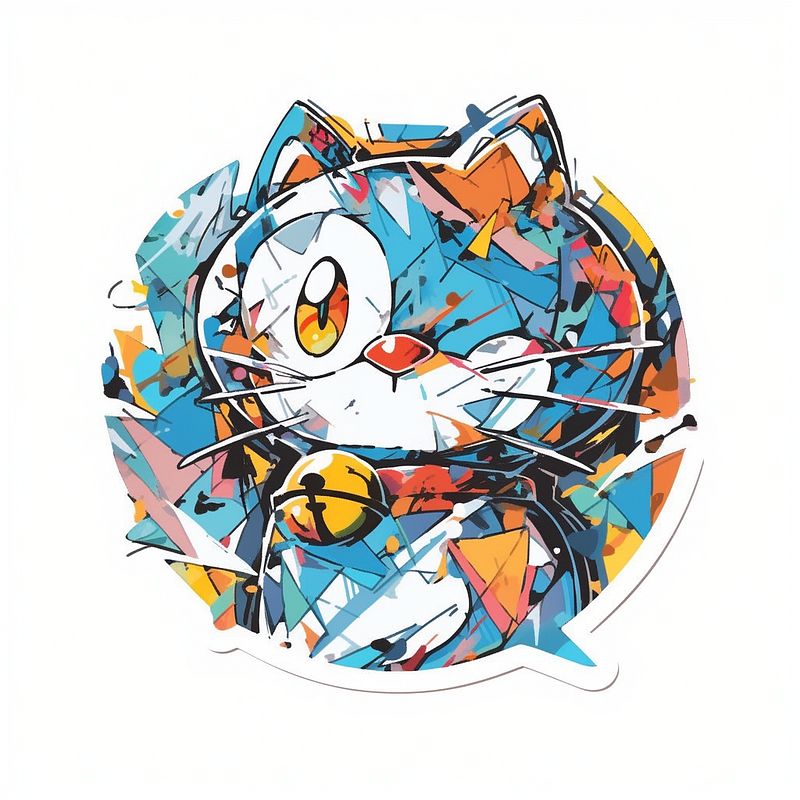
A sticker of Doraemon, Abstract expressionism

10. Vintage Retro Style

Designs inspired by antique and aged visuals, often with a nostalgic feel

Prompt: A sticker of a girl with chocolate, Vintage retro style --ar 1:1 -- niji 5 --s 180
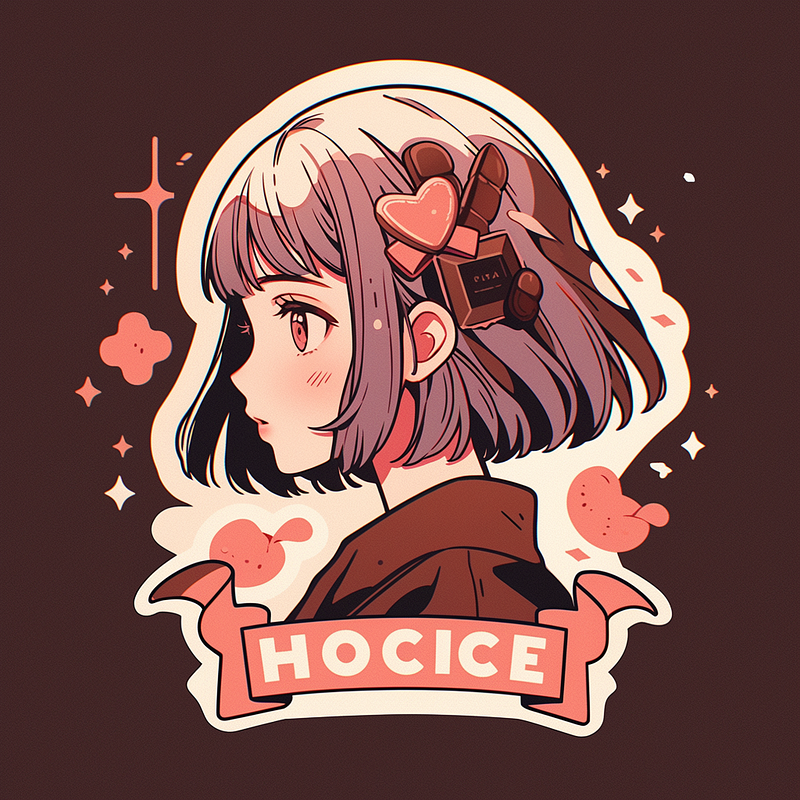
A sticker of a girl with chocolate, Vintage Retro Anime Style

11. Gothic Art Style

The gothic aesthetic can be found in Japanese manga and anime, where it is often used to convey a sense of fantasy or horror.

Prompt: A sticker of a girl with cosmetics, Gothic anime style --ar 1:1 -- niji 5 --s 180
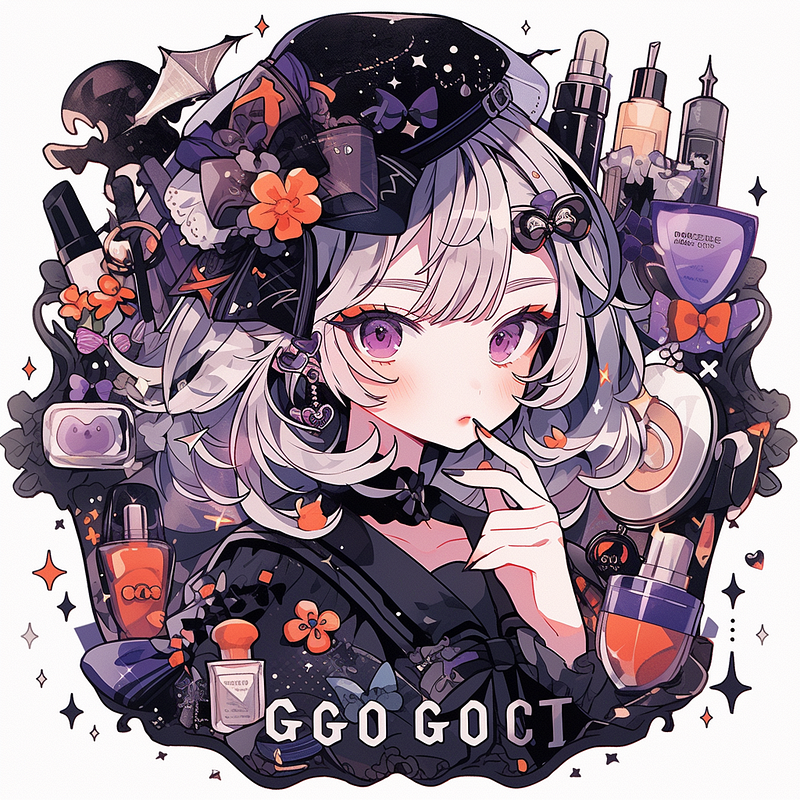
A sticker of a girl with cosmetics, Gothic anime style

12. Chibi Character Design

A style originating from Japan where characters are depicted in a super-deformed manner, characterized by their small, chubby bodies, oversized heads, and simplified features.

Prompt: A sticker of a cute Thor holding a hammer, chibi-style anime character --ar 1:1 -- niji 5 --s 180
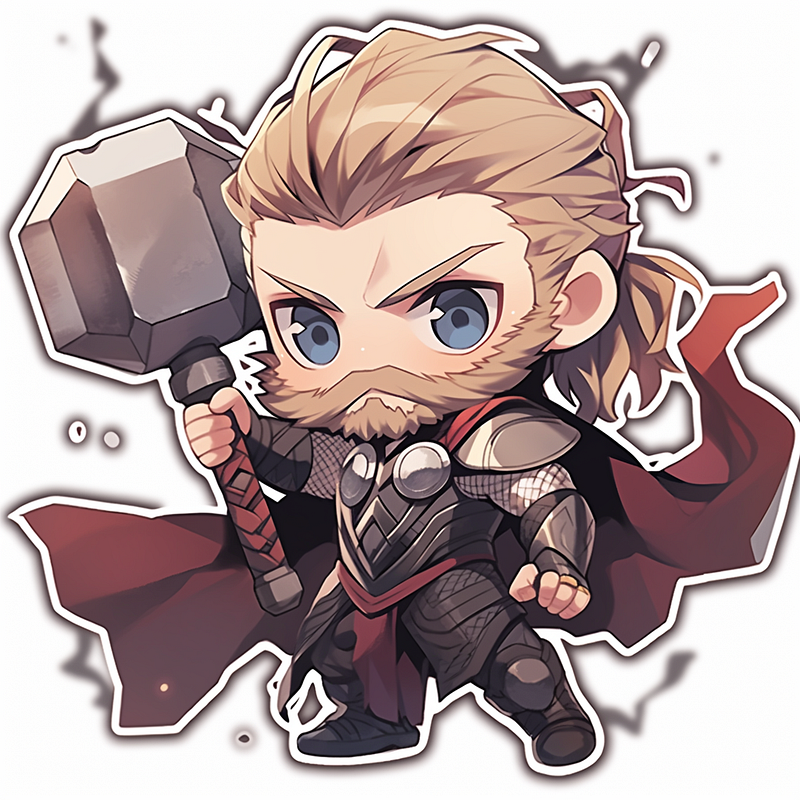
A sticker of a cute Thor holding a hammer, chibi-style anime character

Sticker Pack

Once you have designed several die-cut stickers with different styles, it’s time to create a sticker pack. When creating a sticker pack, there is a formula you can follow.

[ Subject ] sticker sheet/ pack, with white border, knolling layout, [ Color — optional ] , [ Style mentioned above — optional ] --ar 1:1 -- niji 5 --s 180

Key terms:

White border: Leave enough room for each individual sticker Knolling: To ensure our sticker pack is in a clean and neat arrangement Color & Style — optional

Let’s look at some examples:

13. Puppy

Prompt: Cute puppy sticker pack, with white border, knolling layout, harmonious colors --ar 1:1 -- niji 5 --s 180 --style cute
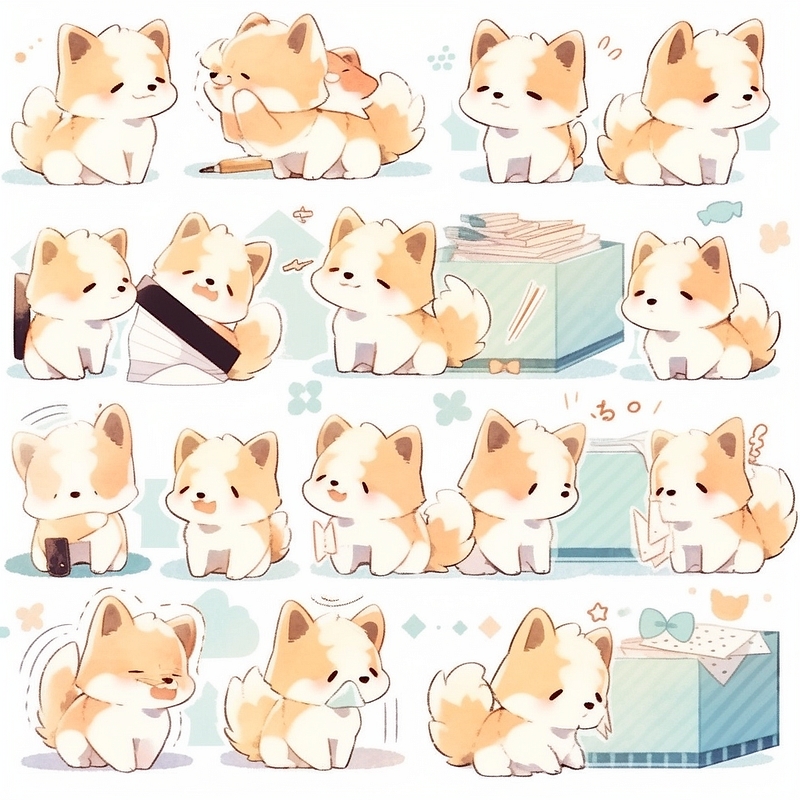
Puppy sticker pack

14. Food and Beverages

Prompt: Fast food sticker pack, knolling layout, with white border, harmonious colors --ar 1:1 -- niji 5 --s 180 --style cute
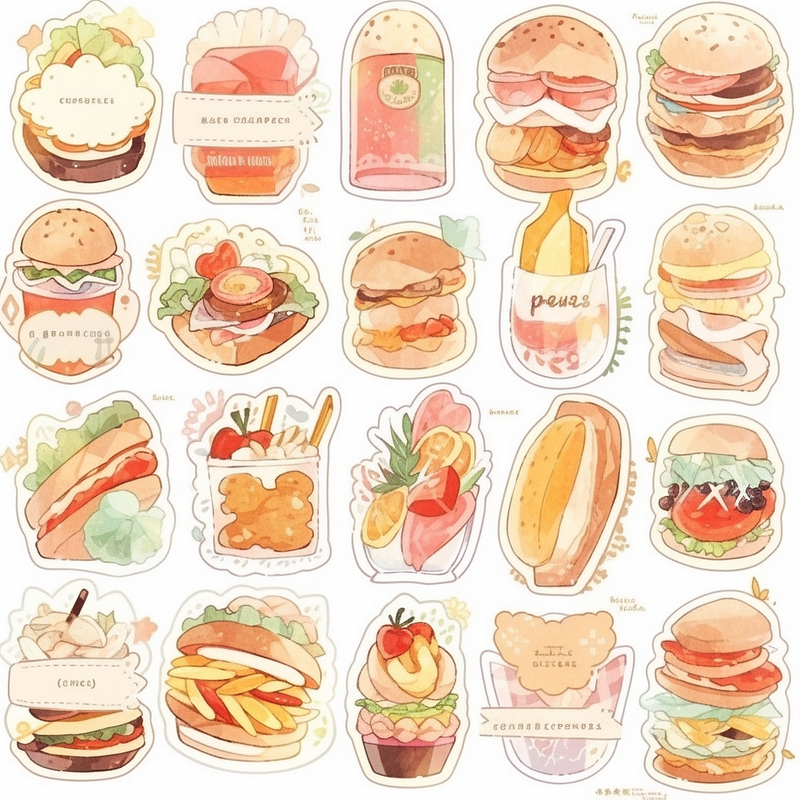
Fast food sticker pack

Incorporate Movie, Theme or Category

It is always a good idea to use a theme like a movie.

15. Harry Potter

Harry Potter sticker pack, knolling layout, with white border, harmonious colors --ar 1:1 -- niji 5 --s 180
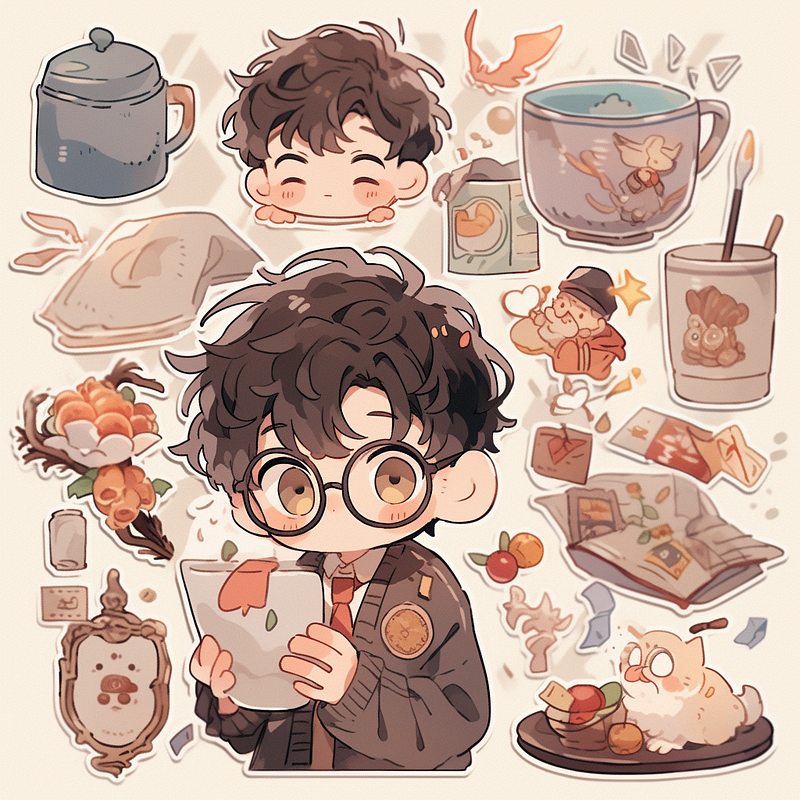
Harry Potter sticker pack

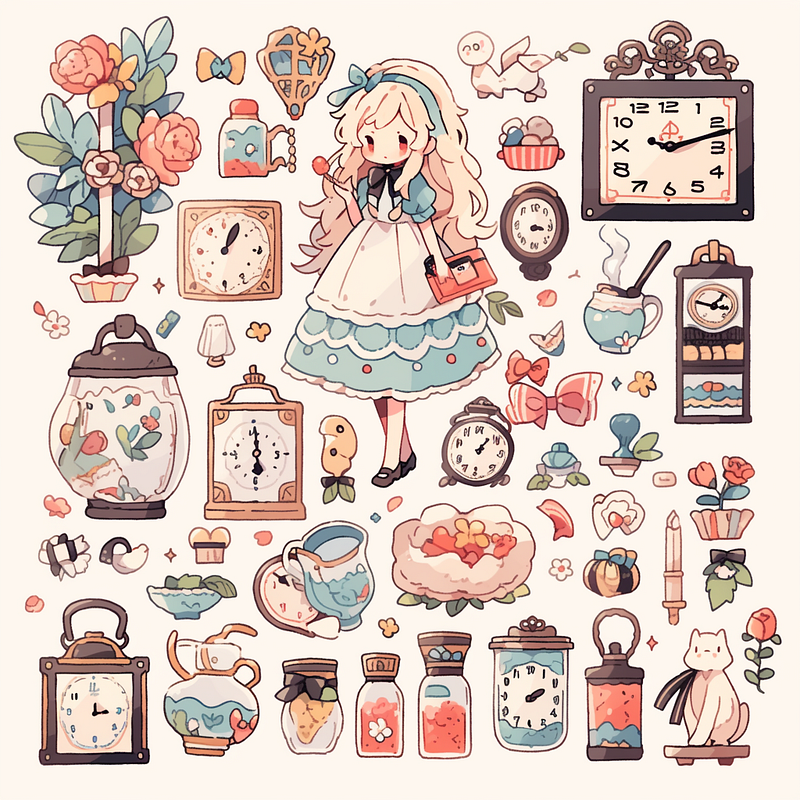
16. Alice in Wonderland

Prompt: Alice in Wonderland sticker pack, knolling layout, with white border--ar 1:1 -- niji 5 --s 180

17. Marvel

Prompt: Marvel sticker pack, knolling layout, white border--ar 1:1 -- niji 5 --s 180

Marvel sticker pack

Seasons & Holidays

18. Christmas

Prompt: Christmas sticker pack, knolling layout --ar 1:1 -- niji 5 --s 180
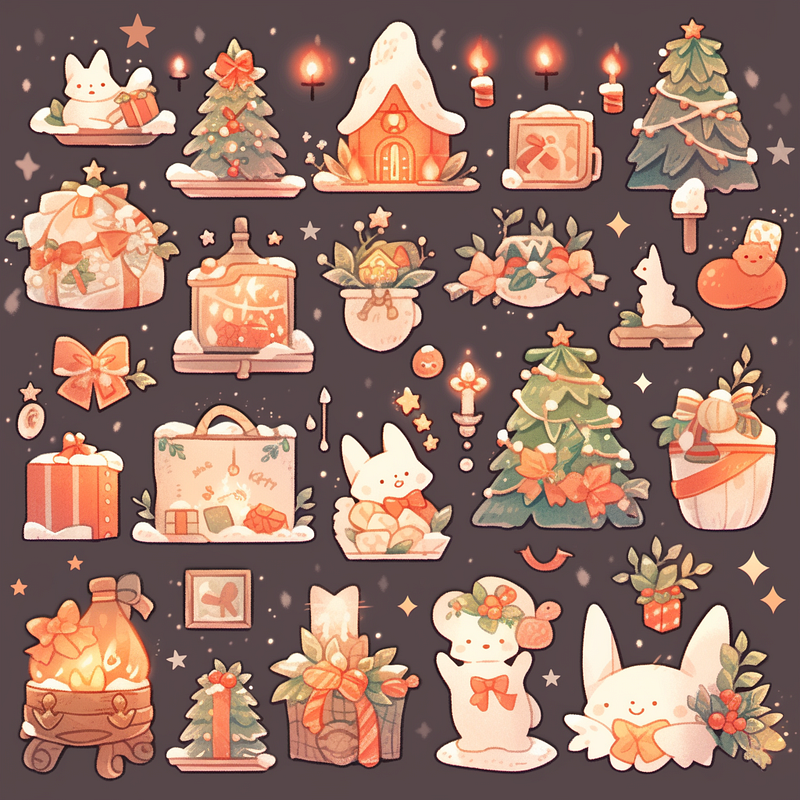
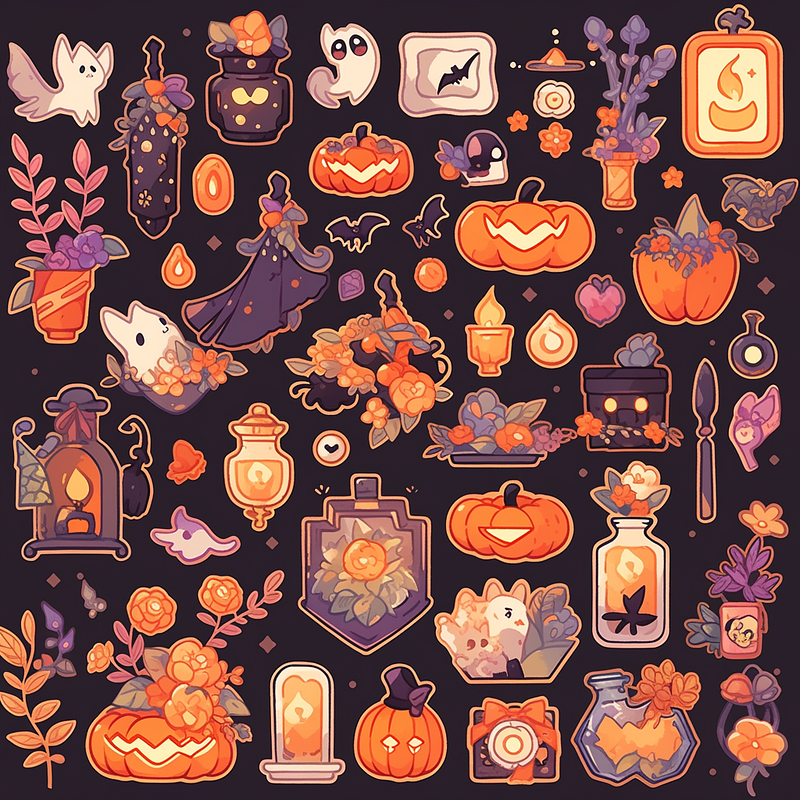
19. Halloween

Halloween sticker pack, knolling layout--ar 1:1 -- niji 5 --s 180

Categories

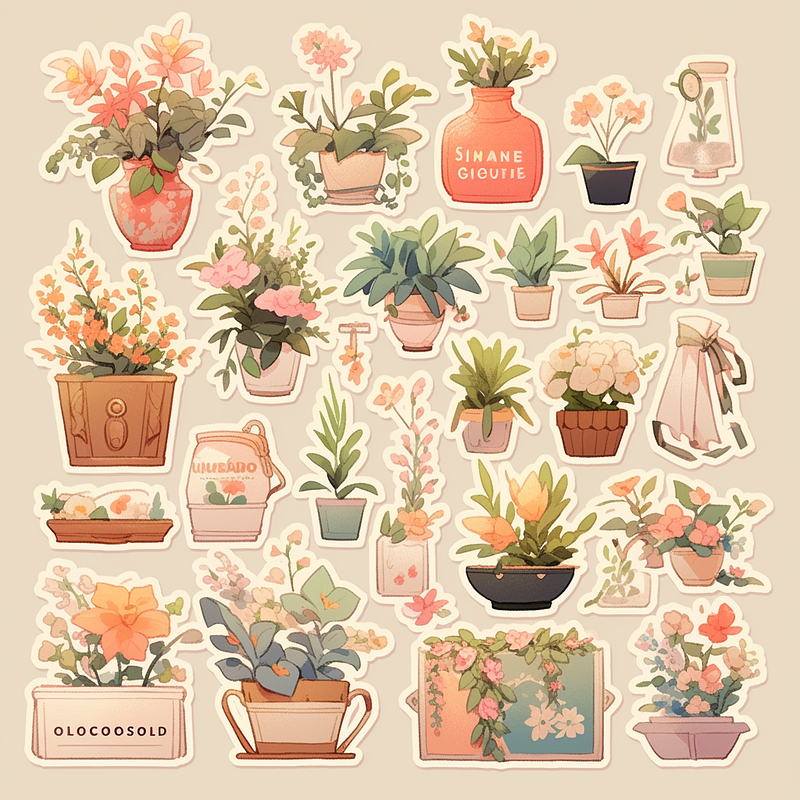
20. Botanical

Prompt: Botanical sticker pack, knolling layout --ar 1:1 -- niji 5 --s 180
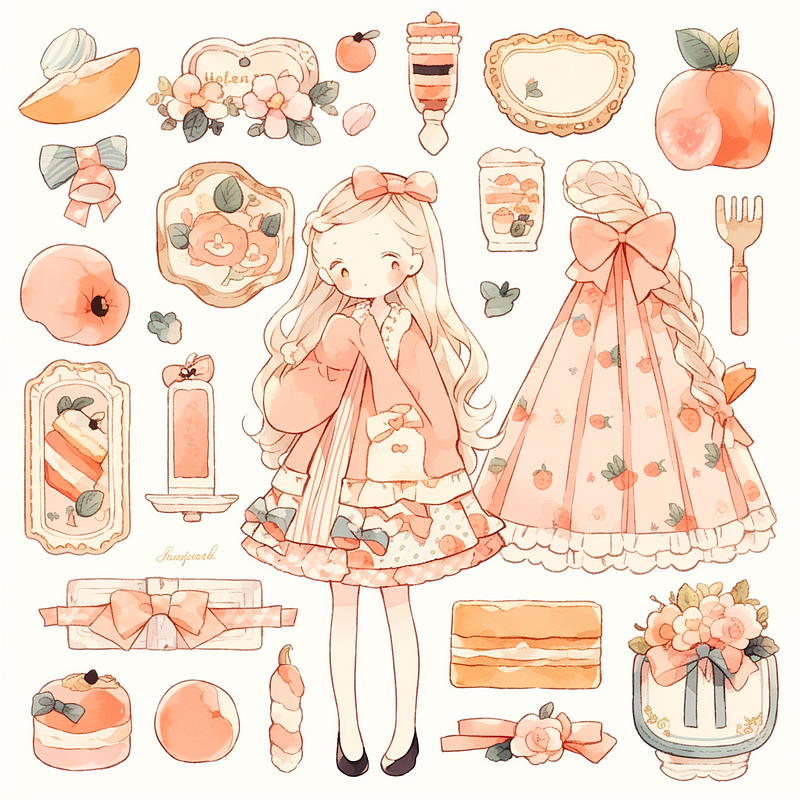
21. Include all items

📌 Trick: Similar to the technique used for creating game assets, you can outline all the items you wish to incorporate in your prompt.

Prompt: Sticker pack of, peach, cute girl, desserts, accessories, knolling layout, pastel color--ar 1:1 -- niji 5 --s 180 --style cute
Section Two: Retouch & Set up your store

Now that you have gathered ideas and inspiration for creating captivating stickers, it’s time to retouch the images!

1. Retouch Your Sticker Images For Selling

After picking the one you are satisfied with, we will now proceed to the next step.

Remove the Background & Upscale

You can achieve all of these with Tracejourney Bot! Learn about the features here.

You can also add Tracejourney Bot to your own server now to keep your work in private.

Note that Tracejourney comes with a pricing plan, if you have used up your credits, you can choose to upgrade. Alternatively, there are also some free AI tools to use outside Discord.

📌 Alternate Free Tools

1. Remove Background

Alternatively, there are some free tools like PhotoRoom or Adobe Express to eliminate the background entirely and produce a transparent image.

2. Upscale

There are two ways to upscale your sticker, you can either upscale it with image upscaling or make it into vector art which you can then scale to your desired size or make adjustments.

  1. Upscale
  2. Vectorize

2. Selling Your Designs Through Print-on-Demand Services

It’s time to establish your store!

Make Stickers with Printful

Selling your designs online can be a challenge, especially when it comes to production. However, print-on-demand services like Printful have made it easier than ever.

These services offer entrepreneurs and designers a simple solution to create and sell stickers without the need for costly equipment.

Connect to your storefront

Using their integration, you can easily upload your product from Printiful to Etsy and start earning passive income in no time! You can also customize the printing process to ensure your design looks exactly how you want it to look.

Remember to continuously evaluate and refine your strategies based on market trends, customer feedback, and sales performance. Good luck with your sticker business!

Hi👋 I am Christie — AI Creative and Educator.😊

I hope you found value in this article on tapping into AI or unlimited creativity. If you’re craving more insider tips, prompts and tricks for tools like Midjourney, I’d love for you to join me on this journey.

🎨 Hit that “Follow” button to stay in the loop for more AI wisdom 💌 Stay tuned for future updates

Let’s explore the limitless possibilities of AI together. The future awaits. Let’s seize it! 🚀

Related Article:

Affiliate Disclaimer: Please note that the link to Printiful is an affiliate link, and I will earn a commission if you subscribe through the link.

Midjourney
Artificial Intelligence
Creativity
Design
Passive Income
Recommended from ReadMedium