
These 11 New Canva AI Features Will Save Time and Boost Your Creativity
Making You Look Creative, One Template at a Time!
When it comes to editing or creating social media posts, Canva is the go-to tool for me. They just introduced a diverse range of AI design tools which would surely save us hours of work. I have compiled all of the new features in this article and here’s the ToC or tl;dr first —
1. Magic Design 2. Draw 3. Translate 4. Magic Eraser 5. Beat Sync 6. Magic Write 7. Text to Image 8. Create an Animation 9. Magic Edit 10. Canva Presentations 11. Layouts and Styles
Join the Medium Membership Program for only 5$ to continue learning without limits. I’ll receive a small portion of your membership fee if you use the following link, at no extra cost to you.
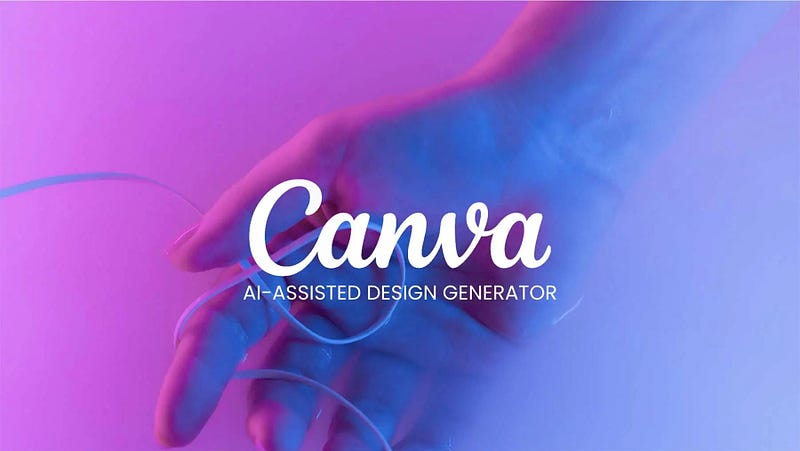
1. Magic Design
Convert images into customizable templates with Magic Design, which intelligently selects the ideal fonts, visuals, and styles for your creation.
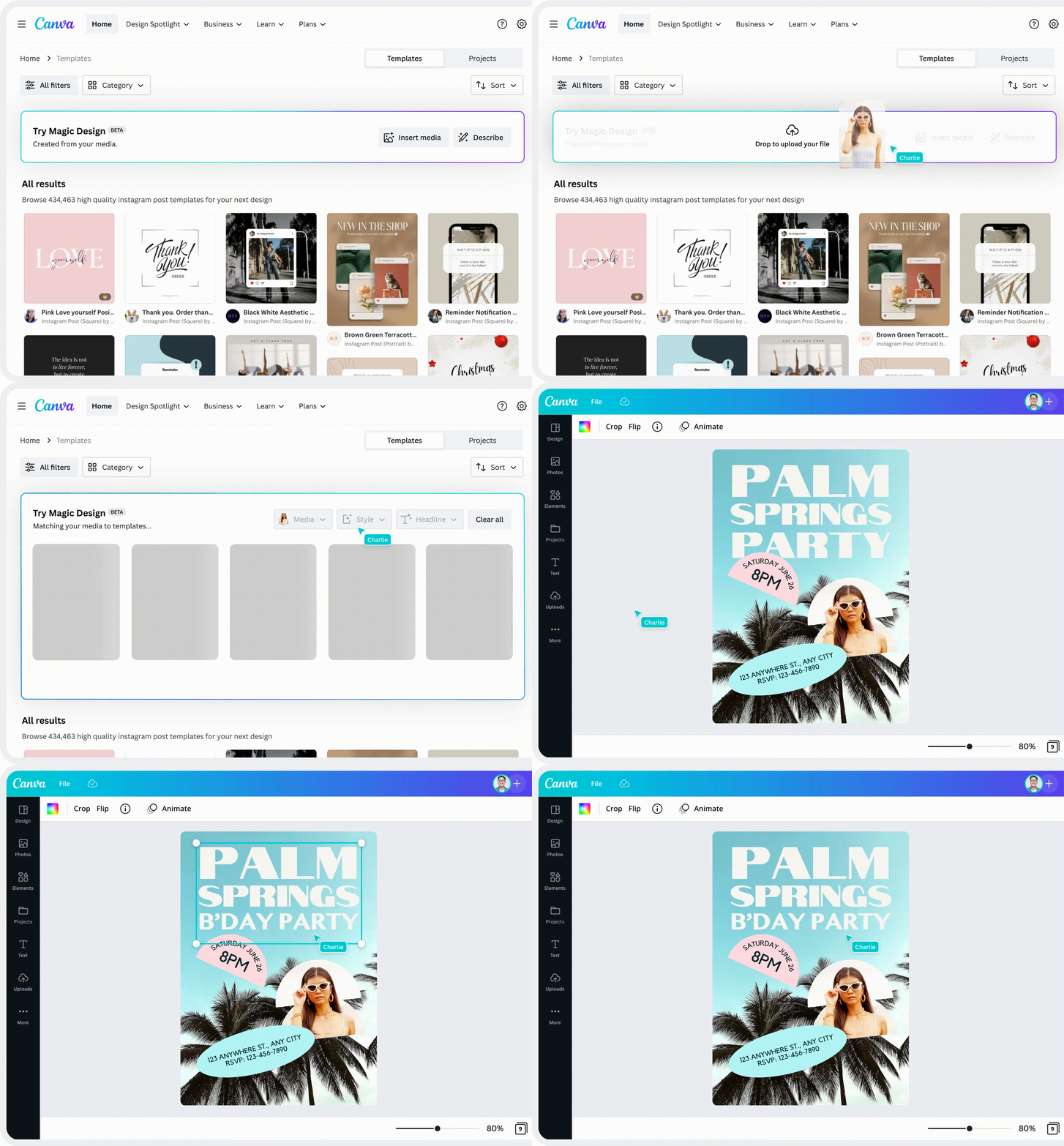
2. Draw
Express your ideas with Draw, Canva’s complimentary drawing tool, allowing you to incorporate personalized illustrations and graphics in your designs.
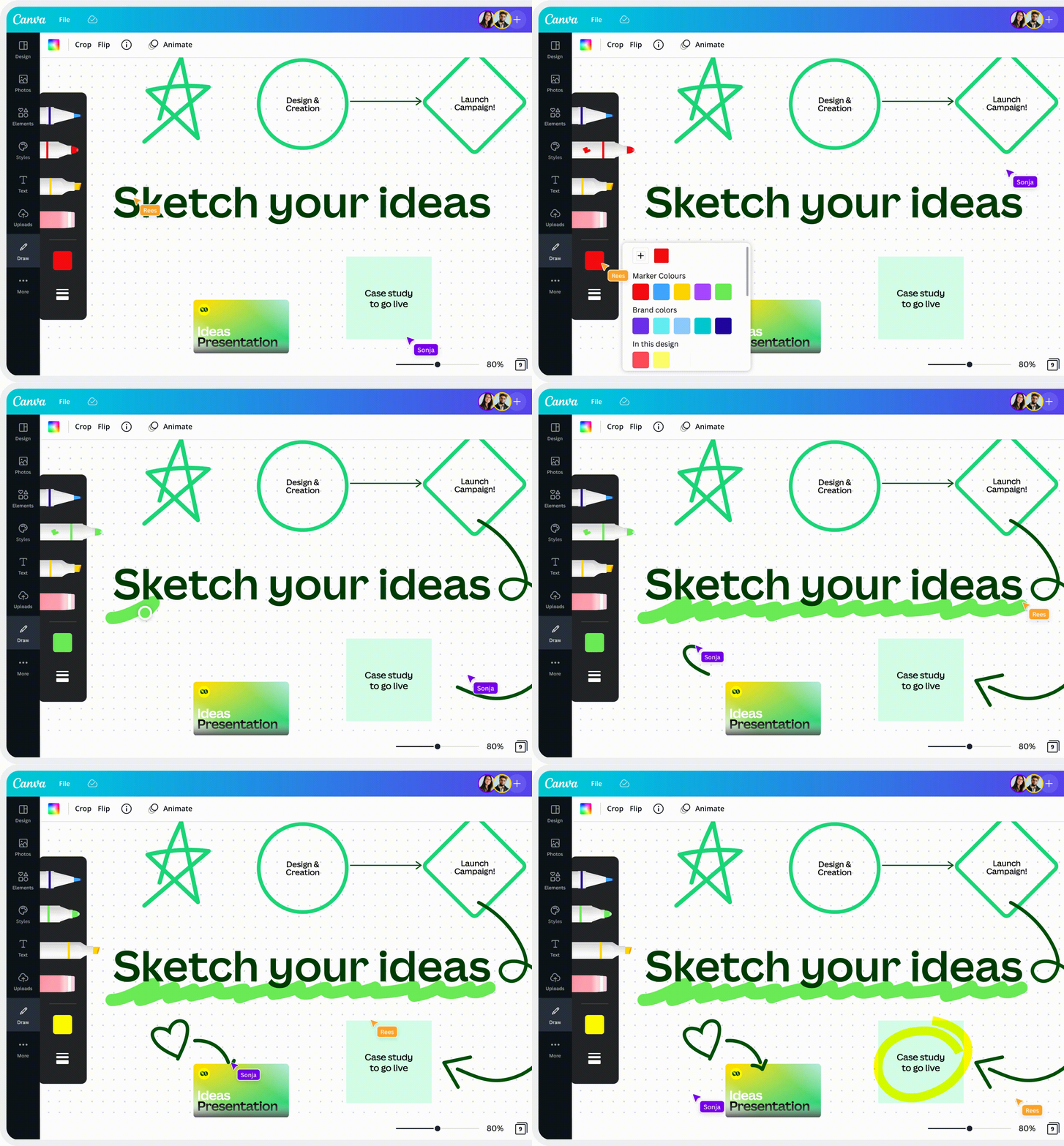
3. Translate
Connect with international teams and audiences effortlessly through Canva’s quick and user-friendly online translator, supporting multiple languages with just a few clicks.
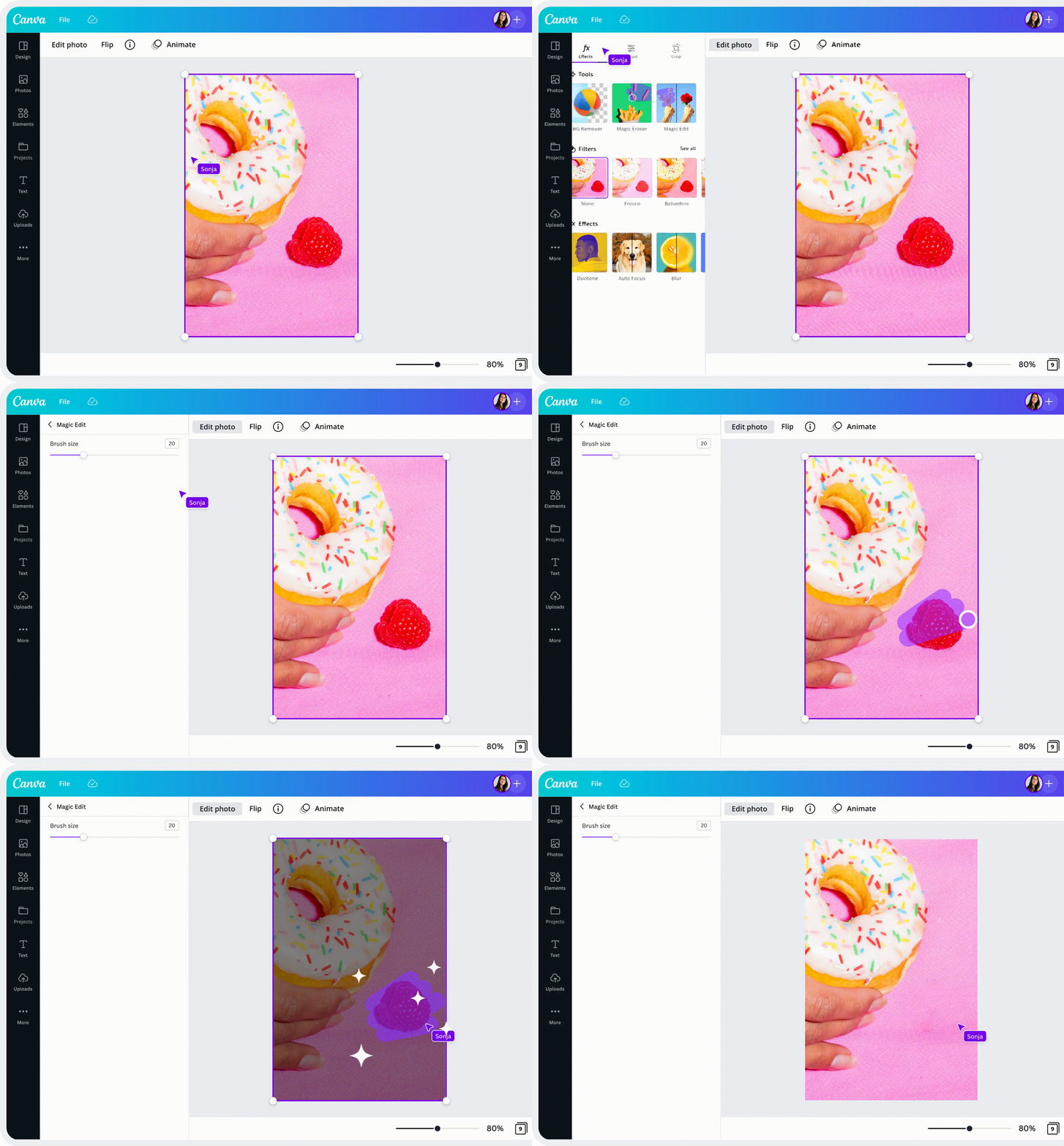
4. Magic Eraser
Instantly tidy up images using Magic Eraser, which makes it easy to remove unwanted objects or people from photos.
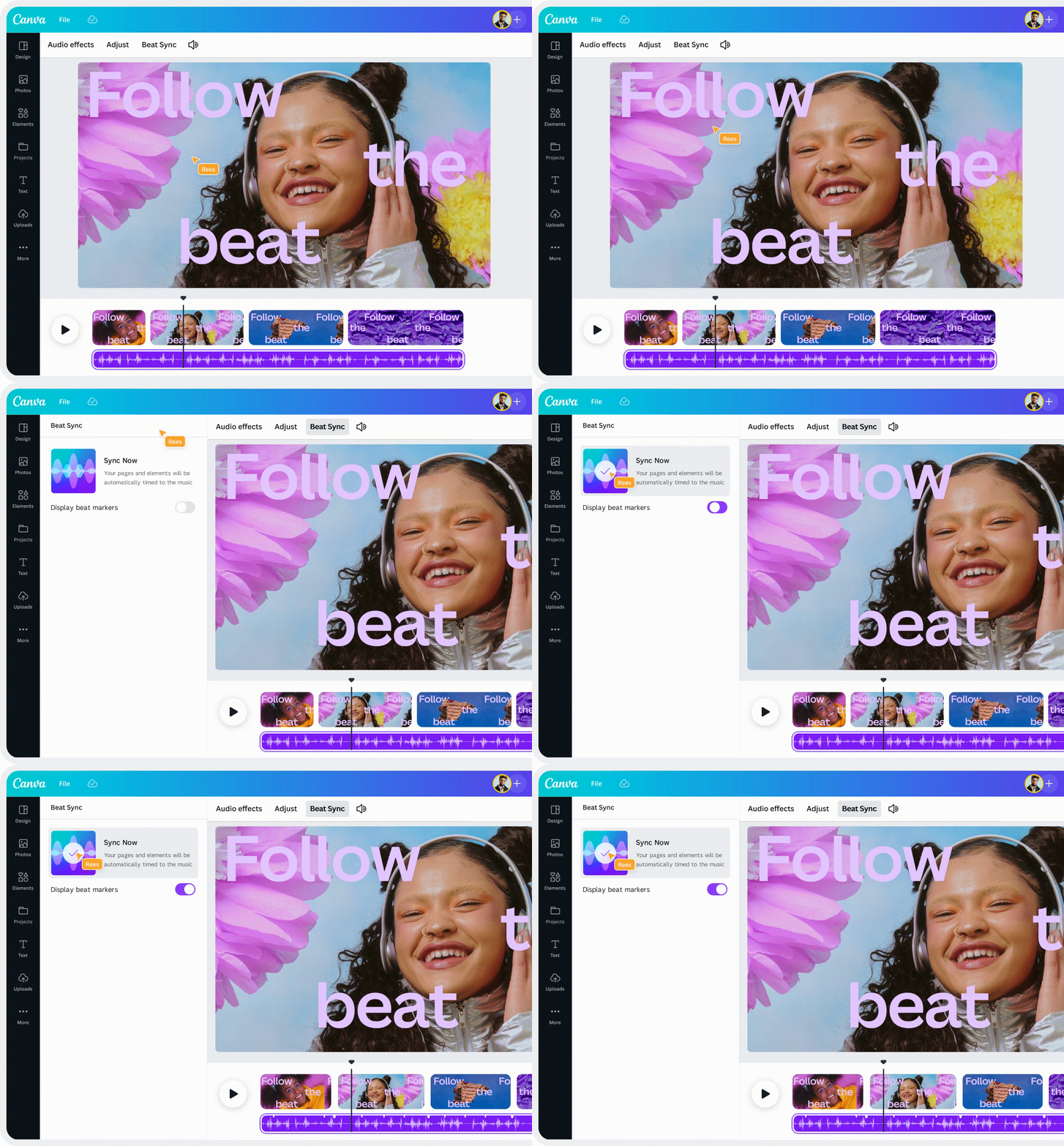
5. Beat Sync
Harmonize audio and video with Beat Sync, highlighting key moments and keeping your viewers engaged through Canva’s video editor.
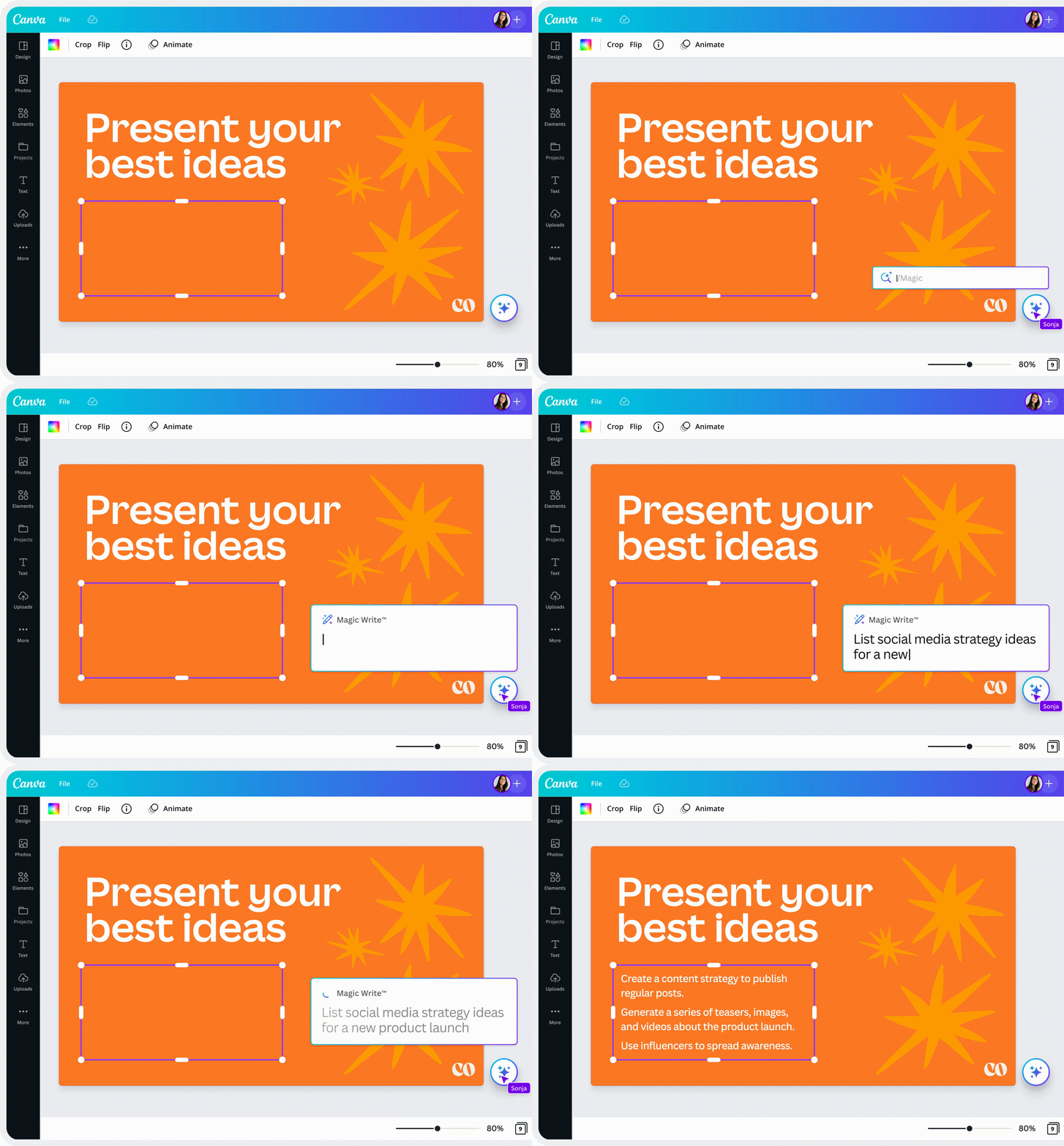
6. Magic Write
Accelerate content creation with Magic Write, an AI-powered text generator within Canva Docs that swiftly generates drafts from a simple prompt.
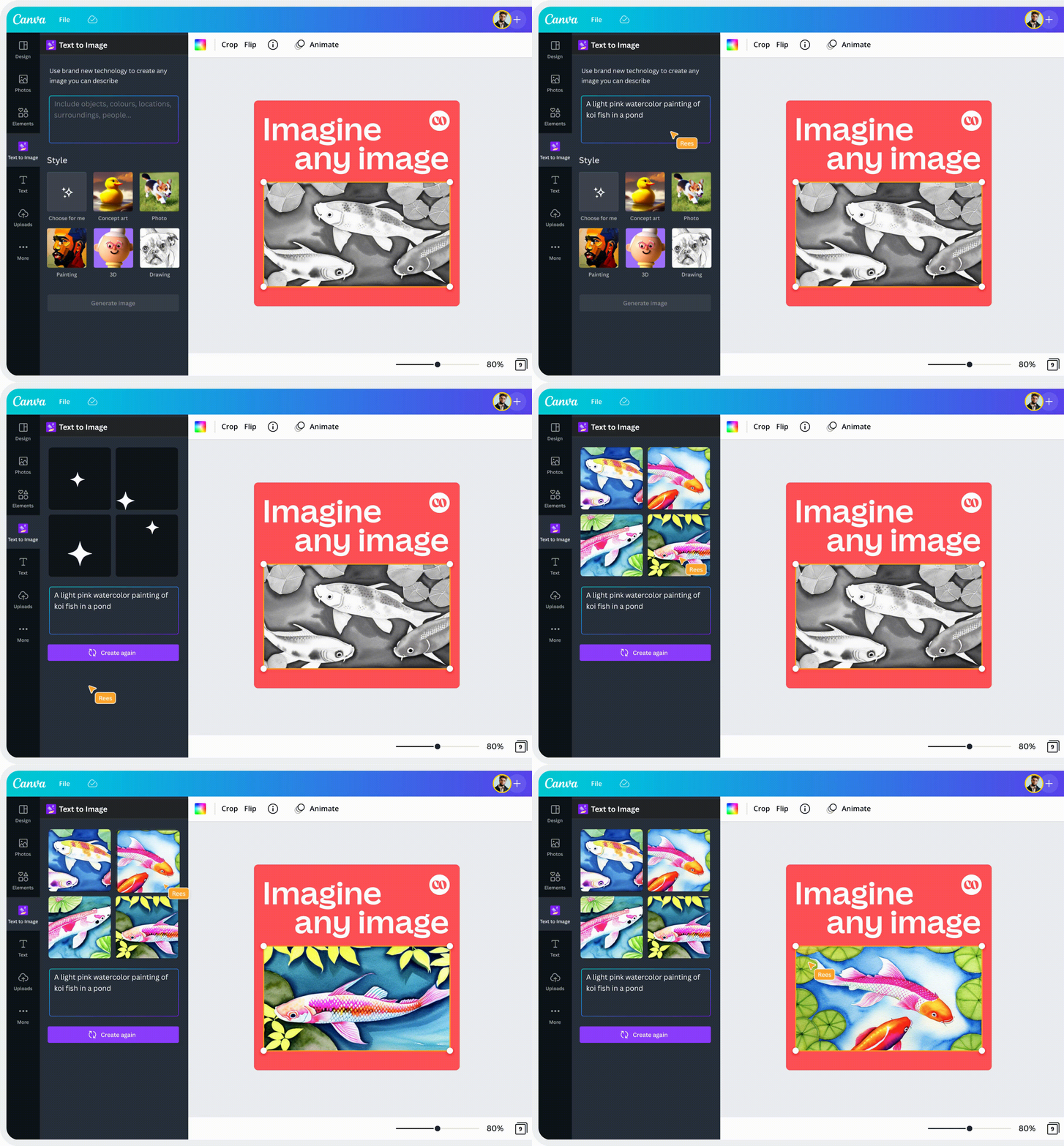
7. Text to Image
Transform text into striking visuals in seconds using Text to Image, Canva’s AI-driven image generator.
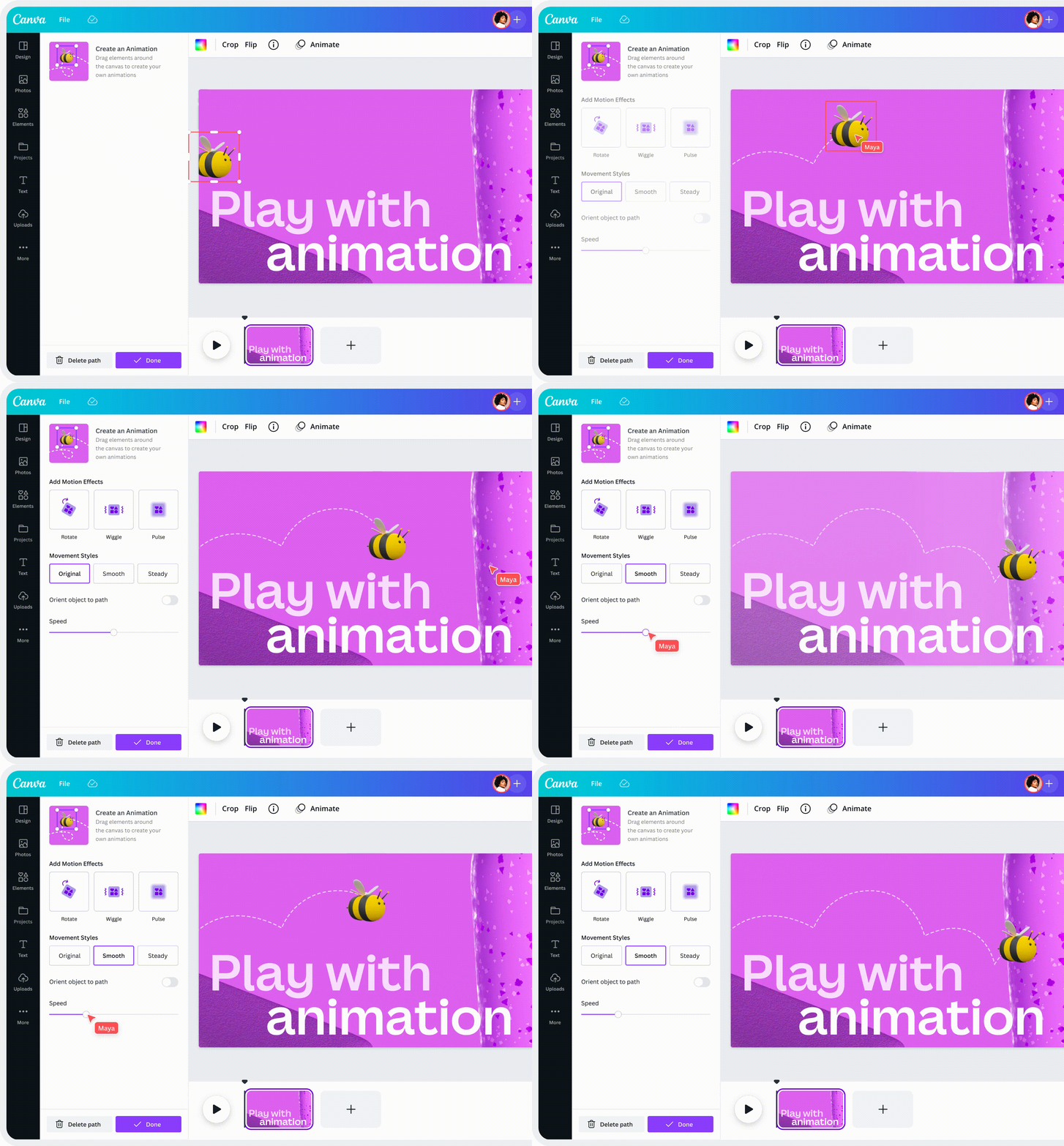
8. Create an Animation
Design animations by drawing your desired path, adjusting the speed as needed, and witnessing the magic unfold.
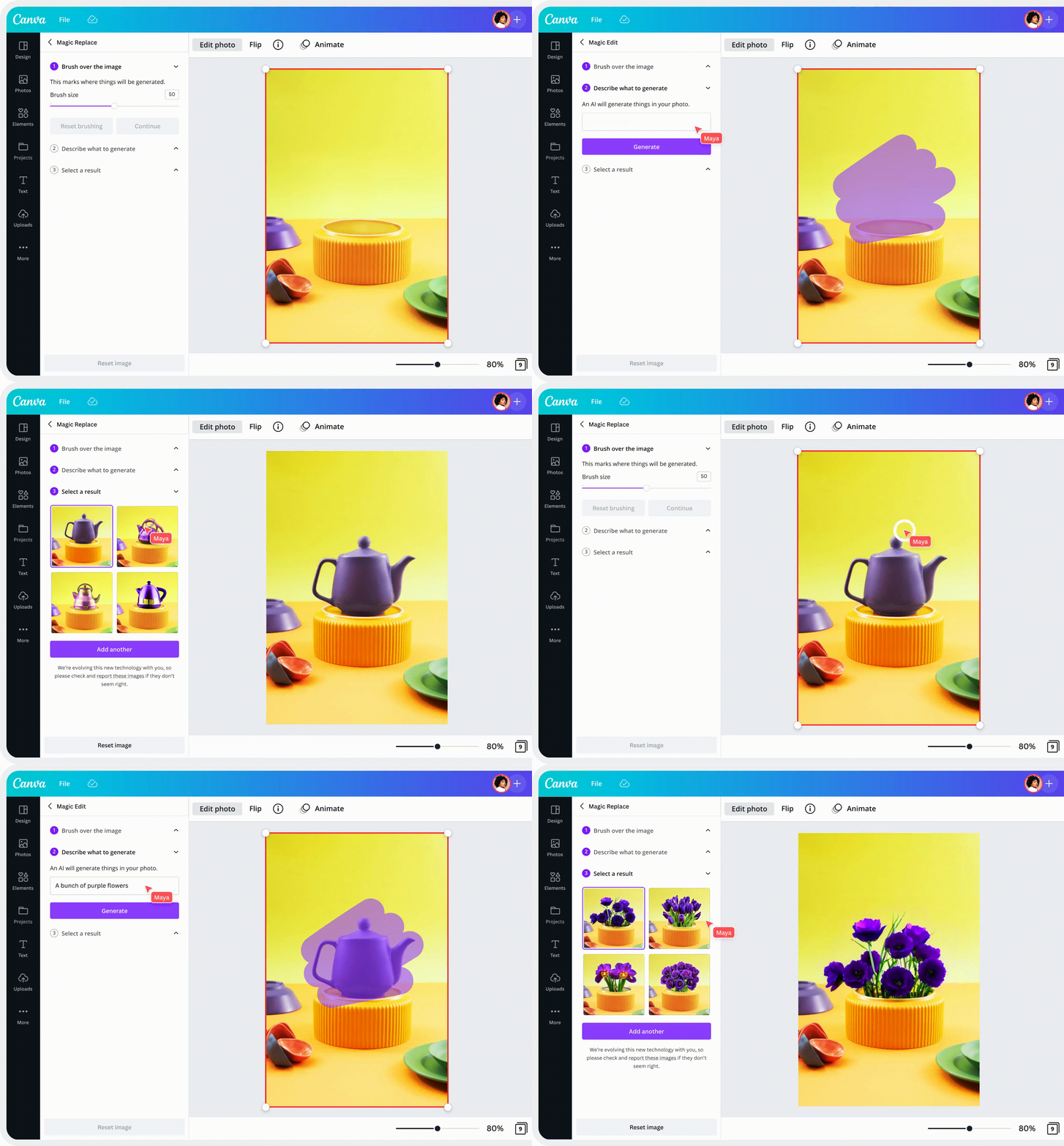
9. Magic Edit
It letsyou to add or swap elements in a picture. Simply choose the region, describe your desired addition, and the AI photo editor will bring it to life.
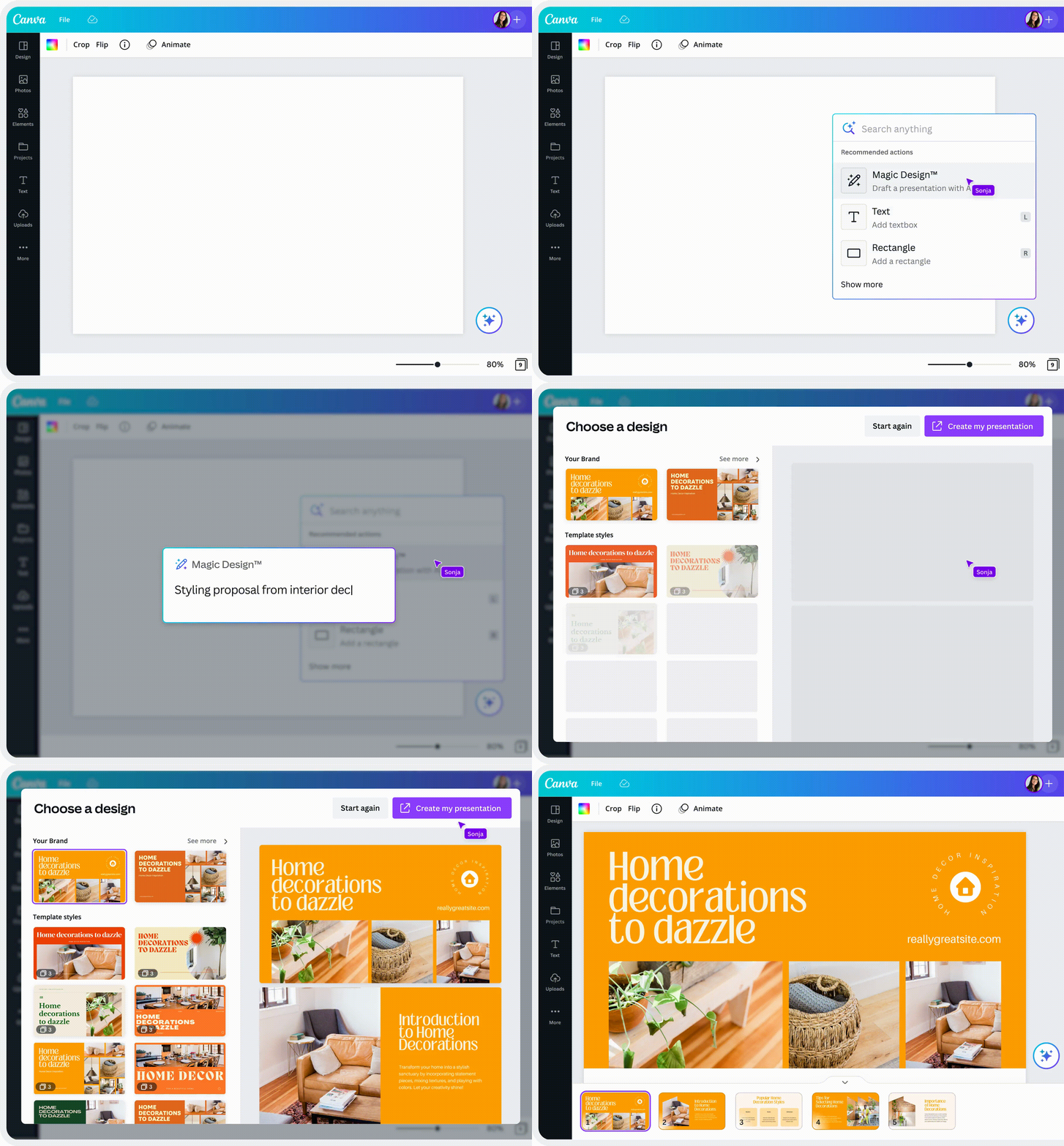
10. Presentations
Craft, showcase, and inspire with Canva Presentations, incorporating stunning visuals to captivate your audience and amplify your message.
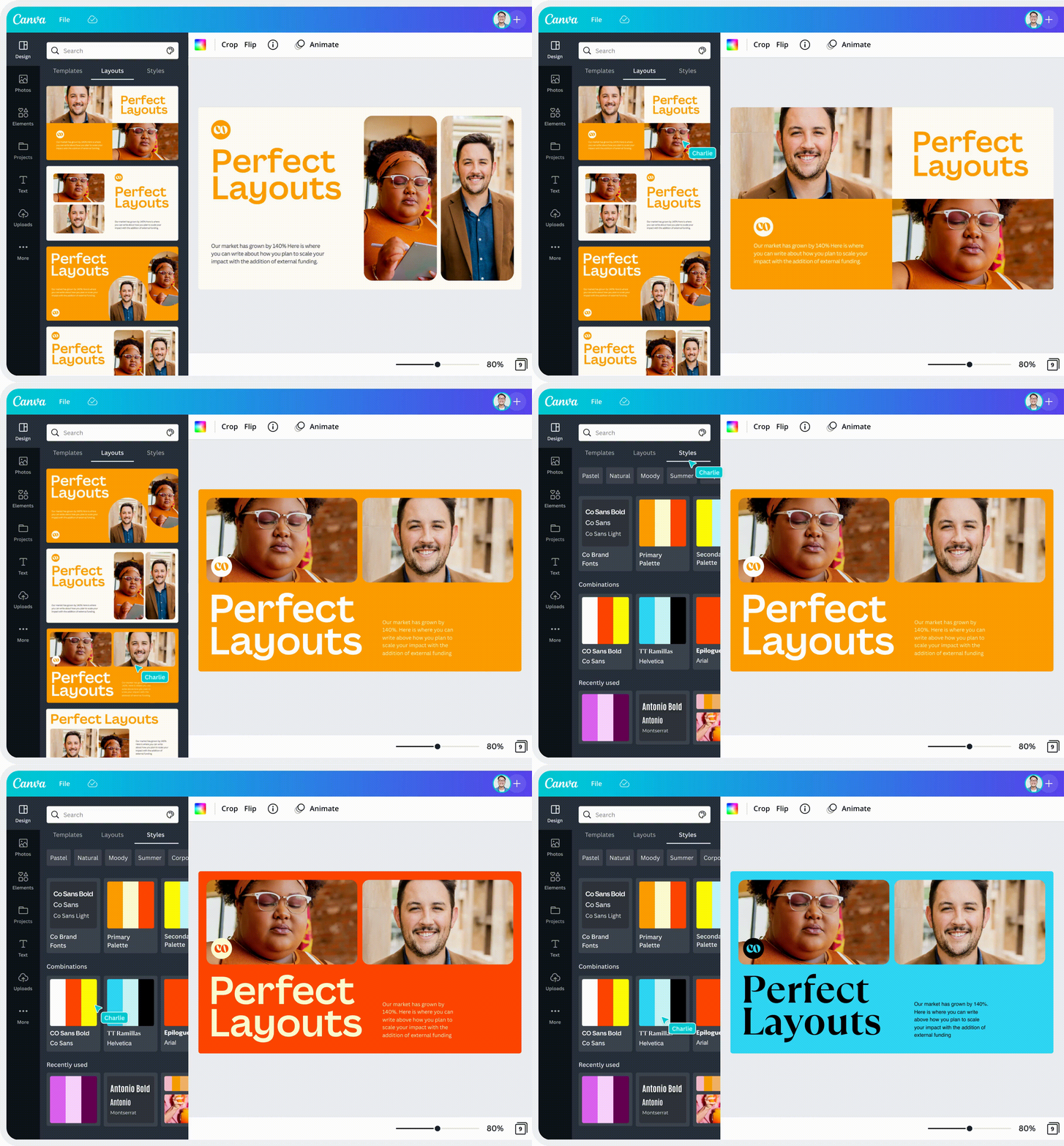
11. Layouts and Styles
You can easily add content to your page to see layout ideas for your design and then try the different styles feature to find suggested color palettes and font pairings.

My other writings —