
🅰️ Angular 16.0.1–16.2.1 Is A Craftsmanship Effort

Angular 17 works begin. Let’s wrap up features introduced in Angular 16.0.1–16.2.1 before we’ll open popcorn for the new Angular major line!
Somewhere around October 2022 we had some important Angular 15 features released with some more in Angular 15.1.0. In May, we’ve seen Angular 16 preceded by Angular 16 RC2.
Now, 3 months later, the work on 17.0.0 has started with the next.0 release made yesterday. So, before we’ll enjoy what the Angular team prepares for us in the following weeks, let’s look at what happened between Angular 16.0.0 and 16.2.1 released yesterday (2023–08–16):
During that time there were ten features and numerous bugfixes. But bugfixes are boring, so I’ll sum up the features for you since 16.0.1 to 16.2.1.
1. HttpBackend Using Fetch API
HttpBackend makes calls to backend ignoring interceptors. The new implementation uses the Fetch API instead of polyfilled xhr2. No libraries needed anymore.
To enable it, you have to set it up explicitly as for now, because it’s in developer preview mode:
provideHttpClient(withFetch())Since Node 18 you can just get going, before you have to enable experimental Fetch API.
2. TypeScript 5.1
As I wrote some time ago:
TypeScript 5.1 relaxes undefined function rules, getters and setters can use different types (we’ll get back to it later), and eases writing JSDoc among other improvements. Now you can use it in Angular. To learn more about Typescript 5.1 check out my article. The support was introduced in Angular 16.1.0.
You can read about TypeScript 5.1 in my other article:
In the wilderness of dynamic Javascript everything can happen. So Typescript had to be built as an opposition to it. Very strict about the rules. But sometimes it went too far causing frustrations among its adepts.
Typescript 5.1 is all about relaxing some rules to make coding fun again.
3. Boolean And Number Input Type Support
You can read it in my previous article, and in the detailed pull.
What’s extremely confusing about Angular is that @Input of a component is always treated as a string. It causes a lot of confusion.
Because HTML components handle also other types of inputs.
For example an input can have a disabled attribute that is a boolean.
Now, it will confuse less, because you’ll be able to create truly type safe boolean and number inputs.
Some new features were also introduced in Angular 16.2.0. I didn’t cover so far this version. So here there are:
4. Public ComponentFixture in RouterTestingHarness
In Angular 15.2 RouterTestingHarness was introduced to make it easier to test navigation. You can read about it here. Somehow problematic was that it didn’t however expose ComponentFixture. That changed in Angular 16.2.0 ComponentFixture is exposed, so you can access all the testing methods necessary.
5. Supporting Provider type in Injector.create
As we can read from Andrew Kushnir:
This commit updates the Injector.create function to accept the
Providertype in addition to theStaticProvidertype. This should make it easier to work with the Injector.create function and have less type casts if you have a list ofProviders available.
Unfortunately it’s all I know, because exploratory presubmit can be accessed only by Google employees as I understand. Don’t like it!
6. Injector Debugging APIs
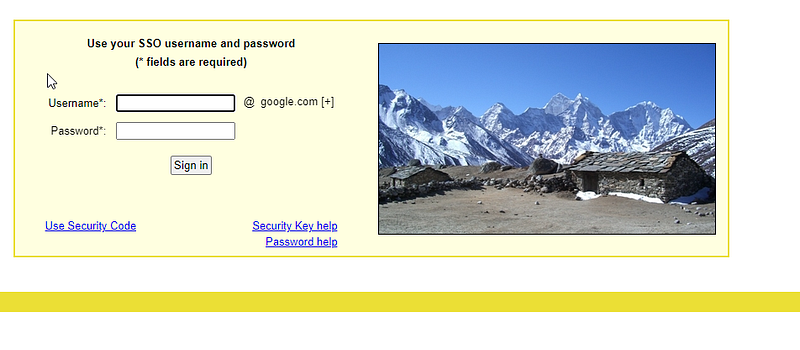
Unfortunately, it’s another feature that’s undocumented, and all links direct me to Google login and password page.
7. AfterRender and afterNextRender Hooks
These hooks are in the developer preview. They allow you to execute code after the component is rendered. Something like this:
@Component({
  selector: 'my-cmp',
  template: `<span #content>{{ ... }}</span>`,
})
export class MyComponent {
  @ViewChild('content') contentRef: ElementRef;

  constructor() {
    afterRender(() => {
      console.log('content height: ' +
          this.contentRef.nativeElement.scrollHeight);
    });
  }
}
9. Fixed @Scope Handling
CSS offers scoping for some time. In Angular, it’s not so necessary because Angular scopes CSS per component as default on its own. However, sometimes you’d like to use scoping.
Daniel Puckowski made sure, @scope queries work properly, as he writes now you can write something like this:
@scope ([data-scope='main-component']) to ([data-scope]) {
  p[_ngcontent-ng-c3427923494] {
      color: red;
  }

  section[_ngcontent-ng-c3427923494] {
      background: snow;
  }
}

@scope ([data-scope='sub-component']) to ([data-scope]) {
  p[_ngcontent-ng-c3427923494] {
      color: blue;
  }

  section[_ngcontent-ng-c3427923494] {
      color: ghostwhite;
  }
}
10. You Can Change ngSrc Images
ngSrc is the magic parameter of an tag that triggers use of NgOptimizedImage directive.
It means that Angular takes care of a lot of optimizations of the image to improve the performance of the page.
The sad thing about it was, like Jay Bell noticed, that you couldn’t change its inputs, because it caused an error, and didn’t change the image. A user “jogelin” provided a nice visualization of the issue:

Now you can change ngSrc inputs, making it more similar to normal img tag, but with all the performance benefits.
You Can Use Bound @Input Of NgComponentOutlet Components
NgComponentOutlet lets you create components dynamically. Unfortunately, a component that was created that way didn’t have bound @Inputs. Meaning changes to it didn’t reflect on the component created making reactivity of such components more troublesome.
Now it changed, and @Inputs are reactive.
So that’s it. All the features up to 16.2.1.
Fixes
There’s also a list of fixes since 16.0.1. Just to name a few:
- add additional component metadata to component ID generation
- allow onDestroy unregistration while destroying
- fix
Selfflag inside embedded views with custom injectors - untrack subscription and unsubscription in async pipe (!!!)
- incorrectly throwing error for self-referencing component
- error when reading compiled input transforms metadata in JIT mode
- wait until animation completion before destroying renderer
- Use
takeUntilon leaky subscription - Ensure elements are removed from the cache after leave animation
- correctly report GC memory amounts
So, with the article you’re covered up until 16.2.1, and 17.0.0-next.0. Can’t wait for the changes in the 17.x.x subversions.
Only 1% of people read such long articles to the end. Congrats! It must be a pleasure to talk with you about coding. You are my favorite people, I hope you will connect by subscribing!
BTW. WOW. You are really interested in Angular! I’m designing Angular card game called Summon The JSON: Angular Interview Questions. What a coincidence! You can pre-order them now!
Do you like Angular? Clap, subscribe, like and share in your social media!
Join 5100 developers who follow Tom Smykowski! For $5 per month you will have access to all Medium articles and Tom will get a part of it, so he will write more about Angular! Become a member now!


