
YouTube’s New Podcast Feature Could Be the Next BIG Opportunity
Shorts are out. Podcasts are in.
If you’re a content creator, you NEED to know about YouTube’s new podcast feature.
This could be a MAJOR opportunity to get more exposure for your content and increase your income, especially if you’re a smaller creator.
In this post, I’ll go over the benefits of the new YouTube podcast feature (i.e. greater distribution) and how you can get started with it, EVEN IF you don’t want to be on video.
I’ll also share the stupidly simple strategy I have for repurposing some of my Medium articles into a “faceless micro-podcast” to add another income stream to my business.
Let’s get into it.
Every so often, YouTube comes out with a new feature that completely changes the game.
Last year the hot feature was YouTube shorts — the 60-second or less video format that was designed to compete with TikTok.
However, one glaring downside of shorts is that they don’t pay creators very well.
In fact, Rob Wilson from VidIQ recently revealed that he had earned just $15 from a shorts video that had over 400,000 views.
In comparison, a long-form video with an average RPM of $4.40 would have earned him $1760.
Enter YouTube Podcasts
In 2023 we’re starting to see the preferred YouTube “video” format SHIFT from shorts to podcasts.
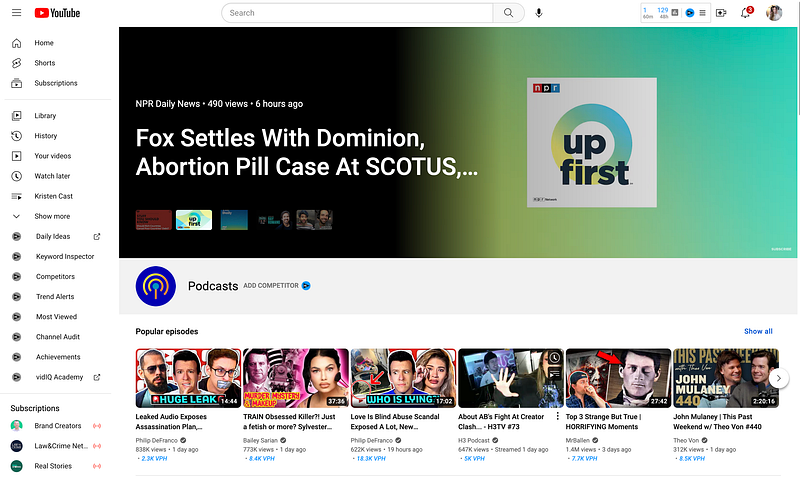
One potential reason for this is that ads don’t perform as well in the shorts feed, and ads are how YouTube makes its money.
However, advertisers love podcasts because they have the potential to capture a listener's attention for longer periods of time.
Now, podcasts on YouTube (in general) are nothing new.
In fact, a recent study revealed that YouTube is already the most preferred podcast platform for listeners, beating out Spotify and Apple.
What IS new is that YouTube has officially rolled out a new feature to support the creation and monetization of podcasts on their platform.
At first glance, this new podcast “feature” doesn’t look very impressive due to its simplicity.
Even renowned podcaster Pat Flynn initially questioned if this new YouTube feature “was kind of dumb” in a recent video.
(He eventually decided it was pretty cool.)
However, the implications for content creators could be massive.
YouTube Podcast Perks
Here are just a few of the “perks” YouTube podcast videos get versus regular videos:
- Inclusion in YouTube Music (this is a big deal)
- Podcast badges
- A “spotlight” on YouTube’s podcast page to help attract new listeners
- Official search cards
- “Easy” discover from the Watch page to help listeners find your episodes
- Recommendations to new listeners with similar interests
- Improved search features to help your audience find your podcast.
- Monetization through the YouTube Partner Program
- Audience analytics
I don't know about you, but it sounds like Youtube podcast creators are going to be given a lot of visibility while YouTube works to ramp up this new feature.
I would imagine that it’s going to be a lot like the early days of YouTube shorts.
A year and a half ago, you could upload just about anything and end up with millions of views. That can still happen today, but the shorts shelf is a lot more crowded.
But, as with most new opportunities, the early bird gets to eat the most worms (or somthing like that.)
If you’re a content creator, writer, influencer, etc., and you’re struggling to grow and get views, this just might be one of the BIGGEST opportunities of 2023.
So, don’t sleep on it.
How to Create a Podcast on YouTube
The process of creating a podcast on YouTube is so simple that it makes this new feature seem unremarkable at first glance.
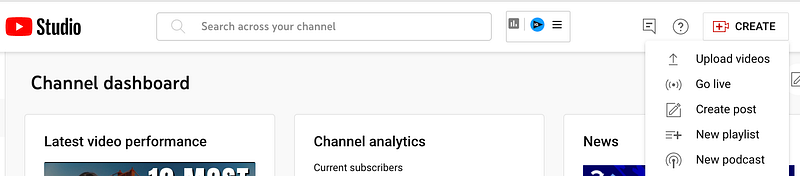
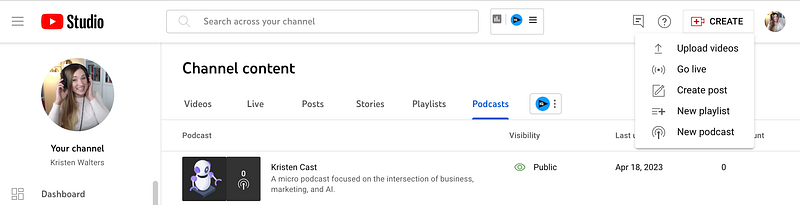
Assuming you already have a YouTube channel set up (Google it for easy instructions if you don’t), click on the Create button at the top of YouTube Studio and select “New podcast.”
Next, you’ll get the option to “Create a new podcast” or “Set an existing playlist as a podcast.”
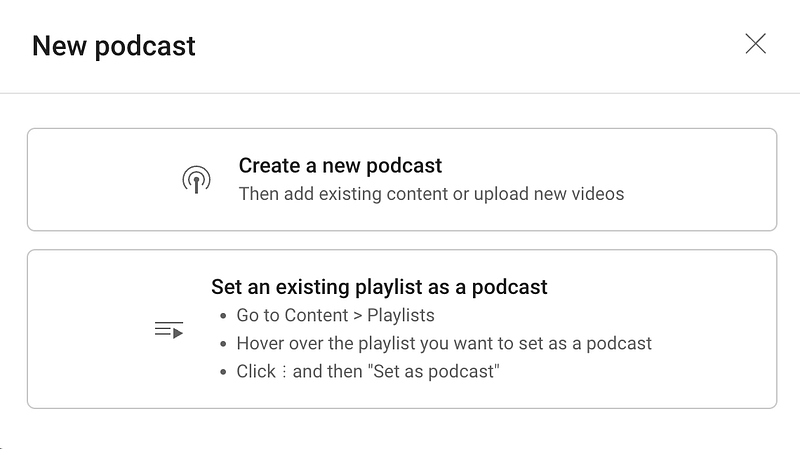
If you already have a playlist of videos on your channel, you can easily try this out and benefit from all the “perks” we outlined above by choosing the second option.
But for the sake of this “tutorial,” I’ll choose the first option to create a new podcast.
From there, you’ll add a title, description, and thumbnail image for your podcast.
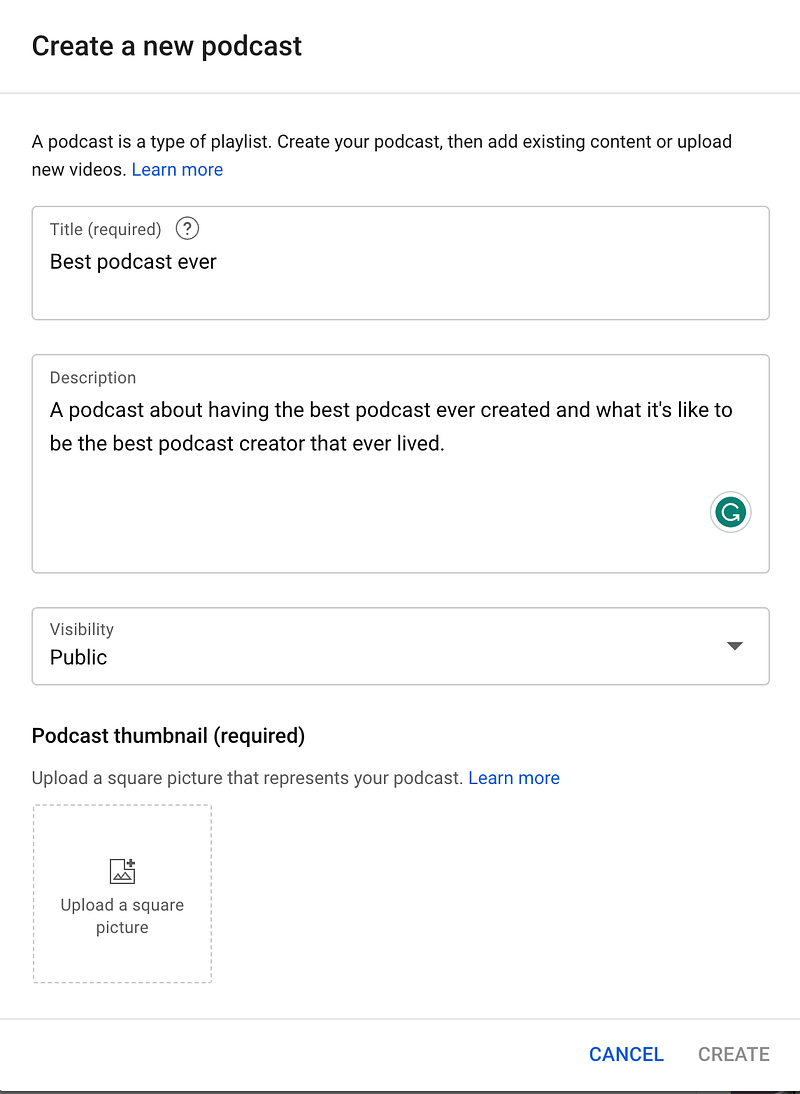
Then click “Create.”
And that’s it!
You now have a brand new YouTube podcast.
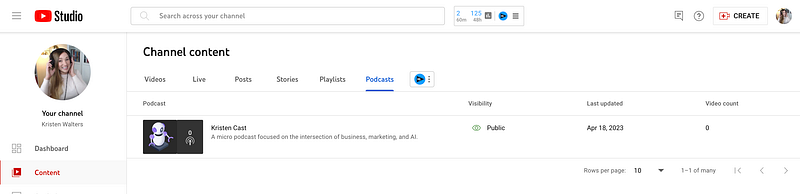
The next step is filling the playlist with podcast episodes.
How to Create Episodes for Your YouTube Podcast
Unfortunately, you can’t upload audio files directly to YouTube, although it would be really nice if they decided to create this feature in the future.
Wink, wink.
That means you’ll still have to upload “video” files to YouTube to add them to your Podcast feed.
However, that DOESN’T mean that YOU have to show your face in the video.
If you’re not a video creator, there is an easy workaround.
You can use a tool called Wavve.co to turn audio-only content into simple videos.
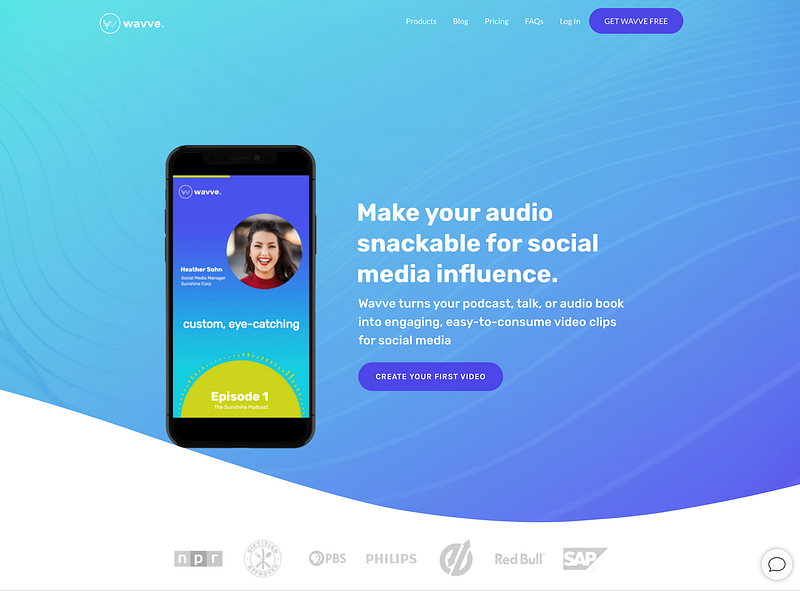
I’m planning on using this tool to turn some of my Medium articles into “micro-podcast” episodes so that I can take advantage of YouTube’s new podcast feature.
Here’s how it works:
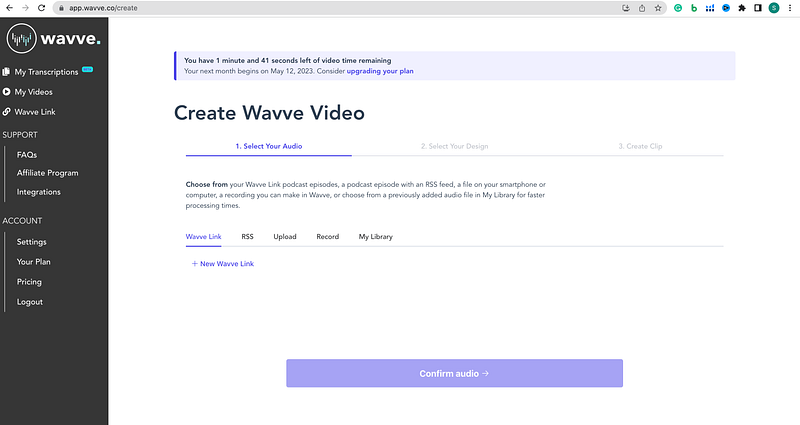
First, select or create the audio that you want to use.
If you don’t have an audio file pre-recorded, you can click “record” and create it right inside this tool.
If you already have an audio file ready to go, click “Upload” instead.
Next, select a design for your video.
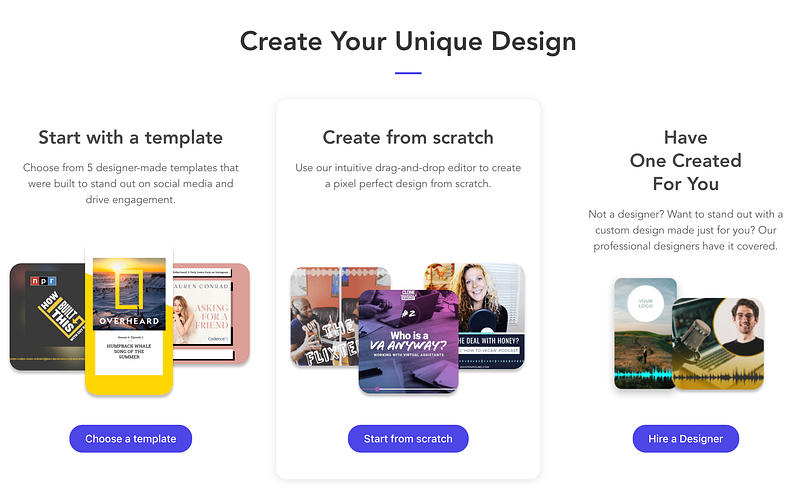
Wavve has premade templates that you can use, or you can start from scratch and create your own design. They also have a professional design service option.
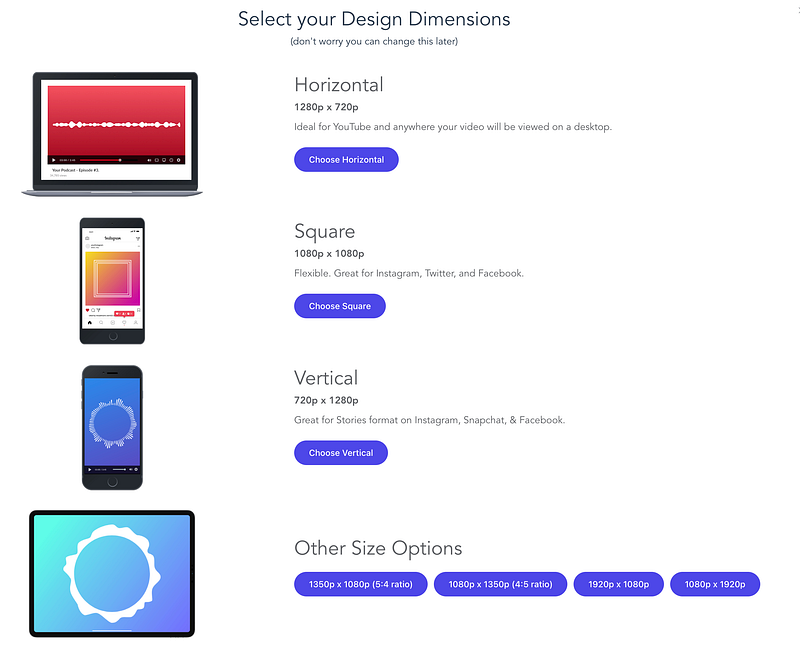
Since I want a horizontal video for YouTube, I’m going to use the “Create from Scratch” option.
From there, you’ll go into the video editor, where you can add a background image and other elements to your “video.”
And no, this is not my final video background. Just trying to give you a chuckle. Although, it is quite charming, lol.
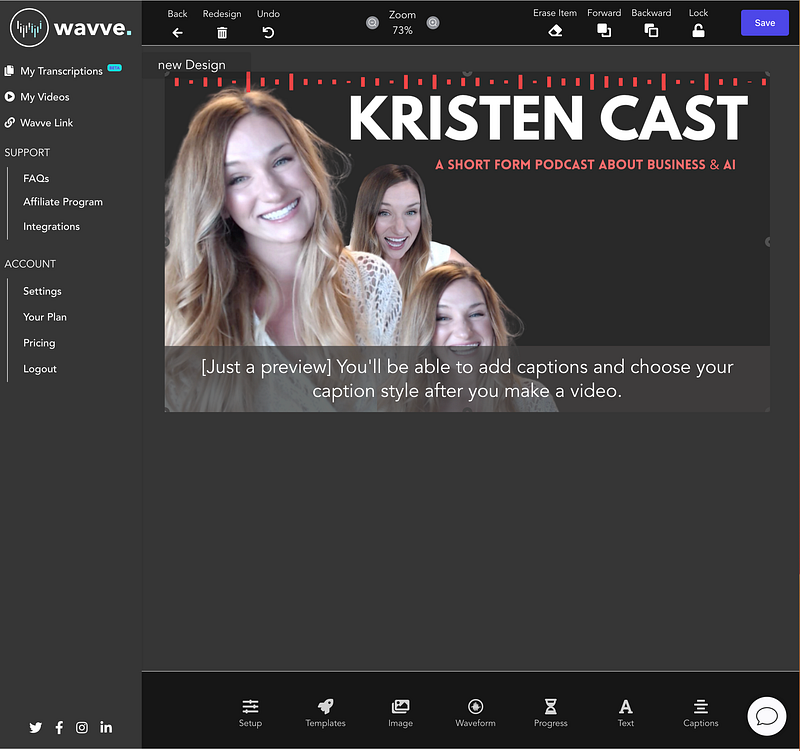
You can add additional elements like an animated wave form, progress bar, text, caption, and images.
Once you are done editing the background, click “save” in the upper right corner.
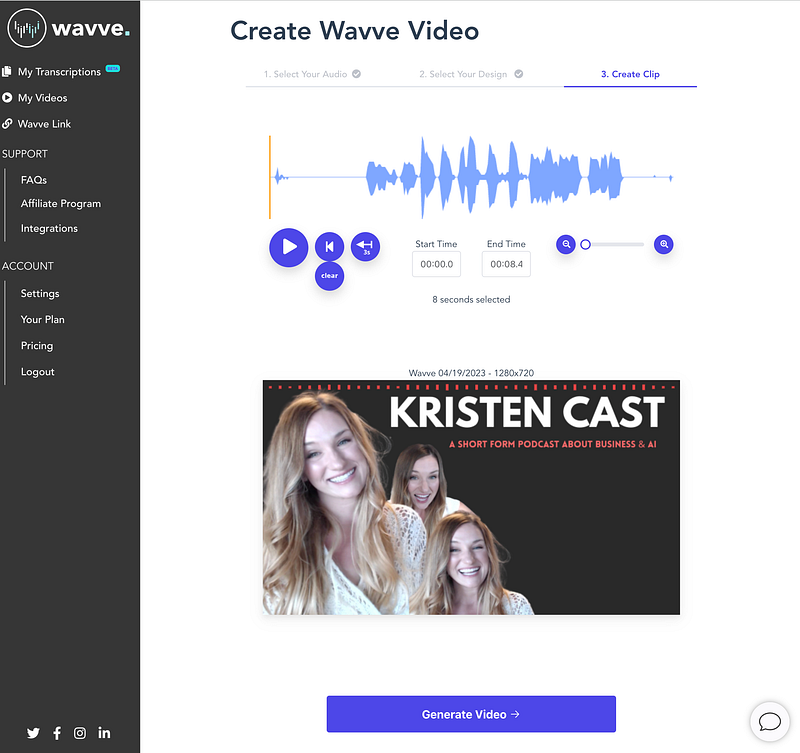
Then you can choose to “Generate Video,” and Wavve will add in your audio, giving you a downloadable MP4 video file that you can upload to your YouTube podcast.
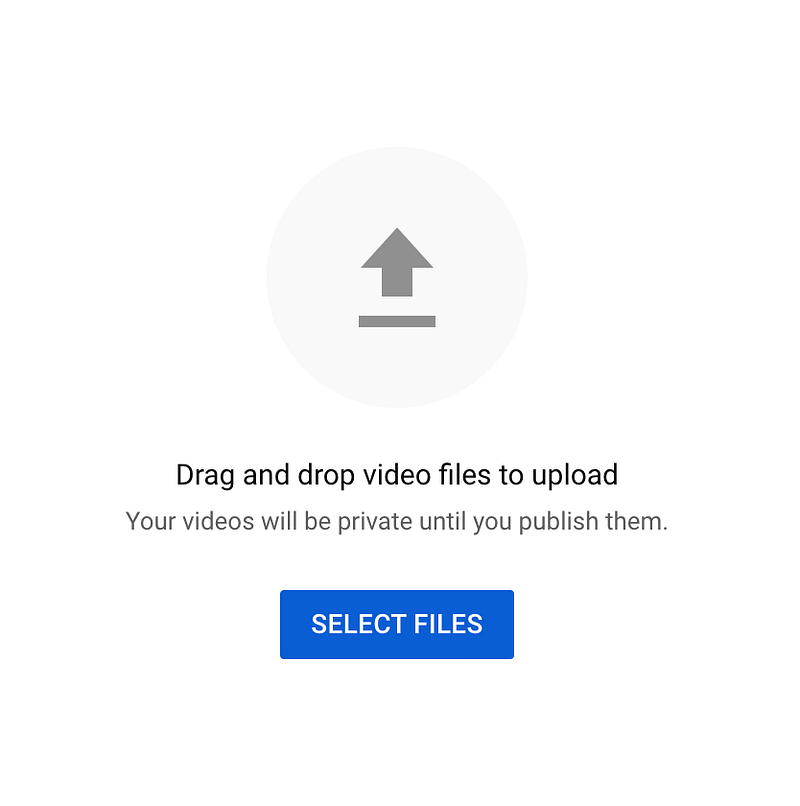
Once you have your podcast “video” file, just head back over to your YouTube Studio, click “Create,” then choose “Upload Videos.”
Drop your video file here.
Then fill in the title of your podcast episode and description.
You can upload a separate thumbnail image or use the static image that YouTube generates for you.
Then, the most important part-
In the “Playlist” section, make sure you select your podcast playlist, otherwise your episode will show up as a regular video on your channel.
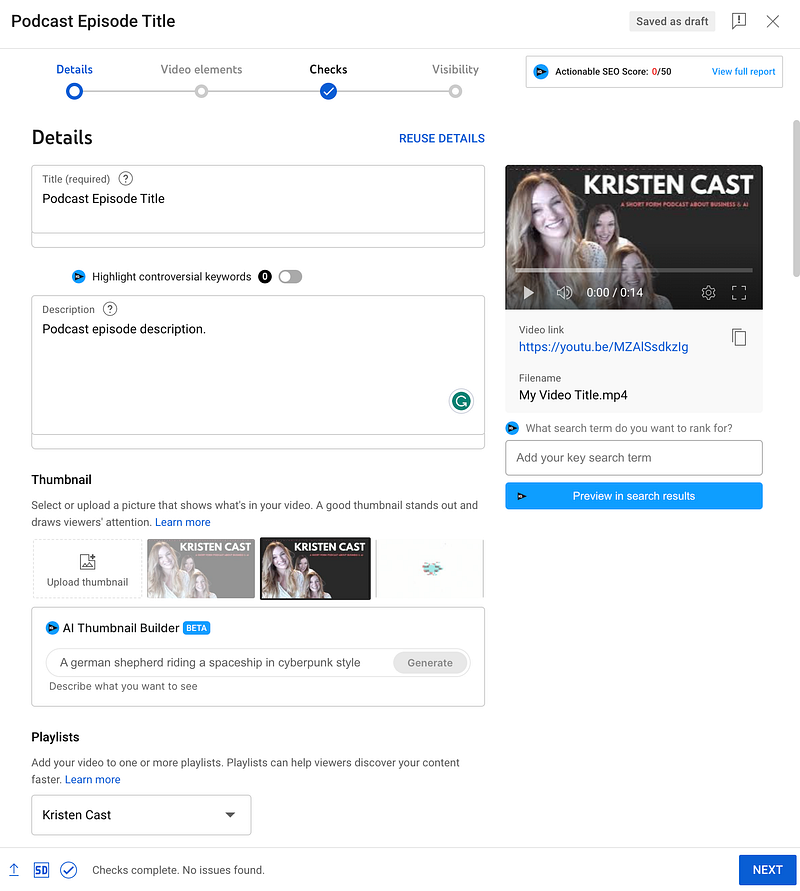
If you scroll down, you’ll also be able to add relevant keyword tags and category information.
Then click “Next.”
Here you can add additional video elements if you want.
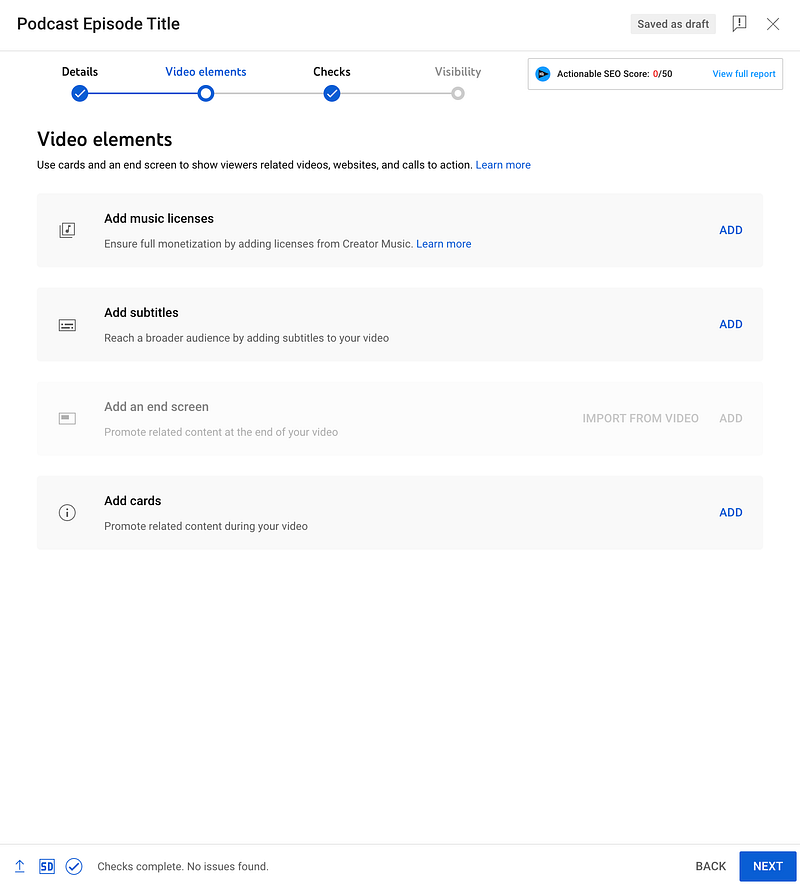
Then you can publish or schedule your podcast episode here.
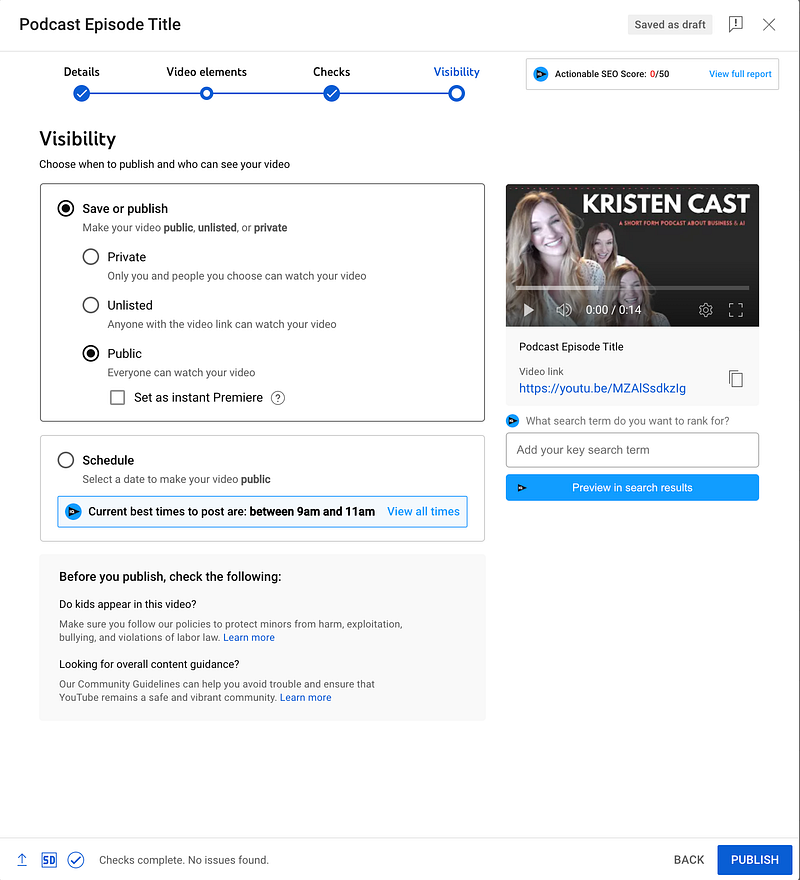
And wa-lah.
You have a new podcast.
Video Podcasts vs. Audio-Only
The last topic I want to cover here is the debate over video vs. audio-only podcasts on YouTube.
Historically, podcasts, by definition, are audio-only.
Many podcast listeners expect and accept this.
But recently, we have seen major podcasters like Joe Rogan, among many others, creating “video podcasts” where the host and guests are shown talking on screen.
So you may be thinking, “Will my podcast perform better if I’m in the video?”
Here’s what the data says —
A recent study revealed that 46% of podcast listeners prefer consuming them with video, versus 42% who prefer audio-only format.
BTW — I’m not sure what the other 12% prefer.
However, this is good news for those of you who don’t like to show yourselves on camera.
A whopping 42% of podcast listeners actually PREFER audio-only formats.
So don’t be discouraged by the fact that YouTube makes you upload “video episodes” to take advantage of their new podcast feature.
You can still take advantage of this with audio-only content mixed with a static background image or dress it up a bit using Wavve.
My Plan
As someone who has created dozens of faceless YouTube channels, I’m really excited to try this out.
The problem is I have so many projects going on right now that planning a completely new podcast is just not in the cards.
So here’s my plan —
I’m going to repurpose some of my Medium articles to create audio-only podcast episodes using Wavve as I demonstrated above.
I’ll post an update once I get some “episodes” up.
What Do You Think?
Is this the next big opportunity for content creators?
Have you tried it yet?
If so, what are your thoughts?
Let’s chat in the comments.
Hey, have you joined Medium yet?
If not, consider signing up with my referral link to get access to EVERYTHING I write, plus more from thousands of really cool and interesting people.
👉 Sign up here 👈
This article contains my referral links for Wavve.co, which along with VidIQ, Jasper AI, and Helium 10, are some of my absolute favorite business tools for content creators.
If you purchase one of my favorite software products, I will receive a small commission at no additional charge to you.


