
Your Ugly Resume Looks Like a Boomer Made It
Outdated personal branding advice often comes from the tech-illiterate.
Personal branding needs (some) color
“I’ve never seen anything like this. Look at it, Amanda!” he said.
It’s possible his colleagues thought he was nuts, but one thing was clear— my resume was unique. In 2018, my hiring manager for a contract position was taking my resume around to meetings and showing his colleagues.
That same resume led to numerous freelance writing opportunities. It helped me land the best-paying project management position of my career. The ultra-modern, primarily visual document yielded exceptional feedback often — even from older hiring managers. Compared to the all-black, Times New Roman, text-only resumes stacked on his desk, of course, it stood out.
This is where designers excel. They understand how to effectively apply color theory, white space, image placement, font pairings, layout, text size stratification to draw the reader in and evoke curiosity.
It was a resume template I’d taken and tweaked it to fit my personal brand and professional personality. It was purple, bold, and slightly cartoonish. I was tickled by how much he liked it, but anything but surprised. It communicated my enterprising spirit and screamed, “I’m perfect for this corporate innovation team!”
Modern templates by designers
The goal of any resume is to get a meeting. Using any professional’s help to effectively improve your odds of achieving that is a no-brainer. The problem is that resume advice too often comes from well-intentioned but painfully outmoded “experts” who still inexplicably use fax machines.
By contrast, templates by designers are like micro-masterpieces that tap into a sophisticated understanding of UX and psychology. Your favorite app is carefully engineered, in part, by UX experts. Their entire job is to make things beautiful and functionally engaging — if not frighteningly addictive — for the user. In this case, that’s the hiring manager.
This is where designers excel. They understand how to effectively apply color theory, white space, image placement, font pairings, layout, text size stratification to draw the reader in and evoke curiosity.
Venngage — Free/$19 monthly
Infographic-maker Venngage is a service we use for about everything at Enriched Couples:
- pitch decks
- business cards
- social media banners
- letterhead
Venngage has added an unbelievable amount of templates. We pay for a subscription at my startup because we use the product so often. There are two limitations to their free plans: (1) can only access a subset of their template library; (2) can’t export/download — you can share your creations as URLs like this. Still, if a hiring manager says, “Send us your resume,” you may have options on how to send it. Many companies hire without Applicant Tracking Systems and care most about seeing the information.
In my view, sending a URL also isn’t necessarily a limitation, but a differentiator. It may signal you think creatively, are self-aware about personal branding, and are comfortable with tools other than Microsoft Word. With a paid subscription, you can export files. In many cases, job searchers still need the ability to do that.
Microsoft — Free/$9.99 monthly
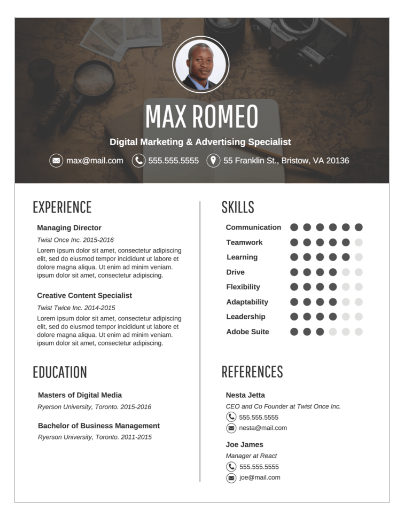
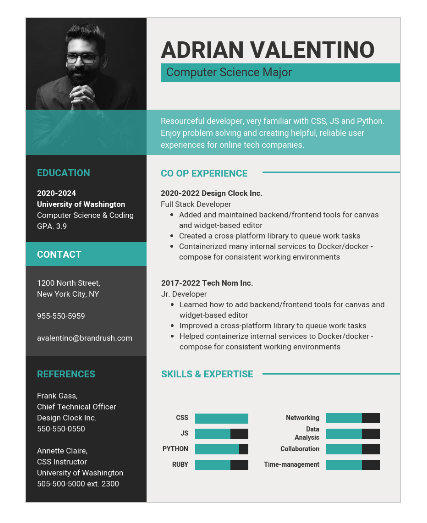
Microsoft Office 365 offers free resume templates. All you need to access them are a free Microsoft login, which you can even set up with a Gmail account if you don’t have an existing Microsoft account.
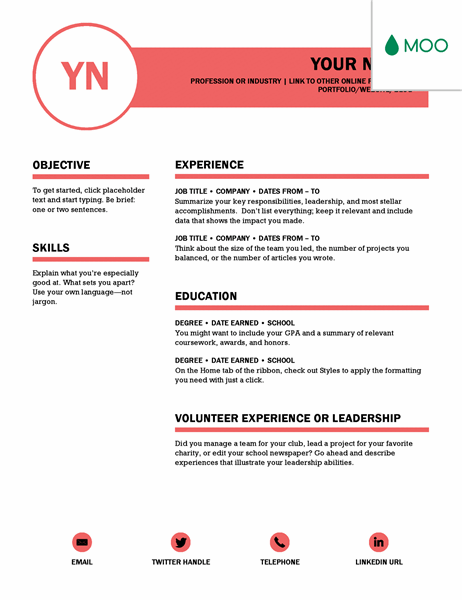
Some templates are designed in partnership with Moo. I’m a fan of this one because it uses quite a bit of color, which helps any resume stand out. One obvious upside of picking a layout like this is that Moo probably has business cards that compliment it visually.
For those who already have a Microsoft 365 subscription, you have access to premium templates. For those who don’t, the Microsoft 365 Family plan start at $9.95/month. A free trial is available to test drive their premium templates. This library of templates only contains 2 pages, so it probably doesn’t merit paying to subscribe unless you planned to for other reasons, anyway. Microsoft products are likely to have a small learning curve.
Canva — $9.95 monthly
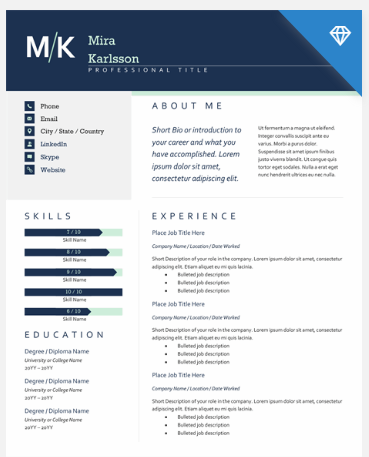
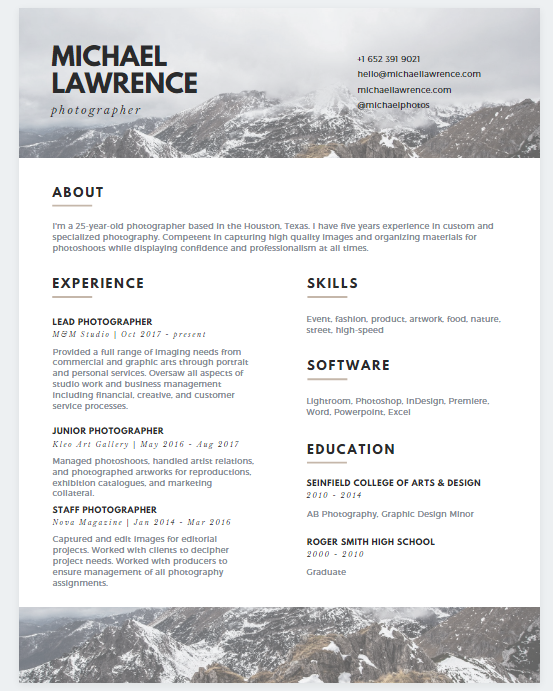
Anyone who works in the digital marketing world is familiar with Canva. It’s a product beloved for its idiot-proof beautiful graphic designs. They have a resume-builder tool available to paying users. You can try it for free to play around with the templates. Maybe there’s one that especially screams “this is me!”
Resume-builders and more templates
- Zety — $2.99 trial to download, get “expert suggestions”
- Resume.io — free URLs/$2.99 trial to download
- My Perfect Resume — free 14-day trial
- Novoresume — free 1-page/$16 monthly
Everyone has an opinion on resumes. This includes professors leading mandatory Job Search Seminars when they haven’t been in the job market for decades (and often never outside of academia). It’s obvious in the formatting and content they recommend.
There are particularly passé things to avoid in 2020.
For example, do not put Microsoft Office on a resume and expect it to impress hiring managers — especially in tech. As Lauren Hamer put it: “…basic computer skills are an industry standard… the expectation is that you know Microsoft Office.” Lauren isn’t alone in her thinking on this. In a 2018 MONEY article, Kristen Bahler said, “DON’T list Microsoft Word on your resume. Period.”
Lauren also pointed out in a recent conversation with me that it’s not common to include a full mailing address on a resume anymore. Keep it to home city and state. If relocating, she recommends instead including “Relocating to ______” or leaving it blank and explaining plans in an interview.
Professional designers and resume gurus did the legwork to create a sexy, modern one-page summary of who I am as a professional. Why not use that shortcut to a polished product?
It may seem unoriginal to use templates; but, they are often the easiest path to differentiating yourself in a sea of competition. Ask yourself this. Is that ugly, text-only document really communicating who you are as a modern, dynamic professional or does it look like a boomer wrote it in 1994?


