
Your Step-by-Step Guide to Setting Up and Configuring MetaMask
If you’ve been traversing the cryptoverse, you’ve probably heard whispers of a tool called MetaMask. This trusty fox-headed sidekick isn’t just another browser extension — it’s your key to unlocking the potential of decentralized finance (DeFi).
This guide will carefully walk you through setting up and configuring MetaMask, from installation to understanding its fascinating features. Don’t worry, there’s no need to dust off that computer science degree or wrestle with techno-jargon; we’re going to make this journey as fun and accessible as possible.
1. Installing MetaMask
First things first, we need to add MetaMask to your browser.
MetaMask is primarily used as a browser extension and supports Chrome, Firefox, Brave, and Edge. Today, we’ll focus on Chrome, but the steps are very similar across all browsers.
Step 1: Visit the official MetaMask website at metamask.io. When downloading tools like MetaMask, always double-check the website address.
Step 2: Click on the ‘Download’ button, which will then show you the browsers that MetaMask supports. Choose ‘Install MetaMask for Chrome.’
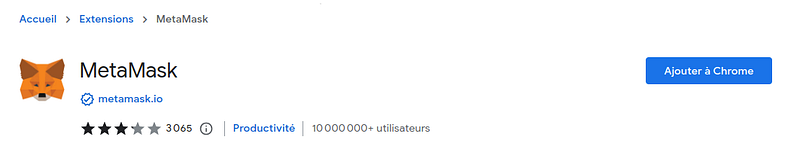
Step 3: This will redirect you to the Chrome Web Store. Click ‘Add to Chrome’ and then ‘Add Extension.’
2. Setting Up MetaMask
With MetaMask installed, it’s time to set up your wallet.
Step 1: Click on the MetaMask fox icon in your browser’s toolbar. The fox is a curious creature — it follows your cursor as you move it.
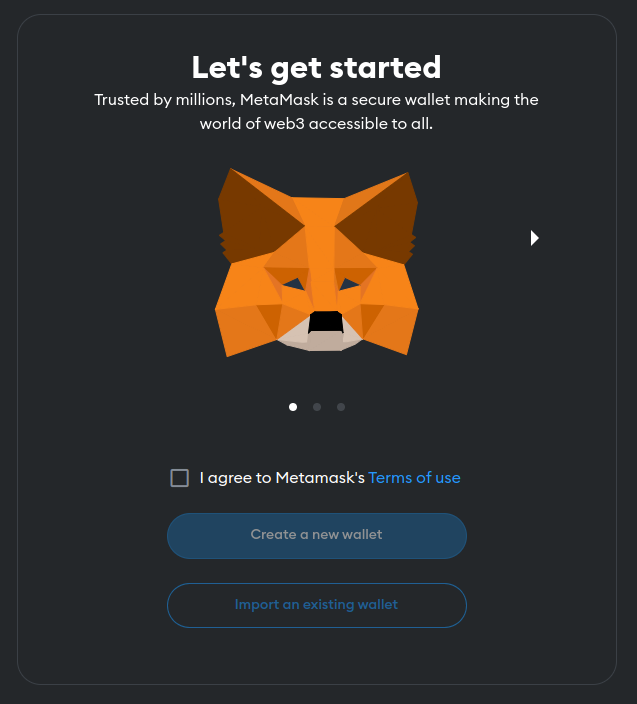
Step 2: Click ‘Get Started.’ You’ll have two options here — to ‘Import Wallet’ or ‘Create a Wallet.’ If you’re new, choose ‘Create a Wallet.’
Step 3: You’ll be asked if you want to help improve MetaMask. It’s up to you.
Step 4: Next, you’ll create a password. Make it strong.
Step 5: Read the ‘Terms of Use’ and proceed.
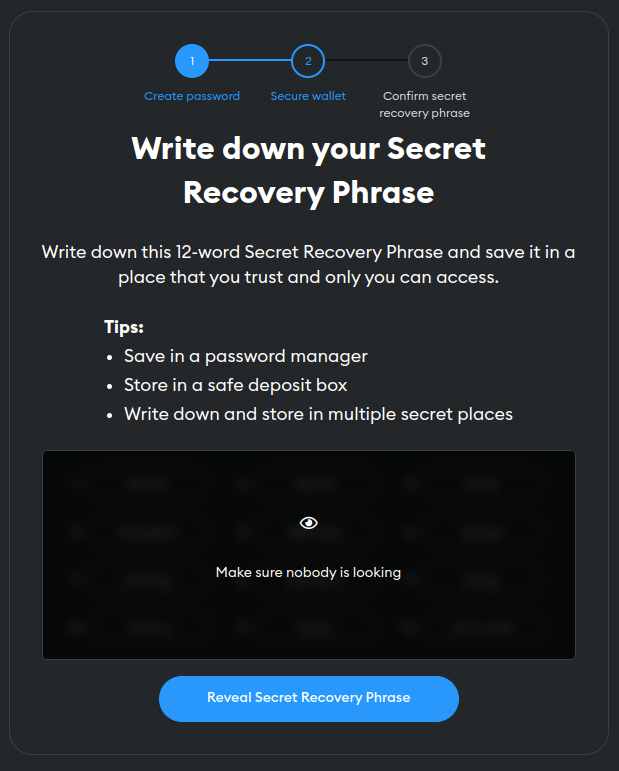
Step 6: Time for the secret phrase! Also known as a seed phrase, it’s like a master key to your wallet. Write it down and store it in a safe place. Treat it like a treasure map — because in a way, it is.
If you lose it, there’s no way to recover your wallet.
3. Interacting with MetaMask: Unleashing the Magic
Now that your digital wizard is all set, it’s time to use its magic.
To receive funds, click on your account name to copy your wallet address. This address is like a postbox where others can send you cryptocurrencies.
To send funds, click ‘Send.’ You’ll need the recipient’s wallet address — paste it in the ‘Add Recipient’ field. Enter the amount and click ‘Next.’
MetaMask isn’t just a wallet. It also lets you interact with Ethereum-based DApps. To do this, you’ll need some Ether in your wallet for gas fees — think of it like fuel.
To customize gas fees (which speed up your transactions), click ‘Edit’ under ‘Gas Fee.’ It’s a bit like picking your transport — walking, horse carriage, or a magic carpet ride? The faster you want to go, the more it’ll cost.
That’s it! With these steps, you’re ready to begin your adventure in the Ethereum universe.
4. Safeguarding Your Seed Phrase
So, you have your seed phrase, the master key to your wallet. Here’s how you can keep your seed phrase secure:
Write It Down / Store It Safely / Don’t Share / Create Backups / Be Aware of Phishing
Write It Down: As soon as you receive your seed phrase, write it down on a piece of paper. Never store it digitally, as it’s vulnerable to hacking.
Store It Safely: Treat your seed phrase like a priceless artifact. Store it in a safe deposit box, a home safe, or any other secure place you can think of.
Don’t Share: This might sound obvious, but it’s worth emphasizing. Never share your seed phrase with anyone, not even with someone claiming to be from MetaMask or other platform, or even a trusted person in your life.
In the world of crypto, your seed phrase is your identity — sharing it is akin to giving someone the keys to your home. Your seed phrase is the one thing that can recover your wallet if you forget your password or lose access to your wallet, but it can also be used maliciously if it falls into the wrong hands.
That’s why it is important to safeguard it and never share it with anyone.
Create Backups: Ever lost a crucial piece of paper? Avoid that heart-stopping moment by making 2–3 backups of your seed phrase. Store these copies in different secure locations.
Be Aware of Phishing: Keep a sharp eye for phishing attempts trying to trick you into revealing your seed phrase.
Remember, anyone who has your seed phrase can access your wallet.
Understanding MetaMask Vulnerabilities
Last year, a privacy vulnerability was discovered in MetaMask (cryptobriefing.com). A rogue website could potentially track all your interactions across the Ethereum blockchain by exploiting MetaMask’s default settings.
Here’s what you can do to navigate this challenge:
Update Your Extension: MetaMask’s developers are constantly working to fix any vulnerabilities. Always ensure your MetaMask extension is up to date.
Privacy Mode On: Enable ‘Privacy Mode’ in the MetaMask settings. This way, your account will not be exposed to the sites you visit until you permit it. To enable Privacy Mode, click on the MetaMask extension icon, then the round profile icon in the top-right corner, then ‘Settings’, and toggle ‘Privacy Mode’ on.
Mindful Interactions: Be cautious of the websites you interact with using MetaMask. Stick to trusted, secure sites. Remember, the wilderness of the Internet can sometimes host dangerous beasts.
These steps will help you take control of your privacy and protect your identity on the Ethereum blockchain. But, the most crucial step is continuous learning — staying updated with MetaMask’s latest news, updates, and potential vulnerabilities. After all, knowledge is your most potent spell in the cryptoverse.
Conclusion: Embrace the Adventure
And there you have it: the story of your initiation into the magical world of MetaMask, a user-friendly gateway into the vast and complex realm of Ethereum and DeFi.
Still, the learning doesn’t stop here. Like any good adventure, the journey is just as important as the destination. Continue exploring, learning, and experimenting.
Now, go forth, intrepid explorer. A universe of smart contracts, digital currencies, and decentralized applications awaits.
- MetaMask Privacy Enhancements: To understand the recent privacy enhancements to MetaMask, read this article on Decrypt.
- MetaMask Vulnerability Details: For a more in-depth exploration of the MetaMask vulnerability and its implications, check out this piece on Crypto Briefing.
- Official MetaMask Documentation: The official MetaMask docs are an excellent guide for using MetaMask, from basic functionality to more advanced features.
- MetaMask Community: Join the MetaMask community to connect with other users, share experiences, and get answers to your questions.
- Ethereum and DeFi Explained: For a broader understanding of Ethereum and decentralized finance, this guide by Binance Academy is a great start.
- Introduction to Smart Contracts: To delve deeper into the world of smart contracts, which are a critical part of the Ethereum ecosystem, this introduction by Solidity docs can be beneficial.
Enjoyed the read? For more on Web Development, JavaScript, Next.js, Cybersecurity, and Blockchain, check out my other articles here:
If you have questions or feedback, don’t hesitate to reach out at [email protected] or in the comments section.
[Disclosure: Every article I pen is a fusion of my ideas and the supportive capabilities of artificial intelligence. While AI assists in refining and elaborating, the core thoughts and concepts stem from my perspective and knowledge. To know more about my creative process, read this article.]