
Fluttering Dart
Your Explosive Energy
Use Flutter or Dart to unveil it

A while back I’ve started a journey called Fluttering Dart in which I explored Dart programming language fundamentals one must get in touch with, in order to build robust Flutter applications.
It’s a journey that most people with a bit of programming experience can take.
When I got to explore functions in Dart, the first thing that came to my mind to use as an example was Albert Einstein’s famous formula:
E = mc²
It states that the energy (E) can be calculated as the mass (m) multiplied by the speed of light (c) squared.
I started to search for a nice way to present the formula and translate it into a Dart function and stumbled upon this:
The physics and math behind are explained very well in the above article and I’ll be focusing on writing and explaining the equivalent code.
When I first had the idea I was thinking to use DartPad. At that time it supported only the Dart code. Meanwhile, DartPad evolved and now can also run Flutter code which will make things nicer.
Dart
The console Dart only version I wrote when I first had the idea is:
import 'dart:math' as Math;double kTonTNTInJoules = 4184000000000;
double c = 299792458;
int fatMan = 21;Function E = (double m) => m * Math.pow(c, 2);num joulesToKTonTNT(num val) => val/(kTonTNTInJoules*fatMan);void main() {
double yourCatsWeight = 4.1; //in kg
print('Your cat has ${joulesToKTonTNT(E(yourWeight)).toStringAsFixed(2)} times more explosive energy than a bomb that destroyed an entire city…');
}Above we first import the Dart’s core math library then define some constants: the number of Joules in one kiloton of TNT (TriNitroToluene) — kTonTNTInJoules, a better approximation of the speed of light — c, and the number of kilotons of TNT that a well known atomic bomb had — fatMan.
We then define the function that will calculate mc²
We also define a function that will transform the energy (measured in Joules) into kilotons of TNT.
In the main body I defined my cat’s weight and displayed the result:
Your cat has 4193.86 times more explosive energy than a bomb that destroyed an entire city…The DartPad version can be played with here:
Flutter
Moving on to Flutter, the code becomes:
Regarding the logic behind it, the code goes about the same as the previous one.
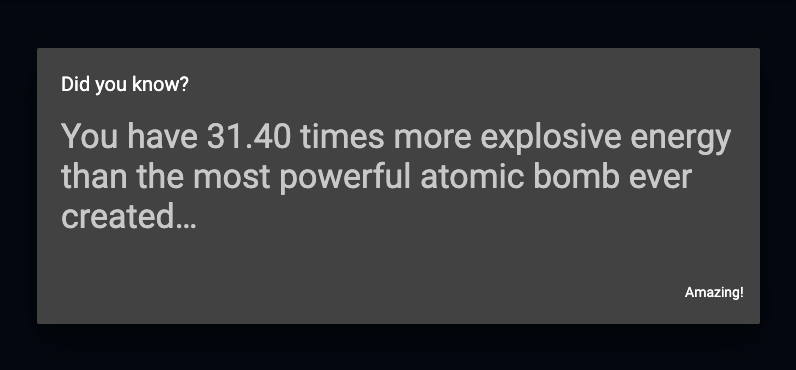
I changed the example to use the most powerful atomic bomb to be ever detonated in the history of human kind: the Tsar Bomba.
I also provided with the option to switch weight units between kilograms (kg) and pounds (lbs). When the pounds unit is chosen the weight must be first converted in kilograms and that is what the getMass function does.

The result is displayed either when pressing on the Calculate button, or when Enter key is pressed and the weight input is in focus.
The DartPad version can be played with here (using Google Chrome is recommended):
If you want to read more about functions in Dart, you can do that here:
I hope this example got you intrigued and you’ll calculate the explosive energy you’ve stored inside of you.
Next time you feel tired just think of that. :)

Tha(nk|t’)s all!