
You Locked Yourself Entirely Out Of Your S3 Bucket, Now What?
You aren’t the first one to do it

Recently, I had a situation where I was adjusting a bucket policy on one of my buckets, and I unintentionally made the mistake of completely locking everyone out of my bucket.
Unfortunately, this bucket was storing some objects, so I was still accruing storage charges regardless of whether I could access it. This is quite a pickle to be in because you cannot edit or view your objects, your bucket policy, or do anything else.
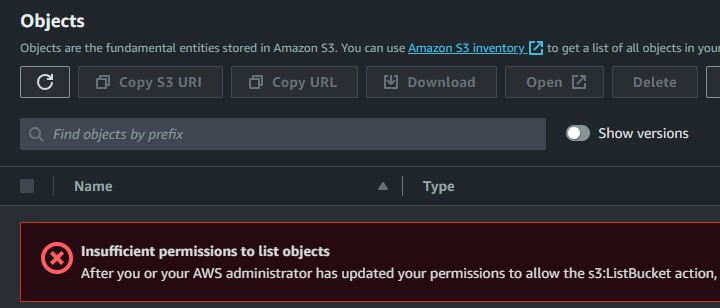
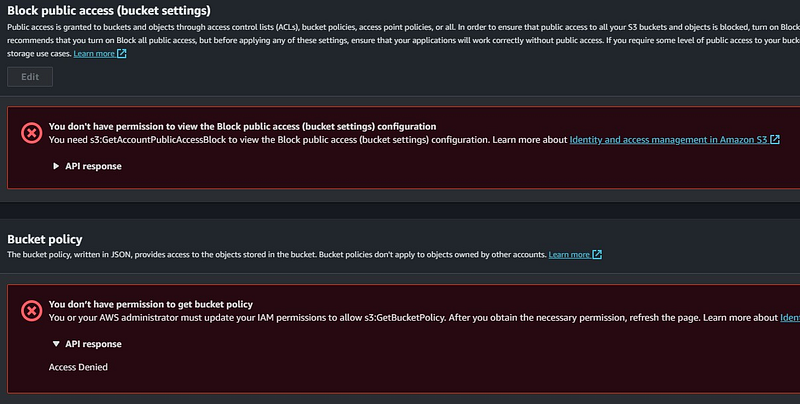
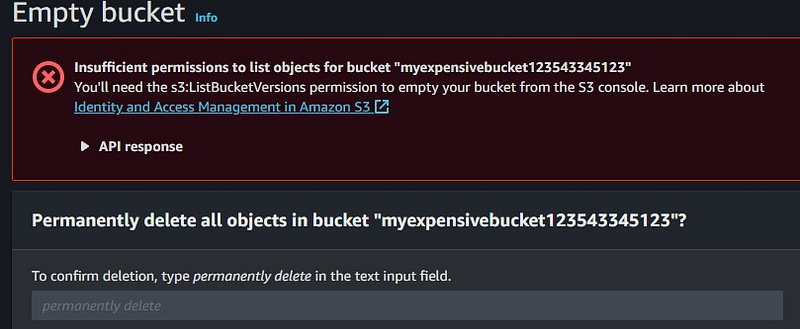
Luckily, whenever you make a mistake in the cloud, you can rest assured that you are not the first one. For this particular situation, AWS has reserved the rights for the root user on an account to edit a bucket policy regardless of what the policy actually says.
It’s a simple fix; all you need to do is log in to your account as the root user, navigate to the bucket in question, and while everything else is still locked down, you’ll notice that you can view and edit the policy.
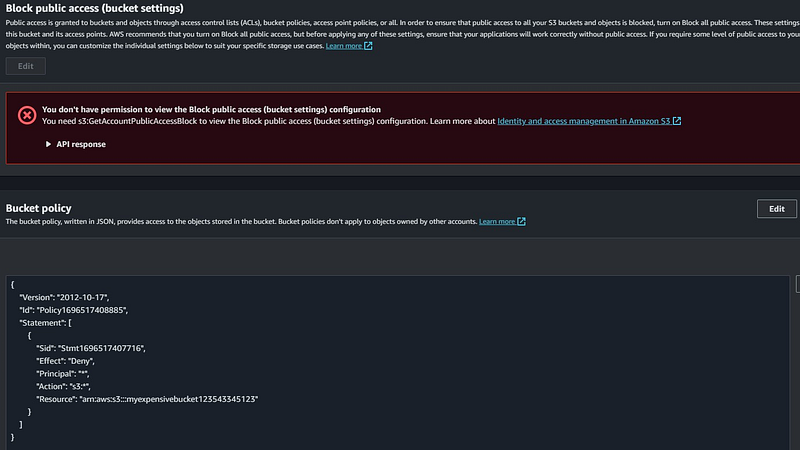
Just edit your policy to give access again (or delete it and start over with a new policy), and the problem is solved!
Now, if you log back in as your regular IAM user, you can go in and do what you need to with your bucket. Or, in my case, delete the stored objects as I no longer needed them.
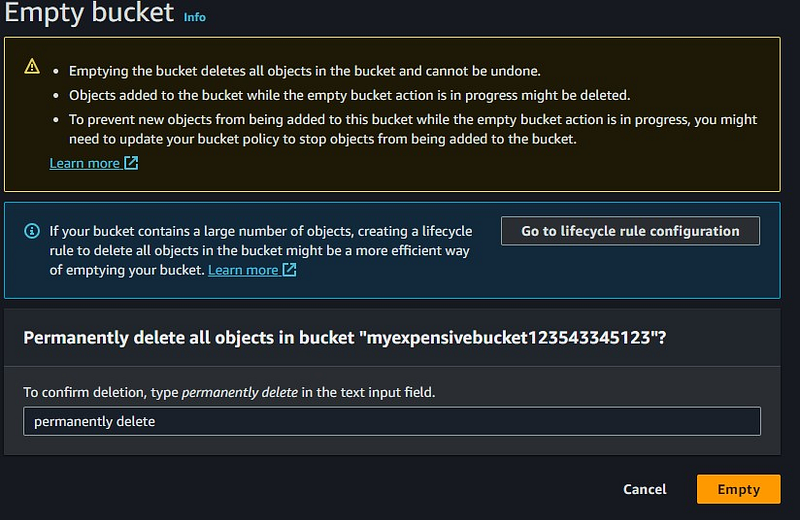
Hopefully this helps you out if you find yourself in this situation. As I mentioned earlier, you are not the first person to make a given mistake, so there is certainly a way to fix anything you break.
Worst case scenario, AWS support is quite friendly when it comes to accidentally accruing charges (as long as you are not a repeat offender), so you can just reach out to them to plead your case and ask for a refund.
In Plain English
Thank you for being a part of our community! Before you go:
- Be sure to clap and follow the writer! 👏
- You can find even more content at PlainEnglish.io 🚀
- Sign up for our free weekly newsletter. 🗞️
- Follow us on Twitter(X), LinkedIn, YouTube, and Discord.


