
You are ideating AI solutions wrong. Here’s how:
AI advancement has brought about many new innovation possibilities.
New services. New products. New solutions.
But how exactly do you ideate design solutions for AI?
In this article, we cover how:
—
In Part 3 of the “How to build a Human-Centered AI Product article series”, I’ll dive into the 3rd step of the new Human-Centered AI methodology.
New here?
The Human-Centered AI methodology is a framework I have spent 2+ years of research on, developed in a prior research collaboration with AI Singapore.
It’s the new Product Design Thinking for AI.
Read why we need a new product design approach for AI here.
In 5 steps:
1. Define
Define and identify business opportunities, user painpoints, and areas where AI can add value
2. Align
Align business and user needs to achievable data needs and AI inputs
3. Ideate
Brainstorm and generate ideas for new design possibilities enabled by AI capabilities
4. Explain
Explain the inner workings of the AI model, and communicate what AI does for users to promote user understanding and trust
5. Impact
Consider the impact of AI solutions across different aspects of society in unintended consequences
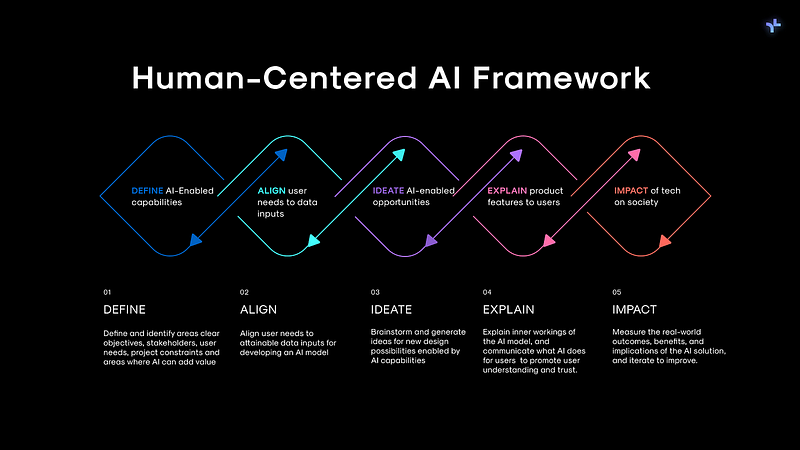
In this article, I’ll dive deeper into Step 3: How to ideate possibilities with AI capabilities.
Check out:
if you haven’t!
—
Understanding AI capabilities
With AI technology, comes a new design context.
AI brings about new capabilities.
In Machine Learning, Artificial Intelligence and Natural Language Processing.
This means new design opportunities.
Where we need to identify AI can empower new user actions and generate ideas that leverage it’s specific capabilities.
How?
Having a solid foundational understanding of AI capabilities.
I won’t go into detail here, but basically:
AI can be broadly classified into 3 categories:
- Machine Learning: A way for computers to learn and improve from experience without being explicitly programmed.
- Natural Language Processing (NLP): The ability of computers to understand, interpret, and generate human language, like reading text or recognizing speech.
- Computer Vision: Giving computers the ability to see and interpret visual information from the world, similar to how humans use their eyes.
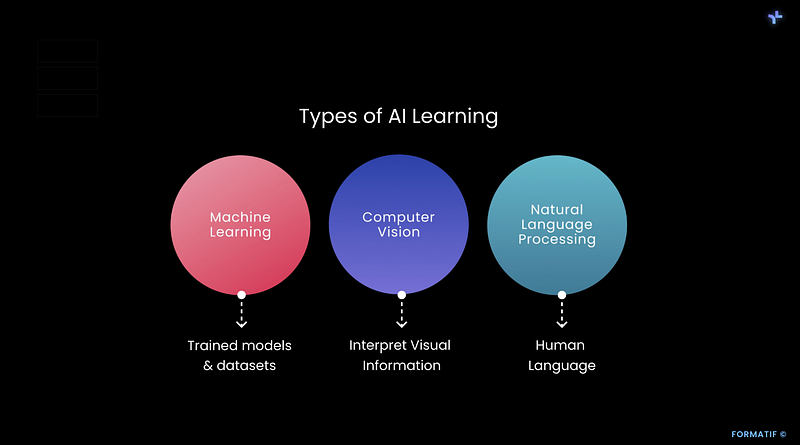
I’ll cover these in detail in another article, but in essence — here’s the main gist of use cases you need to know for each:
Machine Learning
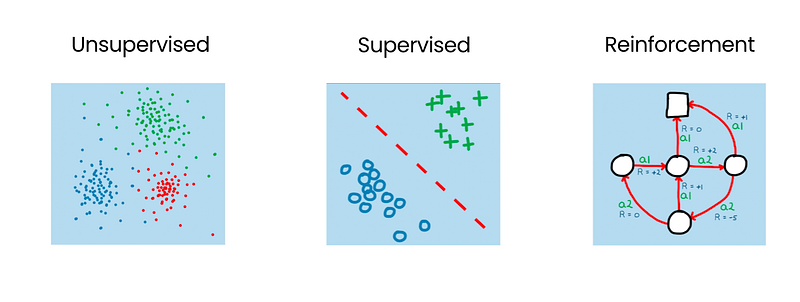
Types of learning:
- Supervised (computer learns from guidance through labeled examples of data)
- Unsupervised (computer explores and discovers patterns from datasets on its own)
- Reinforcement (computer asks questions on datasets, gives clear answers to computer’s questions)
When to use ML:
- Handle complex logic
- Problem scales up fast
- Requires specialised personalized information
- Adapts in real-time
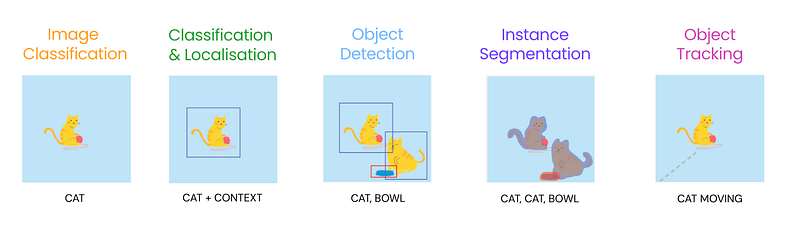
Computer Vision
Types of learning:
- Image classification
- Classification & Localisation
- Object Detection
- Instance segmentation
- Object detection
When to use ML:
- Handle complex logic
- Problem scales up fast
- Requires specialised personalisation
- Adapts in real-time
Natural Language Processing
Types of learning:
- Natural Language Understanding: comprehend and make sense of human language, including context and intent.
- Natural Language Generation: computers creating their own human-like text, like writing a story or generating a response in a conversation.
When to use NLP:
- Conversational interface
- Question Answering
- Sentiment Analysis
- Text understanding and analysis.
- Language translation
- Text generation and summarization.
- Speech recognition and transcription.
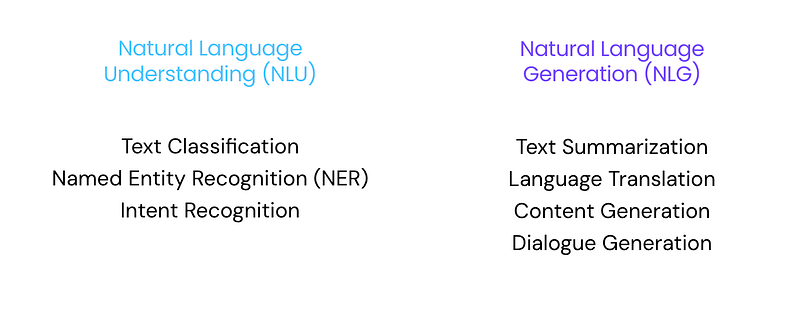
Of course this is just skimming the surface (very generally).
There’s definitely a lot more to know, but it should give you a rough idea on how these AI capabilities work with their use cases.
Now let’s dive into step 3.
Step 3: Ideate possibilities with AI capabilities
This is basically IDEATE stage of design thinking, but taking into consideration of the new context of AI capabilities for the AI we are designing for.
When ideating solutions for AI, it’s not about
Can we use AI to solve XXX?
How might we solve XXX?
But instead,
How can AI solve this in a unique way?
What is this unique way?
For this unique way to happen, we need to understand AI capabilities. And what new design possibilities can be enabled from these AI capabilities.
Understanding unique capabilities of AI (+ data and user needs) → Ideate opportunity to use AI
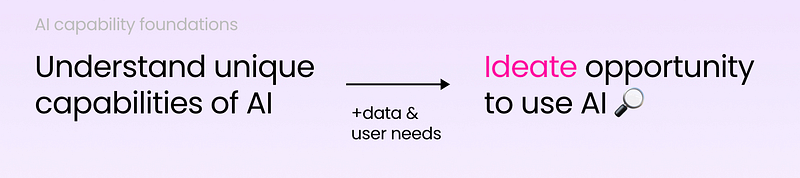
This means delving deep into AI capabilities, like:
- What is the unique capabilities of AI that makes this possible?
- What aspects of ML, CV and NLP does it use?
How to do so?
The AI capability cards that I have created under my AI design toolkit helps you so.
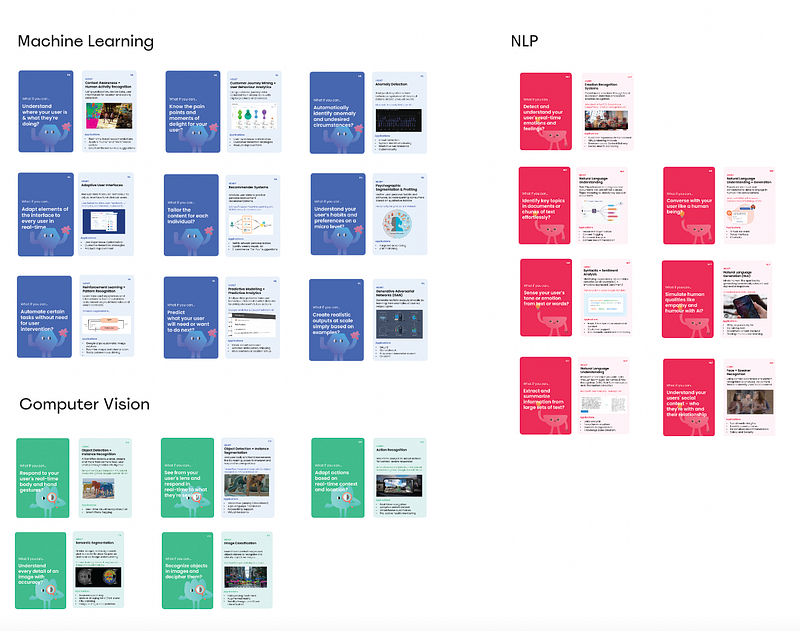
Here’s an example of how to understand AI capabilities to map from the AI Design toolkit that I have created:
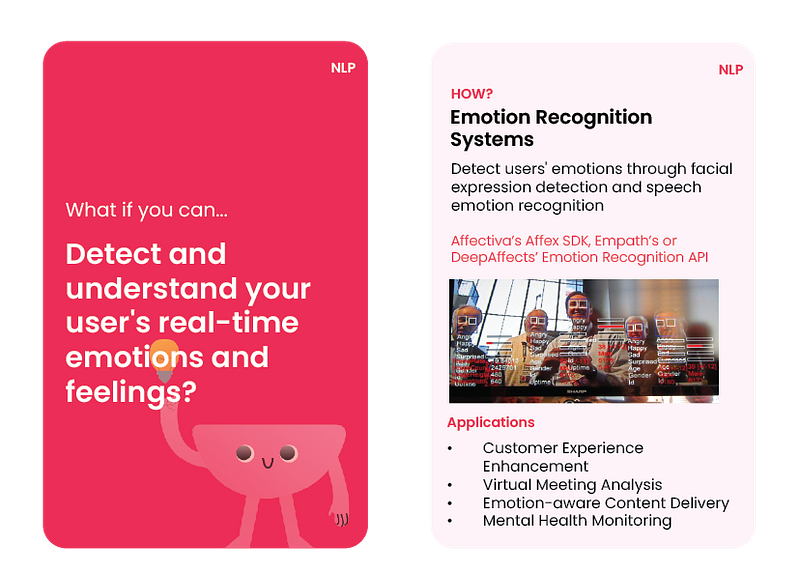
While in the past design thinking celebrates out-of-the-box ideation, with AI we now have to ideate within the field of AI capability constraints.
And this isn’t linear for just 1 capability.
It means understanding different AI Capabilities, and identifying how capabilities in Natural Language Processing (NLP), Computer Vision (CV), and Machine Learning (ML) can combine to form new design opportunities for product features and innovation.
It’s kind of like combining different blocks and building from there.
Which makes it even more fun.
Here’s an example of how to put it all in action.
When ideating an AI design solution.
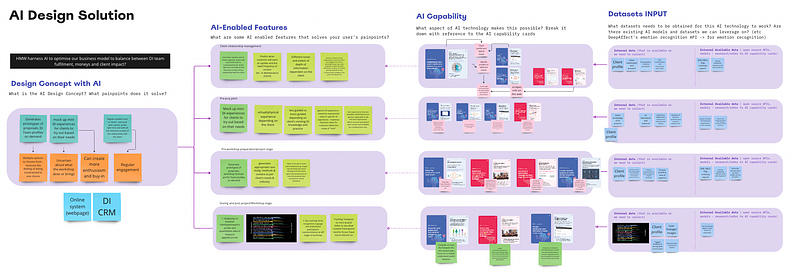
Brainstorming an AI-design solution
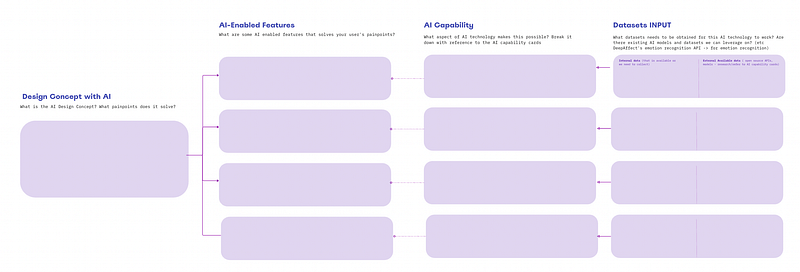
- AI Design concept : What is the AI Design Concept? What painpoints does it solve?
2. AI-enabled features: What are some AI enabled features that solves your user’s painpoints?
3. AI Capability: What aspect of AI technology makes this possible? Break it down with reference to the AI capabilities it uses
4. Datasets Input: What datasets needs to be obtained for this AI technology to work? Are there existing AI models and datasets we can leverage on? (etc DeepAffect’s emotion recognition API -> for emotion recognition) Think in terms of:
- Internal Data: that is available or we need to collect
- External Available Data: Open source APIs, models, research and datasets available
Here’s how it looks like when pieced together:
Okay now you have an AI solution concept created.
What’s next?
Crafting the end-interface and UX for the AI solution.
AI is a new and unfamiliar technology, with a new playing field.
Never 100% accurate, AI models learn from data and reiterate — meaning initial AI product features launched are prone to error and inaccuracy. And it’s a continuous work in progress — needing users to provide the data to learn from for feedback and development.
All this involves new mental models that we need to develop and help users manage expectations and feedback.
The next step: Explaining UX for AI
I’ll cover this in my next article — part 4.
If you made it this far, thank you for the read!
— -
In the meantime, check out my series on how to build a Human-Centered AI product:
👇🏻 Learn how to build a Human-Centered AI product
- Step 1: DEFINE your AI-enabled product opportunity
- Step 2: ALIGN your user needs to data
- Step 3: IDEATE design possibilities with AI capabilities
— -
I hope you have found this article insightful, and always love connecting with fellow AI enthusiasts and AI design thinkers.
If you found this post insightful, hit the like button and follow me on Medium for more 🔔 — I appreciate it!
I’m building Human-Centered AI initiatives for 2024, and looking to connect with fellow AI enthusiasts and AI design thinkers for collaborations.
To learn more, drop me a follow and message on Linkedin!


