
Xcode Project vs Xcode Workspace — Differences
What is the difference between XcodeProject and XcodeWorkspace?
- What is the difference between the two of them?
- What are they responsible for?
- Which one of them should I work with when I’m developing my Apps in team/alone?
- Is there anything else I should be aware of in matter of these two files?

There are 3 key items regarding the project structure: Target, Project and Workspace.
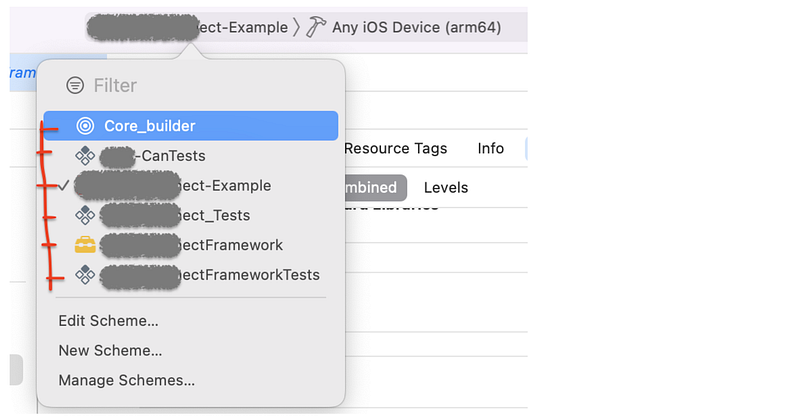
Target - specifies in detail how a product / binary is built - i.e. product = application; binary = library - includes build settings and defines which files actually belong to a product - when you build / run, you always select one specific target - it’s likely to have more targets, sharing code and resources - you create different targets to have slightly different versions of the same app (for iPhone/iPad, or different brandings) or for test cases that naturally need to access the same source files as the app - more related targets can be grouped in a Project - while the project contains the files from all its targets, each target picks its own subset of relevant files - the same goes for build settings: you can define default project-wide build settings in the project, but if one of your targets needs different settings, you override them
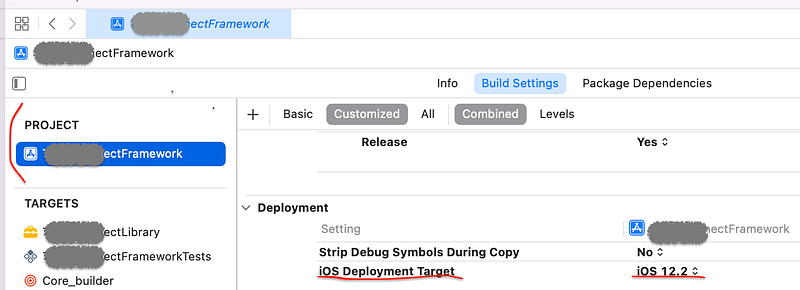
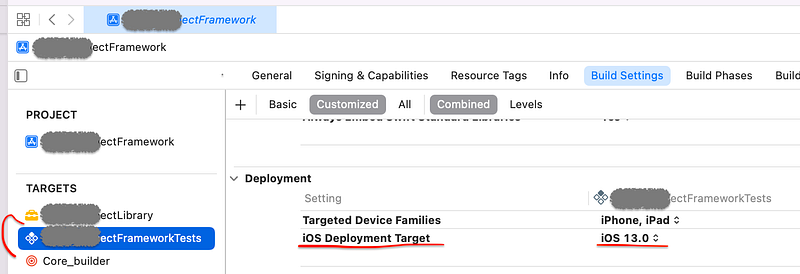
iOS Deployment TargetProjects - are collections of files and settings - you always open projects (or workspaces, but not targets) - all the targets a project contains can be built/run - there’s no definition of building a project, so every project needs at least one target in order to be more than just a collection of files and settings
- in a lot of cases, projects are all you need - if you have a dependency that you build from source, you can embed it as a subproject. Sub-projects can be opened separately or within their super project

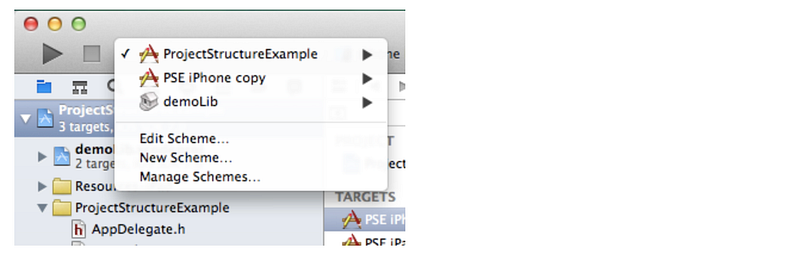
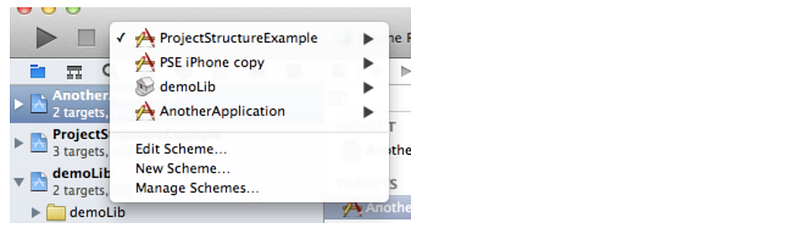
- if you add one of the subproject’s targets to the super project’s dependencies, the subproject will be automatically built unless it has remained unchanged - projects’ targets can depend on sub-projects’ targets, but not vice versa - you can edit files from both your project and your dependencies in the same Xcode window, and when you build/run, you can select from the project’s and its sub-projects’ targets:
- if your library (the subproject) is used by a variety of other projects (or their targets, to be precise), it makes sense to put it on the same hierarchy level — that’s what workspaces are for
Workspaces - contain and manage projects - all the projects that are included are on the same level - the targets of the included projects can depend on each other
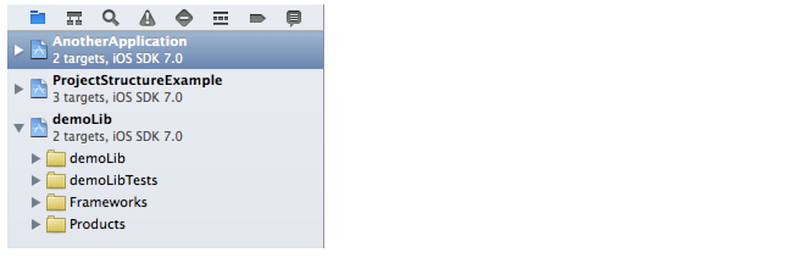
- in this example, both apps (AnotherApplication / ProjectStructureExample) can reference the demoLib project’s targets. This would also be possible by including the demoLib project in both other projects as a subproject - if you open a workspace, you can choose from all projects’ targets when building/running
Answers in a nutshell:
1) Projects contain files (code/resources), settings, and targets that build products from those files and settings. Workspaces contain projects which can reference each other.
2) Both are responsible for structuring your overall project, but on different levels.
3) Projects are sufficient in most cases. Don’t use workspaces unless there’s a specific reason. Plus, you can always embed your project in a workspace later.
One remark for 3): CocoaPods, which automatically handles 3rd party libraries for you, uses workspaces. Therefore, you have to use them, too, when you use CocoaPods (which a lot of people do).
Resources:


