avatarRobyn Sinead Sheppard

Summary

The author discusses their experience with subscribing to Grammarly's premium service, the initial difficulties with logging in, and the subsequent benefits of using the Grammarly editor for writing, particularly for a Medium article.

Abstract

After receiving a Covid bonus check, the author decided to invest in a yearly subscription to Grammarly, having previously used the free version. The initial attempt to log in through Chrome was unsuccessful, leading the author to try different browsers without success. The issue was resolved by entering an email address directly. The author is currently writing a story using the Grammarly editor, which provides real-time suggestions on correctness, clarity, engagement, and delivery without being distracting. The editor also includes a feature to check for plagiarism, ensuring the originality of the content. While the editor is primarily for text, the author is yet to explore how to insert images and plans to report on this in a future story.

Opinions

  • The author is satisfied with the Grammarly editor's performance, noting that it enhances their writing process with real-time suggestions.
  • The login issues with the browser were a source of initial frustration for the author.
  • The author appreciates the non-intrusive nature of the editor's suggestions, which allows them to focus on writing and review the suggestions later.
  • The plagiarism check feature is valued by the author as it confirms the originality of their work.
  • The author is curious about the capability of inserting images directly into the Grammarly editor and is interested in exploring this feature further.

Writing With the Grammarly Editor

Specifically, Writing for Medium
I finally did it. My Covid bonus check arrived the other day, and after using it to pay a few bills, I realized I still had enough for a yearly subscription to Grammarly. I’d been using the free Grammarly keyboard for over a year and decided to take it to the next level.

The initial installation didn’t go so well: every time I tried to log in using Chrome (my default browser), it rejected my attempts. I repeated my attempts, changing my default browser each time.

No luck.

I finally succeeded by bypassing the offered browser logins and simply entering my email address. Success!

I’m Writing This Story in the Grammarly Editor

And things are going swimmingly. As I write, the editor continuously checks my writing in real-time, offering suggestions which I’m free to either ignore or accept. It’s not a distraction since I can ignore the suggestions until I’ve finished my story, and then go back to either accept or reject them as I choose.

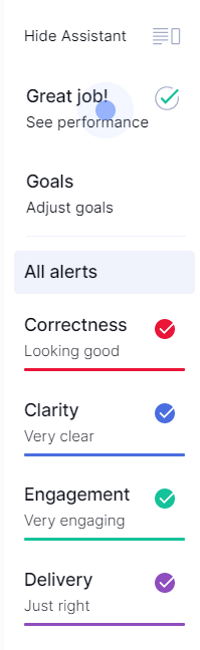
As I write, a window on the side of the editor shows my progress, including Goals and Alerts: Correctness, Clarity, Engagement, and Delivery. Again, the notifications are unobtrusive.
The final step is checking my story for plagiarism. In the case of this story, it is 100% original.

I still have a few things to check out, such as figuring out how to insert images into my story. But since the editor is primarily a text editor, that might not be possible. If not, I can always do it when I cut and paste from the Grammarly editor to the Medium editor.

I’ll report on my success in a future story.

Grammarly Premium
Grammarly Review
Writing
Recommended from ReadMedium