
Medium 101
Writing Alt-Text for Your Stories
Create an equitable experience for readers with visual impairments
Images are a big part of Medium’s writing and reading experience. Well-chosen images can pique a reader’s interest or provide additional context to your story.
An important but often overlooked part of adding an image is writing alt-text for the image. Alt-text, short for “alternative text,” provides textual description for an image. Alt-text is read in place of images by screen readers, which are software programs that read the content on a phone or computer screen with a speech synthesizer or braille display.
Without alt-text, blind or visually impaired readers will not be able to understand these images, and they deserve to have a similar reading experience as a sighted user! According to a 2016 survey, more than 7.6 million adults in the U.S. live with a visual impairment.
How to add alt-text
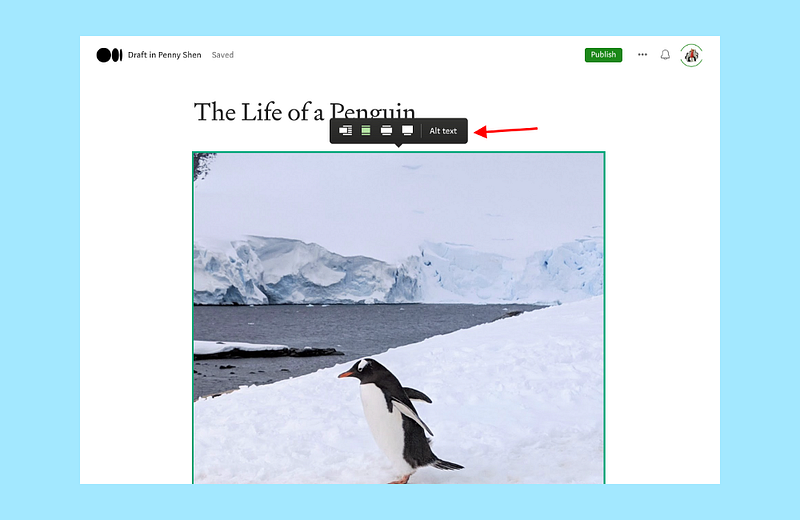
When you are editing a story, click on the image you added to reveal the “Alt text” option:
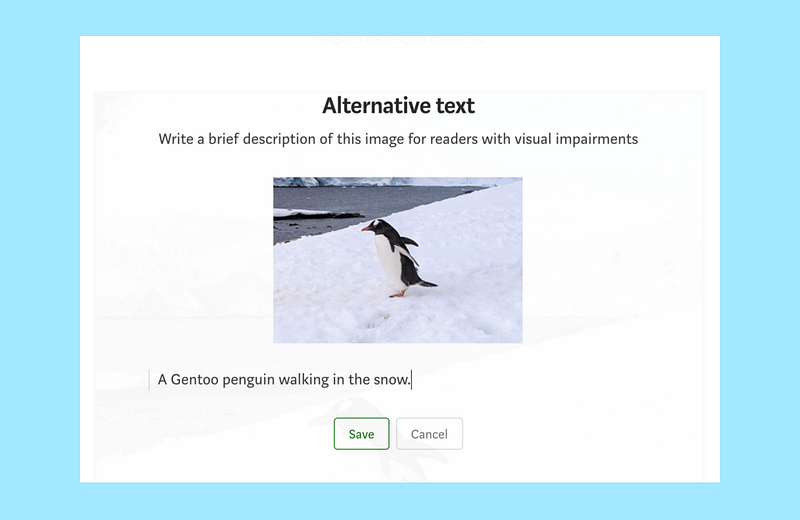
Clicking on the “Alt text” button will allow you to write a description for the image:
Alt-text vs. caption
If you already added a caption, do you still need to add alt-text?
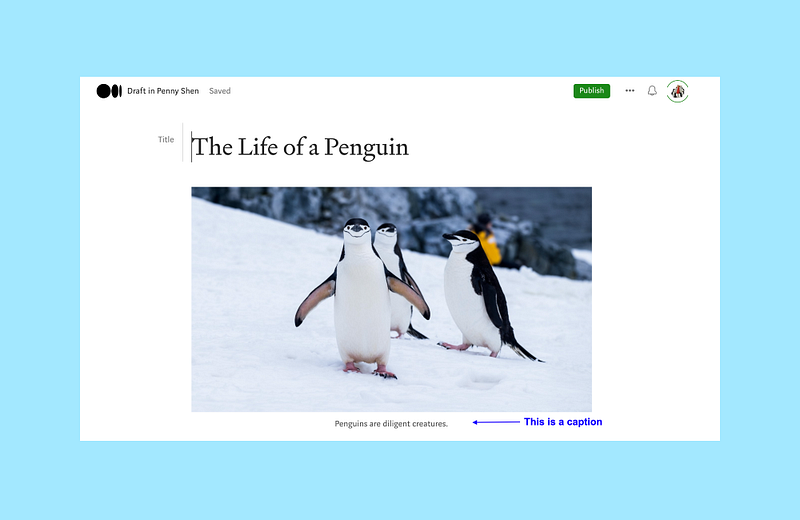
It depends. If the caption accurately describes the image, you can omit the alt-text. If the caption says something related to the image but does not describe the image (such as in the screenshot example above), you should add an alt-text description.
How to write good alt-text
Alex Chen wrote a great article on how to write an image description with great examples. Please give it a read:
A few high-level tips (some are taken from the article and some are from W3C’s Web Accessibility Initiative):
- The alt-text should be the most concise description possible of the image’s purpose.
- Put the most important information first.
- Use proper punctuation and capitalization. Avoid all caps.
- If the image contains text, make sure to transcribe the text in the alt-text.
- Omit superfluous words like “image” or “picture” since screen reader will announce the presence of an image. More specific words such as painting, photograph, illustration, or screenshot can be used if the distinction is important.
- If you need to describe a complex image such as a graph, chart, or diagram, consider including a link to the full description (which can be a separate unlisted post on Medium) in the caption instead of using alt-text.
- For complex images, split the description into two parts. The first part is a short sentence identifying the image, and the second part is a long description of the essential information conveyed through the image.
Writing good alt-text is part of telling a good story the same way picking a good image is. I hope this story inspires you to tell good stories that are accessible to all readers.


