
Dates and Time in Pandas: Timestamps and Date Ranges
A deep dive into Timestamp, the core of Pandas date and time functionality.

When it comes to working with time and dates in your data projects you can easily become baffled without proper tools — date formats, date resolution you need (years, months, days, nanoseconds for crying out loud?) date differences — all these things can be utterly difficult if the right data type is not used. Time is difficult in every sense, data processing is no different. It has so many attributes and features that any intricate manipulation can be rendered completely useless with a single misstep.
Let’s get familiar with the date and time functionality used in Pandas — as it happens that’s just the tool you need to cover all the corners when dealing with time (not in the physical world though, for that you either need a good notebook or understanding of relativity, sorry about that).
For this article, I will use Kaggle’s “Flat Earth on Twitter” dataset.
Note: the features shown in this article are just a tiny-tiny fracture of all the capabilities of the different time objects in Python and Pandas — the ones I felt worth presenting in an introductory post, just to give a taste of the power of these objects. I don’t want to make the impression that these are the limits of the topic — that would not be true by any stretch of the imagination.
Timestamps
Pandas utilizes NumPy’s datetime64 dtype consolidated with the Standard Library’s datetime and scikit learn timeseries object to provide the functionality to date series — and these have also been expanded with new functionalities by Pandas (please follow this link for the documentation).
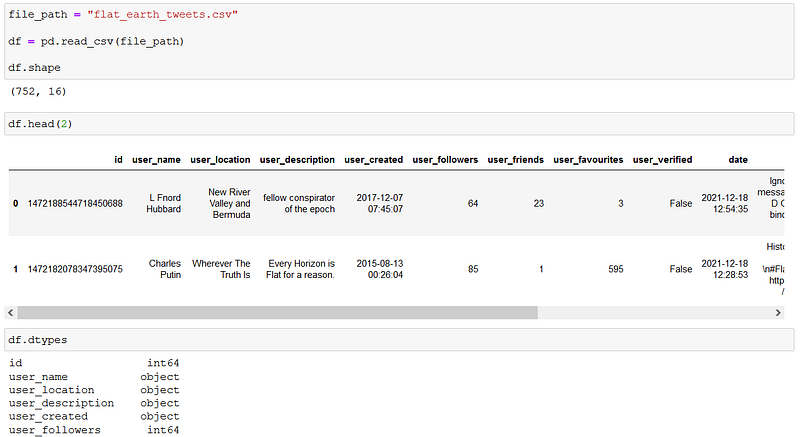
Depending on the data you are working with, loading date columns into DataFrames can turn them into datetime columns if Pandas succeeds in guessing the data type, but sometimes it does not happen, as you can see below with the “user_created” column:
Pandas to_datetime method can be used to convert the values:

Sometimes parsing the date format is not straightforward (for Pandas at least), but we can provide the format argument to specify the parsing (this also speeds up the conversion itself).
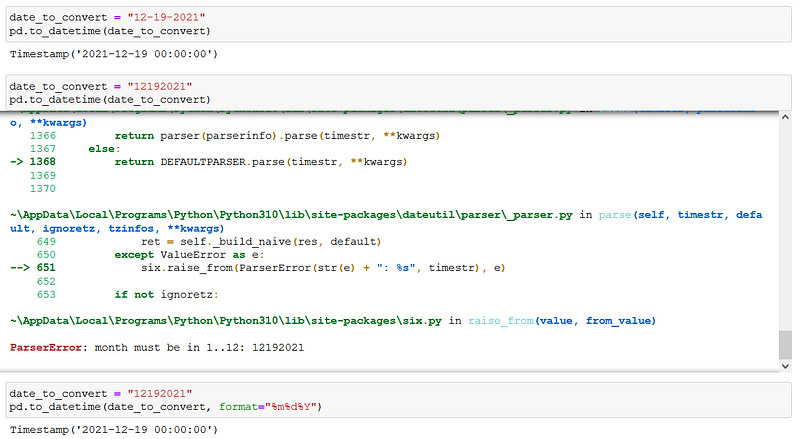
In the format parameter, you need to specify the date format of your input with specific codes (in the above example %m as month, %d as day, and %Y as the year). For the full list of these format codes please refer to the datetime documentation.
The to_datetime returns a Timestamp object: this is the basic element where the date and time data is encoded.
NaT
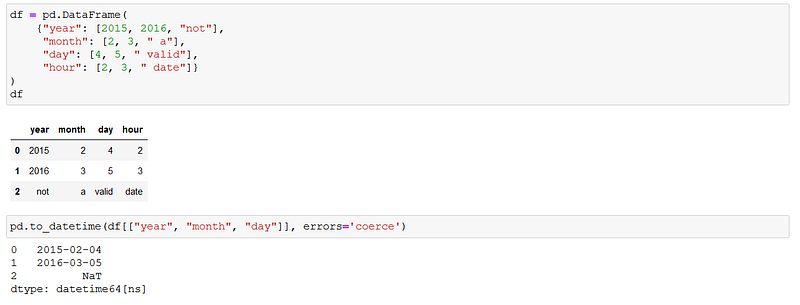
Just as we have the special “null” value for numeric types (NaN), datetime has its own called NaT (not a time). We can encounter this value for example when converting None into datetime, or when converting data that cannot be parsed, and the pandas.to_datetime method is called with the parameter errors=’coerce’: this means that if a piece of data can’t be parsed, None (NaT) will be returned.
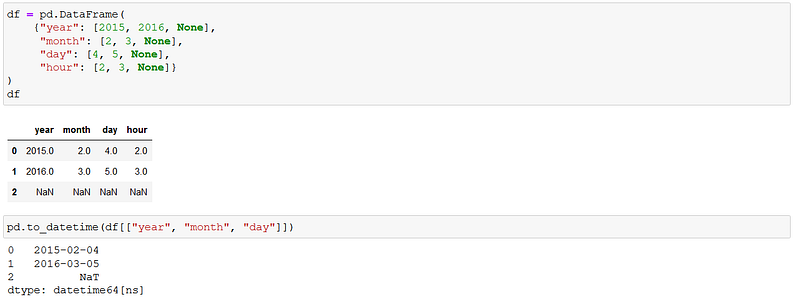
In the below examples we are creating datetime objects out of DataFrame columns. The first with None values:
The second with invalid inputs:
If you would like to keep me caffeinated for creating more content like this please consider to support me, with just a coffee.

Datetime properties and methods
One of the reasons why it is a real treat to work with datetime is the enormous amount of functionality packed in the objects. The properties and methods linked are one of these: we all remember trying to build logic in Excel for instance to know more about a specific date without opening a calendar — with Pandas we just need to access these properties — for example, the year, month, or day:
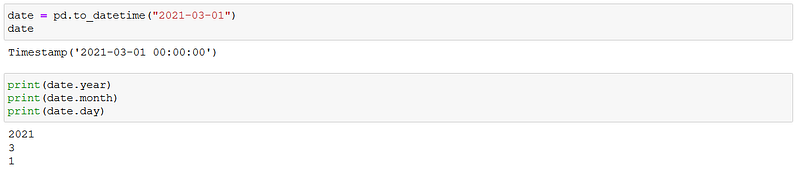
We can access the entire date or time segment as well with the date or the time methods:

Wondering which day of the week was the date? The dayofweek property is here to help:

Note that Monday is the 0th day with this method.
Do you keep forgetting how many days there are in any given month? You are covered:
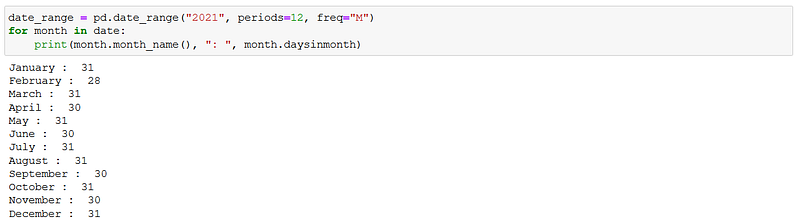
For the moment don’t worry about date ranges, I will cover them going forward.
Assume you would like to add the name of the day each user was created on Twitter in our Flat Earth Data. We can use the day_name method:
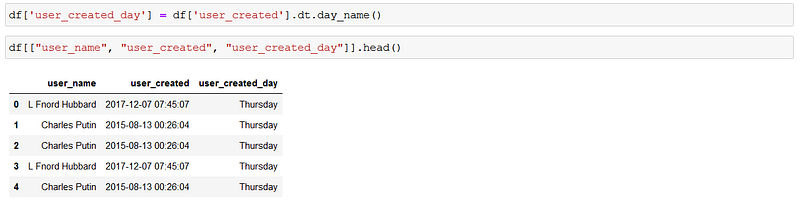
No the the “.dt” before calling the day_name method: this would not be needed if we called it on a single timestamp:

The reason we needed it when creating the “user_created_day” column is that we called the method on a Series (containing datetime objects): this datetime accessor is used when we want to access the datetime properties of the Series values.
There are a host of methods and properties that can’t be all listed in one article: please check the Pandas API reference for all the details. The main takeaway: if you are thinking about a clever way to extract information about dates or a series of dates, the method probably already exists in Pandas, and you just need to know the right method or attribute to use.
Date ranges
Sometimes instead of working with time data defined by user activity, for instance, you need to use predefined periods of time, sequences of timestamps with uniform frequency. The date_range method returns a range of timestamps with the predefined start date, end date, number of periods, and frequency — out of these four you must provide exactly three to define precisely the range:
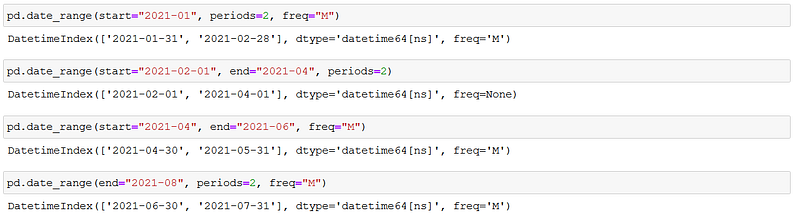
Note that the “freq” parameter for frequency got an ‘M’ for months — as you might have guessed there is a bucket of these so-called Offset Aliases to use — from hourly to business quarter end frequency (imagine that).

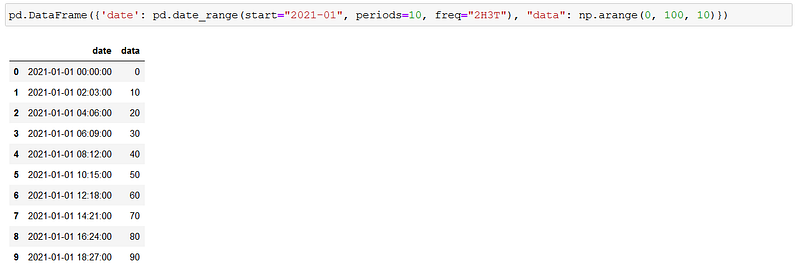
If you need you can even combine these aliases — the below example has “2H3T” as the freq parameter, which stands for 2 hours and 3 minutes:

These ranges of course can be used to create Series in a DataFrame just like any other list or array:
Partial string indexing
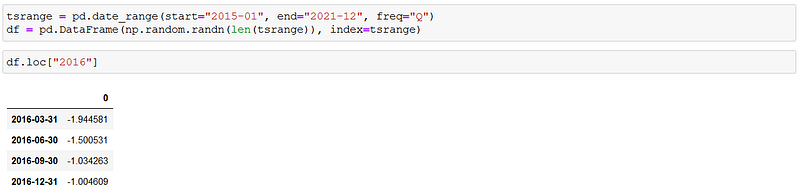
A Series or DataFrame with a date index can be sliced using dates and strings that parse to Timestamps. We can for example filter for a specific year:
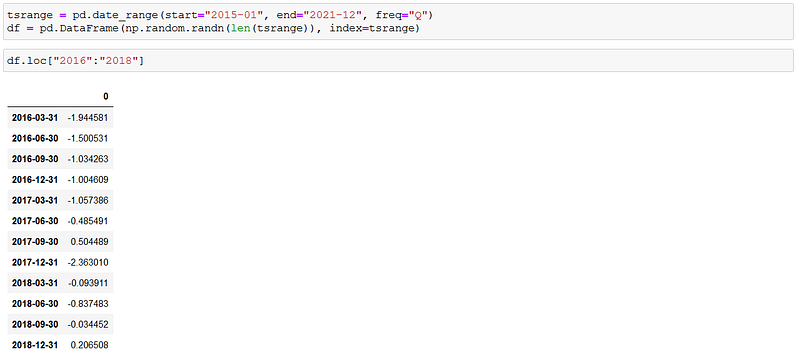
An interval of years can be sliced as well:
And of course you can narrow the data down to a specific date:

Setting time objects as index in case your original DataFrame was not loaded with such is easy — the DataFrame.index attribute can be replaced with any array as long as it’s length is the same as the number of rows in your data:
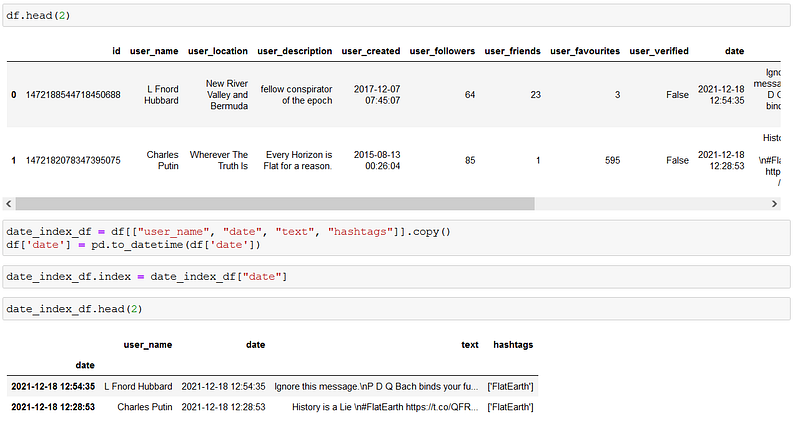
Now we can slice the data by date using partial indexing as well:

In this post, I focused on Timestamp, the data object that I think is the core of pandas date and time functionality. In the second part, I will continue to explore what the time series can do for you, looking into variations of the Timestamp — like Timedeltas, DateOffsets, and Periods.


