
Why Your NAS Will Never Be An iCloud Replacement
Yet, it seems to be advertised as one.
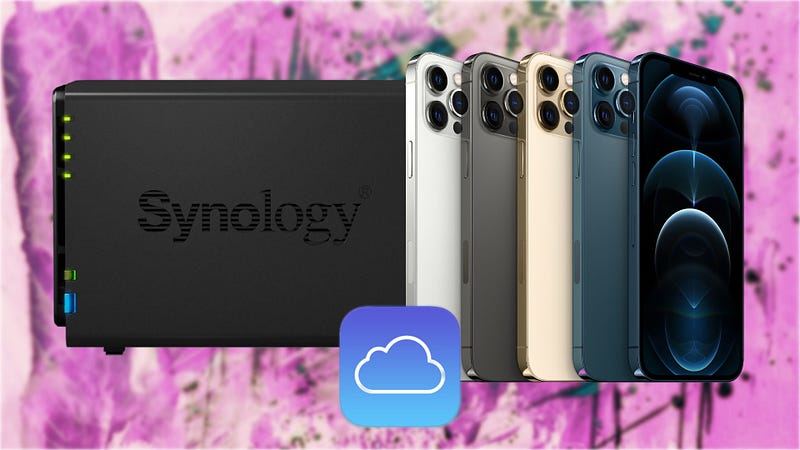
Rarely does it happen that something would trigger my vehement disagreement, but between dinner and some writing, scrolling through YouTube, trying to educate myself, a video popped up in my recommendations feed that had an intriguing title: “Why every iPhone user needs a Synology”. If this were a random content creator out there, I would have probably scrolled past it and watched some UnboxTherapy or iJustine, but it being The Apple Circle, a channel I generally like and find mostly interesting and factual, I took the bait and watched it.
I did have another reason, though. Well, two, actually. I own an iPhone. Yay, me! I also own a Synology. Yay me, again! Wait. I actually own two Synology NAS devices. Triple yay me? Something like that. Saying that every iPhone user should own a Synology is a bold statement to make. Might I even say borderline clickbait, and I know what clickbait is, I wrote about it!
But, went ahead anyway, and like a good content creator-consumer, I watched the video. Let the man make a few of his cents from my Premium YouTube subscription. Live and let live, right? It’s only fair, effort was put into that video, and truth be told, great production value overall, shame though that it’s nothing more than a long-winded ad for Synology — a company which I actually love, just as much I love Apple. So, why my vehement disagreement then, you might ask.
Succinctly put, presenting a Synology NAS or any NAS as an alternative to an actual cloud is like calling an inflatable boat an army fleet of battleships.
Stop calling everything a cloud
This one is on Synology, I’m afraid, and every company and individual who calls a lonely server stuck in a dark corner of a room, a cloud. While I’m not a cloud expert, I learnt enough during my Cisco CCNA certification training to know that a cloud is more than a file server plugged into a local network. Heck, it’s in the name! NAS = network accessible storage. Not to be confused with SAN = storage area network, and no, not even that can be called a cloud!
The marketing of “your own personal cloud” is just that. It’s shameless marketing nonsense that frankly should be discouraged if not entirely disallowed. And by the way, I will use Synology as an example, but it largely applies to any NAS out there. If someone ever decided they wanted their own personal cloud, at the very highest level, they would have to at least have decent redundancy, and I don’t mean drive-level, but NAS level, so at least two instances of the same NAS with the same drives and content in every location. Speaking of location, a personal CDN would have to be developed to serve efficiently across the globe, so at the very least three or four geographical instances. Moreover, they’d also probably want a discreet VPN tunnel. This is the absolute minimum setup I would ever dare (still very cautiously) market as “your own personal cloud”.
Just because you get your personal files on your phone on demand through a network while at home or away, does not mean you’re connected to a cloud.
You’re connecting to a publicly accessible file/media server. End of. Unplug that sucker, and you’re done watching your dog humping the couch through your home security feed, reliving last night’s drunken debauchery through 17 photo albums you and your pals can’t remember taking or watching the latest bootleg of 007 on Plex — and why would you even? Just buy the Blu-ray then return it for something better, like a Hans Zimmer concert.
Eye-watering cost is just the beginning
My original and smaller NAS cost me without drives just a little over 300 euros. The larger one nearly double that amount. Altogether on drives I have spent about 500 euros. But let’s forget all the drives and the larger Synology and look at the first one, which came with two 1 TB drives, and cost me a total of just over 120 euros. If you account for redundancy, that essentially made this a 1 TB “personal cloud” at an upfront cost of a whopping 420 euro!
But that’s not all. This thing doesn’t run on thin air. According to Synology, when loaded with two 1 TB drives, it uses 15W of power. There are 24 hours in a day, and there are say 30 days in a month. Using some basic levels of math-magic, that results in an 11kWh/month consumption. According to the internet, power costs 23 cents on average in Ireland per kWh. That results in a 2.53 euro bill for running a small Synology NAS 24/7 at 1 TB redundant capacity. Increase that to 2 TB — to be on par with iCloud’s 2 TB plan, and you need to add an extra 6W total. That is now a 21W of power, and you’re looking at a maximum of 15 kWh/month for a total cost of 3.45 euros.
Now that we got all the pesky annoying math out of the way, 3.45 euro/month does not seem like a bad deal compared to Apple’s 9.99/month for a 2 TB iCloud+ subscription, right? If you consider that I paid 420 euro for the enclosure and the drives, that essentially pays for 3.5 years of iCloud. But add my 3.45 euros monthly cost and over those 42 months I rack up another bill of 144 euro which would have paid for another 14 months of iCloud! Rounding things up, it would take around 6 years to break even, during which time chances are at least one of the drives will fail, or the NAS itself will go kaput and would almost certainly become legacy or near-legacy hardware because you know, Moore’s law and all that.
A NAS is not for everybody
In fact, most people won’t ever need one. So, why do I have not one, but two? Well, I only have two because my stinginess got the best of me, and my first model was a DS218+. It takes only two drives, as previously discussed. Anytime I wanted to upgrade the size, I had to upgrade both drives if I wanted drive redundancy. And of course, I wanted that. It was the whole point to begin with — safe(ish) data storage for my legally acquired music, film, and TV series collection and their respective backups. To solve my upgrade issues, I got myself a DS918+ which takes four drives, where one drive can always safely fail without me losing any data. Sweet, no?
Not quite. While I love both my small and large NAS, they are nowhere near as convenient as iCloud or even Google Drive. I tried replicating most of the services with the DS218+, and while technically, I was able to, it wasn’t the smoothest of experiences, even if it is Synology and I consider them the Apple of NAS manufacturers. They’re versatile devices, and their software is polished, but all in all, isn’t as integrated as a native Apple cloud service. Needless to say, under the circumstances their main use is Plex.
If that weren’t enough, there’s also the inevitable lack of real redundancy and potential lack of security. If for any reason your NAS loses power (I have an uninterruptible power source, but that cost money too, and its battery is a consumable!), or network connection, your “personal cloud” just vanished and likely without any way of getting it back online unless you or someone else can physically get to it. Security is likewise going to be only as good as you set it up to be, and we all know how security unconscious most users are.
Stick to iCloud, it’s popular for a reason
The whole point of Apple’s iCloud is that there’s nothing really to set up, to think about. In true Apple fashion — it just works. The same cannot be said about the Synology or any NAS.
Unless you’re a technical person genuinely wanting to tinker away with an iCloud alternative that you yourself host, or an actual professional or media buff like me, who needs more than 2 TB of storage, no Synology is ever a suitable replacement for iCloud. It requires maintenance, recurring cost, additional to a huge upfront cost. It’s also noisy, takes up space, not fool-proof enough for the average iPhone user and has a definite expiration date. Be that, in the short or long run, you’re most likely better off with an iCloud or even Google Drive subscription. Trust me, I’m an engineer. 😉
And while we’re on the topic of technology…
Here’s a few more stories I particularly loved writing, so am hoping you’ll love reading them just as much.
Did you know that whenever you subscribe to become a Medium Member, us writers, get a cut? You get a ton of great articles, we get a coffee. Sounds like a fair deal to me…
Attila Vago — Software engineer, editor, writer, and occasional music critic. Pragmatic doer, Lego fan, Mac user, cool nerd. JS and Flutter enthusiast. Accessibility advocate.


