
Why you Need to Learn Go if you’re interested in DevOps
GoLang has become a very popular programing language over recent years. The 2022 StackOverflow Developer survey lists Go as one of the most loved programming languages, at a whopping 65% rate.
But perhaps the reason why it’s become such a hit with the DevOps community is the technologies that have been built with it. Docker, Kubernetes, Grafana and Prometheus are all built with Go.
Go benefits from a quick compilation time and very fast runtimes, which makes its performance a huge bonus to developers of all fields.

Why is Go so useful for DevOps?
There are several reasons as to why you might want to learn Go (also known as Golang) for DevOps.
Firstly, Go is a statically-typed language, which means that the type of a variable must be specified at compile time. This can make it easier to catch errors and bugs in your code before you deploy it to production.
// In a statically-typed language, such as Go, the type of a variable must be specified at compile time.
// This means that the type of a variable is determined when the code is written, and cannot be changed at runtime.

//  Go :
var x int = 3
x = "This would cause an error"  // This would cause an error as the variable is an int and cannot be changed later.

// Python
// In a dynamically typed language like Python, we don't need to declare variable types
x = 3
x = "This would work fine :)"

// The main advantage of statically-typed languages is that they can catch errors and bugs in your code at compile time.
// This can save you time and effort when you are debugging your code, and can help prevent runtime errors.
Go’s Standard Library
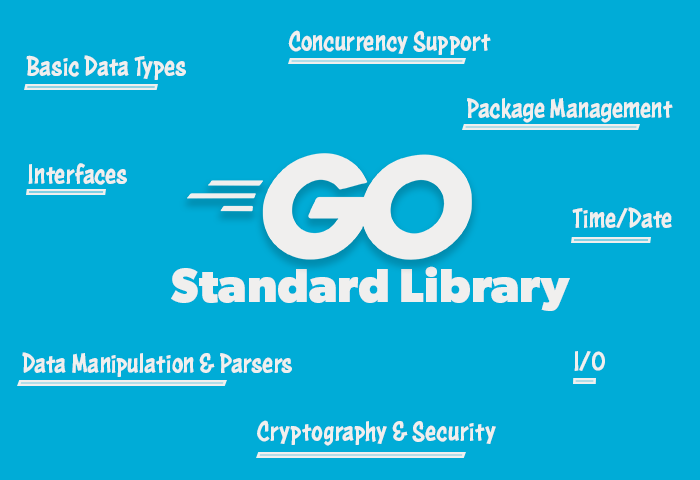
Go also comes with a robust standard library that includes many useful packages for working with common DevOps tasks, such as:
- Built-in concurrency support, including goroutines and channels
- I/O, including reading and writing files, network sockets, and HTTP clients and servers
- Cryptography and security, including secure hashes and encryption algorithms
- Data manipulation, including parsers for JSON, XML, and CSV data
- Interfaces for interacting with the operating system, including support for running processes, accessing the file system, and working with time and dates
- Tools for building and running Go programs, including a build system, a package manager, and a testing framework.
The simple and concise syntax makes it easy to learn and easy to read. This can save you time and effort when you need to quickly understand and modify existing code. Which is any developer's dream.
Finally, Go is an open-source language, which means that it has a large and active community of developers who contribute to the language and its ecosystem of libraries and tools. This community is just growing and growing over time which can make it easier to find help and support when you need it.
Building Hello World in Go
So with all that in mind, let's get started and build a simple Hello World application.
Let’s get Go installed on our environment so we can start creating with it. Firstly head over to https://go.dev/dl/, and you’ll be given some download options depending on your Operating System.
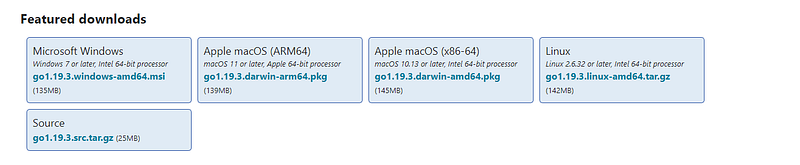
I’ll be running through this tutorial on Ubuntu 20.04 but if you’re using another operating system, follow through with the relevant installer and if you have any issues, consult the docs.
# Installing Go on Ubuntu 20.04
$ wget https://go.dev/dl/go1.19.3.linux-amd64.tar.gz
$ tar -C /usr/local -xzf go1.19.3.linux-amd64.tar.gz

# Add to PATH
$ export PATH=$PATH:/usr/local/go/bin

# Ensure the tool has installed successfully
$ go version
Once you have installed Go, you can create a new project by creating a new directory for your project and navigating to that directory in your terminal or command prompt.
In the project directory, create a file named main.go. This will be the main file of your Go application.
Open the main.go file in your favourite text editor and add the following code:
package main

import "fmt"

func main() {
  fmt.Println("Hello, World!")
}
In the main function, we are using the fmt package to print the string "Hello, World!" to the console. The fmt package provides a variety of functions for formatting and printing text.
To run the application, use the go run command in your terminal or command prompt:
go run main.goThis will run the main function in the main.go file and print "Hello, World!" to the console.
Congratulations, you have just created your first Go application! Go is a powerful language that is well-suited for a variety of applications, including web development, system programming, and data analysis. To learn more about Go, check out the official Go documentation (https://golang.org/doc/).
Thanks for reading all, hope you’ve enjoyed. Check out some of my other articles below:


