Why the Surface Go 2 is a fantastic device
It is a small, beautiful device that works perfectly for productivity
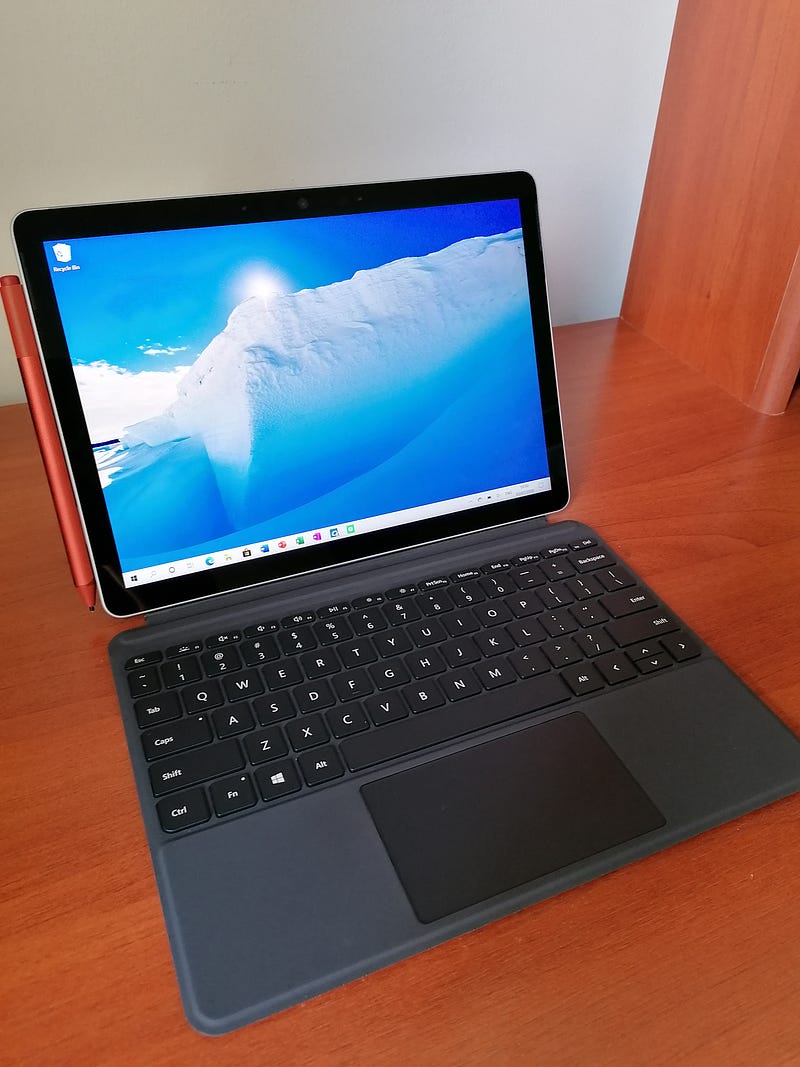
Microsoft’s new Surface Go 2 is quite fantastic. It has an excellent full HD touch screen that is simply stunning to look at on a 10.5-inch device. While it is not the best choice for gaming or video editing, it works amazingly well for productivity, browsing and the good old YouTube and Netflix.
The new Surface Go 2’s build quality is exceptional. It reminds you of the higher-priced, high-spec Surface Pro series and the Surface Laptop series. The build quality is significantly better than what you expect from a price tag of $399 for the base model. While the base model only has 4GB of RAM and 64GB of storage, this is plenty for productivity, typing up documents, taking notes and watching videos. The option to upgrade to 8GB of RAM and 128GB of storage is handy but expensive — costing an extra $150. However, upgrading to the Intel m3 processor would be money well spent. It makes a significant difference on day to day use compared to the 4425Y Pentium Gold processor. I found the base model to be good enough for browsing, word documents and watching videos. However, doing all of these at the same time starts to slow down the machine.
I have been using the Surface Go 2 for 2 weeks now, and one thing that I love about it is the kickstand. I don’t have to hold it when I am reading or watching a video. It is one of the only tablets that have this feature, but a feature that we wish more tablets had. Microsoft has done a fantastic job with the kickstand — it is stable, easy to use, and it goes almost to 180 degrees. That means that it is perfect for writing and note-taking. As the world moves towards a paperless system, focusing more on cloud-based storage — online note-taking could become very important. The $99.99 Surface Pen feels just like a real pen, and the improved pressure sensitivity means that it feels just like you are writing on paper. While the surface pen isn’t exactly cheap, it does elevate the whole Surface experience. It may be worth considering for students, note-takers and artists. The Surface pen also includes handy buttons that can take you to your favourite apps with just a click. The most satisfying sound is the Surface pen attaching to the side of the Surface Go 2. It is a safe place to store the pen, a feature that many modern-day devices lack.
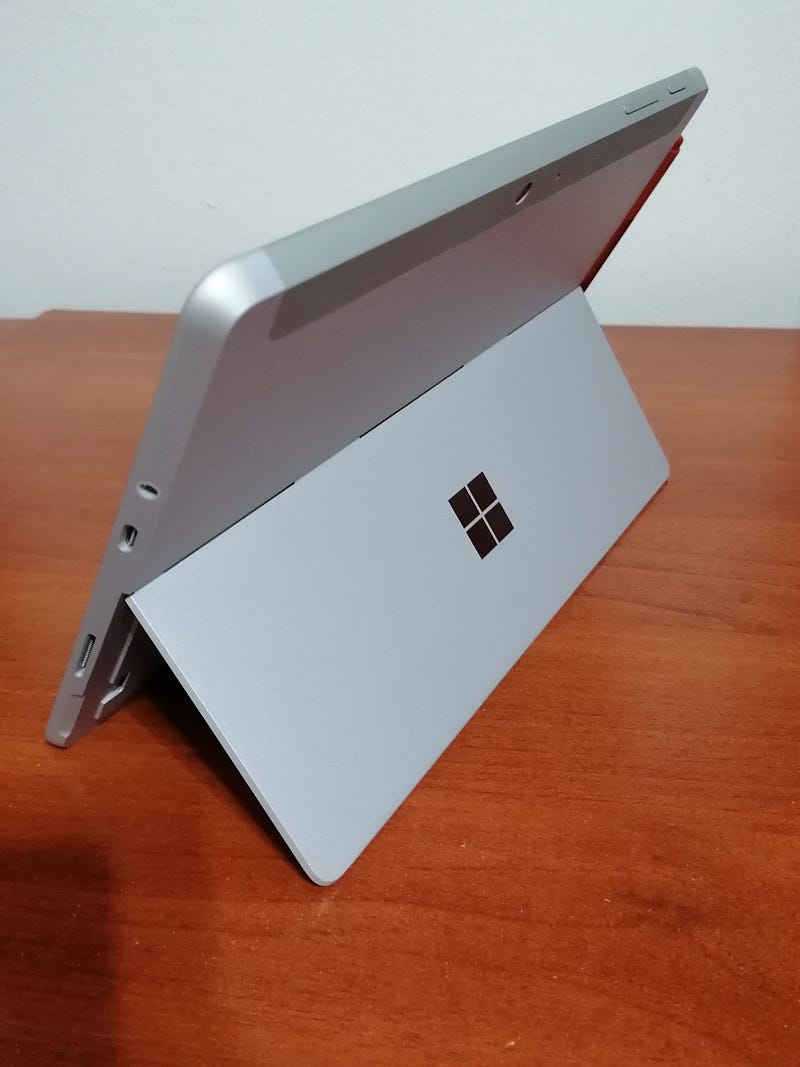
Along with the improved hardware, the new chromium-based Edge browser is straightforward to use. It does not feel like you’re missing out on Chrome at all. It also helps to keep the CPU usage down, which I found to be a problem with using Chrome. Ever since I’ve been using the new Edge browser, I have not felt any need to instantly “download google chrome” — one of the first tasks that we subconsciously do on a new device. The new hardware and the much-improved software make this tablet quite a compelling option for anybody on the go.
Arguably the most significant thing going for the Surface Go 2 is its portability and ultra-lightweight. It barely feels like anything whether it’s in your backpack or when you’re carrying it around. It’s super easy to set up anywhere whether you’re in a coffee shop, library, or in bed for a movie. They type cover has a fantastic keyboard with the perfect amount of key travel. Although the keys are squished together, the typing experience is quite similar to any laptop or desktop. A few hours of practice is all it took me to type accurately with this keyboard. It makes typing and productivity way more enjoyable. We all know what it’s like to type on touch screen keyboard’s on tablets, but this keyboard will significantly improve your typing speed and overall productivity.
Another feature that I absolutely love is Windows Hello. Windows Hello makes signing in effortless. The facial recognition is accurate and fast. You are on your desktop within a few seconds, with the press of a single button. It’s ready to use before I’ve even taken out anything else from my backpack.
All in all, the overall package of the Microsoft Surface Go 2 is eye-catching. Despite the expensive accessories — the experience of using Microsoft hardware is satisfying. As a student and someone who uses devices for general productivity and browsing, I am impressed with the Surface Go 2. The original $399 base model may not be enough to make this your go-to device for everything, but with some accessories, it can be an ultra-portable tablet that works like a laptop. Anyone looking for an extremely portable, elegant and well-functioning device for productivity, document typing and browsing the web should consider the Surface Go 2 because it won’t let you down.


