
How do You Move Medium Account to Your Custom Domain??
Custom domains are back! It’s free now!

Undoubtedly, your domain name makes you more special. Your domain name is your brand. That’s why he brought the Medium domain back to use.
It had to stop this feature a few years ago. Because the domain name was not very happy with the setup. It was not without problems.
This was signaled last year. It is now back for free!
Medium supports authors to have their own private domains. .. You will feel more special now. You can follow the steps below and enter the queue.
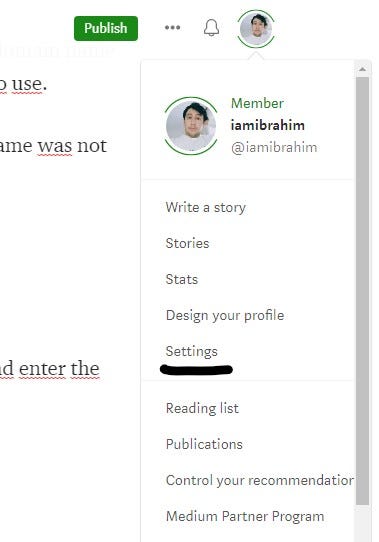
1. Profile > Settings
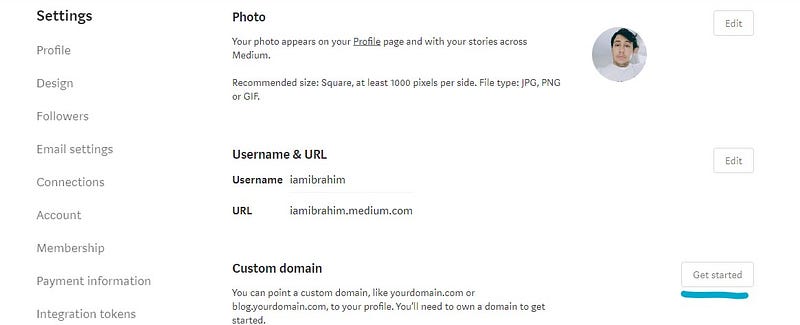
2. Custom Domain > Get Started
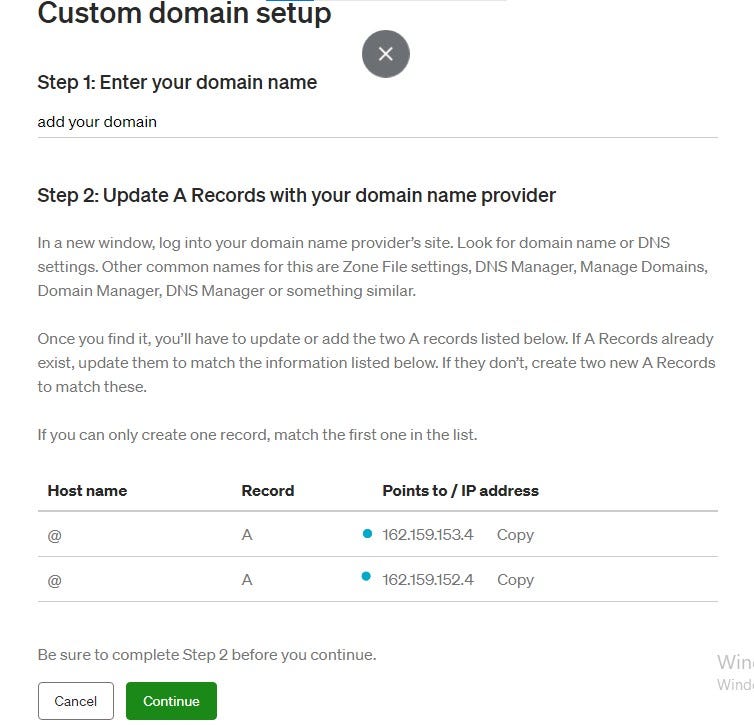
3. Add your domain: blog.domain.com & yourdomain.com
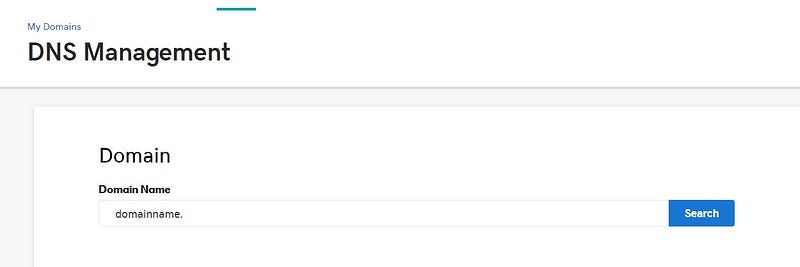
4. Log in to your GoDaddy account > GoDaddy.com > DNS
Select the owned domain you wish to link to Medium to access the Domain Settings page
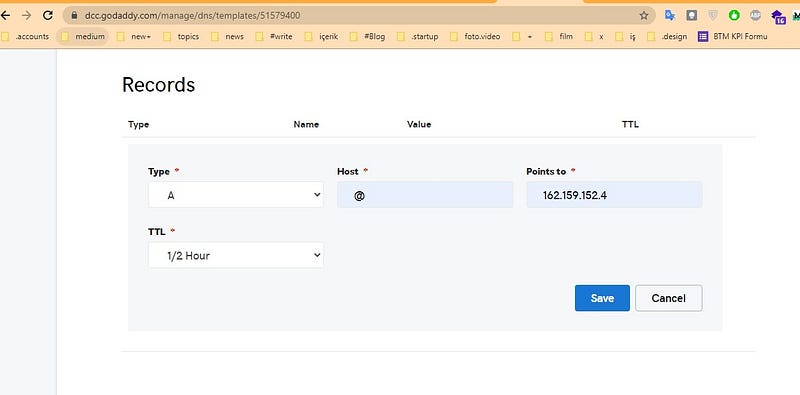
5. GoDaddy > Records
Select Add under the records table.
Type: A Host : @ Points to: 162.159.152.4
Click Save.
6. Step 2
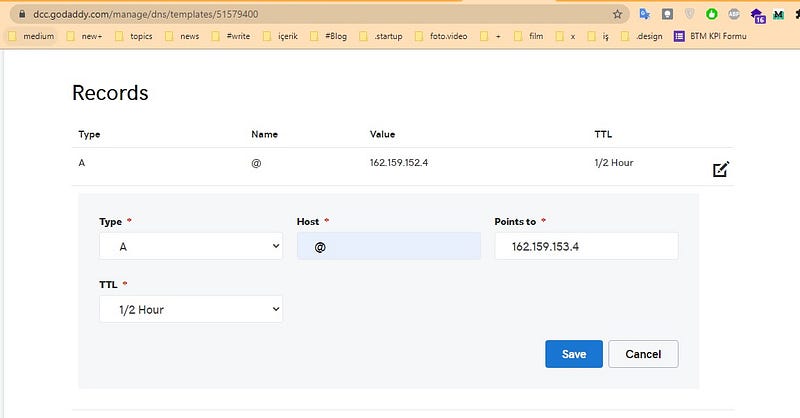
Follow the same steps to add a new A record pointing to “162.159.153.4”
Type: A Host : @ Points to: 162.159.153.4
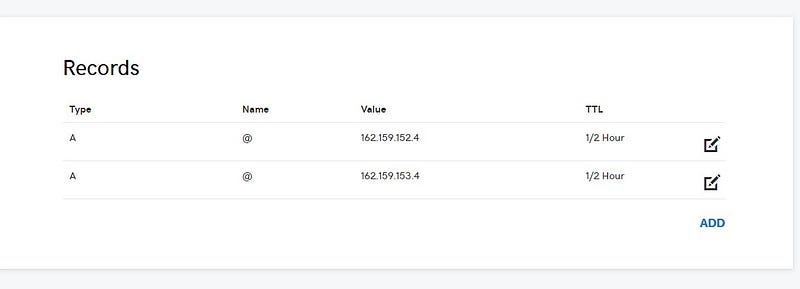
7. Finish!
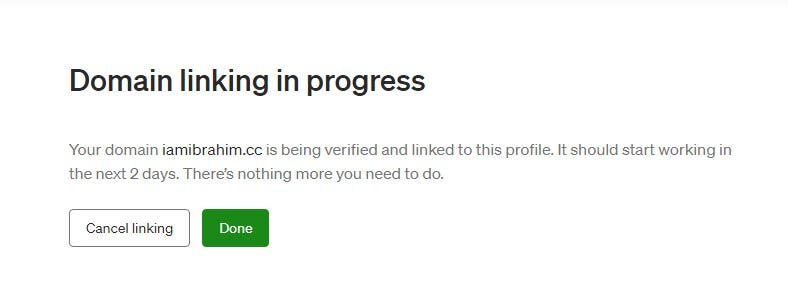
8. It’s time to wait!
What will your unique domain name be?
Please leave a comment!