
Why It’s Smart To Use This New Google Chrome Extension For Medium in 2022
Write smarter not harder with this ingenious tool.

Today, I received an email from a new Medium writer.
He reached out to me with a request:
(…) I created a Chrome extension (…)
I published it on Chrome Web Store but I don’t have an audience.
Can you take a look at this story about it, try it and write a story about it, please?
This would help me a lot to improve the extension and access more and more people.
The writer’s name is Can Durmus.
He’s a software developer and a genius.
He created the best Chrome extension for Medium in 2022.
5 Things You Need To Know About Chrome Extensions
Okay, before I tell you more about Can and the ingenious new tool…
let me first explain what a Chrome extension is:
Google Chrome is a fabulous browser.
I love its add-ons.
These add-ons are called extensions.
💡Here are the 5 most important things you need to know:
- Chrome extensions are small software programs.
- They customize the browsing experience.
- They make the browsing experience more convenient.
- They enable us to tailor Chrome functionalities and behavior to our individual needs and preferences.
- They really make a difference in our everyday browsing.
Chrome users just download their needed extensions from the Extension Store.
I’ve installed several add-ons for Medium in my own browser.
Why are Chrome Extensions for Medium so powerful
Most writers don’t know that there are a lot of awesome Chrome extensions for Medium out there.
I just feel like sharing two of my favorites with you today before I’ll share with you the best Chrome extension for Medium in 2022:
1. Medium Enhanced Stats
Do you like having milestones and achievements to aim for?
Then this Chrome extension for Medium is perfect for you.
This tool does exactly what it says — it enhances your Medium stats.
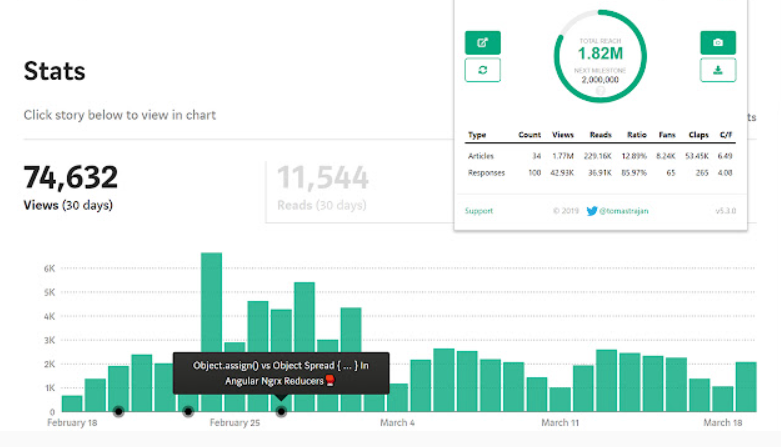
- With a single click, you can see your total reach and get a summary of your articles and responses stats.
- You can see which days you published new articles
- …whether your stories affected your stats.
- You can select an individual article and “show in chart” to quickly visualize the views coming from one specific article.
- You see overall stats in a summary at the bottom of the stats page.
✅You can find the Chrome extension here.
2. Darker Medium
Do you like to read and write in dark mode?
Then this Chrome extension for Medium is perfect for you.
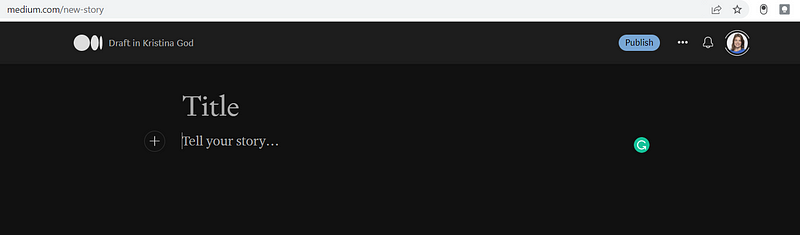
I like this distraction-free writing tool.
✅ You can find the Chrome extension here.
You didn’t know about these extensions… well, there are several more!
Most of them need to be updated.
That’s why I love that there’s a fresh and exciting new add-on out there.
The best Google Chrome extension for Medium in 2022.
Let’s come back to Can and his ingenious Google Chrome extension now.
This is Can’s very unique profile page.
As you can see he primarily writes about programming:
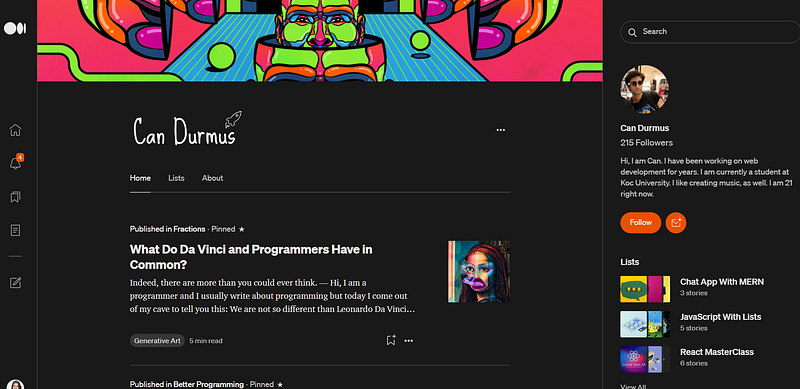
He only has around 200 followers but I’m sure he’ll soon have many more.
Once you’ve tried the add-on he created for Medium writers you’ll love him.
I gave his Chrome extension a spin and I guarantee you it really transforms your Medium experience too.
Why?
Because its single purpose is to get a better grasp on the Medium Partner Program earnings and Dashboard.
It shows you your stats and earnings with every little fraction of them.
As Can stated in his email about his custom Chrome extension called Fractions:
Fractions is more sophisticated and useful than the default Medium Partner Dashboard.
I think many writers on Medium, including you, will like it.
The Main Features Fractions is offering:
Since I teach my students to become data-driven writers, this tool is perfect for everyone who wants to analyze his or her data.
You can’t find this information on the default Dashboard Medium provides.
As Can stated:
I put the features that I need the most because initially, this project was just for me.
However, when I liked the way the extension looked and its capabilities, I decided to publish it for anyone who needs it.
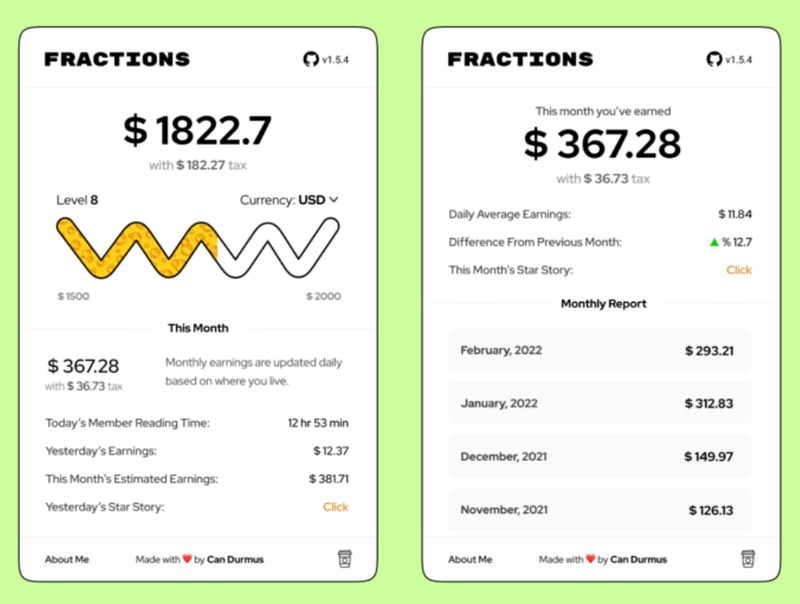
- Instant Total Member Reading Time
- Daily Total Earnings
- Realtime Currency Conversion
- Monthly Total Earnings and Earning Estimation
- Lifetime Earnings and Taxes
- A Level System Consisting of 15 Levels
- Net Balance of Every Item On The Screen
- Daily Average Earnings
What makes Fractions so Powerful?
As a marketer and brand manager, I love that this new add-on helps me to analyze my data more thoroughly.
⭐I can zoom in.
Plus, I can look at the data and the performance of my stories from a bird’s eye view — from a meta-level.
⭐I can zoom out and see the big picture:
- For instance, it’s good to see the difference from the previous month’s earnings.
- A green arrow shows me the increase in percentage or a red arrow the decrease in percentage.
- That’s helpful to know how far I’m behind the previous month or if I’m doing better compared to last month.
⭐The best feature: I love to see this month’s estimated earnings.
✅ You can find Fractions here.
It’s good to see that at a quick glance.
That’s helpful and a motivation boost to keep the writing hula hoop spinning.
What do other writers say about the Ingenious New Tool

Alex Bentley also tested the add-on:
👍Surprisingly, the extension has everything that I’ve already been tracking manually in my Notion app.
👍Including the Star Story.
👍The load time was about 3–4 seconds for me too.
👍I have nearly 300 stories published, and the earnings data was accurate on this first try.
Additional Features and Future Functionalities
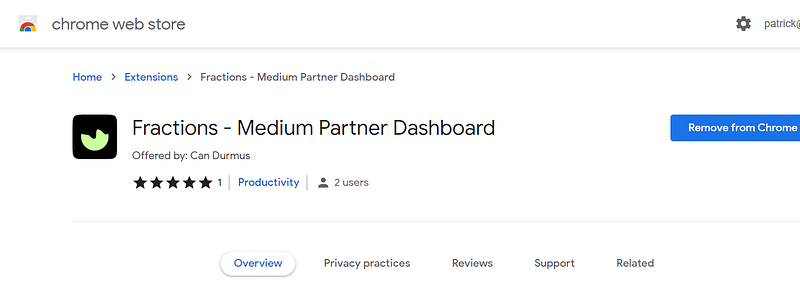
Can said:
At the moment, this extension is still in the first version of it and lacks some of the features I have in mind.
However, as the days go by, I will implement more and more features to make it more relevant and up-to-date.
Alex Bentley already suggested a few additional features:
- 🆕Show who the top reader for the previous day was (based on their number of claps)
- 🆕Show an aggregate view of the top topic tags for the previous day (based on read time of the stories)
- 🆕Show how many followers/email subscribers were added the previous day
Do you have any further suggestions? Please leave a comment!
Final Takeaways
I'm grateful Can reached out to me and brought this new Chrome extension to my attention.
Hopefully, a lot of writers will read this piece and I can help Can this way.🙏🏻
So what are you waiting for?
Head over to the Chrome Web Store, install this ingenious add-on, learn about your data and become more strategic about writing on Medium.
I’m absolutely sure this new tool will help us all to write smarter not harder.
⭐Leave a note in the comments, try this new tool, and make further suggestions, I’d love to know what you think.
I’m so grateful for you and really appreciate your support.
Why not join Medium? You’ll get unlimited access to all my Medium articles and thousands of other writers. If you sign up using my link, I’ll earn a tiny commission.


