avatarArnav Nigam

Free AI web copilot to create summaries, insights and extended knowledge, download it at here

2867

Abstract

um use of space by showing different information in the same space. Accordions take more space than tabs to show the same information.</li></ol><h1 id="052e">Accordion</h1><figure id="36af"><img src="https://cdn-images-1.readmedium.com/v2/resize:fit:800/1*9nkGXjBC71SnIzzt7-wL7g.gif"><figcaption></figcaption></figure><p id="2e8c">It’s a useful pattern for progressive disclosure — highlighting important details of a section and revealing more details upon a tap or click if wanted.</p><h2 id="c00d">Checkpoints Accordion</h2><ol><li>Icon that indicates expansion, shouldn’t conflict with other UI elements and their meanings.</li></ol><p id="02d0">2. Expansion icon may also indicate the direction of movement or more specifically, where the <i>user’s view</i> will be moved to once the icon has been tapped or clicked.</p><figure id="38f8"><img src="https://cdn-images-1.readmedium.com/v2/resize:fit:800/1*FawHtrwG3NAjDkFhjsAHKA.gif"><figcaption>Angle indicating expansion and movement direction</figcaption></figure><figure id="c760"><img src="https://cdn-images-1.readmedium.com/v2/resize:fit:800/1*nG6GVtl-LS0YzlZ-S_r3OQ.gif"><figcaption>Plus indicating expansion</figcaption></figure><p id="acc3">3. To avoid confusion and make the process easy, category title, icon, and the entire area should trigger expansion. <i>Good usability is about predictability — does the user understand what will happen when they take XYZ action.</i></p><p id="d04c">4. If one section is already expanded, and the user clicks on another section, should the first one collapse or stay as is? The answer to the question depends on user-requirements and the use-case.</p><h2 id="167e">When to use Accordion</h2><ol><li>Good for responsive design. Accordion must fit in one screen whereas tabs may have a horizontal scroll (User will be needed to see hidden tabs themselves).</li><li>Accordions are more “experiential” — you can animate the transition between the slides easily, it’s fun and it makes sense. The animated transition between tabs is very rare. There are a lot of rooms to experiment with accordions such as mouseover, expansion, collapse, etc.</li></ol><h1 id="4cd6">Single Page</h1><figure id="cd77"><img src="https://cdn-images-1.readmedium.com/v2/resize:fit:800/1*B4Zs6cZZ6q0A7GOM5b313A.gif"><figcaption></figcaption></figure><h2 id="a204">Choose Single Page When</h2><ol><li>Information needs to be seen simultaneously.</li><li>You have to give an unbreakable smooth experience with an absolute zero number of clicks. It encourages users to continue scrolling to explore, whereas tabbed navigation would break up the experience. That’s why E-commerce and Social Media websites use the long or infinite scroll.</li><li>The content is arranged in some kind of sequential format.</li></ol><p id="541e">You may have a look at these references for a detailed discussion o

Options

n each. Thanks for reading out!</p><div id="5f5d" class="link-block"> <a href="https://www.smashingmagazine.com/2009/06/module-tabs-in-web-design-best-practices-and-solutions/"> <div> <div> <h2>Module Tabs in Web Design: Best Practices and Solutions - Smashing Magazine</h2> <div><h3>A module tab is a design pattern where content is separated into different panes, and each pane is viewable one at a…</h3></div> <div><p>www.smashingmagazine.com</p></div> </div> <div> <div style="background-image: url(https://miro.readmedium.com/v2/resize:fit:320/0*aLxI-CgqxhKlbG6-)"></div> </div> </div> </a> </div><div id="7407" class="link-block"> <a href="https://www.freshconsulting.com/uiux-principle-21-when-and-when-not-to-use-tabs/"> <div> <div> <h2>UI/UX Principle #21: When and When Not to Use Tabs - Fresh Consulting</h2> <div><h3>Tabs are a navigation element used in web design that allow users to easily access different areas of a site or…</h3></div> <div><p>www.freshconsulting.com</p></div> </div> <div> <div style="background-image: url(https://miro.readmedium.com/v2/resize:fit:320/0*ubfSN8R0NCooBTyb)"></div> </div> </div> </a> </div><div id="90d3" class="link-block"> <a href="https://baymard.com/blog/accordion-and-tab-design"> <div> <div> <h2>Form Usability: The Pitfalls of Inline Accordion and Tab Designs</h2> <div><h3>During our e-commerce research studies, particularly on checkout usability, we've found that tab-style and inline…</h3></div> <div><p>baymard.com</p></div> </div> <div> <div style="background-image: url(https://miro.readmedium.com/v2/resize:fit:320/0*n5Qq6hJPkDCjqXKH)"></div> </div> </div> </a> </div><div id="0990" class="link-block"> <a href="https://www.smashingmagazine.com/2017/06/designing-perfect-accordion-checklist/"> <div> <div> <h2>Designing The Perfect Accordion - Smashing Magazine</h2> <div><h3>Design patterns. An almost mythical phrase that often inspires either awe or resentment. As designers, we tend to think…</h3></div> <div><p>www.smashingmagazine.com</p></div> </div> <div> <div style="background-image: url(https://miro.readmedium.com/v2/resize:fit:320/0*JSsUx0z8XjXMfslM)"></div> </div> </div> </a> </div></article></body>

When To Use What— Module Tabs vs Accordion vs Single Page

Information can be shown in various ways to users. We can show all the information in one-go or we can show it in chunks. Module Tabs and Accordion are a good way to show information in digestible chunks, but single page design has also its use case. Choosing the right way entirely depends on the context and user-requirement. Without wasting words let’s take a quick view.

Module Tabs
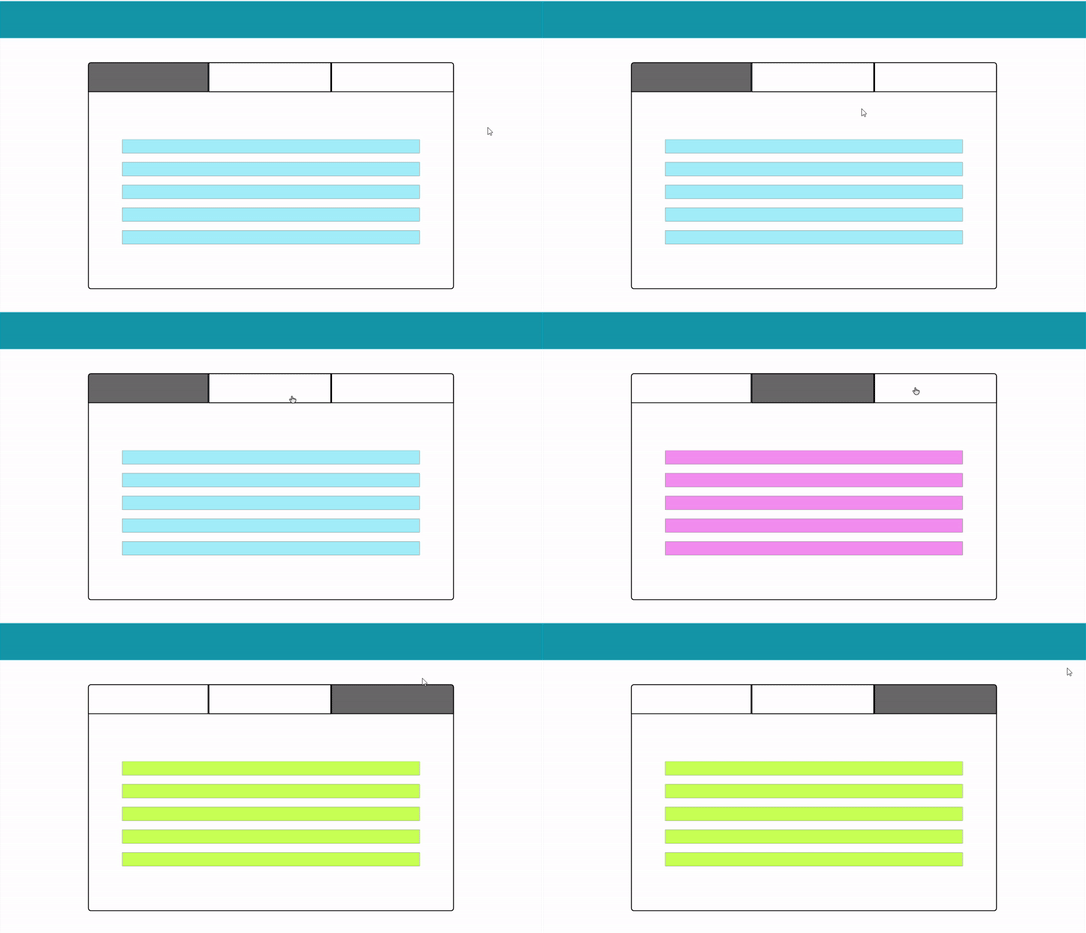
Module Tabs are a metaphor for folders kept in a drawer. Where each folder is specific to its content, yet belongs to all other folders.

Checkpoints Module Tabs

  1. Avoid information imbalance (Broken Experience) — One tab is scrollable and the other is non-scrollable with very less information.
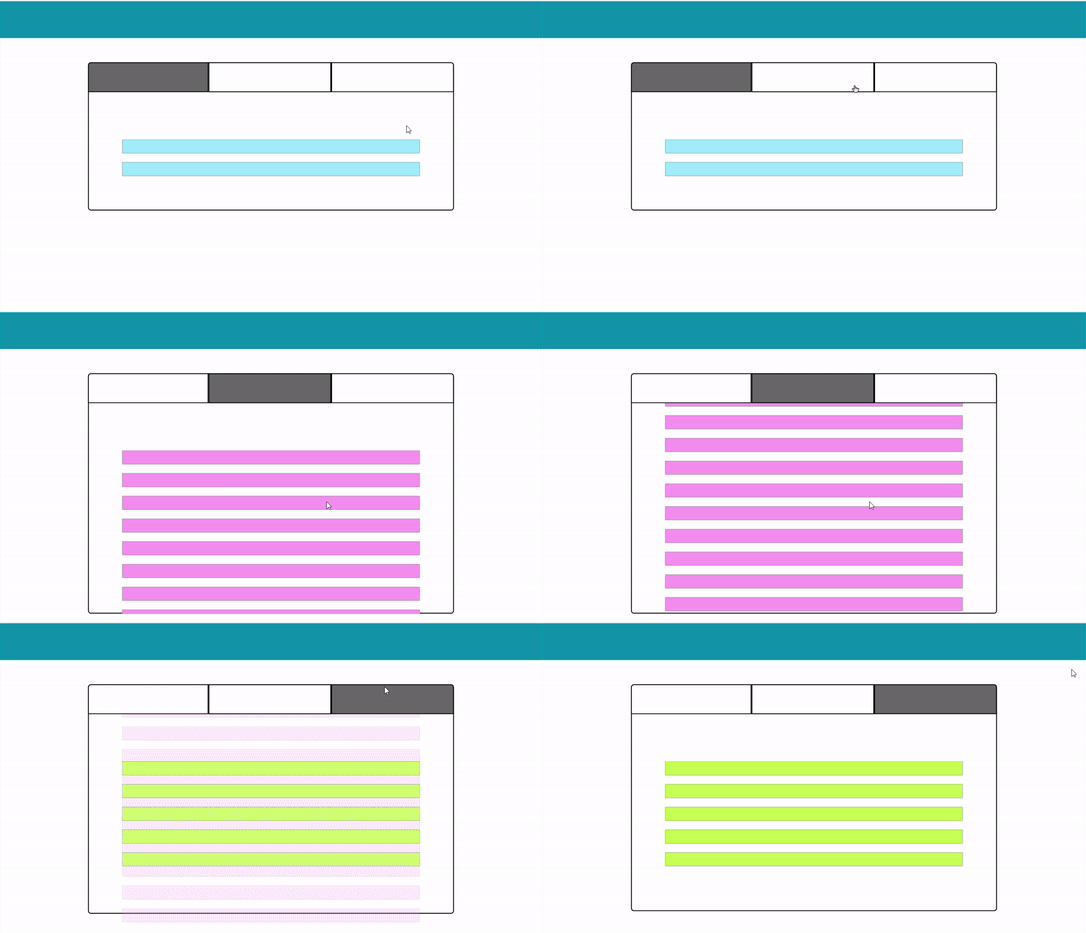
2. Which tab would be your default tab? (Not a big problem, but need to consider what will be our criteria)

3. Multiple rows of tabs should be always avoided (because it increases complexity and makes visual relations among sections tough). Amazon did that in their earlier designs, later they dropped the Tabbed design and went for Single Page (You will get the reason in the later part of the article).
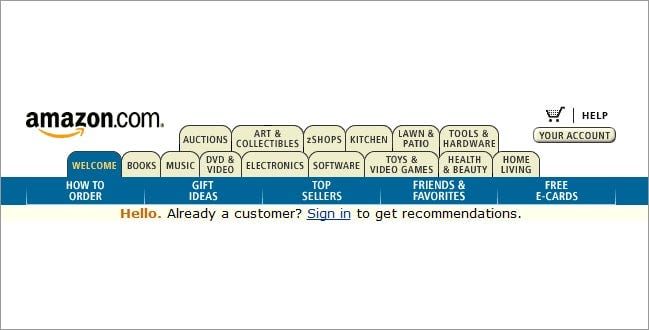
Amazon Home Page with 15 Tabs (2000)

4. Section names should be relatively short and there should be some kind of color-coding or other visual support to indicate what tab is currently being viewed.

5. Avoid placing swipeable items in the content area of a UI that has tabs, as the user may mistakenly swipe the wrong component.

Choose Module Tabs When

  1. Information can be divided into chunks that don’t need to be compared or accessed simultaneously. Tabs organize content into categories to help users easily find different types of information. People often scan websites rather than reading them. Tabs are helpful here.
  2. You want to avoid very long-page scrolling. Optimum use of space by showing different information in the same space. Accordions take more space than tabs to show the same information.

Accordion
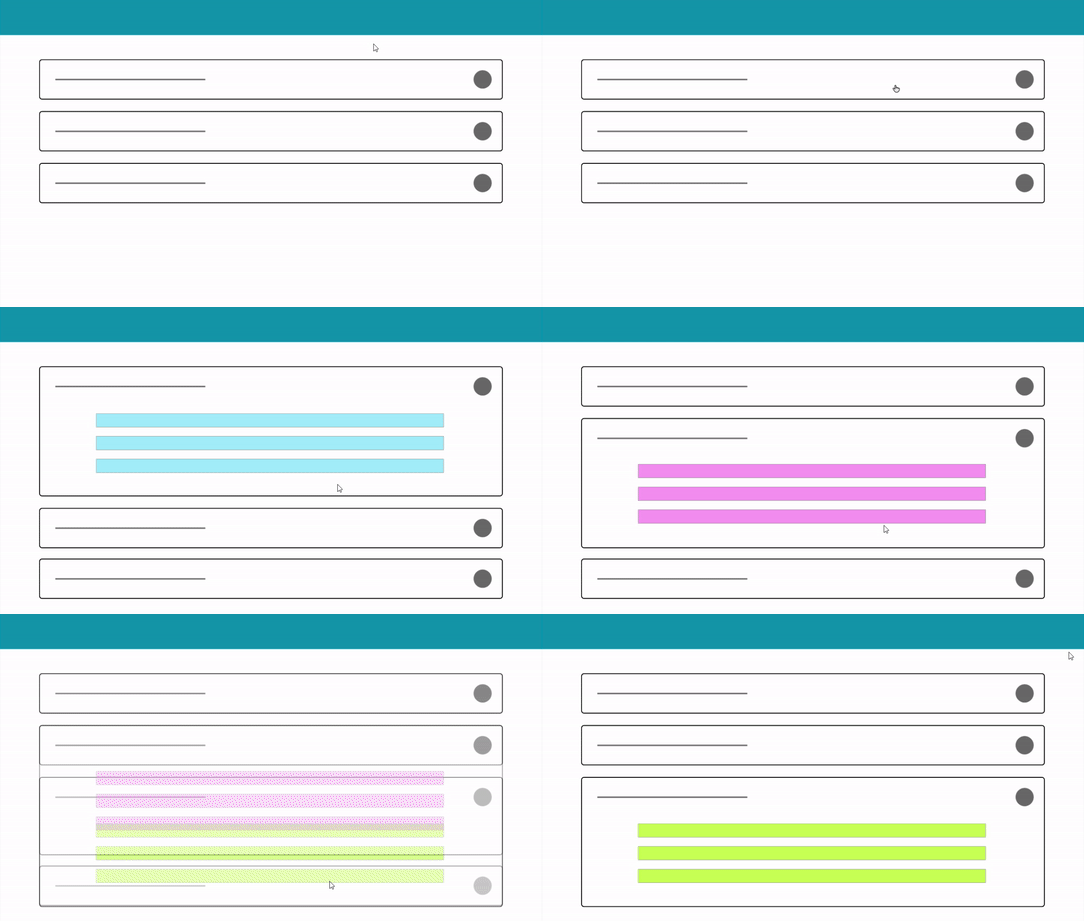
It’s a useful pattern for progressive disclosure — highlighting important details of a section and revealing more details upon a tap or click if wanted.

Checkpoints Accordion

  1. Icon that indicates expansion, shouldn’t conflict with other UI elements and their meanings.

2. Expansion icon may also indicate the direction of movement or more specifically, where the user’s view will be moved to once the icon has been tapped or clicked.
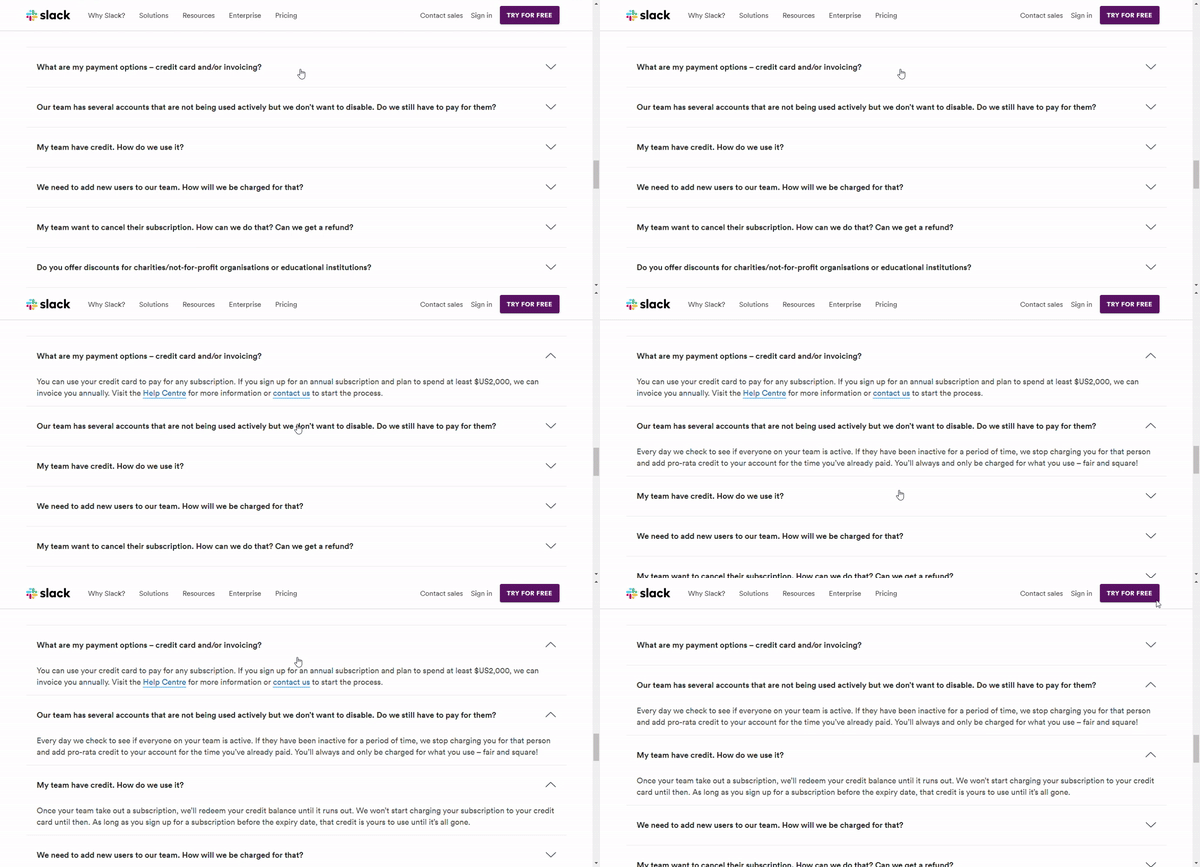
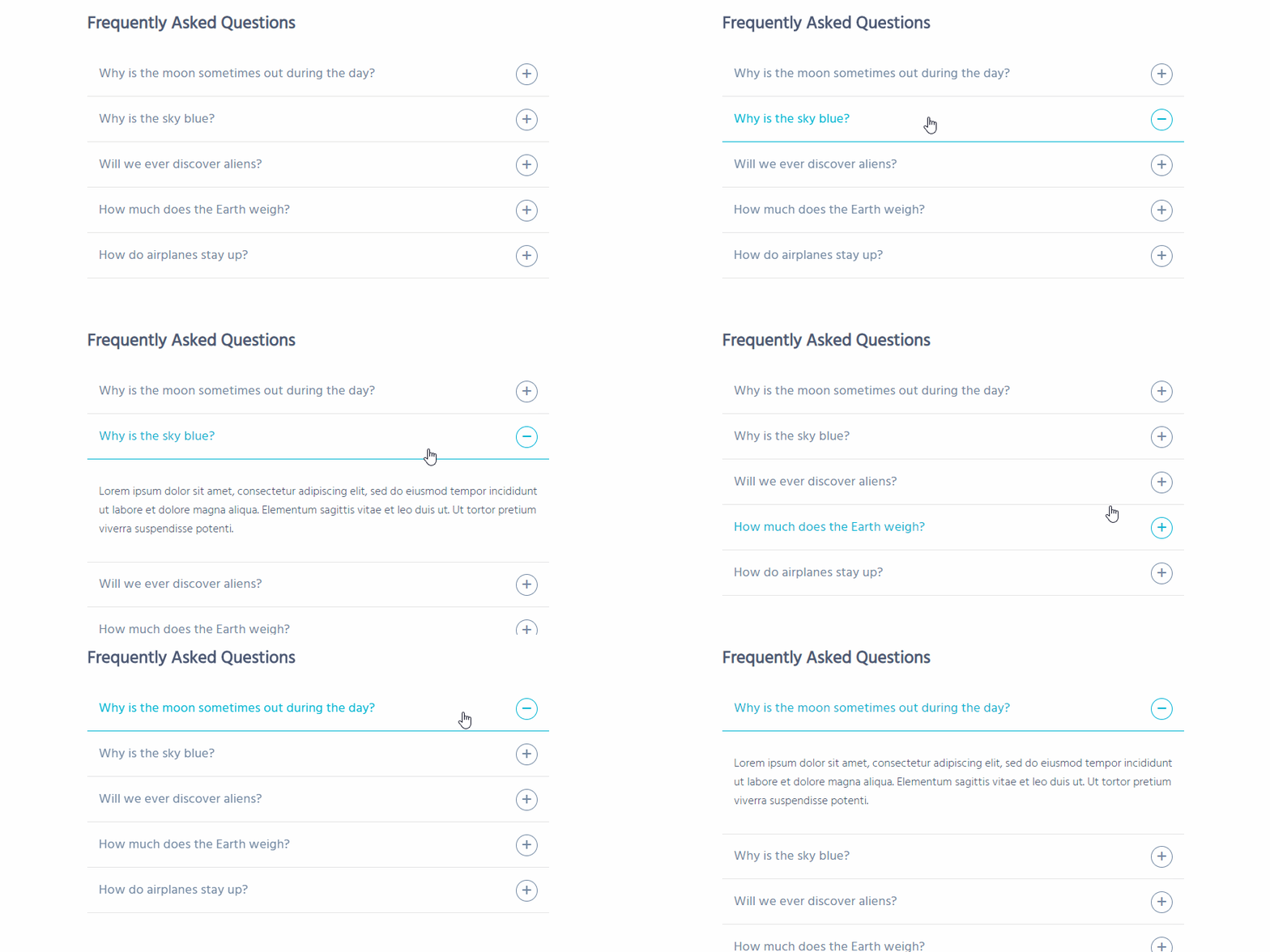
Angle indicating expansion and movement direction
Plus indicating expansion

3. To avoid confusion and make the process easy, category title, icon, and the entire area should trigger expansion. Good usability is about predictability — does the user understand what will happen when they take XYZ action.

4. If one section is already expanded, and the user clicks on another section, should the first one collapse or stay as is? The answer to the question depends on user-requirements and the use-case.

When to use Accordion

  1. Good for responsive design. Accordion must fit in one screen whereas tabs may have a horizontal scroll (User will be needed to see hidden tabs themselves).
  2. Accordions are more “experiential” — you can animate the transition between the slides easily, it’s fun and it makes sense. The animated transition between tabs is very rare. There are a lot of rooms to experiment with accordions such as mouseover, expansion, collapse, etc.

Single Page
Choose Single Page When

  1. Information needs to be seen simultaneously.
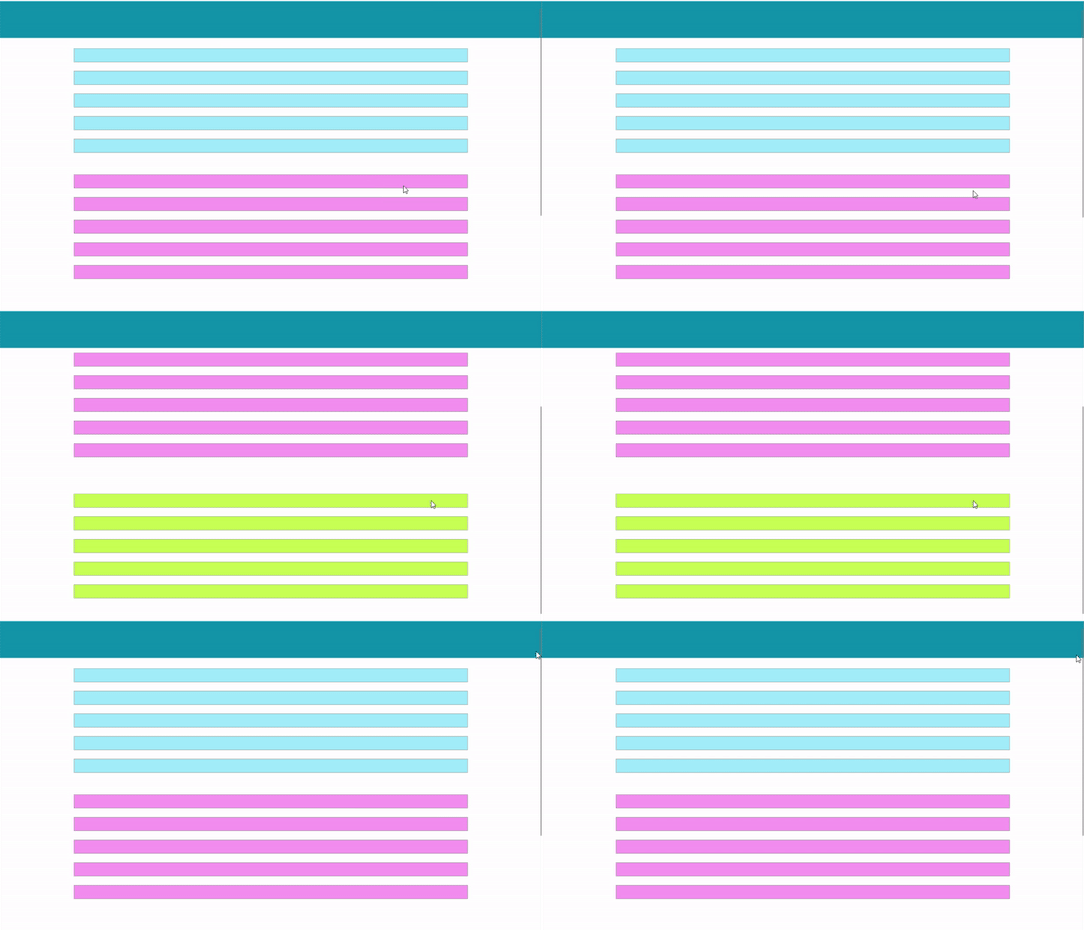
  2. You have to give an unbreakable smooth experience with an absolute zero number of clicks. It encourages users to continue scrolling to explore, whereas tabbed navigation would break up the experience. That’s why E-commerce and Social Media websites use the long or infinite scroll.
  3. The content is arranged in some kind of sequential format.

You may have a look at these references for a detailed discussion on each. Thanks for reading out!

UX Design
Web Design
UX Research
UI Design
Design
Recommended from ReadMedium